
Logitech Options is a versatile utility software designed to enhance the functionality and customization of your Logitech peripherals. Whether you’re using a keyboard, mouse, touchpad, or a combination thereof, Logitech Options provides a centralized platform to fine-tune settings and optimize your workflow. This comprehensive guide explores the features, benefits, and potential drawbacks of Logitech Options, offering a detailed understanding of its capabilities and how it can improve your overall user experience.
Getting Started with Logitech Options
Logitech Options is readily available for download and installation on Windows systems. The installation process is typically straightforward and intuitive, guiding users through each step. Upon launching the application, you’ll be prompted to sign in with your existing Logitech account or create a new one. This account linkage offers several advantages, including cloud synchronization of your customized settings, enabling seamless transition between different computers. Once logged in, Logitech Options automatically detects any connected Logitech devices. For devices that aren’t automatically recognized, a convenient “Add Devices” button allows manual addition of peripherals. This feature is crucial for users with multiple devices or those who frequently switch between peripherals.
Extensive Customization Options for Enhanced Productivity
The core functionality of Logitech Options revolves around its extensive customization capabilities. This software empowers users to tailor their input devices to perfectly suit their individual needs and preferences. Key features include:
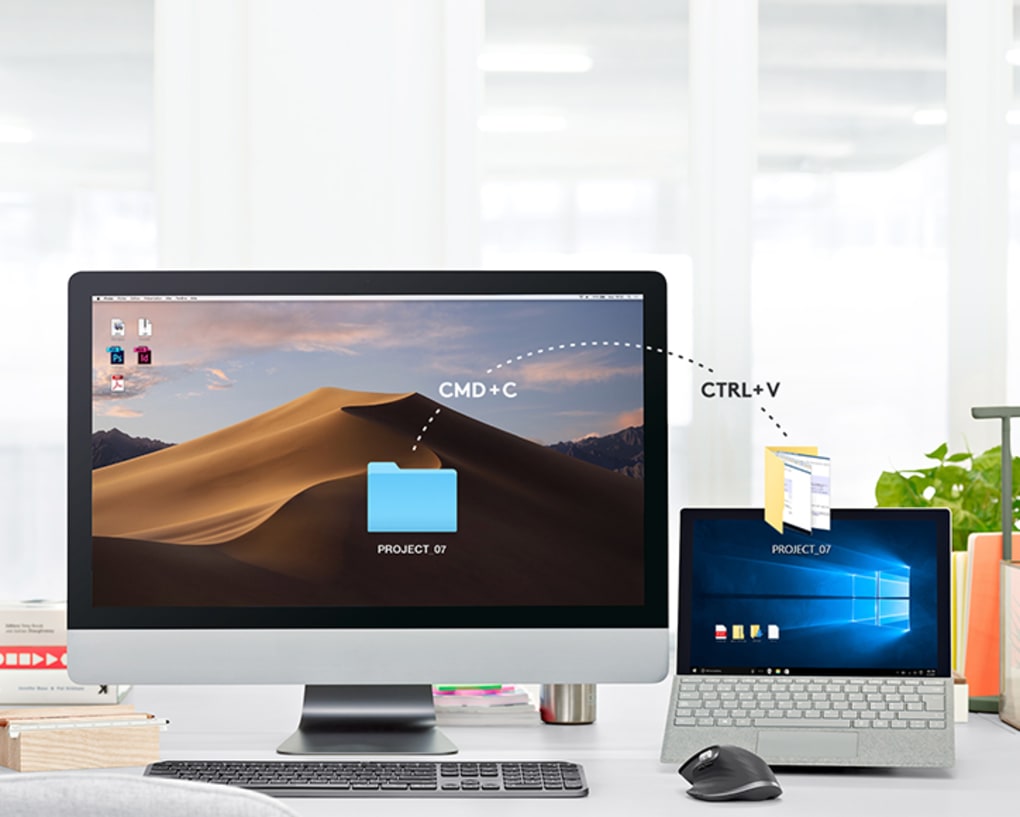
- Button Reassignment: One of the most powerful features is the ability to reassign the functions of buttons on your mouse and keyboard. Instead of being limited to their default actions, buttons can be programmed to perform a wide variety of tasks, from launching specific applications to executing complex macros. This level of customization dramatically increases productivity and efficiency, especially for users who frequently perform repetitive tasks. For example, a frequently used software function can be assigned to a conveniently located mouse button, eliminating the need for cumbersome keyboard shortcuts.
-
Precision Control Adjustments: Beyond button reassignment, Logitech Options allows granular control over various parameters, including cursor speed, scroll wheel sensitivity, and even double-click speed. This precise control is essential for users who require highly responsive and accurate input devices. The ability to fine-tune these settings contributes significantly to the overall comfort and precision of the user experience.
-
Trackpad Automation: For users with Logitech touchpads, Logitech Options provides sophisticated trackpad automation features. This allows the user to define custom gestures and assign them specific actions. This eliminates the need for complex keyboard shortcuts or mouse movements, streamlining workflows and improving overall efficiency.
-
Keyboard and Mouse Synergy: A unique advantage of Logitech Options is its capability to integrate keyboard and mouse functionality. Users can link their mouse and keyboard for enhanced navigation and customized functions. This is particularly useful for users who frequently switch between different applications or require seamless transitions between tasks. Activating this feature is often as simple as holding down the Fn key on the keyboard.
-
Wireless Peripheral Monitoring: For users of wireless Logitech devices, Logitech Options displays essential status information, such as battery life and connection strength. This feature enables proactive battery management, preventing unexpected interruptions due to low power. The real-time monitoring capabilities keep users informed of their devices’ status, ensuring continuous operational readiness.
-
Cloud Backup and Synchronization: One of the most beneficial aspects of Logitech Options is its cloud backup and synchronization capabilities. All custom settings and configurations are backed up to the cloud, ensuring accessibility across different computers. This eliminates the need to reconfigure your peripherals every time you use a different machine. The seamless synchronization across devices ensures a consistent and personalized user experience regardless of the computer used.
Addressing Limitations and Potential Challenges
While Logitech Options offers a wealth of features and functionalities, it’s important to acknowledge some limitations and potential challenges:
-
Device Removal Complexity: While adding devices is relatively straightforward, removing devices from Logitech Options can be surprisingly cumbersome. The absence of a dedicated “Remove Device” button often leads users to navigate through convoluted menus and settings to unpair their devices. This lack of intuitive removal functionality presents a significant usability challenge. A more streamlined process for device removal would greatly improve the user experience.
-
Advanced Settings Complexity: While the core settings are accessible and easy to understand, navigating to and utilizing some of the more advanced settings can be challenging for less technically inclined users. The user interface, while generally intuitive, could benefit from further refinement to improve clarity and accessibility across all features.
Comparison to Alternative Software
While Logitech Options is a robust solution for customizing Logitech peripherals, it’s beneficial to compare it to alternative software options. Some alternative solutions, such as Logitech G Hub (focused on gaming peripherals) or third-party customization tools, may offer different features or a different user experience. The choice of software ultimately depends on the user’s specific needs and preferences. Consider comparing features, user interface, and overall ease of use when deciding on the appropriate software.
Conclusion: A Powerful Tool for Enhancing Productivity
Logitech Options provides a comprehensive solution for customizing and enhancing Logitech peripherals. Its extensive customization options, cloud synchronization, and peripheral status monitoring capabilities greatly contribute to increased productivity and a personalized user experience. While the lack of a clear device removal process and potential complexity in accessing advanced settings present minor drawbacks, the overall benefits of Logitech Options far outweigh these limitations. For users seeking a powerful and versatile tool to tailor their Logitech devices to their specific needs, Logitech Options remains a compelling and effective choice.
File Information
- License: “Free”
- Latest update: “July 11, 2023”
- Platform: “Windows”
- OS: “Windows 7”
- Language: “English”
- Downloads: “5.4K”
- Size: “290.96 MB”


