
Logo Design Studio Pro presents itself as a powerful logo design tool boasting thousands of templates, promising accessibility for businesses seeking cost-effective branding solutions. This review delves into the software’s features, usability, strengths, and weaknesses, based on user experiences and the software’s advertised capabilities. We’ll explore whether this tool lives up to its marketing claims and provides a viable alternative to professional graphic design services.
Feature Set: Templates, Editing Tools, and Functionality
Logo Design Studio Pro’s primary selling point is its extensive library of over 5,000 logo templates. This vast collection caters to a broad range of industries, including arts and entertainment, business and finance, construction, food and beverage, legal, real estate, technology, and travel. The templates offer a solid foundation for users to customize and adapt to their specific brand needs. Users can draw inspiration from these existing designs, modifying elements such as colors, fonts, and imagery to create a unique logo reflecting their company’s identity.
Beyond the templates, the software offers the option to create logos from scratch. This feature appeals to users with more artistic skills who prefer to design without the constraints of pre-existing designs. A blank canvas allows for complete creative freedom, enabling users to build their logo from the ground up, incorporating their own unique designs and vision. The extent of this “from scratch” capability is, however, a key area needing further exploration in this review.
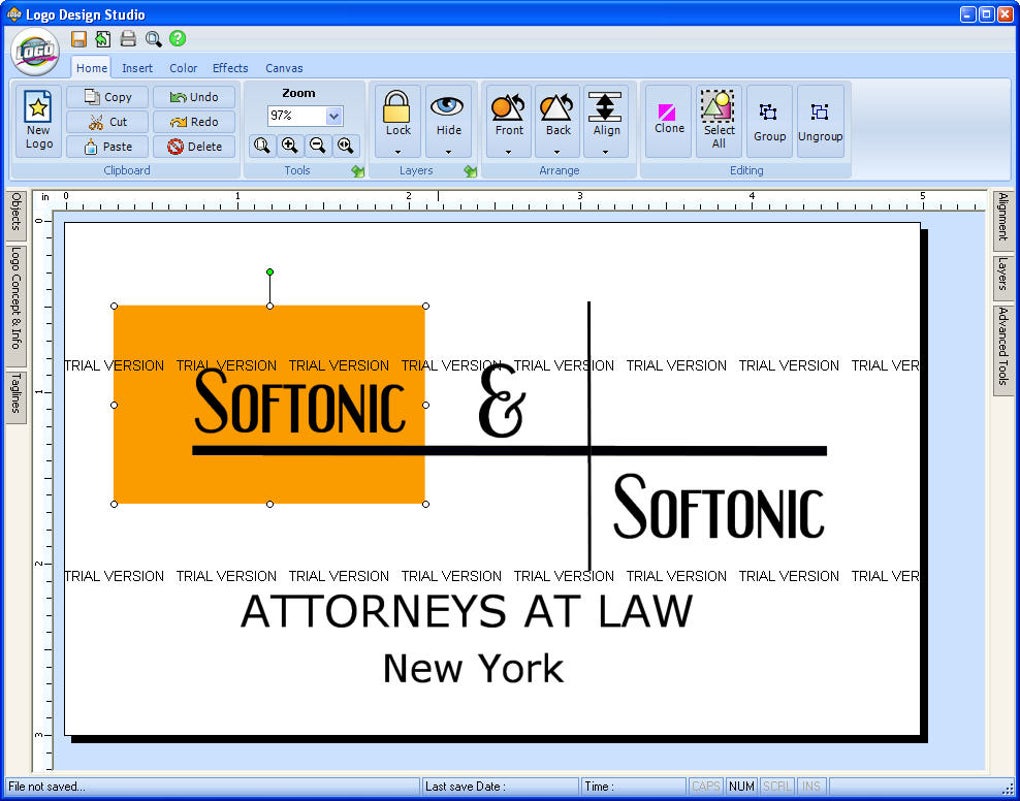
The software’s core functionality revolves around its logo editor. While the abundance of templates and the “blank canvas” option offer diverse creative avenues, the capabilities of the editor itself are a crucial consideration. User reviews frequently highlight a perceived simplicity or lack of sophistication in the editor, suggesting a potentially limited range of tools and customization options compared to professional-grade design software like Adobe Illustrator or CorelDRAW. A detailed examination of the editor’s features, including its layering capabilities, text manipulation tools, shape editing functionalities, and the available effects and filters, is necessary to fully assess its strengths and limitations.
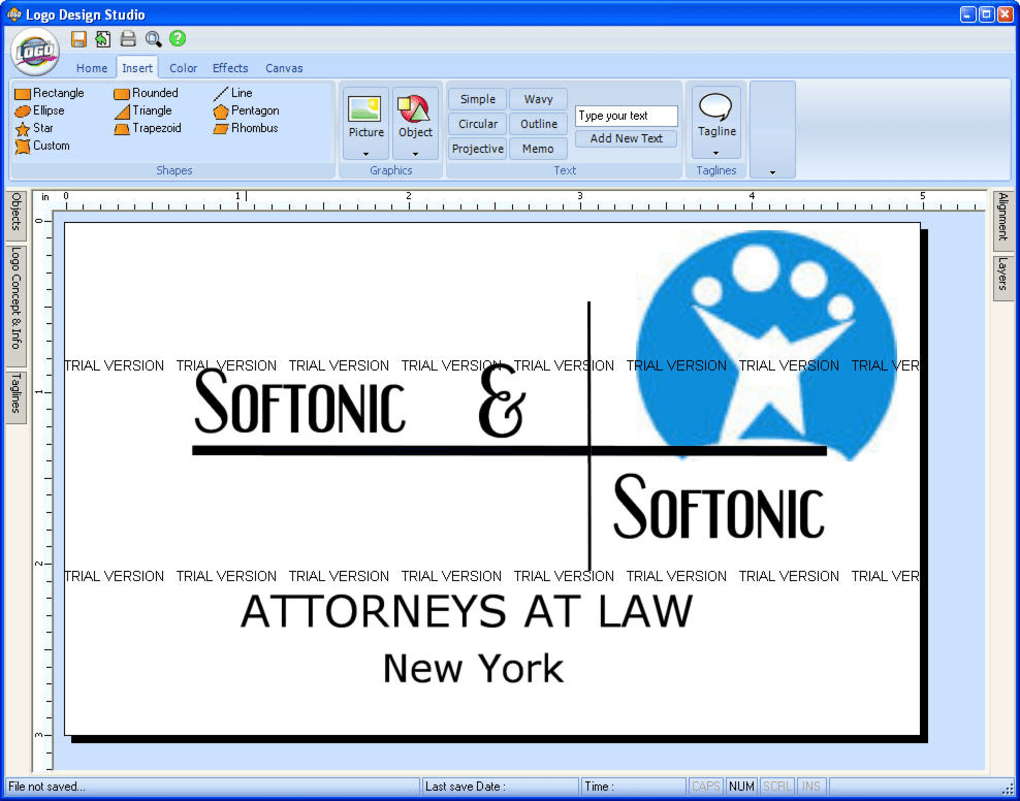
Furthermore, the integration of additional features such as color palettes, font selections, and image import options is critical to the overall user experience. A robust selection of high-quality fonts and color schemes significantly impacts the final product’s aesthetic appeal. The ability to import custom images or graphics adds flexibility, allowing users to incorporate their own brand assets into the design process.
Usability and User Experience: Ease of Use and Software Stability
Logo Design Studio Pro aims for user-friendliness, targeting individuals with limited design experience. The intuitive interface and extensive template library are designed to simplify the logo creation process, making it accessible even to beginners. However, user reviews reveal a mixed experience regarding the software’s ease of use.
While some users find the program intuitive and straightforward, others express frustration with specific aspects of the interface or functionality. The simplicity lauded by some is deemed a limitation by others who expect more advanced features and editing tools found in professional software. The software’s success in balancing simplicity and functionality is therefore a central aspect requiring detailed consideration.
Crucially, reports of software instability and error messages, particularly during program closure, pose significant concerns. These recurring issues undermine the user experience, creating frustration and impacting workflow. Such instability raises doubts about the overall quality and reliability of the software, highlighting a critical area requiring improvement from the developers.
A comprehensive evaluation of the software’s usability should include a detailed analysis of the user interface, its intuitiveness, the logical flow of the design process, and the responsiveness of the software’s tools and features. The frequency and nature of reported bugs and errors should also be critically assessed.
Performance and System Requirements: Resource Consumption and Compatibility
The performance of Logo Design Studio Pro, particularly its resource consumption and compatibility across different operating systems, is a key factor affecting its overall usability. While the software’s system requirements might be modest, allowing its use on a broad range of computer configurations, its performance under various workloads needs to be evaluated.
A comprehensive assessment should involve testing the software’s responsiveness with different file sizes, the number of layers used, and the complexity of the designs. The software’s efficiency in handling large images or complex designs will impact the user’s experience, particularly those creating intricate logos. Additionally, the software’s compatibility with various operating systems (e.g., Windows, macOS) needs to be evaluated, noting any known compatibility issues.
Comparison with Alternatives: Pricing and Value Proposition
Logo Design Studio Pro competes with a range of logo design software, both free and paid. A critical analysis should compare its features, functionality, and pricing with prominent alternatives, such as Free Logo Maker, The Logo Creator, and other similar applications. This comparison will determine Logo Design Studio Pro’s competitive advantage and its value proposition for potential users.
The pricing model, especially considering its trial version, warrants attention. The software’s value is judged by the balance between its cost, the features it offers, and the quality of the results it produces. A cost-benefit analysis needs to be performed, weighing the cost of the software against the time and effort saved in creating a logo compared to using alternative methods or hiring a professional designer.
Conclusion: Strengths and Weaknesses, Overall Assessment
Logo Design Studio Pro presents a mixed bag. Its extensive template library and the option to create logos from scratch offer considerable potential for users seeking a cost-effective solution for logo creation. The software’s aim for user-friendliness is evident in its intuitive interface, but the execution falls short in several areas. The reported instability and the perceived limitations of the editor raise significant concerns.
The software’s strengths lie in its large template collection and the accessibility it offers to novice users. However, its weaknesses are equally apparent in the software’s reported instability, limitations in editing capabilities, and potentially poor customer support, as indicated by user reviews.
A definitive verdict requires further investigation into the reported bugs, a thorough evaluation of the editing capabilities, and a direct comparison with its competitors. Until these concerns are addressed, Logo Design Studio Pro remains a potentially useful but ultimately unreliable tool for logo creation. Users should carefully weigh the advantages and disadvantages, considering their technical expertise and specific design needs before committing to purchasing the full version. The reliance on user reviews highlights the absence of a robust, readily available technical support system to address user concerns and resolve technical issues effectively.
File Information
- License: “Trial version”
- Latest update: “July 3, 2024”
- Platform: “Windows”
- OS: “Windows XP”
- Language: “English”
- Downloads: “287K”
- Size: “28.51 MB”


