
LonelyScreen AirPlay Receiver is a screen mirroring application designed to transform your Windows or Mac computer into a versatile AirPlay receiver. This allows you to seamlessly cast the display of your iPhone or iPad onto a larger screen, offering numerous practical applications for both personal and professional use. This review delves into the features, strengths, and weaknesses of LonelyScreen, providing a detailed assessment of its functionality and usability.
Effortless Screen Mirroring: A Seamless Experience
At its core, LonelyScreen excels at its primary function: mirroring your iOS device’s screen to your computer. The setup process is remarkably straightforward, requiring minimal technical expertise. Once installed, the application automatically detects available iOS devices on the same network, allowing for quick and easy pairing. This streamlined process significantly enhances user-friendliness, making it accessible to a broad range of users, regardless of their technical proficiency.
The mirroring itself is remarkably smooth, with minimal lag. This ensures that the experience remains fluid and responsive, crucial for applications like gaming and video playback. The real-time mirroring capability faithfully replicates everything displayed on your iOS device, including animations, transitions, and even subtle details. This fidelity ensures a consistent and accurate representation of your mobile screen on the larger display. Whether you are presenting a slideshow, playing a game, or simply sharing photos, the visual quality remains impressively sharp and clear.
Versatility Across Platforms and Applications
LonelyScreen’s versatility extends beyond its core mirroring capabilities. It supports a wide range of iOS devices, dating back to iOS 9.1, ensuring compatibility with a significant portion of existing iPhones and iPads. This broad compatibility significantly increases the application’s reach and usability.
Furthermore, its cross-platform support for both Windows and Mac operating systems showcases its adaptability. This wide compatibility ensures that a larger audience can benefit from its functionality, regardless of their preferred operating system. The software is compatible with a wide range of Windows versions, including Windows 7, 8, 10, and Server 2003. This comprehensive support demonstrates a commitment to providing broad access.
The applications for LonelyScreen are extensive. It facilitates presentations by enabling the sharing of presentations, documents, and other visual content directly from your iOS device to a larger screen. This capability is particularly beneficial in professional settings, such as conferences, meetings, or classrooms. For gamers, it offers the ability to play iOS games on a larger screen, enriching the gaming experience. Developers can utilize the tool for app demonstrations, showcasing their applications in a more engaging and comprehensive manner. Even casual users can benefit from the ability to share photos and videos easily with family and friends on a larger screen. The software is also useful for video creation, facilitating the recording of screencasts for tutorials, reviews, gameplay footage or educational purposes.
Beyond Mirroring: Additional Features and Functionality
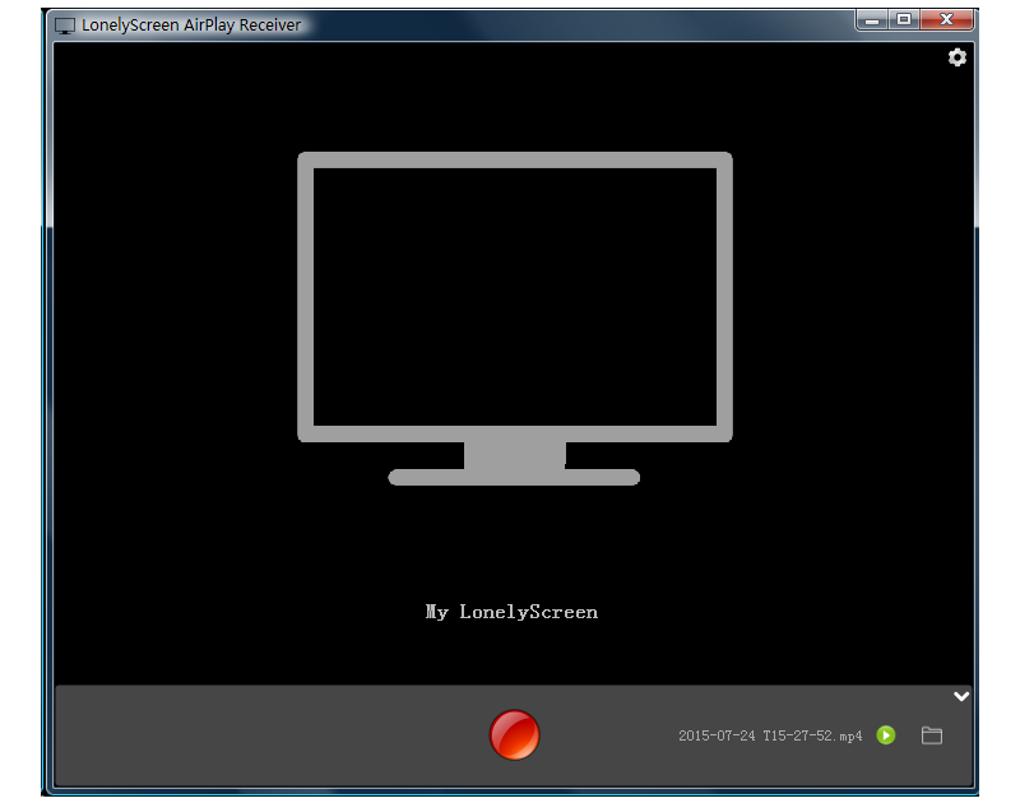
LonelyScreen extends its functionality beyond simple screen mirroring. The ability to record mirroring sessions enables the creation of high-quality videos for various purposes, such as tutorials, reviews, or gameplay videos. This feature transforms LonelyScreen from a simple screen mirroring tool into a versatile content creation platform, broadening its appeal and utility for a wide range of users.
The integration of audio streaming adds another layer of functionality. Users can easily cast music and other audio content from their iOS devices to their computers, creating a seamless audio experience. This feature enhances its usefulness in multimedia applications, further enhancing its versatility.
While primarily known for its screen mirroring abilities, LonelyScreen provides additional features that enhance its functionality and broaden its appeal. The capability to record the mirrored session allows users to capture and save presentations, gameplays, and other on-screen actions, creating versatile content for various purposes. The simultaneous audio streaming adds a critical layer to this functionality, enriching the multimedia experience.
Performance and Connectivity: Strengths and Limitations
While LonelyScreen generally offers a smooth and responsive mirroring experience, its performance can be impacted by network conditions. Optimal performance is achieved over a robust Wi-Fi connection. Users with unstable or weak internet connections may experience occasional lag or connection interruptions. This dependency on a strong Wi-Fi network is a critical factor to consider, particularly for users in areas with unreliable internet connectivity.
The application’s reliance on Wi-Fi connectivity, while offering the convenience of wireless mirroring, also presents a potential limitation. In environments with limited or unreliable Wi-Fi coverage, the mirroring experience can be impacted by connectivity issues, leading to interruptions and delays. Therefore, a strong and stable Wi-Fi network is crucial for achieving optimal performance.
Pricing and Licensing: A Consideration for Users
LonelyScreen operates on a freemium model, offering a free version with certain limitations. While the free version provides basic mirroring functionality, certain features, such as extended recording time or business usage, may require a paid subscription. This pricing model allows users to experience the core functionality without committing to a purchase, while also offering a premium version for those with more demanding needs. The free version is suitable for casual users with limited needs.
The licensing structure differentiates between personal and business use, requiring separate licenses for each category. This distinction in pricing reflects the distinct requirements and usage patterns of personal and commercial users. Commercial users with more intensive requirements might find the business-oriented license cost-effective, while personal use can be covered through the free or more accessible personal license.
Comparison with Alternative Solutions
LonelyScreen competes with several other AirPlay receivers, each with its own strengths and weaknesses. While several competitors offer similar core functionalities, LonelyScreen distinguishes itself through its ease of use, cross-platform compatibility, and additional features like screen recording. However, potential users should thoroughly compare these applications based on their individual needs and preferences. Some alternatives may offer advanced features not found in LonelyScreen, while others may excel in areas such as performance optimization or specific device compatibility.
Conclusion: A Powerful and Versatile Tool
LonelyScreen AirPlay Receiver offers a robust and user-friendly solution for mirroring iOS device screens to Windows and Mac computers. Its intuitive interface, seamless mirroring, and versatile functionality make it a valuable tool for a wide range of users. While its performance is dependent on network stability, and a paid license is necessary for business use, LonelyScreen’s strengths in ease of use and diverse functionality make it a compelling option for both casual and professional users seeking a reliable and effective AirPlay receiver. However, it is essential for potential users to weigh the benefits against its limitations, and consider alternative options based on individual needs and preferences before making a decision.
File Information
- License: “Trial version”
- Version: “1.2.9”
- Latest update: “October 17, 2018”
- Platform: “Windows”
- Language: “English”
- Downloads: “73.3K”
- Size: “563.86 KB”


