
LosslessCut is a free and open-source video and audio editor designed for speed and efficiency. Unlike many video editing suites that burden users with complex interfaces and a steep learning curve, LosslessCut prioritizes simplicity and ease of use, making it an ideal tool for both beginners and experienced editors who need a quick and straightforward solution for trimming and cutting multimedia files. This review will explore LosslessCut’s capabilities, its advantages and disadvantages, and compare it to similar software options.
Streamlined Interface and Intuitive Workflow
LosslessCut distinguishes itself through its remarkably clean and intuitive interface. The program eschews unnecessary features and complex menus, focusing instead on providing easy access to the core functionalities: cutting, trimming, and selecting specific segments within video and audio files. The minimalist design ensures that users can quickly locate and utilize the tools they need, significantly reducing the time spent navigating menus and learning complex workflows. The primary workspace displays the video or audio timeline, allowing users to visually select the portions they wish to keep or remove. This visual approach, coupled with the straightforward controls, makes the editing process exceptionally user-friendly. The absence of advanced features, while limiting for some users, enhances the overall speed and simplicity of the editing experience, allowing users to perform basic edits quickly and efficiently.
Core Functionalities: Cutting, Trimming, and Segment Selection
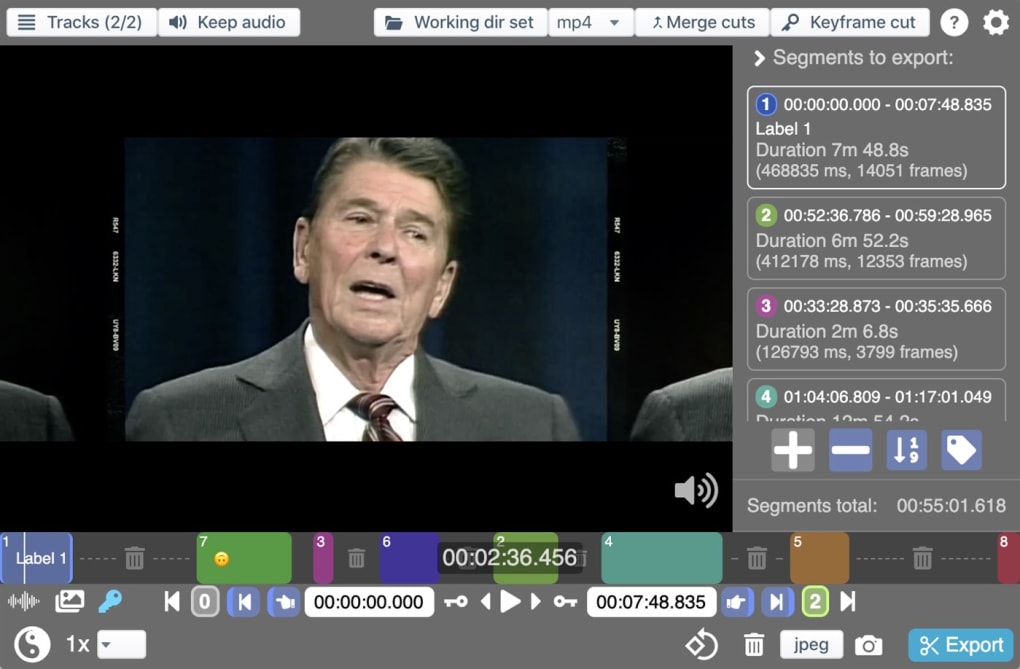
At its heart, LosslessCut excels at its core functions: cutting and trimming. Users can precisely select start and end points within a video or audio file to remove unwanted sections. The program supports a wide range of common video and audio formats, ensuring compatibility with many multimedia files. The process is incredibly straightforward: users simply drag the selection markers to define the desired segment, then choose to either keep or remove the selected portion. This precision cutting ensures minimal loss of quality, as opposed to techniques which involve re-encoding the entire file. This makes LosslessCut particularly appealing to those working with high-resolution video or audio where preserving quality is paramount. The ability to select specific clips within longer videos is equally useful for creating shorter excerpts or extracting individual scenes without the need for extensive rendering or re-encoding.
Furthermore, LosslessCut provides a valuable feature that allows for applying a timecode offset, a useful tool for synchronizing audio and video, or adjusting the timing of segments within a project. This functionality adds a layer of precision that complements the basic cutting and trimming capabilities, allowing users to fine-tune their edits with greater accuracy. While lacking the sophisticated effects and transitions often found in more comprehensive editing suites, LosslessCut’s efficiency in fundamental operations is its defining strength.
Advantages of LosslessCut: Speed, Efficiency, and Ease of Use
The primary advantage of LosslessCut lies in its speed and efficiency. Because it operates primarily by selecting and extracting portions of the original file rather than re-encoding the entire stream, the editing process is incredibly fast. This is particularly beneficial when working with large video files or when needing to perform multiple edits quickly. The program’s small footprint and minimal system resource consumption further enhance its speed and efficiency. Unlike many resource-intensive video editing programs, LosslessCut can be run on less powerful systems without compromising performance, making it an accessible tool for a wider range of users.
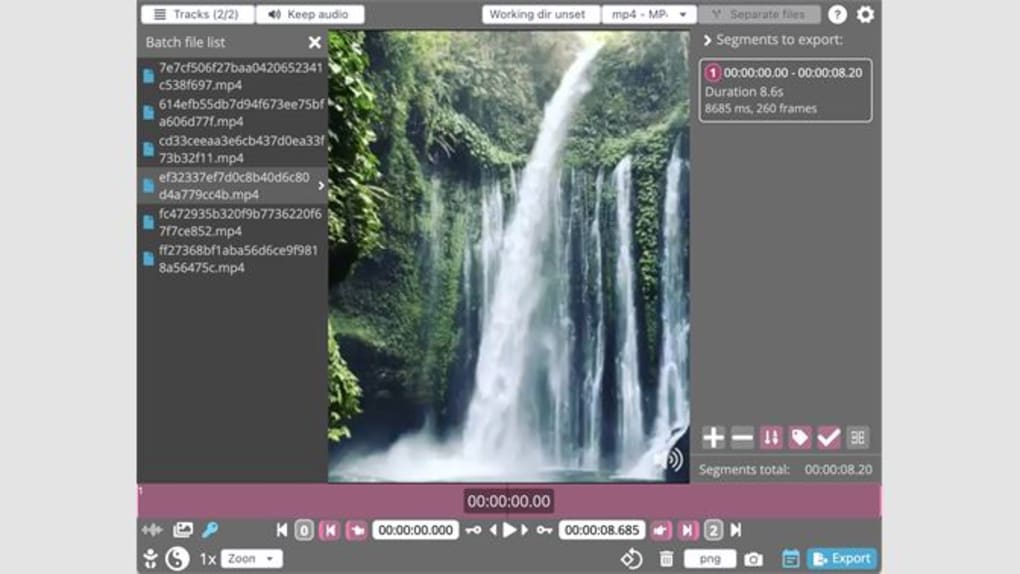
The ease of use is another significant advantage. The intuitive interface and simple controls allow even novice users to quickly master the program. The lack of a steep learning curve removes a major barrier to entry, making it a user-friendly option for those who are new to video or audio editing. This user-friendly design complements its speed, allowing quick edits and exports without the need for extensive training.
The program’s lossless nature is a considerable benefit for professionals and enthusiasts who prioritize the preservation of quality. By avoiding re-encoding, LosslessCut prevents any loss of data or degradation in the quality of the original file, making it a valuable choice for archiving, preserving, and restoring valuable multimedia assets. This makes LosslessCut an excellent choice for situations where maintaining original file integrity is crucial.
Limitations of LosslessCut: Feature Set and Format Support
While LosslessCut excels at its core functions, it also possesses certain limitations. One significant drawback is its limited feature set. Unlike comprehensive video editing suites, LosslessCut lacks advanced features like effects, transitions, color correction, audio mixing, and subtitle integration. This limited functionality makes it unsuitable for projects that require complex editing or sophisticated post-production techniques. Those looking for advanced features and capabilities will need to explore alternative software options that cater to more demanding projects.
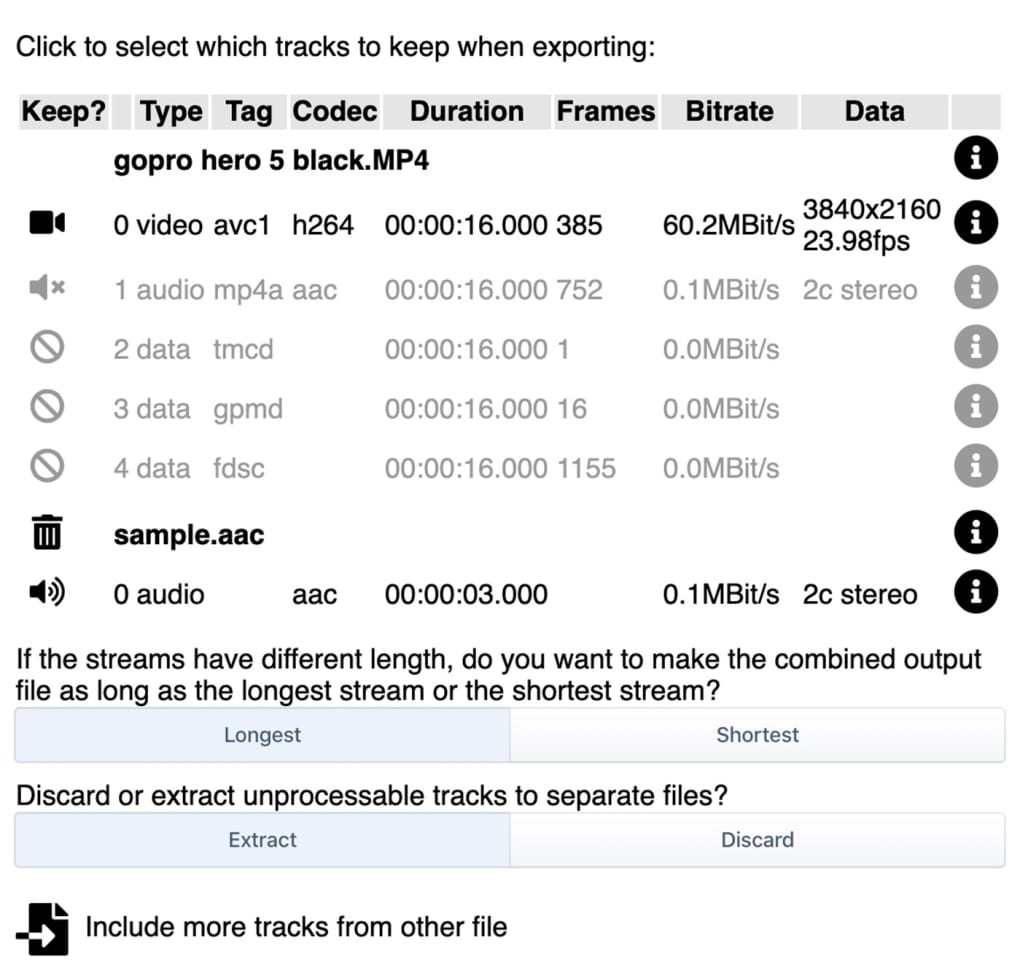
Another area where LosslessCut falls short is in its support for file formats. While it handles many commonly used formats, it may not support more obscure or specialized formats. This limitation can restrict its usability for users working with niche or less common media files. Users should check the compatibility of their files before utilizing LosslessCut, to avoid encountering format incompatibility issues. This limitation highlights the program’s focus on core functionality rather than comprehensive format support.
The lack of photo editing capabilities is also a noticeable restriction. While the focus on video and audio editing is clear, the inability to process image files limits its potential usefulness for users needing a single application to manage both visual and audio content. For those requiring photo editing capabilities, dedicated image editing software will be necessary to complement LosslessCut.
Comparison with Alternative Video and Audio Editors
Several alternative video and audio editing programs provide similar functionality, offering additional features and capabilities. Some popular choices include Avidemux, a free and open-source video editor similar to LosslessCut but offering a more extensive feature set, including more comprehensive encoding options and support for a wider range of codecs. Others such as DaVinci Resolve offer a full suite of professional tools but with a steeper learning curve and higher resource requirements. Software like Adobe Premiere Pro or Final Cut Pro provide advanced features, but come at a cost with subscription fees. The choice of editor largely depends on the user’s needs and technical expertise. For users who prioritize speed, ease of use, and lossless editing of simple cuts and trims, LosslessCut remains a strong contender. However, for more demanding projects requiring advanced features, a more comprehensive editing suite will likely be necessary.
Conclusion: LosslessCut’s Niche and User Base
LosslessCut occupies a unique niche in the video and audio editing landscape. It excels at its core functions—efficiently cutting and trimming video and audio files without re-encoding—making it a highly valuable tool for users prioritizing speed, simplicity, and lossless editing. Its user-friendly interface and minimal system requirements make it accessible to a broad range of users, from novice editors to experienced professionals seeking a quick and efficient solution for basic edits. While its lack of advanced features limits its capabilities for complex projects, its strength lies in its efficient handling of fundamental tasks, making it an ideal choice for users who need a straightforward and fast solution for trimming and cutting multimedia files. The balance between simplicity and functionality makes LosslessCut a powerful tool in its own right, catering to a specific user base with unique needs.
File Information
- License: “Free”
- Latest update: “July 10, 2023”
- Platform: “Windows”
- OS: “Windows 11”
- Language: “English”
- Downloads: “25.3K”
- Size: “139.28 MB”


