
Luminance HDR, formerly known as Qtpfsgui, is a powerful and versatile freeware application designed to enhance the quality of your photographs, particularly those suffering from poor light exposure. It leverages the principles of High Dynamic Range (HDR) imaging to blend multiple exposures of the same scene into a single, optimally lit image. This process, typically requiring significant expertise in photography and tedious manual adjustments, is significantly streamlined by Luminance HDR’s intuitive interface and automated functions. This in-depth exploration will delve into the capabilities, strengths, and weaknesses of Luminance HDR, exploring its use cases and comparing it to other available options within the vibrant landscape of digital photography software.
Understanding High Dynamic Range (HDR) Imaging and Luminance HDR’s Role
High Dynamic Range (HDR) imaging is a technique used to capture a wider range of luminosity than is possible with standard photography. A standard photograph is limited by the sensor’s dynamic range, often resulting in overexposed highlights or underexposed shadows. HDR photography circumvents this limitation by capturing multiple images of the same scene at different exposure levels. These images – one underexposed, one correctly exposed, and one overexposed – each capture details from different portions of the luminosity range.
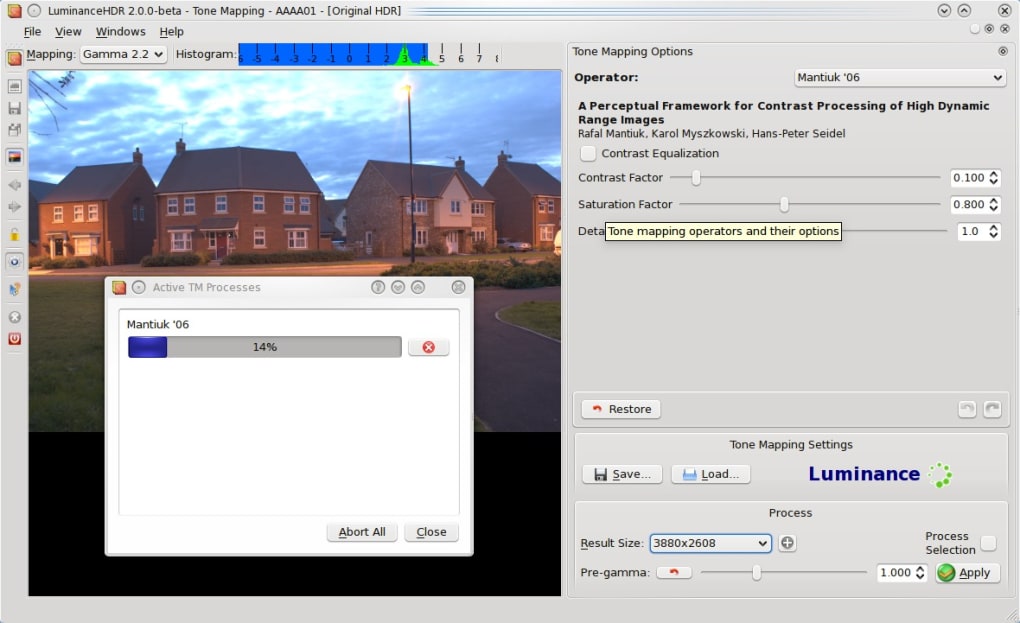
Luminance HDR excels at combining these exposures into a single HDR image. The software intelligently analyzes the various images, aligning them and merging the data to create a final composite that retains detail in both highlights and shadows. This results in a significantly richer and more realistic image with improved contrast and color depth. The process goes beyond simple averaging; it uses sophisticated algorithms to effectively combine the best aspects of each exposure, resulting in an image superior to any single shot.
The key advantage of using Luminance HDR is its ability to automate much of this complex process. While manual HDR merging is time-consuming and demands a strong understanding of exposure and lighting techniques, Luminance HDR simplifies these steps, allowing both professionals and amateur photographers to achieve impressive HDR results with relative ease. This democratization of HDR imaging empowers a broader range of users to explore and benefit from this advanced technique.
Key Features and Functionality of Luminance HDR
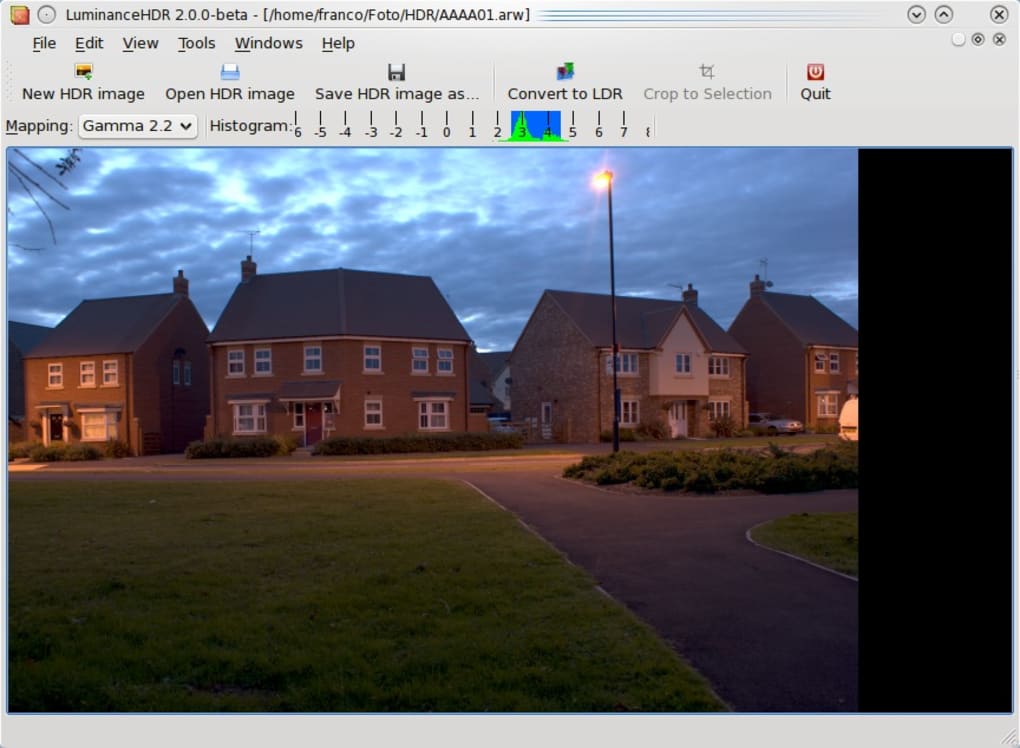
Luminance HDR boasts a comprehensive feature set designed to facilitate HDR image creation and enhancement. Beyond its core HDR merging capabilities, it provides a range of tools to refine the final output, ensuring optimal image quality. Some of its noteworthy features include:
-
Automatic Exposure Normalization: This is the core function of Luminance HDR. It automatically analyzes multiple exposures and intelligently merges them to produce a balanced image with a wider dynamic range. The algorithm considers various factors, such as exposure values and image content, to achieve optimal results. This automated process significantly reduces manual effort and speeds up the workflow.
-
Tone Mapping: Once the HDR image is generated, Luminance HDR offers various tone-mapping algorithms to further refine the visual appearance. Tone mapping is the process of mapping the extended dynamic range of the HDR image to the limited dynamic range of display devices. These algorithms influence contrast, color saturation, and overall visual impact. Luminance HDR includes a selection of popular tone-mapping operators, such as Fattal, Ashikmin, Durand, Drago, Pattanaik, Reinhard'02, and Reinhard'04. Each operator produces different aesthetic effects, offering a level of customization to suit individual preferences and creative visions. Experimentation with these different operators is encouraged to discover the optimal look for specific images.
-
Wide Format Support: Luminance HDR supports a variety of image formats, including OpenEXR (.exr), Radiance RGBE (.hdr), and TIFF (.tif). This broad compatibility ensures users can seamlessly integrate the software into their existing workflows regardless of their preferred format. Support for industry-standard formats like OpenEXR is particularly valuable for professionals who require high-quality, high-dynamic-range images.
-
Advanced Settings and Customization: While the automatic features are user-friendly, Luminance HDR also provides a wide array of advanced settings for those seeking greater control over the process. These settings allow experienced users to fine-tune parameters, such as alignment precision, tone-mapping parameters, and various other image processing options. This level of customization provides a high degree of flexibility, catering to users with diverse needs and skill levels.
Advantages and Disadvantages of Using Luminance HDR
Luminance HDR presents several compelling advantages, while also exhibiting certain limitations. Understanding these aspects is crucial for determining its suitability for specific needs.
Advantages:
-
Ease of Use: Despite its powerful capabilities, Luminance HDR offers a relatively intuitive interface, making it accessible to users with varying levels of experience in image processing. The automated features significantly reduce the complexity of HDR imaging.
-
Free and Open Source: Luminance HDR’s status as a free and open-source application removes the financial barrier to entry, making it accessible to a wider audience. This allows users to explore HDR imaging without incurring software costs.
-
Effective HDR Merging: The software’s core function, HDR image merging, is performed efficiently and reliably. It produces high-quality results, even with challenging input images.
-
Versatile Tone Mapping Options: The selection of tone-mapping operators provides significant creative flexibility. Users can experiment to achieve a wide range of aesthetic effects.
Disadvantages:
- Steep Learning Curve for Advanced Features: While the basic functions are user-friendly, the advanced settings and parameters can be overwhelming for beginners. Mastering the full potential of Luminance HDR requires time and effort to explore these advanced options.
- Potential for System Resource Intensiveness: Processing high-resolution images, especially those requiring significant adjustments, can be computationally intensive and demand significant system resources, potentially leading to processing delays.
Luminance HDR: A Comparison with Alternative Software
Luminance HDR is not alone in the landscape of HDR photography software. Several alternative applications offer similar functionality, each with its strengths and weaknesses. A comparative analysis reveals the relative advantages of Luminance HDR within this competitive market:
Several commercial options offer a richer feature set, including more advanced editing tools and more intuitive interfaces. However, these often come with a price tag. Luminance HDR’s open-source nature and free availability make it a highly competitive alternative, particularly for users with budgetary constraints or those primarily focused on HDR merging capabilities. Commercial alternatives may be preferable for users requiring extensive editing capabilities beyond HDR merging. The choice ultimately depends on individual needs and budget. A thorough evaluation of features and user interface is essential to guide selection. The open-source nature of Luminance HDR allows for community-driven development and potential future feature enhancements, a significant advantage in the long term.
In conclusion, Luminance HDR presents a compelling solution for photographers seeking to explore the power of High Dynamic Range imaging. Its user-friendly interface, combined with powerful HDR merging capabilities and a variety of tone-mapping options, makes it an attractive option for both novices and experienced photographers. While the software’s advanced settings may present a learning curve, its free and open-source nature, coupled with its effective core functionality, makes it a valuable tool in any photographer’s arsenal. Weighing its advantages and disadvantages against competing software is essential to determine its suitability for individual needs and workflow.
File Information
- License: “Free”
- Latest update: “January 3, 2024”
- Platform: “Windows”
- OS: “Windows XP”
- Language: “English”
- Downloads: “21.1K”
- Size: “49.64 MB”


