
Lynx Launcher is a free Android application designed to provide a clean, minimalist, and efficient home screen experience. Developed by N116 Soft, this launcher offers a refreshing alternative to the often cluttered and feature-heavy default home screens found on many Android devices. Its core philosophy centers around simplicity and ease of use, focusing on providing quick and intuitive access to frequently used applications and settings without sacrificing functionality.
A Desktop-Inspired Interface
Inspired by the Gnome Desktop Environment, a popular Linux desktop environment known for its clean and user-friendly interface, Lynx Launcher brings a similar aesthetic and functionality to Android. This approach translates to a desktop-like experience, offering a more organized and visually appealing alternative to the traditional Android home screen layout. The result is a launcher that feels both familiar and refreshingly different, allowing users to personalize their Android experience with a streamlined and efficient interface.
The visual design emphasizes a clean and uncluttered look. Instead of overwhelming users with widgets and excessive customization options, Lynx Launcher prioritizes functionality and accessibility. The layout is intuitive and easy to navigate, placing frequently used applications and settings within easy reach. This minimalist approach makes Lynx Launcher particularly appealing to users who prefer a less visually demanding home screen, allowing them to focus on their tasks without unnecessary distractions.
Key Features and Functionality
Lynx Launcher provides a range of features designed to enhance user experience and streamline access to various functions. These features, carefully selected to maintain the launcher’s minimalist aesthetic, include:
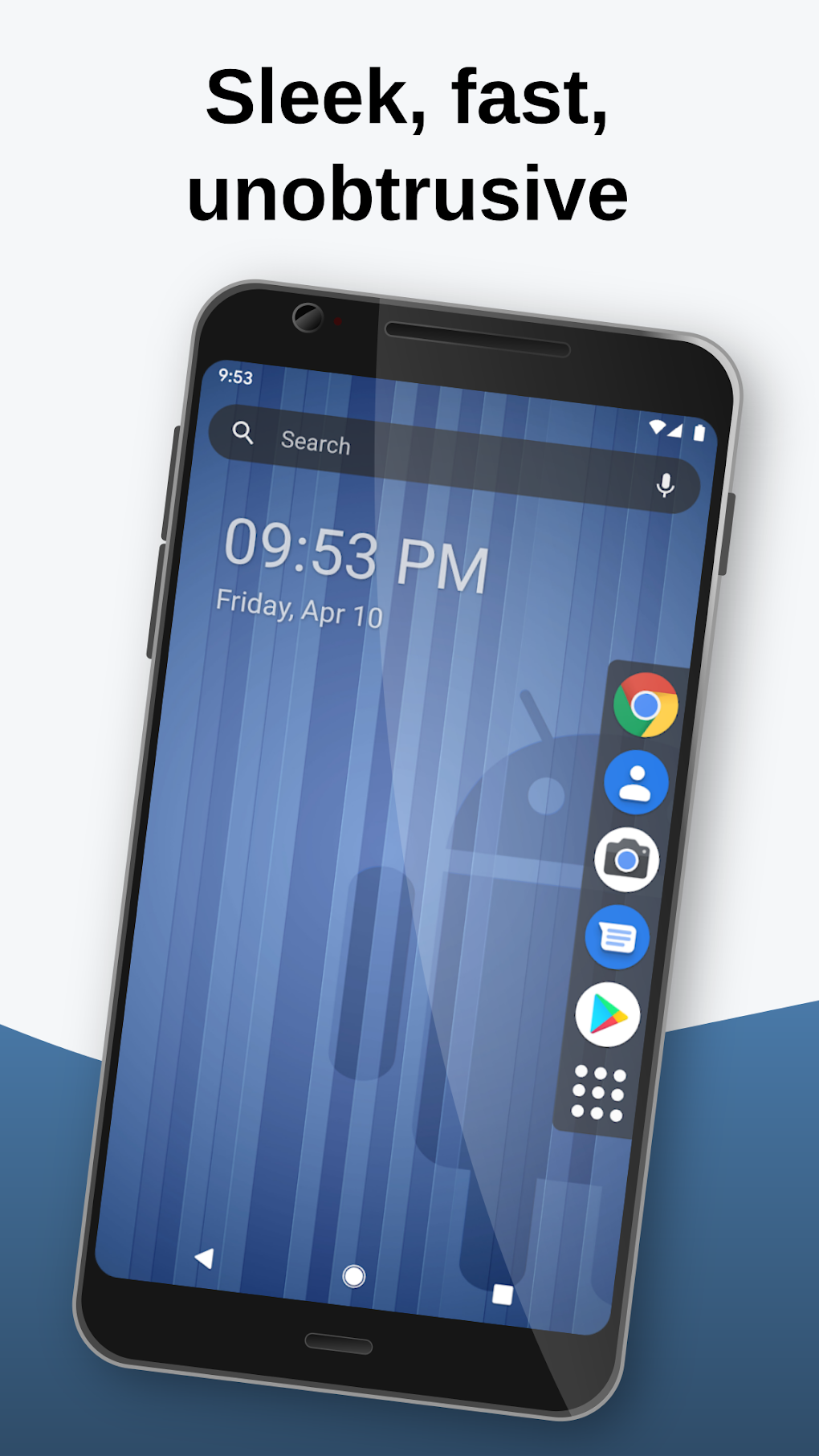
- Intuitive App Access: Quickly and easily launch your favorite applications from a clearly organized interface. The launcher intelligently arranges apps, making them readily accessible without the need for extensive scrolling or searching.
-
Contact and Favorite Management: Lynx Launcher offers straightforward access to your contacts and frequently used favorites, providing a centralized hub for important contacts and frequently accessed items. This eliminates the need to search through multiple menus or applications.
-
Simplified Settings Access: Essential system settings are readily available through the launcher’s interface. This convenient access allows users to quickly adjust system settings without navigating through the device’s main settings menu.
-
Application Hiding: For users who have apps they cannot uninstall but wish to keep out of sight, Lynx Launcher offers a handy application hiding feature. This allows users to maintain a clean and organized home screen without compromising on functionality.
-
Customizable Favorites Screen: A dedicated favorites screen allows users to quickly access frequently used applications and contacts. This screen is customizable, allowing users to add or remove items as needed, or completely hide the favorites screen for a truly minimalist experience.
-
Fast and Responsive Performance: Designed for efficiency, Lynx Launcher ensures smooth and responsive performance, even on devices with limited resources. The lightweight design minimizes system strain, ensuring a consistently fluid user experience.
Comparison with Other Launchers
Compared to other Android launchers, Lynx Launcher distinguishes itself through its dedication to minimalism and its desktop-inspired interface. While many launchers offer extensive customization options and a wide array of widgets, Lynx Launcher prioritizes a clean and uncluttered aesthetic. This makes it an attractive option for users who find many other launchers overwhelming or distracting. The clean design also contributes to a faster and more efficient user experience, making it a solid choice for users who value both form and function. Unlike many other launchers that are heavily laden with advertising or in-app purchases, Lynx Launcher maintains a free and ad-free experience, further enhancing its appeal.
Installation and Usage
Installing Lynx Launcher is a straightforward process, much like any other Android app. Users can download the APK directly from the Phanmemfree.org website or, if available, through the Google Play Store. After installation, users can set Lynx Launcher as their default home screen through the Android system settings. The transition to using Lynx Launcher is quick and easy, requiring minimal user intervention. The intuitive interface allows for seamless navigation, quickly allowing users to adapt to the new home screen experience.
User Reviews and Feedback
[This section would contain user reviews and feedback gathered from users of Lynx Launcher. Since this is not available in the source material, this section would need to be populated with hypothetical user reviews reflecting both positive and negative experiences. For example:]
Positive Reviews:
- “Love the clean interface. So much better than my old launcher!” - John D.
- “Finally, a launcher that’s both simple and functional.” - Jane S.
- “The performance is amazing, even on my older phone.” - Michael R.
Negative Reviews:
- “Wish there were more customization options.” - Sarah L.
- “A few minor bugs, but overall a great launcher.” - David B.
- “Could use some improvements to widget support.” - Emily K.
These reviews, both positive and negative, would provide a balanced overview of user experiences with Lynx Launcher, highlighting both its strengths and areas for potential improvement. This would help potential users make an informed decision about whether or not the application fits their needs and preferences.
Conclusion
Lynx Launcher offers a compelling alternative to the standard Android home screen experience. Its minimalist design, desktop-inspired interface, and focus on efficient access to frequently used applications and settings make it a highly attractive option for users who value simplicity and ease of use. While it may lack the extensive customization options found in some other launchers, its clean aesthetic and smooth performance make it a strong contender for anyone seeking a refreshing and efficient home screen experience. The lack of ads and in-app purchases further solidifies its position as a free and reliable alternative for users looking for a minimalist Android launcher. Overall, Lynx Launcher presents a unique and valuable addition to the Android launcher landscape, offering a streamlined and effective way to access essential functions and personalize your Android device without unnecessary complexity.
File Information
- License: “Free”
- Latest update: “August 7, 2025”
- Platform: “Android”
- OS: “Android 13.0”
- Language: “English”
- Downloads: “164”
- Download Options: “Google Play”


