
In the dynamic world of digital music, finding and displaying lyrics to your favorite songs has long been a sought-after feature. Early applications promised seamless integration, allowing users to dive deeper into their musical experience. One such application was LyricWiki, a program designed to bridge the gap between your audio player and a vast database of song lyrics. For a period, LyricWiki offered an innovative approach, leveraging the collaborative power of wikis to build a comprehensive repository of lyrical content. Users could contribute, edit, and access lyrics, aiming to create an unparalleled resource for music enthusiasts. However, like many digital tools, its journey was marked by both significant promise and an eventual, unavoidable obsolescence due to shifts in technology and licensing.
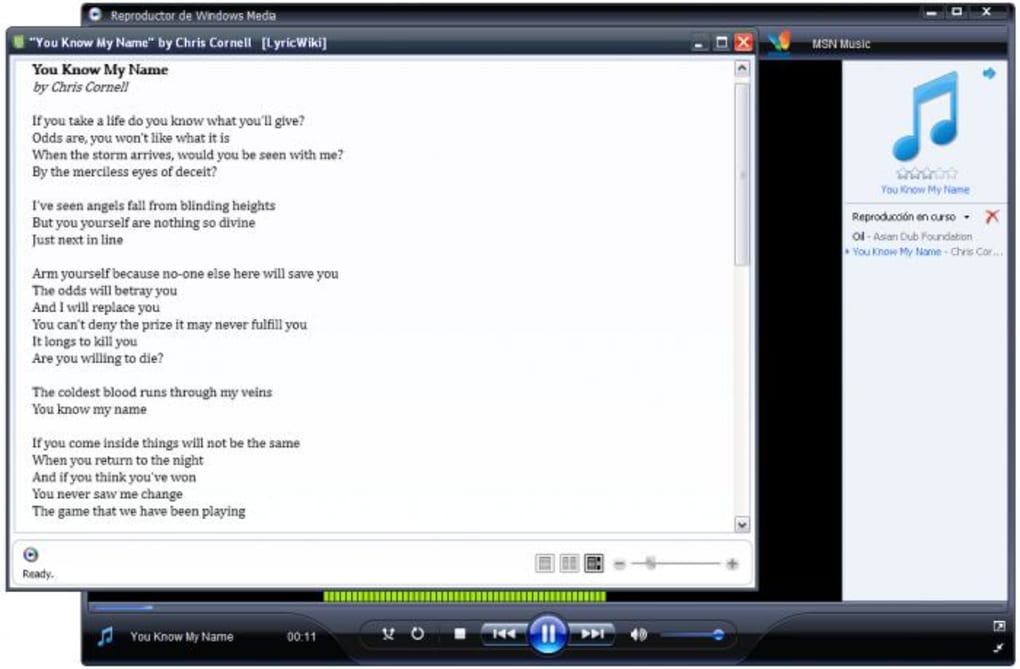
LyricWiki was conceived as a user-friendly solution for anyone who wanted to display song lyrics in real-time as their music played. The core idea was elegant in its simplicity: harness the collective intelligence of a community, much like Wikipedia, to compile an extensive and accurate database of song lyrics. This vision aimed to empower users to not only retrieve lyrics but also to contribute to the ever-growing collection, ensuring a broad and frequently updated selection across genres and artists. The application’s design prioritized ease of use, integrating directly with popular audio players of its time and providing a straightforward interface for lyric management and display.
However, a critical note overshadows the initial appeal and functionality of LyricWiki. As explicitly stated by the developer, and echoed in numerous user reviews, the application ceased to function as intended after August 2, 2009. This date marks a pivotal moment when LyricWiki was no longer permitted to supply lyrics through its API (Application Programming Interface). This fundamental change rendered the script obsolete, meaning that despite its clever design and early popularity, the software no longer performs its primary function of retrieving and displaying lyrics. While it remains available for download on platforms like PhanMemFree for “legacy purposes only,” users should be aware that it will not deliver a functional lyric-finding experience. This article will delve into LyricWiki’s initial design and features, its technical specifications, and crucially, the reasons behind its obsolescence, offering insights into the challenges faced by third-party applications reliant on external data sources and outlining modern alternatives for today’s lyric enthusiasts.
The Original Vision and Functionality of LyricWiki
At its inception, LyricWiki presented an enticing proposition for music lovers. The software was engineered to act as a bridge between your preferred audio player and an extensive, community-driven database of song lyrics. The philosophy behind LyricWiki was rooted in the open-source, collaborative spirit of wikis. Imagine a world where every song’s lyrics are readily available, curated, and corrected by a passionate global community. That was the essence of LyricWiki: a simple, user-friendly database where fans could compile, enter, and refine the lyrics of their favorite bands and artists. This approach promised not only a vast collection but also a higher degree of accuracy and completeness, as the wisdom of the crowds would continuously improve the content.
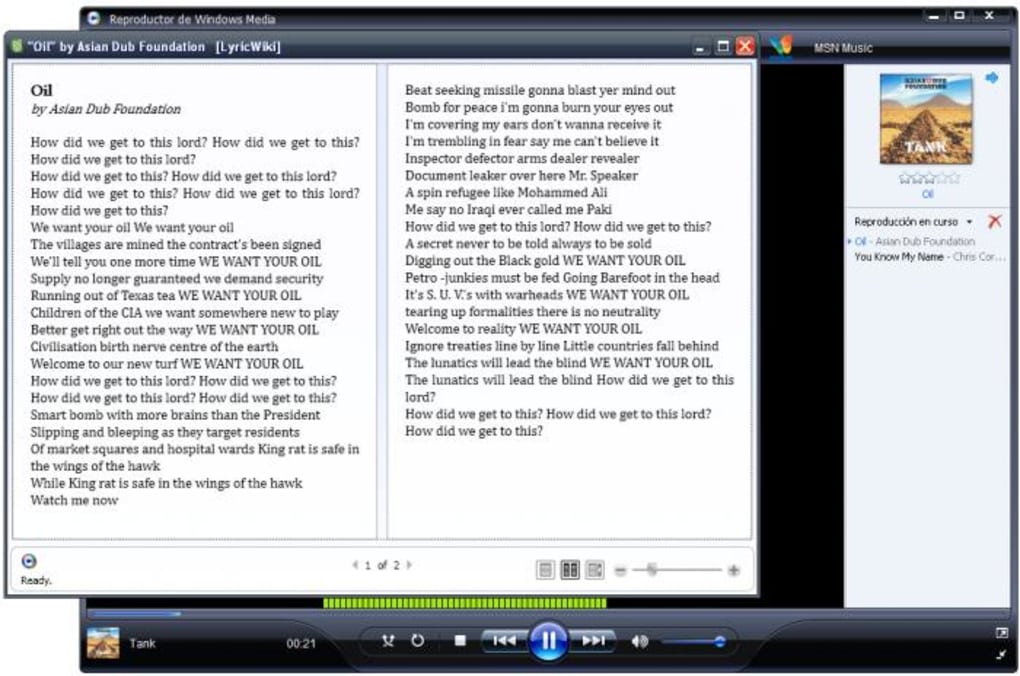
The application’s interface was designed with minimalism and efficiency in mind. Its primary mode of interaction was via the context menu, which users could access with a simple right-click on the main window. This intuitive design meant that retrieving lyrics didn’t require navigating complex menus or opening multiple applications; the functionality was always just a click away. This seamless integration was a significant draw, promising an uninterrupted music experience augmented by real-time lyric display.
One of the most appealing features of LyricWiki was its ability to synchronize with several popular audio players of the era. This synchronization was a key differentiator, allowing lyrics to appear automatically as a song played, eliminating the need for manual searches or copy-pasting. The process was straightforward: users simply had to click on the player’s name within LyricWiki’s Player menu. The application supported a respectable lineup of media players, including Foobar2000, Winamp, Windows Media Player (WMP), and musikCube. This compatibility ensured that a wide segment of the PC music-listening population could benefit from LyricWiki’s offerings. The design also foresightfully included a mechanism for expanding support to other players through plug-ins, leveraging the LyricWiki.org online database as its primary data source. This flexibility suggested a future-proof design, capable of adapting to evolving audio player preferences.
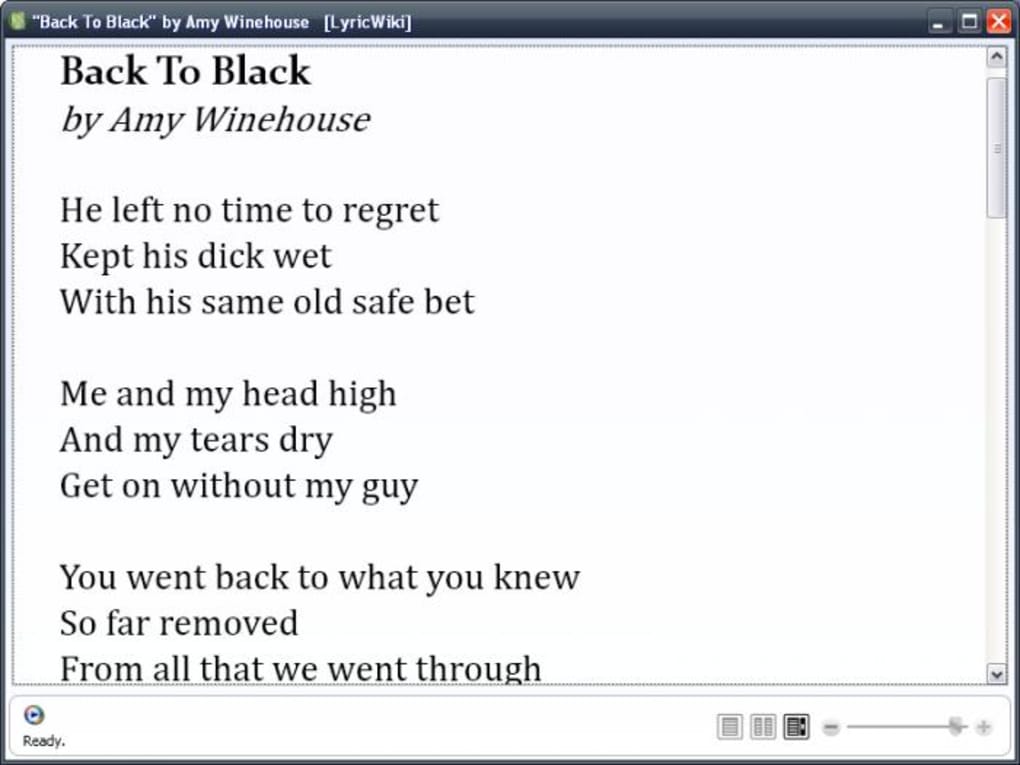
Beyond just display, LyricWiki offered practical features for lyric management. Users who wished to have a physical copy of their lyrics could export them in various formats. The most basic option was plain text, suitable for simple printing or archiving. However, for those who appreciated a more polished presentation, LyricWiki also supported exporting lyrics in XAML (Extensible Application Markup Language) format. XAML was chosen for its ability to maintain the “elegant look of song sheets” as seen within the LyricWiki application itself. This feature aimed to provide a professional and visually appealing output, far superior to plain text. Unfortunately, this sophisticated XAML export came with a notable limitation: it was only fully supported by Internet Explorer at the time, with Firefox not yet offering compatibility. While this was a minor drawback in an otherwise excellent program, it highlighted the challenges of maintaining cross-browser compatibility for advanced formatting in the early days of web technologies.
For any instance where LyricWiki couldn’t immediately detect the song playing or retrieve its lyrics, a helpful FAQ section was available to guide users through troubleshooting steps. This demonstrated a commitment to user support and a desire to ensure that users could resolve common issues independently. Ultimately, for music lovers who desired a synchronized lyric database linked to their media player, LyricWiki, in its prime, stood out as an excellent and highly recommended choice, lauded for its comprehensive selection of lyrics and efficient player integration. The initial feedback often highlighted its convenience and the richness of its lyric database, making it a staple for many digital music enthusiasts.
Technical Specifications and System Requirements
Understanding the technical foundations and prerequisites of LyricWiki helps in appreciating its context within the software ecosystem of its time. Developed by Luminescence-software, LyricWiki was designed primarily for the Windows operating system, specifically targeting Windows XP, which was a dominant platform during the application’s active period.
The software itself was lightweight, with a file size of approximately 1.45 MB. This small footprint meant it wouldn’t consume significant system resources or storage, making it accessible even on older or less powerful machines. Despite its modest size, LyricWiki was a desktop application that required a specific runtime environment to function correctly. For users running Windows XP, the application mandated the installation of Microsoft .NET Framework 3.0. This requirement was common for many Windows applications developed during that era, as the .NET Framework provided a robust and secure platform for executing software built with Microsoft technologies. Ensuring this framework was present was a crucial step for successful installation and operation.
LyricWiki was released as a free application, reflecting its community-driven ethos. The version cited in reference materials is 1.43.5(7), with its last recorded update on January 31, 2023. This “last update” date might be misleading, as the application’s core functionality was disabled much earlier. It likely refers to a listing update on a download portal like PhanMemFree rather than an actual software update addressing the API issue. Over its lifespan, the application garnered a significant number of downloads, with figures such as 16.6K total downloads and 11 last month (as per the reference, again likely portal activity rather than active usage).
The application offered multi-language support, being available in both English and French. This further broadened its accessibility and appeal to a more diverse user base. The installation process was generally straightforward, typical of Windows applications: download the installer, run it, ensure .NET Framework 3.0 is present, and then integrate it with the desired media players. The promise of free access, coupled with its small size and multilingual support, positioned LyricWiki as an attractive utility for its target audience. However, as we will explore, these technical details, while important for context, ultimately became secondary to a more fundamental issue that curtailed the application’s utility.
The Unfortunate Obsolescence: Why LyricWiki No Longer Works
The journey of LyricWiki, while initially promising, took an unfortunate turn that ultimately rendered the application non-functional for its intended purpose. This pivotal moment occurred on August 2, 2009, when, according to an explicit note from the developer, LyricWiki’s access to its lyric supply through its API was terminated. This change was catastrophic for the application, as an API (Application Programming Interface) is essentially the communication bridge that allows one software component (LyricWiki) to interact with and retrieve data from another service (the online LyricWiki database). Without this bridge, the application could no longer fetch lyrics.
The developer’s note clearly states: “As of August 2, 2009, LyricWiki is no longer permitted to supply lyrics through its API. This issue renders this script obsolete. Please do not download it with any expectation that it will work. It won’t. It is available for legacy purposes only.” This message is crucial and unequivocally informs potential users of the software’s defunct status. Despite being listed on platforms like PhanMemFree, it is critical for users to understand that downloading LyricWiki today will not provide them with a working lyric retrieval tool.
The reasons behind such API changes are varied but often revolve around licensing agreements, copyright issues, or changes in the operational strategy of the data provider. For an application like LyricWiki, which relied heavily on a third-party data source, the loss of API access is a death knell. It means that the “comprehensive selection of lyrics” it once boasted became inaccessible, effectively gutting the very core functionality that made the software useful.
User reviews from around that period confirm the developer’s warning. Users frequently reported issues such as the program “doesn’t work,” displaying “just symbol letter and numbers,” or a “gibberish list of numbers and symbols” instead of actual lyrics. These reports from 2010, after the API change, consistently highlight the application’s failure to retrieve meaningful data, irrespective of the audio player used (including attempts with iTunes, which was never officially supported but indicates users’ troubleshooting efforts). Even after following all installation steps and meeting technical requirements, users found the application to be unresponsive to its primary function. The ease of installation, as some users noted, was overshadowed by the complete failure to deliver on its core promise.
The term “legacy purposes only” indicates that the software might still exist for historical documentation, for developers to study its code, or for users who might want to experience what the interface was like, but not for practical use in its original capacity. This unfortunate turn of events serves as a poignant reminder of the vulnerabilities faced by applications that are heavily dependent on external services and APIs. The digital landscape is constantly evolving, with terms of service, licensing agreements, and technological infrastructures subject to frequent change. What works seamlessly today might become obsolete tomorrow due to factors entirely outside the control of the application’s developer. Therefore, while LyricWiki’s initial concept was brilliant, the inability to maintain its data stream ultimately relegated it to a historical footnote in the evolution of music software. Users searching for lyric solutions today must look to more contemporary alternatives that have either secured stable API access or integrate lyric fetching capabilities directly within modern streaming platforms.
Navigating the Modern Landscape: Alternatives for Lyric Enthusiasts
With LyricWiki rendered obsolete due to API changes, music lovers today need to explore contemporary solutions to access lyrics. The landscape of digital music has evolved significantly since 2009, offering a diverse array of options, from integrated streaming service features to dedicated third-party applications and robust online databases. Understanding these alternatives is crucial for anyone looking to enhance their music experience with real-time lyrics.
Integrated Features within Streaming Services
One of the most convenient ways to access lyrics today is through popular music streaming services themselves. Many major platforms have integrated lyric display directly into their applications, eliminating the need for separate software.
- Spotify: Offers real-time lyrics powered by Musixmatch, which scroll along with the song. This is available across various devices, including desktop, mobile, and even some smart TVs. The integration is seamless and provides a high-quality lyric experience.
- Apple Music: Also provides synchronized lyrics that appear line by line as the song plays. Its integration is deep within the Apple ecosystem, making it a natural choice for iOS and macOS users.
- YouTube Music: Given its vast library, YouTube Music often includes lyrics in its video descriptions or as an interactive feature within its player, particularly for official music videos or lyric videos.
- Amazon Music: Like its competitors, Amazon Music offers integrated lyric displays for many of its tracks, enhancing the listening experience for its subscribers.
- Tidal: Known for its high-fidelity audio, Tidal also includes a lyrics feature, often presented in a clean, easy-to-read format.
These integrated solutions are often the first port of call for users because they require no additional downloads or setup, leveraging the existing subscription or free-tier service.
Dedicated Third-Party Applications and Plugins
Beyond streaming services, several third-party applications and browser extensions continue to fill the niche for lyric synchronization, often offering more customization or broader compatibility with local music files.
- Musixmatch: This is perhaps the most prominent dedicated lyric application. Musixmatch boasts the world’s largest lyrics catalog and offers a desktop application for Windows and macOS, as well as mobile apps. It can synchronize with various media players (like Spotify, iTunes, Windows Media Player) and even recognize music playing around you, similar to Shazam. Its robust community also allows for contributions and corrections, echoing LyricWiki’s original wiki-based approach. Musixmatch has successfully navigated the API landscape, maintaining partnerships with major players.
- MiniLyrics: A long-standing player in the desktop lyrics space, MiniLyrics provides a plugin for a vast array of media players, including Winamp, Windows Media Player, iTunes, Foobar2000, VLC Media Player, and many others. It automatically searches and downloads lyrics for the currently playing song and displays them in a customizable window. It offers both synchronized and unsynchronized lyrics. While it requires a paid license for full features, a free trial is usually available.
- Lyrics Grabber/Plugins for Specific Players: Many open-source or community-driven plugins exist for specific media players. For example, some Foobar2000 components are designed for lyric fetching, offering advanced customization for dedicated audiophiles. Browser extensions, like those for Chrome or Firefox, can also pop up lyrics when music is detected playing in a web player.
These dedicated solutions often appeal to users with extensive local music libraries or those who prefer a more personalized lyric display experience than what streaming services offer.
Online Lyric Databases and Websites
For users who simply need to look up lyrics without real-time synchronization, a plethora of online lyric databases remain invaluable resources. These websites are typically free and offer vast collections.
- Genius: More than just a lyric site, Genius provides crowd-sourced annotations and interpretations, offering deep dives into the meaning and context of songs. It’s a favorite for understanding complex lyrics and lyrical references.
- AZLyrics.com: Known for its simple interface and extensive collection, AZLyrics is a straightforward site for finding lyrics quickly. It typically presents lyrics in plain text, making them easy to read and copy.
- Lyrics.com: Similar to AZLyrics, Lyrics.com offers a broad database, often including song information, artist bios, and sometimes even music videos alongside the lyrics.
- MetroLyrics: Another long-standing lyric site with a substantial library. MetroLyrics often includes translations and has a clean layout.
- Wikia LyricWiki (Fandom): While the original LyricWiki application ceased to function, the spirit of its collaborative database lives on through platforms like Wikia (now Fandom), where various fan-maintained lyric wikis exist, often specific to genres or artists. These are separate from the defunct application but embody the collaborative content creation aspect.
These online resources are excellent for reference, learning lyrics, or preparing for karaoke, and they bypass any API limitations by simply displaying information via a web browser.
The shift from applications like LyricWiki to the current ecosystem reflects the maturing digital music industry. Services now prioritize direct integration, comprehensive licensing, and robust infrastructure to deliver a seamless user experience. While LyricWiki’s story is one of innovation curtailed by external forces, its initial vision of accessible, community-driven lyrics laid groundwork for the features we enjoy today. For anyone seeking lyrics, the modern options provide reliable, often superior, ways to connect with their favorite music on a deeper level.
In conclusion, LyricWiki represented an ambitious and innovative attempt to integrate a community-driven lyric database with desktop media players during an earlier phase of digital music consumption. Its strength lay in its collaborative wiki model, promising a comprehensive and accurate resource, coupled with a user-friendly interface that synchronized lyrics with popular players like Foobar2000, Winamp, WMP, and musikCube. The ability to export lyrics in both plain text and visually appealing XAML (albeit with browser limitations) further added to its appeal for music enthusiasts. It was a free, lightweight application designed for Windows XP, requiring the .NET Framework 3.0, and offered in multiple languages, including English and French.
However, as highlighted by the developer’s critical note and confirmed by numerous user experiences, LyricWiki’s functionality was irrevocably broken on August 2, 2009. The termination of its API access meant that the application could no longer retrieve lyrics from its online database, rendering it obsolete. Despite its continued availability on platforms like PhanMemFree for “legacy purposes only,” it is crucial for prospective users to understand that the software will not work as intended. This serves as a stark reminder of the inherent vulnerabilities of third-party applications that rely on external data sources and APIs, which can change due to licensing, copyright, or strategic shifts by the data providers.
The story of LyricWiki underscores a significant evolutionary step in the digital music landscape. While its original promise could no longer be fulfilled, the need it addressed—seamless access to song lyrics—persisted and led to the development of more stable and integrated solutions. Today, music lovers have a wealth of alternatives, from the synchronized lyrics built directly into major streaming services like Spotify and Apple Music, to dedicated third-party applications such as Musixmatch and MiniLyrics, and extensive online lyric databases like Genius and AZLyrics.com. These modern solutions offer reliable, rich, and often interactive ways to engage with lyrics, far surpassing the capabilities of early applications like LyricWiki. While LyricWiki itself may be a relic of a bygone era, its innovative spirit laid the foundation for the sophisticated lyric experiences we enjoy in the current digital age. Users searching for lyric software on PhanMemFree or elsewhere should always verify the current operational status of the application to avoid disappointment.
File Information
- License: “Free”
- Version: “1.4”
- Latest update: “January 31, 2023”
- Platform: “Windows”
- OS: “Windows XP”
- Language: “English”
- Downloads: “16.6K”
- Size: “1.45 MB”


