
Mac OS X El Capitan (version 10.11), released by Apple, represented a significant update to the Mac operating system, building upon the foundation laid by its predecessor, Yosemite. While not a revolutionary overhaul, El Capitan focused on refining the user experience and boosting performance, delivering a smoother, more efficient computing environment for Mac users. This review will delve into the key features, system requirements, installation process, and overall impact of El Capitan.
Enhanced User Experience and Performance Improvements
El Capitan prioritized two core aspects: enhancing the user experience and optimizing performance. Apple achieved this through several key improvements. The most noticeable changes were in window management and Spotlight search. Window management received significant attention, with refinements that made multitasking less cumbersome. The ability to easily arrange and manipulate windows, coupled with improved visual cues, streamlined workflow and reduced the frustration often associated with managing numerous open applications.

Spotlight, Apple’s integrated search utility, also underwent a significant upgrade. El Capitan’s Spotlight offered more sophisticated search capabilities, allowing users to perform complex queries with improved accuracy and speed. The expanded sources for Spotlight searches made finding information across various applications and system directories significantly easier. This improved efficiency allowed users to quickly locate files, emails, contacts, and other data, saving valuable time.
Beyond window management and Spotlight, El Capitan introduced Metal, a low-level graphics rendering API. Metal significantly improved the performance of graphics-intensive applications, resulting in smoother animations, enhanced visual fidelity, and generally faster application execution. This was a boon for gamers, graphics professionals, and anyone using applications with demanding visual requirements. The benefits of Metal extended beyond gaming and professional graphics applications, impacting the overall responsiveness of the system.
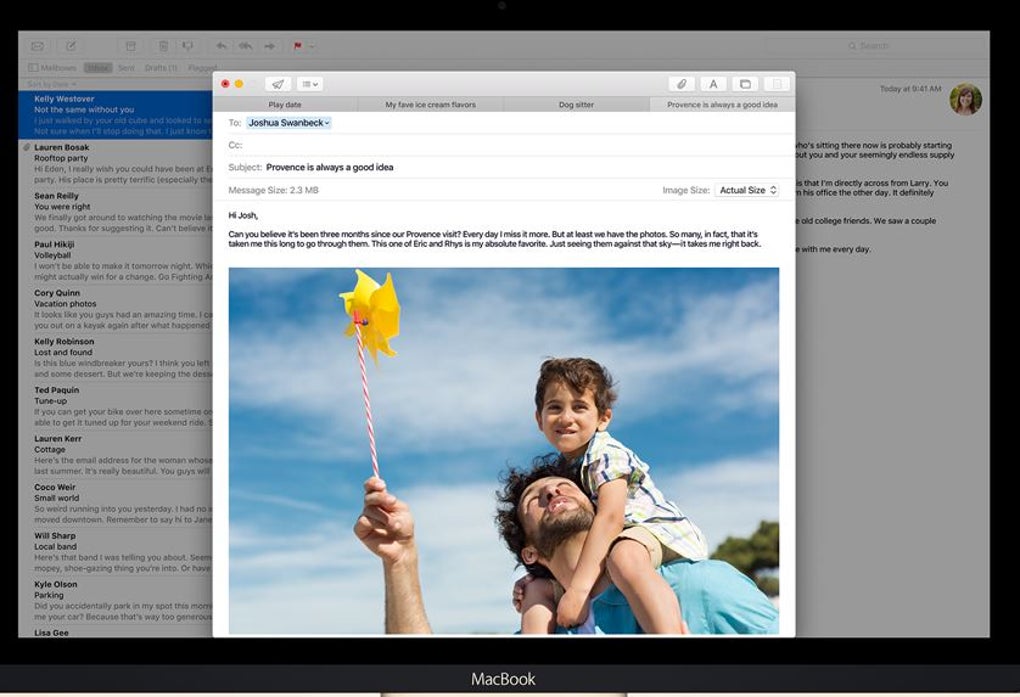
Another notable improvement was in multitasking. El Capitan aimed to streamline the process of working with multiple applications simultaneously. The enhancements to Spotlight, along with the improved window management capabilities, allowed users to transition seamlessly between applications and tasks. The Mail application also received an update, incorporating iOS-style gestures for easier management of emails. This feature provided a consistent user experience across Apple devices, enhancing user familiarity and productivity.

Further improving multitasking capabilities, El Capitan’s Smart Suggestions provided context-aware suggestions. This feature could recognize names and events in emails and messages and intelligently add them to the user’s contacts and calendars. This smart automation saved users manual data entry, reducing the time spent on administrative tasks.
System Requirements and Installation
El Capitan was offered as a free download from the Mac App Store, a testament to Apple’s commitment to providing regular updates and improvements to its operating system. However, to install El Capitan, a Mac meeting specific minimum hardware requirements was necessary. Compatibility was largely similar to Yosemite (OS X 10.10), but certain features required more recent hardware.
El Capitan supported the following Mac models:
- iMac (Mid 2007 or newer)
- MacBook Air (Late 2008 or newer)
- MacBook (Late 2008 Aluminum, or Early 2009 or newer)
- Mac mini (Early 2009 or newer)
- MacBook Pro (Mid/Late 2007 or newer)
- Mac Pro (Early 2008 or newer)
- Xserve (Early 2009)
It’s important to note that while these models were compatible, not all features functioned optimally on every machine. Some of the most significant performance improvements and newer features, such as the enhanced graphics capabilities of Metal, required Macs built in 2012 or later. Specifically, optimal performance for advanced features was seen on the following models:
- MacBook (early 2015)
- MacBook Pro (2012 or newer)
- MacBook Air (2012 or newer)
- Mac mini (2012 or newer)
- iMac (2012 or newer)
- Mac Pro (Late 2013)
The installation process was straightforward. Users simply needed to download the installer from the Mac App Store and follow the on-screen prompts. The only significant decision during installation was selecting the target partition for the operating system. After this selection, users were prompted to authenticate with their Apple ID to initiate the installation.
A Refined Experience: Pros and Cons
El Capitan represented a considered refinement of the Mac OS X experience, offering improvements without drastic changes. This approach had both advantages and disadvantages.
Pros:
- Improved Performance: El Capitan delivered noticeable performance enhancements, particularly in application responsiveness and graphics processing.
- Free Download: The update was freely available to eligible Mac users, making it accessible to a wide range of users.
- Enhanced Multitasking: The improved window management and Spotlight search significantly improved multitasking capabilities.
- Refined User Experience: Overall, the user interface felt polished and more efficient, enhancing the overall computing experience.
Cons:
- Not a Revolution: While improvements were substantial, El Capitan wasn’t a radical departure from Yosemite. Some users may have desired more substantial changes or new features. It was an evolution rather than a revolution.
Comparison with Previous Versions and Alternatives
El Capitan built directly upon the foundation established by Yosemite, but offered performance and usability enhancements that differentiated it from its predecessor. Previous versions of OS X, such as Mavericks and Mountain Lion, lacked the refined performance and multitasking improvements found in El Capitan. While alternative operating systems exist, none offer the same level of seamless integration with the broader Apple ecosystem.
The seamless integration with other Apple products was a significant advantage. Features like Handoff and Continuity, which allowed effortless transitions between Mac, iPhone, and iPad, were further enhanced by El Capitan’s improved performance. This ecosystem advantage cemented El Capitan’s position as the optimal operating system for users heavily invested in the Apple environment.
In conclusion, Mac OS X El Capitan wasn’t a revolutionary OS X release, but it was a significant refinement. It delivered a noticeable improvement in performance and a more streamlined, efficient user experience. Its focus on improving existing features rather than introducing entirely new ones was a deliberate strategy, resulting in a stable, polished operating system that offered tangible benefits to existing Mac users. The free update and relatively straightforward installation process further enhanced its appeal. While not a complete overhaul, El Capitan played a vital role in the evolution of the Mac OS X platform, paving the way for future iterations.
File Information
- License: “Free”
- Version: “10.11.6”
- Latest update: “July 11, 2023”
- Platform: “Mac”
- OS: “Mac OS X”
- Language: “English”
- Downloads: “308.8K”


