
MacDrive is a software application designed to enable seamless interaction between Windows operating systems and Apple’s macOS file system (HFS/HFS+). For years, it has provided Windows users with the ability to access, edit, and save files stored on Mac-formatted disks, bridging a significant compatibility gap between the two platforms. This functionality extends beyond simple file access, encompassing features such as formatting Mac disks, burning Mac CDs and DVDs, and managing partitions. However, while MacDrive provides considerable utility, potential users should be aware of certain limitations and considerations, notably the potential for recurring upgrade costs.
Accessing and Managing Mac Files on Windows
Before the advent of widespread cross-platform compatibility, the inability to easily read and write to Mac-formatted drives posed a significant hurdle for users working with both Windows and macOS systems. This often necessitated complex workarounds or the use of virtual machines, adding layers of inconvenience and technical complexity. MacDrive simplifies this process considerably, offering a direct and user-friendly interface for interacting with HFS/HFS+ drives within the Windows environment. This means Windows users can easily open, modify, and save documents, images, videos, and other files stored on external hard drives, USB flash drives, or other storage media formatted using the macOS file system. This functionality is particularly beneficial for users who collaborate with Mac users, share files across platforms, or need to work with data stored on Mac-formatted media.
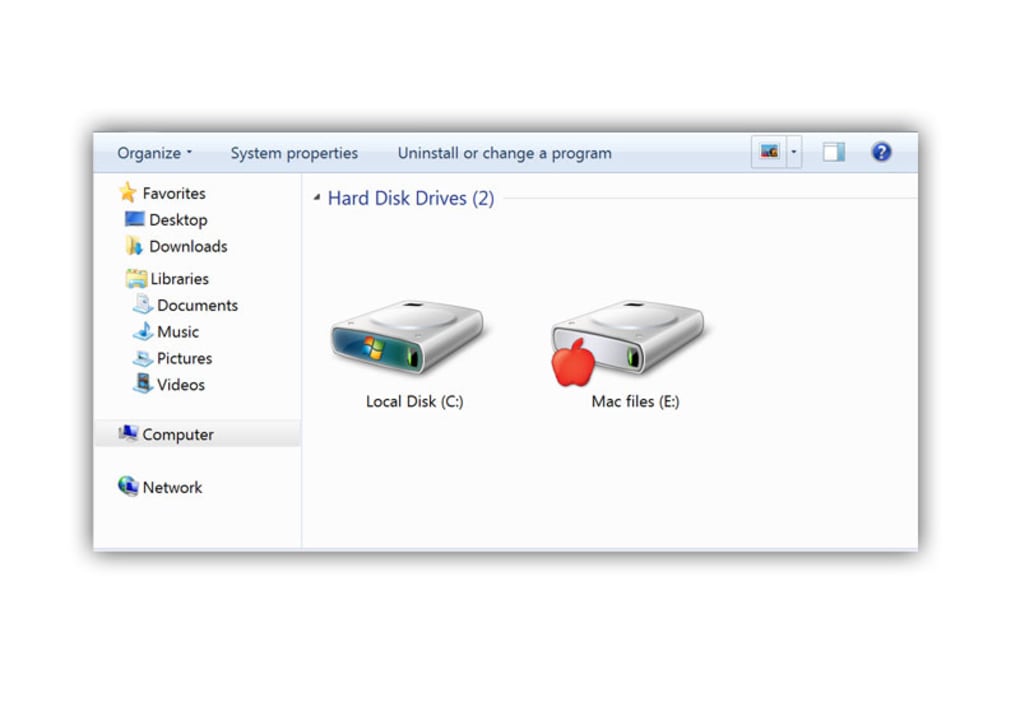
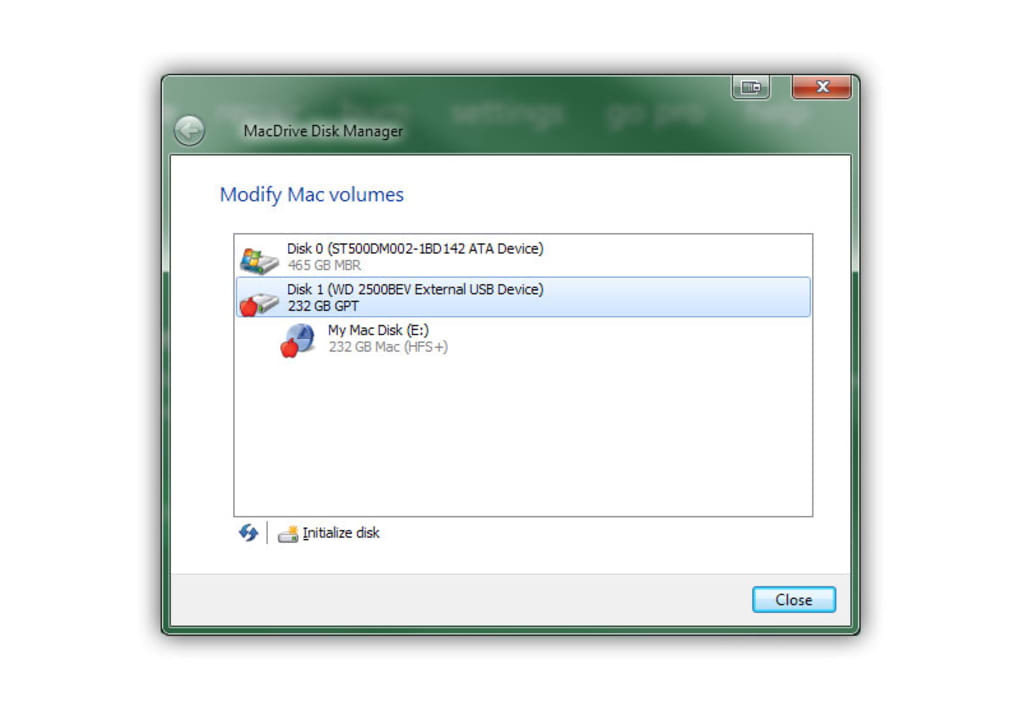
The software’s capabilities extend beyond simple file access. MacDrive allows users to perform tasks such as formatting new Mac disks, creating partitions compatible with macOS, and burning data onto CDs and DVDs formatted for Mac computers. This level of control provides significant flexibility for Windows users who require interaction with Mac-specific storage formats and media. The integration of a disk manager further enhances MacDrive’s functionality, enabling users to manage partitions, potentially extending the lifespan of their storage devices and improving performance. The partition management feature also includes safeguards that protect against unintentional corruption by Windows-based disk utilities, warning the user about improper shutdowns that could potentially lead to data loss.
Performance Enhancements and Usability Improvements
Over the years, MacDrive has undergone significant development, leading to improvements in both speed and usability. Later versions of the software showcase enhancements in handling large files, a common challenge when dealing with high-resolution images, videos, or extensive datasets. The improved processing speed reduces waiting times, leading to a more efficient workflow for users dealing with substantial amounts of data. Beyond speed, developers have also focused on refining the user interface, making the software more intuitive and easier to navigate. A streamlined control panel simplifies the process of accessing and configuring various features, making the software more accessible to users with varying levels of technical expertise. Furthermore, MacDrive has seen expanded support for different Mac file types over time, ensuring greater compatibility with a wider range of files and applications. This consistent improvement aims to enhance both user experience and overall software efficiency.
Hidden Costs and Potential Drawbacks
While MacDrive offers considerable advantages, it is crucial to acknowledge its limitations. One notable drawback is the potential for unexpected costs associated with software upgrades. The software’s licensing model may necessitate periodic purchases to maintain access to the latest features and security patches. This can lead to unforeseen expenses, particularly for users who rely heavily on the software for their daily workflow. This aspect of the software deserves careful consideration before committing to its use. This is particularly true for long-term users who might face a series of upgrade costs over the lifetime of the application. The recurring expenses associated with MacDrive, unlike many other similar utilities which offer a one-time purchase model, warrant a comprehensive evaluation of the overall cost-benefit relationship.
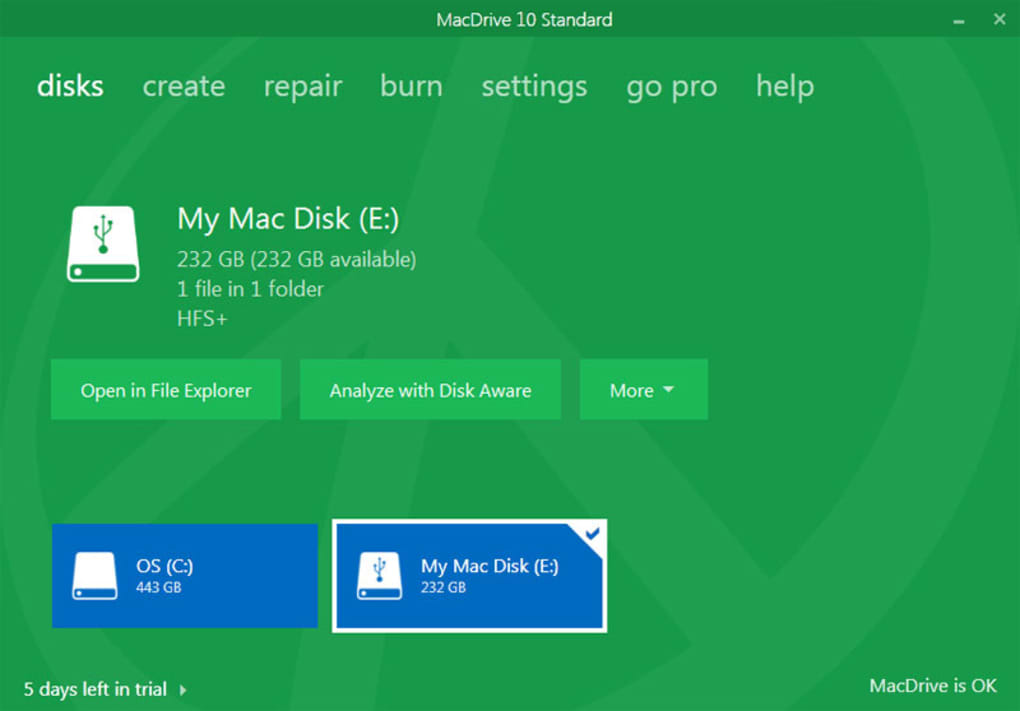
Another consideration is the learning curve. Although the interface has been improved over time to enhance user-friendliness, users might still require some time to become fully proficient with all of the software’s features. The software’s versatility and extensive functionality can initially present a challenge to novice users who are unfamiliar with the specifics of Mac file systems and disk management. This potential learning curve should be factored into the decision of whether MacDrive is the right choice for a particular user. Consider whether the convenience and features offered justify the investment of time required to master the software, especially if the user’s interaction with Mac-formatted drives is infrequent or limited in scope.
Alternatives and Comparative Analysis
While MacDrive has held a prominent position in the market, several alternative applications provide comparable functionalities for accessing and managing Mac files on Windows systems. These alternatives may offer distinct advantages depending on individual needs and priorities. Some options are free and open-source, providing a cost-effective solution for users with less demanding requirements. Others might focus on specific aspects of Mac file system interaction, offering more specialized features or a streamlined user interface. A comparative analysis of these alternatives is essential to determine which option best aligns with individual user requirements and budget constraints. Users should weigh the pros and cons of different solutions, carefully comparing features, ease of use, and associated costs, before making a selection. Consider factors such as the frequency of Mac file system usage, the importance of specific features like partitioning or burning CDs/DVDs, and the budget allocated for software purchases.
The evaluation of alternative solutions extends beyond simple cost comparisons. The level of technical expertise required to use different applications also plays a significant role in the decision-making process. Some alternatives might have a steeper learning curve than others, while some might offer a simpler, more intuitive user interface. The presence of robust customer support and available documentation also influences the overall usability and helpfulness of any given application. Factors such as software updates, security updates, and compatibility with newer versions of both Windows and macOS should also be considered. By evaluating these aspects, users can make an informed decision about which software best suits their specific needs.
In summary, MacDrive provides a valuable solution for users needing seamless interaction between Windows and macOS file systems. While its advanced features and improved performance offer significant advantages, users should carefully weigh the potential costs and learning curve against alternative options before deciding if it is the most suitable solution for their specific needs. A thorough understanding of both the software’s strengths and limitations, combined with a comparative analysis of available alternatives, ensures a well-informed decision about the most effective approach to managing Mac files within a Windows environment.
File Information
- License: “Trial version”
- Latest update: “May 5, 2025”
- Platform: “Windows”
- OS: “Windows 8”
- Language: “English”
- Downloads: “93.4K”
- Size: “11.44 MB”


