
Magic Eraser - Remove Object is a free Android application developed by Giang Nguyễn that provides a simple yet effective way to retouch photos and remove unwanted elements. This review delves into the app’s functionality, ease of use, and overall performance, comparing it to other similar applications available on the market. We’ll also examine user reviews and explore its strengths and weaknesses.
Functionality and Features
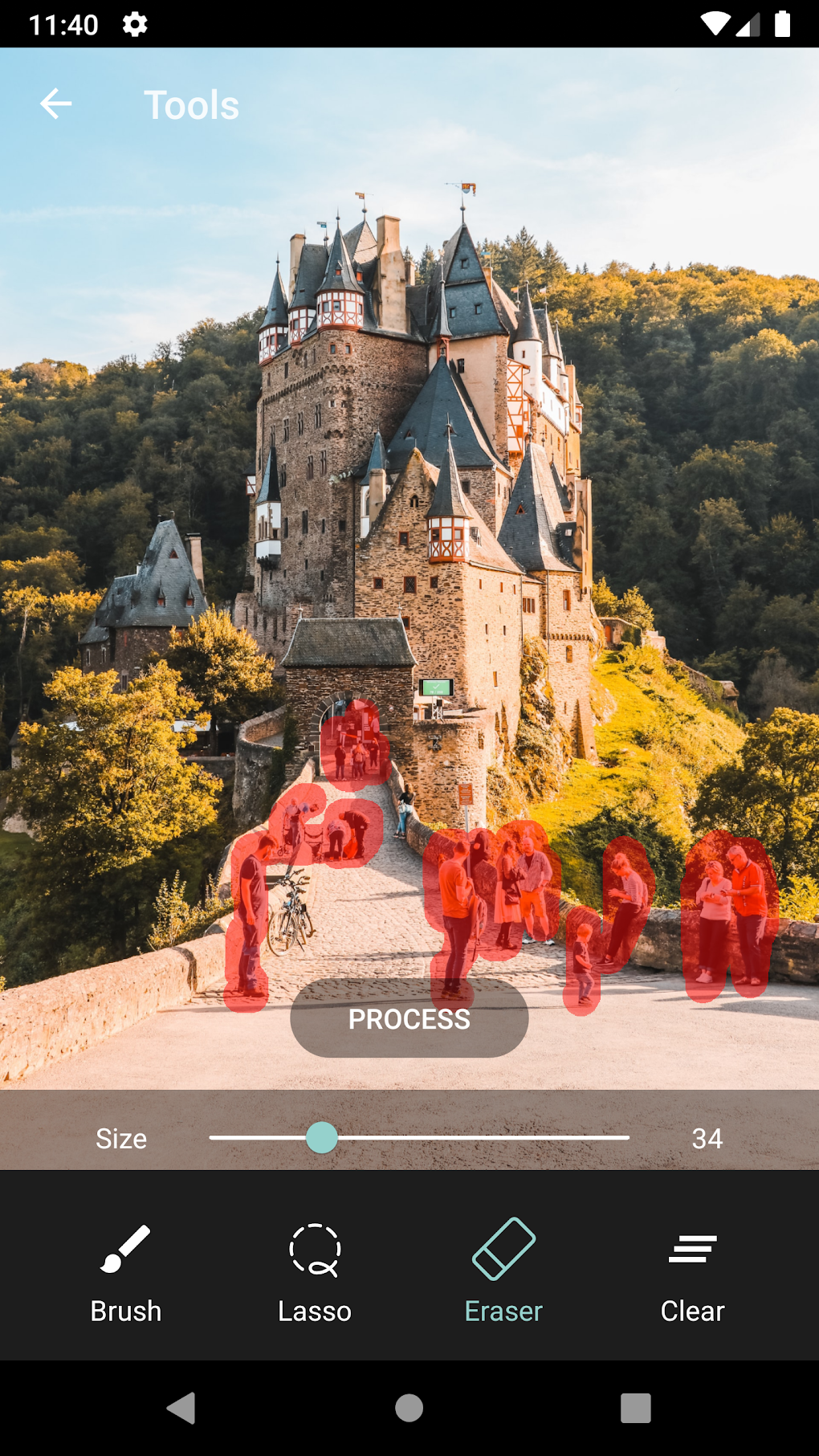
The core function of Magic Eraser - Remove Object is the removal of unwanted objects, people, text, logos, and watermarks from images. The process is remarkably straightforward. Users simply select an image from their gallery or capture a new one directly within the app. Then, they use their finger to mark the area containing the undesired element they wish to remove. A single tap on a “process” button initiates the removal process, and the app intelligently fills in the background, attempting to seamlessly integrate the newly created space with the surrounding image.
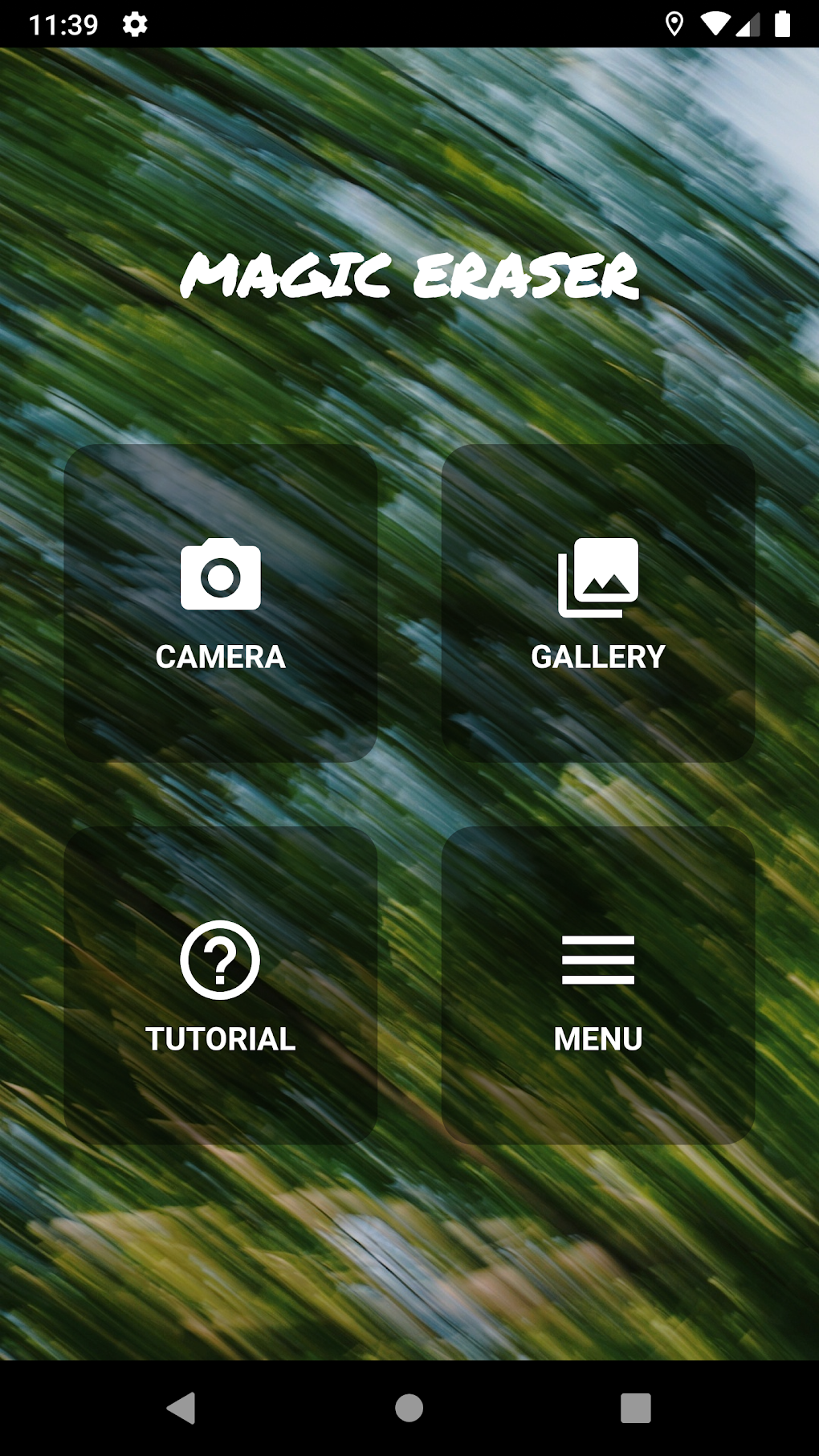
Beyond its primary object removal capability, the app excels in its simplicity. It avoids overwhelming users with a myriad of complex tools and settings. The interface is clean and intuitive, focusing solely on the core function of object removal. This minimalism makes it incredibly user-friendly, even for those with limited photo editing experience.
Ease of Use and User Interface
Magic Eraser - Remove Object prioritizes ease of use. The interface is uncluttered and intuitive. The steps involved in removing an object are minimal: select an image, mark the unwanted area, and tap the process button. This straightforward approach significantly reduces the learning curve, making the app accessible to a broad range of users, from casual photo editors to those seeking quick and efficient retouching solutions.
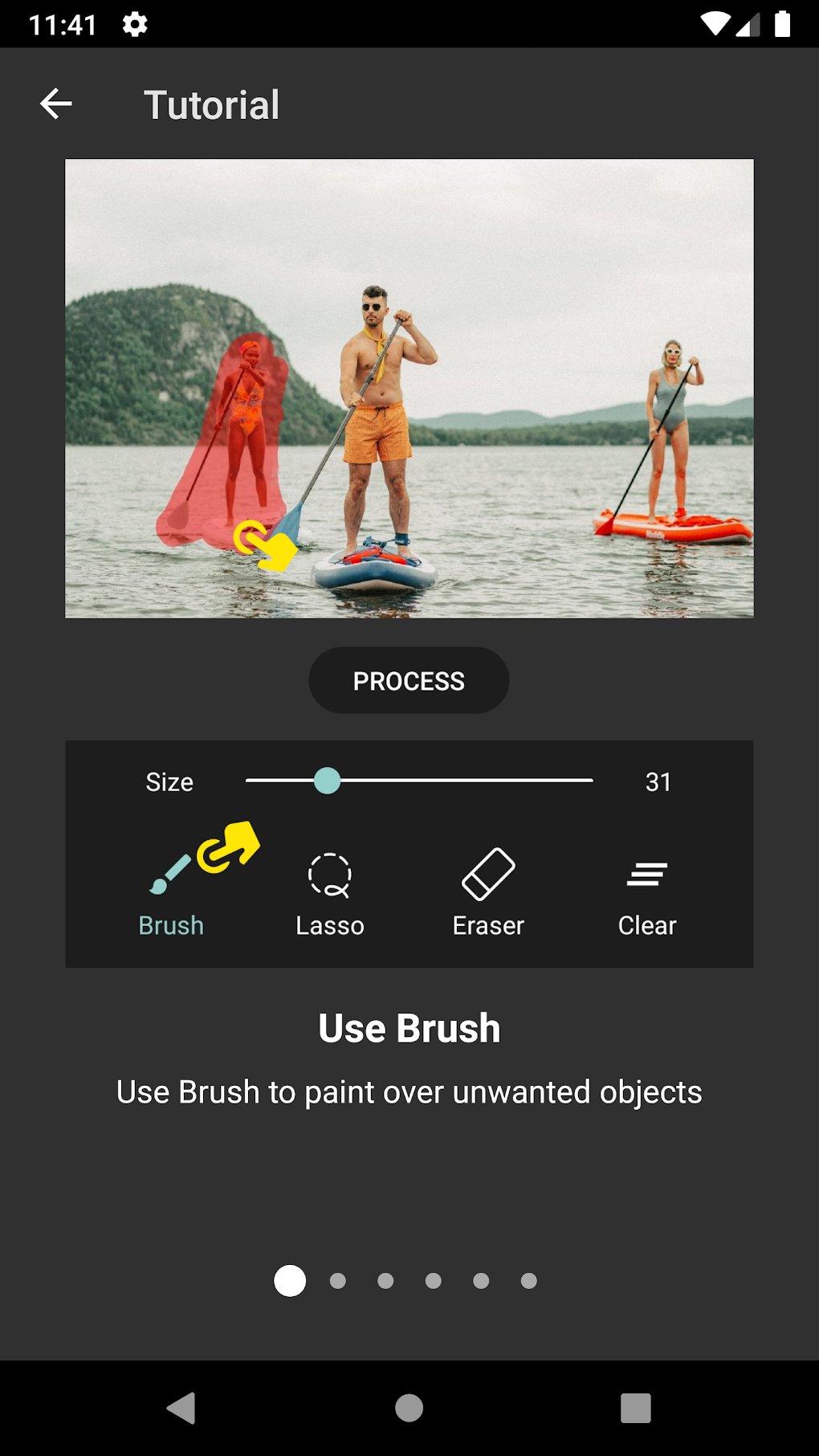
The app’s intuitive design eliminates the need for extensive tutorials or prior photo editing knowledge. The visual cues are clear and effective, guiding users through the process without any unnecessary complexity. The minimal set of tools further contributes to its ease of use, ensuring a hassle-free editing experience. This focus on simplicity is a significant strength, allowing users to quickly and easily achieve their desired results without being bogged down by complicated features.
Performance and Efficiency
The app’s performance is generally efficient, processing images relatively quickly, even those with higher resolutions. However, the speed of processing can vary depending on the complexity of the image and the size of the area marked for removal. While it handles most scenarios adequately, more complex edits involving intricate backgrounds or large objects may require a slightly longer processing time.
The app’s success in seamlessly blending the removed area with the surrounding background depends significantly on the image’s characteristics. Images with uniform backgrounds generally yield better results compared to those with intricate or highly textured backgrounds. In cases with complex backgrounds, some minor artifacts or imperfections might be noticeable, but these are usually subtle and often acceptable for casual use.
Comparison with Alternative Apps
Magic Eraser - Remove Object competes with numerous other photo editing applications offering similar functionalities. While many apps offer a more extensive range of tools and features, Magic Eraser stands out due to its unparalleled simplicity and ease of use. Apps like Adobe Photoshop Express and other professional-grade editors offer more sophisticated tools but often come with a steeper learning curve. The simplicity of Magic Eraser makes it an ideal choice for users who prioritize speed and ease of use over advanced features.
Some competing apps might offer superior performance in specific scenarios, particularly when dealing with complex image edits. However, for users needing a straightforward solution for removing small to medium-sized objects, Magic Eraser’s efficiency is usually sufficient and more than adequate for many casual users. The balance between functionality and ease of use makes it a strong contender in the market.
User Reviews and Feedback
While the provided text doesn’t include specific user reviews, the overall impression is one of positive reception. The app’s high rating (4.7 out of 5) and considerable number of downloads (43.5K) suggest a generally favorable user experience. The absence of detailed user feedback prevents a comprehensive analysis of user opinions on specific aspects, like performance on different devices or with various image types. However, the high rating suggests a positive perception of the app’s ease of use, speed and effective object removal. Future updates could potentially incorporate user review sections to further improve the app based on direct feedback.
Conclusion
Magic Eraser - Remove Object presents a compelling solution for users seeking a straightforward and efficient way to remove unwanted objects from their photos. Its strengths lie in its simplicity, user-friendly interface, and generally good performance. While it might not match the advanced capabilities of professional-grade editing software, its ease of use and quick processing make it an excellent choice for casual users who need a quick and easy method for removing unwanted elements from their images.
The app’s focus on minimalism is both its greatest strength and potential limitation. While this simplicity makes it remarkably accessible, it also means it lacks the advanced features found in more comprehensive photo editors. This trade-off is deliberate and serves its target audience effectively. Those seeking a quick and easy solution for basic photo retouching will find Magic Eraser - Remove Object a valuable and efficient tool. For users requiring more advanced tools and capabilities, however, other options might be more suitable. Overall, the app’s high rating and download numbers suggest it successfully fulfills its intended purpose for a substantial number of users. It’s a strong, user-friendly tool for quick photo editing tasks. The app successfully balances simplicity with functionality, providing a satisfying user experience for those who value ease of use above all else.
File Information
- License: “Free”
- Version: “2.23.11”
- Latest update: “August 3, 2025”
- Platform: “Android”
- OS: “Android 13.0”
- Language: “English”
- Downloads: “40.7K”
- Download Options: “Google Play”


