
Magic Set Editor is a free, user-friendly Windows application that empowers you to design and create your own custom trading cards for a variety of popular card games. This comprehensive guide will explore the features, functionality, and potential of Magic Set Editor, providing a detailed overview for both novice and experienced users. Whether you’re a seasoned player looking to design unique cards for personal use or a casual fan seeking a creative outlet, Magic Set Editor offers a robust platform to bring your card game visions to life.
Designing Your Custom Cards: A Step-by-Step Guide
The intuitive interface of Magic Set Editor simplifies the card creation process, making it accessible even for those without prior design experience. The software supports multiple popular card game formats, including Magic: The Gathering, Magic Vanguard, VS System, and Yu-Gi-Oh!, allowing you to create cards tailored to your preferred game.
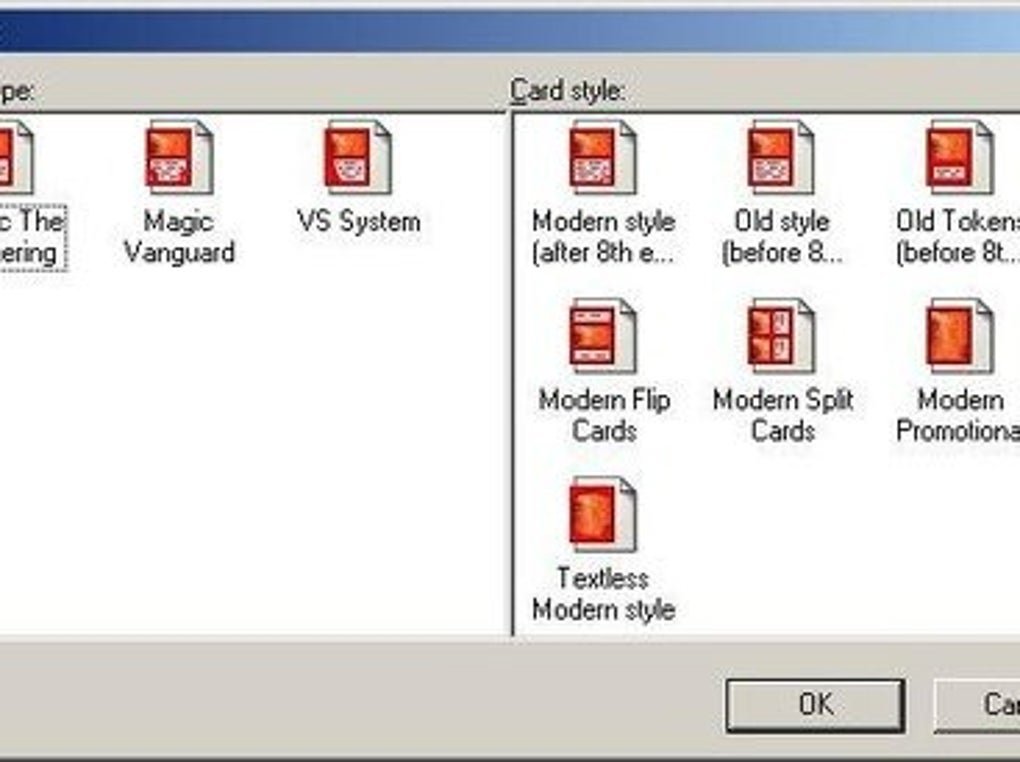
The core process involves selecting your desired game format. Once selected, the editor presents a blank card template. From here, the intuitive double-click functionality allows for effortless addition of images and text. You’ll have complete control over various aspects of your card design, including:
-
Image Integration: Seamlessly incorporate artwork, either pre-existing images from your computer or custom creations. The software handles image resizing and placement intuitively, ensuring your artwork is displayed optimally.
-
Text Input: Add all the essential text fields for your card, such as card name, mana cost (for games like Magic: The Gathering), type, abilities, and flavor text. The editor supports various font styles and sizes to help you achieve the aesthetic you desire.
-
Layout Customization: Fine-tune the arrangement of text and images on your card to create a polished and visually appealing design. The software provides tools for precise alignment and positioning, ensuring your card looks professional.
-
Saving and Organization: Once your card design is complete, you can save it as an image file (common formats like JPG, PNG, etc., are supported) to your hard drive. Magic Set Editor allows you to easily organize your custom creations in folders, making it simple to manage your expanding library of personalized cards.
Beyond the Basics: Advanced Features and Customization
While the core functionality of Magic Set Editor is remarkably simple to grasp, the software also provides a range of advanced features to cater to the needs of more experienced users. These features enhance the customization and overall quality of your card designs:
-
Template Customization: Beyond the pre-defined templates, Magic Set Editor offers possibilities for creating custom templates. This advanced feature allows experienced users to design their own card layouts, catering to specific game systems or personal preferences. This level of control provides unparalleled flexibility for unique design possibilities.
-
Text Formatting: The software offers comprehensive text formatting options. You can easily adjust font sizes, styles (bold, italic, underline), colors, and alignment. This degree of customization ensures your text is clear, legible, and visually integrated with your card’s overall aesthetic.
-
Image Editing Integration: While not an image editor itself, Magic Set Editor allows for seamless integration with other image editing software. If you require advanced image manipulation, you can easily edit your artwork in a separate program and import the refined images back into the card editor.
-
Layer Management: For complex card designs, the layer management system allows for precise control over the arrangement of different elements. This prevents unintentional overlaps or conflicts, ensuring a clean and professional-looking card.
-
Community Support and Resources: A thriving online community surrounds Magic Set Editor. Many users share their custom templates, artwork, and design tips, offering a wealth of inspiration and resources. This community aspect contributes significantly to the ongoing development and improvement of the software.
The Limitations of Magic Set Editor: Understanding the Boundaries
It’s important to acknowledge the limitations of Magic Set Editor. While the application provides a powerful tool for creating custom cards, it’s crucial to understand its boundaries:
-
Official Play: The cards created using Magic Set Editor are intended for personal use only. These custom cards cannot be used in official tournaments or sanctioned games of the respective card game systems. They are specifically designed for casual play among friends or for building personal collections.
-
No Printing Functionality: Magic Set Editor doesn’t offer direct printing capabilities. Once you’ve created your card design, you’ll need to use a separate printer and printing software to physically produce your cards.
-
Software Dependency: The application relies on your computer’s system resources and software environment. While generally compatible with various Windows versions, compatibility issues might occur under specific circumstances.
The Magic Set Editor Community and Resources
The active community surrounding Magic Set Editor contributes significantly to its ongoing success. This vibrant community provides a wealth of resources and support for users of all skill levels:
-
Online Forums and Communities: Several online forums and communities are dedicated to Magic Set Editor, allowing users to share their creations, ask questions, and receive assistance from fellow users and experienced designers. These platforms serve as invaluable resources for troubleshooting, learning new techniques, and discovering creative inspiration.
-
Tutorial Videos and Guides: Numerous video tutorials and written guides are available online, offering step-by-step instructions on various aspects of using Magic Set Editor. These tutorials cater to users of all skill levels, from complete beginners to those looking to master advanced features.
-
Shared Templates and Resources: Users frequently share custom templates, artwork, and other resources to streamline the card creation process. Access to these pre-built resources can significantly speed up your design workflow, allowing you to focus on the creative aspects of card design.
Magic Set Editor: A Verdict
Magic Set Editor shines as a user-friendly and versatile tool for crafting personalized trading cards. Its intuitive interface and comprehensive features cater to a wide range of users, from casual hobbyists to experienced card game enthusiasts. While limitations exist concerning official play and printing, these are outweighed by the software’s remarkable ability to empower users to create unique and visually appealing card designs. The active community and abundance of available resources further enhance the overall user experience. If you’re looking to explore your creativity within the world of trading card games, Magic Set Editor offers an exceptional platform to realize your design visions.
File Information
- License: “Free”
- Version: “2.1.2”
- Latest update: “June 11, 2024”
- Platform: “Windows”
- OS: “Windows 11”
- Language: “English”
- Downloads: “197”
- Size: “40.46 MB”


