
MagicaVoxel is a free, user-friendly voxel art editor that has gained popularity among hobbyists and professionals alike. While boasting limitations in file size and feature complexity compared to more robust paid alternatives, its ease of use, speed, and permissive licensing make it a compelling choice for those seeking a simple yet effective tool for creating 3D voxel-based artwork. This article provides a comprehensive review of MagicaVoxel, examining its strengths and weaknesses, comparing it to similar applications, and exploring its potential applications within various creative fields.
Ease of Use and Interface
One of MagicaVoxel’s most significant advantages is its intuitive interface. Even users with no prior experience in 3D modeling can quickly grasp its basic functionalities. The program’s straightforward design allows for a seamless workflow, minimizing the learning curve often associated with complex 3D software. The primary interface features a 3D workspace where users can directly manipulate voxels – the three-dimensional equivalent of pixels. This allows for immediate visual feedback, making the creative process both enjoyable and efficient. Simple controls enable users to add, remove, and paint voxels with ease, promoting a rapid prototyping workflow ideal for experimenting with different designs and ideas. The minimal clutter of the user interface prevents distractions and keeps the focus on the creative process. While lacking the extensive toolsets found in professional software packages, this simplicity is precisely what makes MagicaVoxel accessible to a broader audience.
Functionality and Features
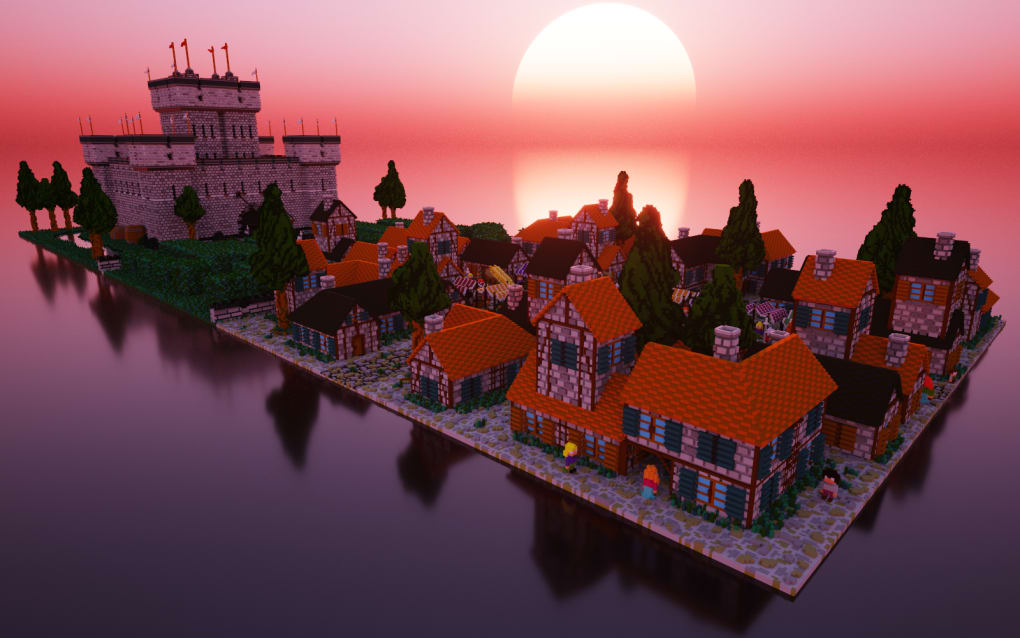
MagicaVoxel offers a core set of features designed for efficient voxel manipulation. Users can select different brush sizes, enabling the creation of detailed or broad strokes depending on the desired level of precision. The palette allows for color selection, and users can assign different colors to individual voxels or use the fill tool to rapidly color larger areas. The program also offers the ability to rotate the model in real-time, providing a three-dimensional perspective during the creation process. This real-time rendering helps users to visualize their creations and make adjustments as needed. Furthermore, the software allows for exporting models in the .obj format, a widely accepted file format compatible with a variety of 3D modeling and animation software. This interoperability enhances the versatility of MagicaVoxel, allowing users to integrate their creations into other projects.
However, MagicaVoxel’s functionality is significantly limited compared to professional-grade software. The program lacks advanced features like sculpting tools, complex brush dynamics, and animation capabilities. While it enables the creation of static voxel models, it does not allow for the creation of animated sequences or interactive elements. The limited file size also presents a constraint, hindering the creation of exceptionally large or detailed models. There is a notable lack of advanced selection and manipulation tools, making precise editing of intricate designs cumbersome. Importantly, the software’s lack of robust native support limits its functionality, requiring reliance on external tools for tasks like texture mapping or advanced material assignments.
Export Capabilities and Compatibility
One of MagicaVoxel’s key strengths lies in its ability to export models in the .obj format. This common 3D model format is widely supported by various game engines, 3D printers, and other 3D modeling software. This makes MagicaVoxel a valuable tool for creating assets for games, particularly those with a voxel-based aesthetic like Minecraft. Many users utilize MagicaVoxel to design models that can be imported into Minecraft, expanding the game’s creative potential. The ability to seamlessly export models for use in other software increases the versatility of the creations produced within MagicaVoxel, broadening the scope of its application.
The .obj format, while versatile, also limits MagicaVoxel’s direct compatibility with certain applications. For instance, while models can be exported and imported into Minecraft, the process may require additional steps or the use of intermediary tools to ensure proper integration. The lack of native support for other popular file formats, such as .fbx or .dae, further limits the program’s direct compatibility. This reliance on external conversion tools can introduce additional complexity and potential issues, particularly for users unfamiliar with 3D modeling workflows beyond the basic operations within MagicaVoxel.
Performance and System Requirements
MagicaVoxel is designed for efficient performance, running smoothly even on less powerful machines. Its lightweight nature ensures a responsive user experience, allowing for quick and seamless manipulation of voxels. The real-time rendering does not cause significant lag, facilitating a fluid creative process. This efficiency makes MagicaVoxel accessible to a wider range of users, regardless of their computer hardware. The low system requirements make it a viable option for users with older or less powerful systems, a benefit not always present in more resource-intensive 3D modeling software.
However, the program’s performance can be affected by the complexity of the model. As the number of voxels increases, the rendering time and responsiveness can slow down. Large and highly detailed models may strain the program’s capabilities, leading to noticeable lag or even crashes. While generally efficient, users working on extensive projects might experience performance limitations, especially on lower-end hardware. Understanding these limitations is essential for managing project scope and ensuring a smooth workflow within the software.
Comparison with Alternative Voxel Editors
Several alternative voxel editors exist, offering a range of features and capabilities. Some are free and open-source, while others are proprietary and often come with a price tag. Compared to commercial options such as VoxelShop or MagicaVoxel’s commercial counterpart, it lacks advanced features and professional-level tools. While MagicaVoxel offers a user-friendly experience, the premium options often provide more robust functionality, support for more file formats, and a wider array of tools. Furthermore, they tend to offer better support for advanced techniques, such as texturing, lighting, and animation, features absent in MagicaVoxel.
However, the free nature of MagicaVoxel makes it a compelling alternative for those on a budget or those simply seeking a quick and easy method for creating basic voxel models. Many free alternatives lack the intuitive interface of MagicaVoxel, making it a superior choice for ease of use and beginner-friendliness. The balance between simplicity and functionality positions MagicaVoxel uniquely within the competitive landscape of voxel editors. The choice between free and commercial options ultimately depends on the user’s needs and budget.
Conclusion
MagicaVoxel provides a streamlined and approachable entry point into the world of 3D voxel art creation. Its intuitive interface and straightforward workflow make it an ideal tool for beginners and hobbyists. While lacking the advanced features found in more sophisticated software, its ease of use, speed, and compatibility with common formats like .obj, make it a valuable asset for creating simple yet effective voxel-based models, particularly for use in games or other creative projects. The permissive licensing adds to its appeal, allowing for commercial use without restrictions. While it may not be suitable for large-scale, highly complex projects, MagicaVoxel remains a potent and accessible tool for anyone interested in exploring the world of voxel art. The limitations in functionality and file size must be considered, but for its intended purpose of creating relatively simple voxel art, MagicaVoxel fulfills its role admirably.
File Information
- License: “Free”
- Latest update: “May 22, 2023”
- Platform: “Windows”
- OS: “Windows 10”
- Language: “English”
- Downloads: “19.1K”
- Size: “3.26 MB”


