
MagicCamera is a webcam software application designed to transform mundane video chats into engaging and entertaining experiences. Beyond its basic webcam functionality, MagicCamera offers a wide array of special effects, filters, masks, backgrounds, and animations, injecting creativity and personality into your online interactions. This comprehensive review delves into the software’s features, performance, pros and cons, and compares it to similar applications available in the market.
Transforming Webcam Video with Special Effects and Filters
MagicCamera significantly enhances the capabilities of your standard webcam, turning it into a versatile tool for creative expression. The software allows users to apply various effects and filters in real-time, previewing the changes directly within the application before sharing them online. This real-time preview feature is invaluable, allowing for immediate adjustments and ensuring the desired aesthetic is achieved before initiating a video call or recording.
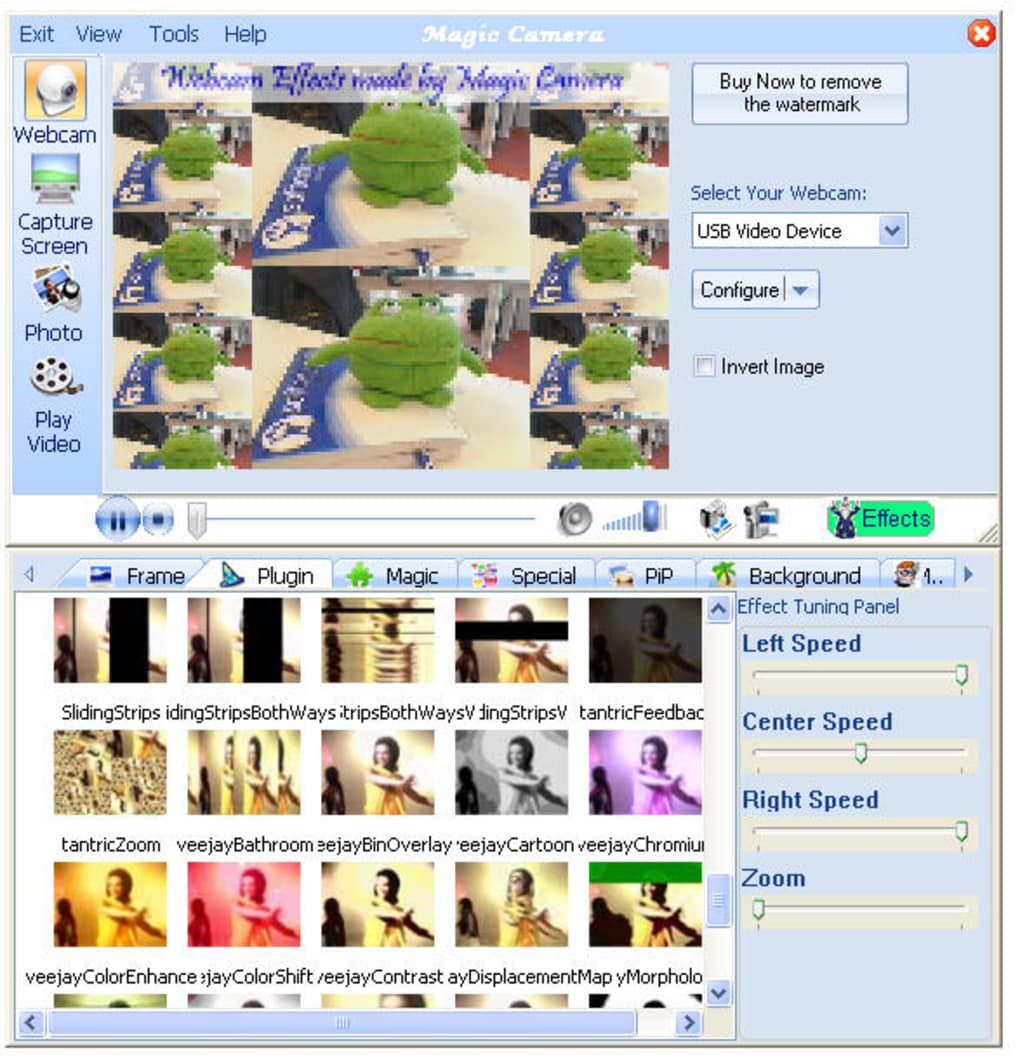
The effects and filters are categorized into intuitive tabs, making navigation effortless. Whether you seek subtle enhancements or bold stylistic transformations, MagicCamera caters to a broad range of preferences. The extensive library includes options ranging from classic filters mimicking film styles (like sepia or black and white) to more modern effects involving vibrant color shifts, artistic distortions, and fantastical overlays. The masks, on the other hand, provide a unique way to partially modify the video feed, allowing for creative segmentation and focused effects on specific areas of the frame. Similarly, the range of backgrounds offers diverse environments, turning a simple home office into a tropical beach, a futuristic cityscape, or any number of imaginative locations.
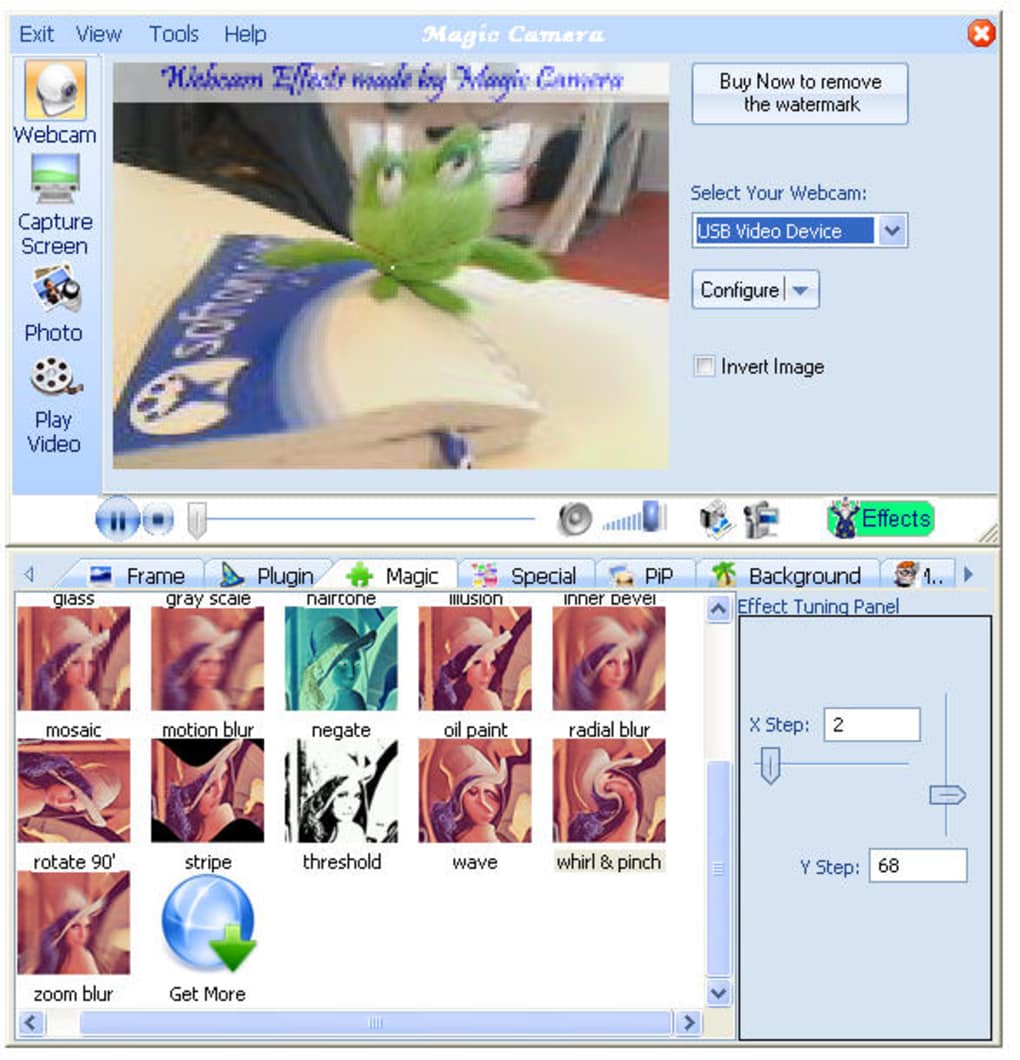
Animations further elevate the visual experience, adding dynamic and engaging elements to the video feed. These can range from subtle particle effects to more pronounced animated overlays that synchronize with the user’s movements or the overall video stream. The combination of these features allows for truly personalized video calls, significantly enhancing the visual communication experience and injecting a playful energy into otherwise standard interactions.
Beyond the Webcam: Virtual Webcam Capabilities and Compatibility
MagicCamera’s functionality extends beyond standard webcam enhancements. A particularly noteworthy feature is its capacity to function as a virtual webcam. This innovative capability enables users to stream various video sources, transforming nearly any video file, slideshow, or even a desktop screen capture into a simulated webcam feed. This broadens the software’s applications significantly, enabling creative and unconventional uses beyond simple video chats.
Imagine sharing a family slideshow during a virtual gathering, broadcasting a short movie clip with friends, or even demonstrating a software interface in real-time—all seamlessly integrated within popular video conferencing applications. This virtual webcam feature is incredibly versatile and can adapt to a wide variety of situations, extending the software’s utility beyond its core function.
Importantly, MagicCamera boasts compatibility with a wide array of popular video chat and messaging applications. The software seamlessly integrates with major platforms such as Skype, Yahoo! Messenger, AOL Instant Messenger, ICQ, Camfrog Video Chat, PalTalk, and Live Messenger, ensuring widespread compatibility regardless of the preferred communication platform. This universal compatibility is a significant strength, allowing users to enhance their video presence across a variety of online communication channels.
Ease of Use and User Interface Design
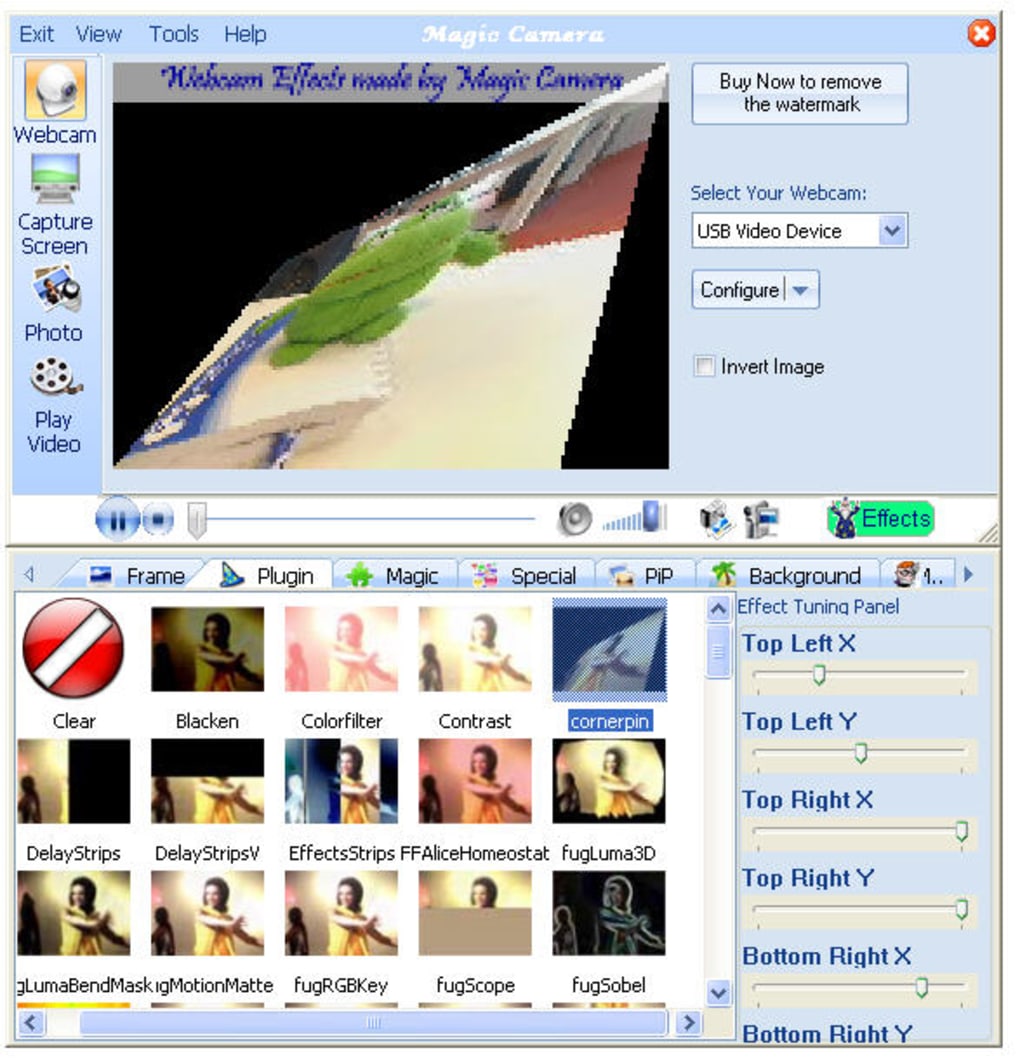
One of MagicCamera’s key strengths is its user-friendly interface. The software is designed for intuitive navigation, making it accessible to users with varying levels of technical expertise. The clearly organized layout and straightforward controls facilitate quick and easy application of effects and adjustments. The real-time preview feature is particularly helpful in this regard, allowing users to experiment with different settings without the need for cumbersome trial-and-error processes.
The tabbed organization of effects, filters, masks, backgrounds, and animations further enhances usability. Each category is logically separated, facilitating efficient searching and selection. The intuitive drag-and-drop functionality (where applicable) makes applying the selected options effortless. The overall design philosophy prioritizes simplicity and efficiency, contributing to an enjoyable and hassle-free user experience.
Performance and Limitations: Video Quality and Aesthetic Choices
While MagicCamera offers a wide array of features and excellent compatibility, it’s not without its limitations. One commonly cited drawback is the reported lower-than-expected video quality in the preview. Some users have noted a reduction in resolution or clarity, particularly when using higher-specification webcams. This discrepancy may be attributed to internal processing limitations or compression techniques used within the software.
Another area where opinions diverge is the aesthetic quality of some of the included frames and animations. While many effects are visually appealing and creatively designed, some users have described certain options as “tacky” or outdated, suggesting a possible need for a refresh or expansion of the visual assets to cater to evolving stylistic preferences.
Comparison with Alternative Webcam Software
MagicCamera faces competition from various similar software applications. ArcSoft Magic-i Visual Effects, Fake Webcam, SparkoCam, WebcamMax, and Webcam Jester are notable alternatives each offering a unique set of features and capabilities. Some focus primarily on high-quality video enhancements, while others specialize in specific functionalities like virtual webcam emulation or sophisticated animation capabilities.
The choice between MagicCamera and its competitors often hinges on individual needs and preferences. Users seeking a comprehensive suite of effects and virtual webcam functionality may find MagicCamera a compelling option, especially considering its broad compatibility. However, users prioritizing superior video quality or a more contemporary aesthetic might find better alternatives in applications with a stronger focus on high-resolution video processing and updated visual assets.
User Reviews and Community Feedback
User reviews provide valuable insights into MagicCamera’s real-world performance and user satisfaction. While overall feedback is generally positive, highlighting the software’s ease of use, diverse effects, and virtual webcam capabilities, some users express concerns about the video quality and the perceived dated nature of some effects. This mixed feedback underscores the importance of considering individual requirements and expectations before selecting the software. However, the overwhelmingly positive reviews emphasizing the fun factor and creative potential strongly suggest that MagicCamera successfully delivers on its promise of enhancing video chat experiences. Many users report using the software with their children, highlighting its suitability for family-friendly use cases.
Conclusion: A Fun and Versatile Webcam Enhancement Tool
MagicCamera delivers a fun and engaging experience for enhancing webcam usage. Its broad range of special effects, filters, masks, and backgrounds, combined with the powerful virtual webcam functionality and wide application compatibility, makes it a versatile tool for creative online interactions. While some limitations regarding video quality and aesthetic preferences exist, its ease of use, extensive feature set, and generally positive user feedback solidify its position as a worthwhile contender in the webcam enhancement software market. The software’s ability to transform ordinary video calls into engaging, personalized, and entertaining experiences remains a significant strength, offering a compelling alternative to standard webcam usage.
File Information
- License: “Trial version”
- Latest update: “October 28, 2024”
- Platform: “Windows”
- OS: “Windows 2003”
- Language: “English”
- Downloads: “232.6K”


