
MagicDisc is a freeware utility for Windows PCs designed to simplify the creation and management of disc images. It allows users to easily work with various disc image formats, mount virtual drives, and create backups of physical media. This review will delve into its features, pros, cons, and compare it to alternative software options.
Creating and Mounting Disc Images: A User-Friendly Approach
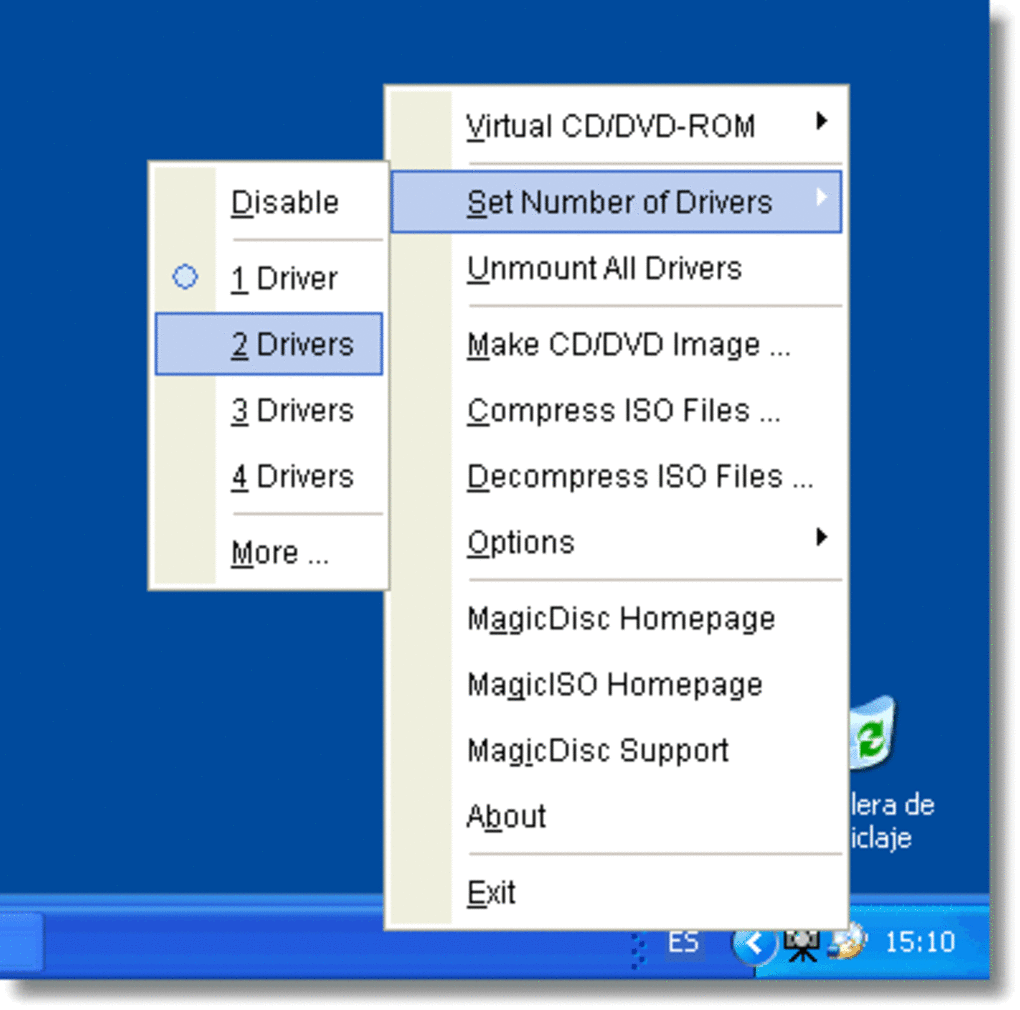
MagicDisc shines in its ease of use. The program’s intuitive interface makes creating and mounting disc images a straightforward process, even for novice users. Unlike some more complex disc imaging software, MagicDisc minimizes the learning curve, requiring minimal technical expertise to operate effectively. This simplicity is a significant advantage, making it accessible to a wider range of users.
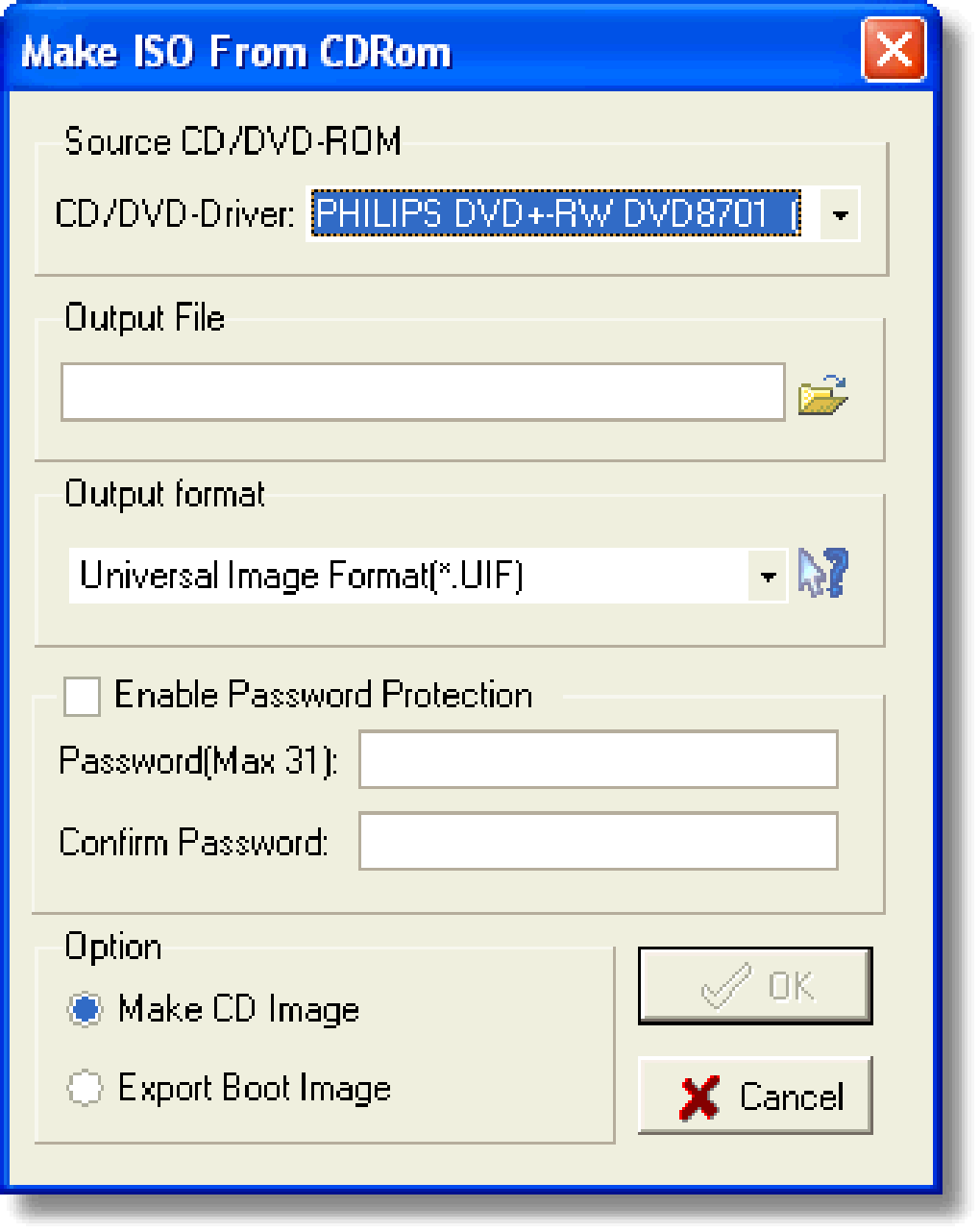
The software supports a variety of commonly used disc image formats, including NRG (Nero), IMG (Windows), and CIF (CloneDisk). This broad compatibility is crucial, ensuring that users can work with images created by different programs and from various sources. This interoperability eliminates the frustration often associated with format incompatibility issues found in other similar software. The ability to handle multiple formats allows for seamless integration into diverse workflows, making it a flexible tool for various applications.
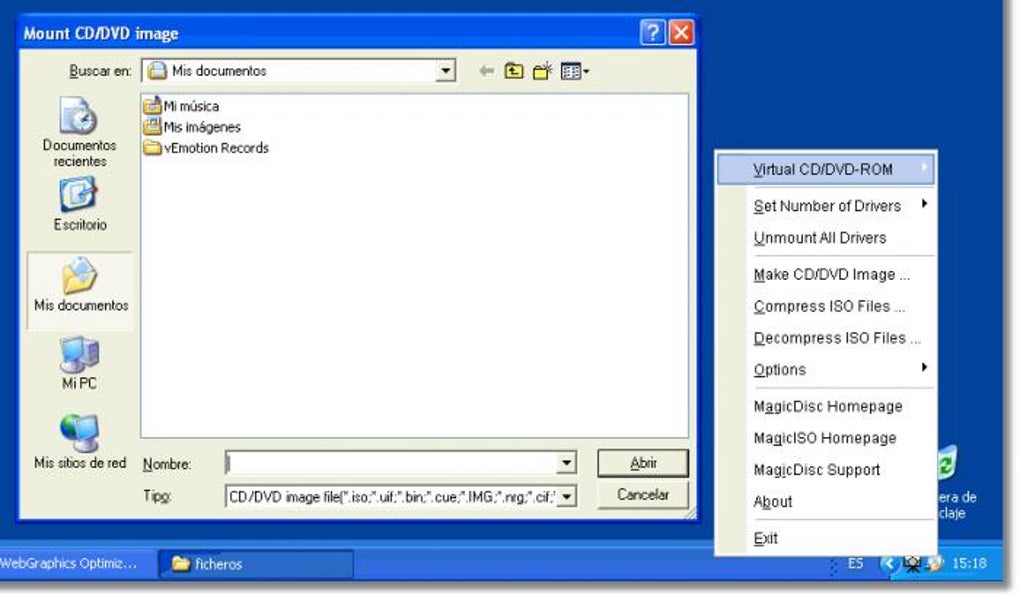
The core functionality of MagicDisc revolves around its virtual drive mounting capabilities. Users can mount disc images directly onto their system, treating them as if they were physical drives. This eliminates the need to burn the image to a physical disc, saving time, resources, and physical media. The mounted virtual drive appears seamlessly within the Windows operating system, allowing access to the image’s contents through standard file explorer functionalities. This is particularly useful for testing software or accessing archived data without the need for physical media.
Beyond the Basics: Additional Capabilities and Considerations
While primarily focused on image creation and mounting, MagicDisc offers additional functionalities that enhance its usability. Although not explicitly advertised as extensive features, these additions improve the overall user experience. While the specific details might not be as comprehensive as specialized software packages, they contribute to a more streamlined workflow. Further exploration and understanding of these features can unlock greater potential and efficiency.
One key benefit is the program’s small size and low system resource consumption. It operates efficiently without significantly impacting system performance, even on older or less powerful machines. This lightweight nature is particularly beneficial for users with limited system resources or those who prefer to minimize background processes. The minimized footprint is a compelling factor for users seeking a streamlined and efficient solution.
However, being a freeware program, MagicDisc includes advertisements. While not intrusive, they are present within the interface. This trade-off between cost and a potentially less clean user interface is a consideration for users who prefer an advertisement-free experience. While the advertisements are not overly intrusive, the presence of them represents a compromise that some users might find undesirable. The frequency and prominence of these ads should be considered when weighing the overall user experience.
Comparison with Alternative Software
MagicDisc stands alongside several other disc image utilities. While offering a similar core functionality, certain distinctions exist in features, user experience, and licensing. A comparative analysis against popular alternatives allows a more informed decision-making process, tailored to individual requirements and preferences.
DAEMON Tools Lite: This popular alternative provides similar functionality, including disc image mounting and creation. However, DAEMON Tools Lite often boasts more advanced features, such as virtual drive management capabilities and support for additional formats. However, this added functionality comes at the cost of increased complexity in the user interface.
Virtual CloneDrive: This free utility is known for its simplicity and ease of use, focusing primarily on mounting ISO images. While less versatile in terms of supported formats compared to MagicDisc, its uncomplicated interface might appeal to users prioritizing a straightforward experience. Its focus on a simplified workflow is a significant advantage for those seeking a minimal approach to disc image management.
Magic ISO Maker: This software offers more extensive features than MagicDisc, including the ability to create, convert, compress, and burn ISO images. However, it is a trial version, meaning users may encounter limitations without purchasing a full license. This pay-to-unlock model introduces a financial barrier that MagicDisc avoids completely.
The choice between these alternatives hinges on the user’s needs and priorities. If simplicity and a wide range of format support are paramount, MagicDisc remains a strong contender. However, if advanced features and a comprehensive feature set are required, DAEMON Tools Lite or Magic ISO Maker might be more suitable, albeit at a cost in terms of complexity or licensing.
User Reviews and Feedback
User reviews provide valuable insights into the real-world experiences with MagicDisc. While opinions vary, several consistent themes emerge, highlighting both strengths and weaknesses. Analyzing these reviews reveals a more nuanced understanding of the software’s performance and usability in practical applications.
Positive reviews frequently praise MagicDisc’s ease of use and straightforward interface. Many users appreciate its simplicity, particularly those with limited technical expertise. The software’s ability to effortlessly mount disc images is consistently highlighted as a key benefit. The positive feedback on ease of use supports the software’s strength in user-friendly design.
Negative reviews often cite issues with compatibility, particularly with newer operating systems. While largely functional, some users reported glitches or compatibility problems with certain Windows versions. The occasional occurrence of bugs or incompatibility needs to be considered when evaluating the software’s overall reliability and stability. Furthermore, the presence of advertisements is occasionally criticized as a minor nuisance.
These diverse reviews underscore the importance of considering individual needs and expectations. While MagicDisc generally performs well for many users, potential compatibility issues or the presence of advertising should be factored into the decision-making process.
Conclusion: MagicDisc – A Practical and Accessible Choice
MagicDisc provides a practical and accessible solution for managing disc images on Windows PCs. Its user-friendly interface, broad format support, and efficient resource usage make it a compelling option for both novice and experienced users. Its strengths lie in its simplicity and ability to fulfill core disc image management needs without the complexity or cost associated with more advanced alternatives.
However, potential users should be aware of the limitations. The inclusion of advertisements, occasional compatibility issues, and the lack of advanced features should be considered in the context of individual requirements. Ultimately, the decision to use MagicDisc depends on the user’s priorities and the specific task at hand. For users seeking a straightforward, free, and efficient solution for managing disc images, MagicDisc remains a strong choice. For users requiring more advanced features or seeking a completely advertisement-free experience, exploring alternative options is recommended.
File Information
- License: “Free”
- Version: “2.7.106”
- Latest update: “July 30, 2018”
- Platform: “Windows”
- OS: “Windows 2003”
- Language: “English”
- Downloads: “405.7K”
- Size: “1.35 MB”


