
Apple AirPods have become synonymous with seamless wireless audio, offering a convenient and high-quality listening experience. However, the full potential of these popular earbuds isn’t always realized on Windows-based systems. This is where MagicPods steps in, acting as a powerful companion utility that bridges the gap between AirPods and the Windows ecosystem, unlocking a wealth of features and functionalities previously unavailable. Developed by Aleksandr Maslov, MagicPods transforms the AirPods experience on Windows laptops and desktops, providing users with a comprehensive and intuitive control center for their earbuds.
Enhanced Functionality and Control
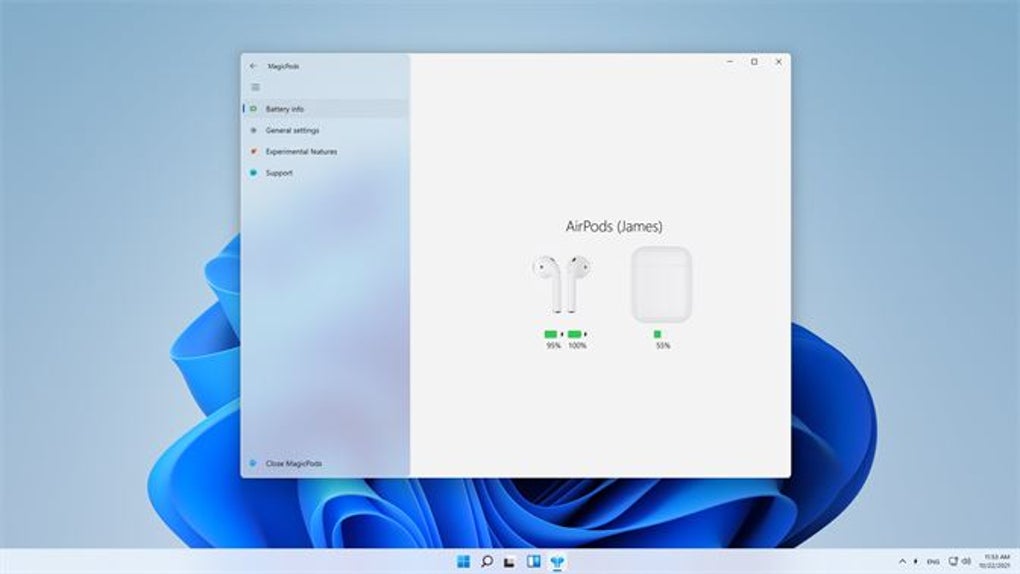
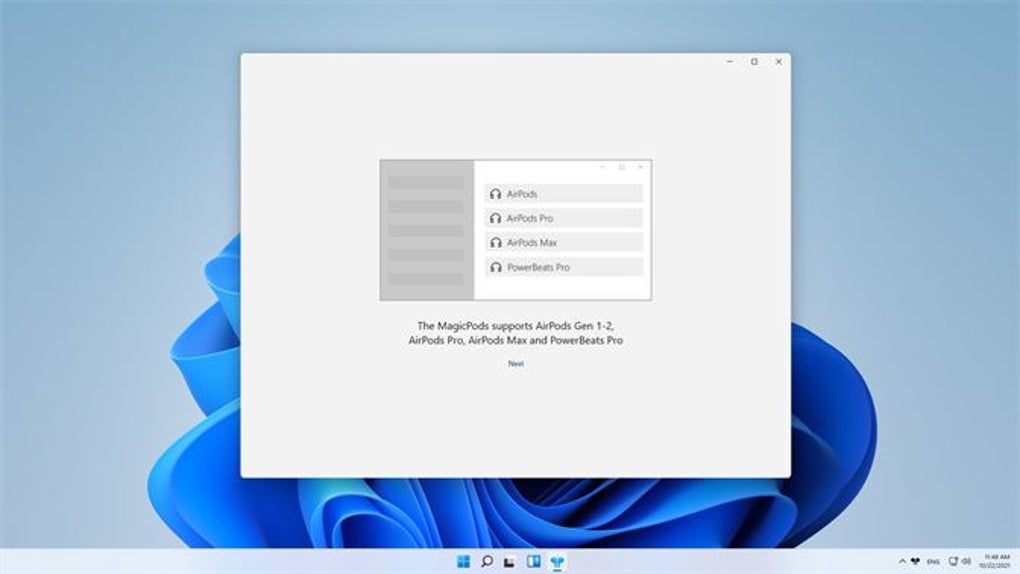
MagicPods goes beyond basic connectivity, offering a suite of features designed to enhance the user experience significantly. Unlike some competing applications that offer limited functionality, MagicPods boasts a more complete feature set, providing users with detailed information about their AirPods and granular control over various aspects of their performance. This includes real-time battery level monitoring for each earbud and the charging case, eliminating the guesswork often associated with remaining battery life. The app supports a broad range of AirPods models, encompassing the standard AirPods, AirPods Pro, AirPods Max, and even Beats earbuds. This broad compatibility ensures that a wide range of users can benefit from MagicPods’ enhanced features.
The app’s intuitive user interface makes navigating the various settings and options a breeze. A unified dashboard presents all crucial information and controls clearly and logically, ensuring that even users unfamiliar with such applications can quickly grasp their functionality. The user-friendly design is complemented by the app’s seamless integration with the Windows system tray, offering quick access to frequently used functions without cluttering the desktop. The streamlined design prevents the user experience from becoming unnecessarily convoluted, ensuring easy access to the tools they need.
Streamlined Pairing and Management of Multiple Devices
A key benefit of MagicPods is its streamlined approach to pairing and managing multiple devices. The application simplifies the often-complex process of connecting AirPods to Windows machines. Users can easily pair and manage multiple devices directly through the application’s intuitive interface, eliminating the need to navigate through lengthy system settings. This feature is particularly beneficial for users who frequently switch between multiple Windows devices, such as a desktop and a laptop, providing a much more seamless and convenient user experience. This functionality minimizes the time and effort needed for device pairing, thereby improving overall workflow efficiency.
The app also enhances the pairing process itself, introducing helpful features like Fast Search and Auto Connect. These features help to quickly and automatically identify and connect to paired AirPods, minimizing the time spent on tedious connection procedures. The ability to manage multiple devices concurrently enhances the user’s flexibility and adaptability in diverse technological environments. The seamless transition between various devices ensures that the AirPods experience remains uninterrupted, regardless of the specific device being used.
Advanced Features and Customization Options
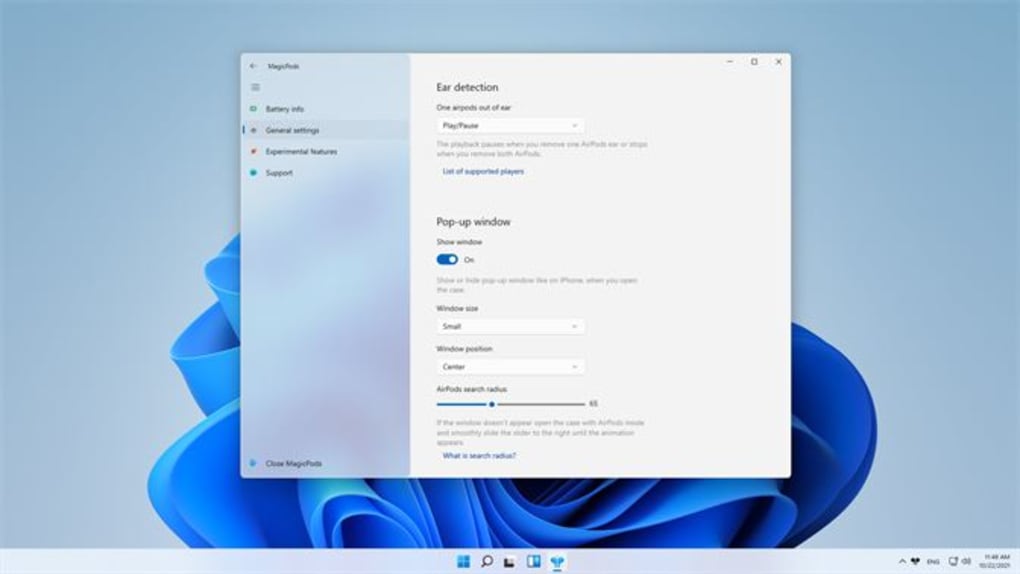
MagicPods unlocks a range of advanced features not readily available through standard Windows settings. These features further enhance the user experience and provide greater control over the AirPods’ functionalities. For instance, the app supports Ear Detection, automatically pausing audio playback when an AirPod is removed from the ear and resuming when it’s put back in. This smart functionality conserves battery life and prevents unwanted audio interruptions.
The app also offers the option to enable Low Latency Audio, reducing the delay between audio playback and the source material. This feature is particularly beneficial for activities like gaming and video editing, enhancing the overall responsiveness and reducing any frustrating lags. The inclusion of Low Latency Audio demonstrates MagicPods’ dedication to catering to a variety of user needs and preferences.
Moreover, MagicPods integrates advanced playback controls such as Auto Play/Pause and Auto Switch. Auto Play/Pause automatically starts and stops audio playback based on whether the AirPods are in or out of the ears, while Auto Switch seamlessly transitions audio output between different devices connected to the AirPods. This feature is particularly convenient for users switching between multiple devices without manually reconnecting. The thoughtful inclusion of Auto Play/Pause and Auto Switch functionalities enhances convenience and user experience.
The app also includes a VoiceOver feature that reads out incoming notifications, adding an accessibility aspect that greatly benefits users who might find it challenging to constantly check their screens. This thoughtfully designed feature broadens the accessibility and usability of the AirPods on Windows platforms.
A further useful feature is the Low Battery alert, proactively notifying the user when the AirPods are running low on power, allowing them to take appropriate action and avoid unexpected audio interruptions. This proactive notification enhances the user experience by ensuring that they always stay aware of their AirPods’ battery status.
Addressing Future Development and Potential Enhancements
While MagicPods currently offers an impressive array of features, there’s always room for improvement. The developers acknowledge that future updates could incorporate additional functionalities such as controlling noise canceling and transparency modes. These features would further expand the app’s capabilities, adding to the control and customization options already available. The proactive acknowledgment of potential improvements and commitment to future updates indicates the developers’ commitment to refining and enhancing the user experience. This continuous improvement approach helps ensure that the application remains competitive and user-friendly.
The addition of noise canceling and transparency mode controls would significantly broaden the app’s appeal, allowing for a wider range of personalized listening experiences. The current feature set already caters to a broad spectrum of user needs, and these additional controls would further enhance its versatility and user satisfaction.
Conclusion: A Must-Have for AirPods Users on Windows
MagicPods stands as a testament to the power of third-party applications in enhancing user experiences. It effectively transforms the AirPods experience on Windows, providing a level of control and customization not otherwise available. Its intuitive interface, broad model support, and comprehensive feature set make it an invaluable tool for any Windows user who relies on AirPods as their primary audio device. For those who want to fully unlock the potential of their AirPods on Windows, MagicPods is not just recommended; it’s a must-have application. Its ease of use and powerful capabilities make it a highly valuable addition to the toolkit of any AirPods user on Windows. The application’s potential for continued enhancement and development further reinforces its value as a long-term solution for AirPods users.
File Information
- License: “Full”
- Version: “2.0.85.0”
- Latest update: “July 8, 2025”
- Platform: “Windows”
- OS: “Windows 11”
- Language: “English”
- Downloads: “17.6K”
- Size: “4.79 KB”


