
MagicTracer is a Windows-based software application designed to convert raster images, typically in JPEG format, into vector graphics. This conversion process is particularly valuable for design professionals, especially those working in fields like architecture and construction, where precise, scalable vector images are essential for detailed plans and designs. The software boasts over 100 customizable options, allowing for a high degree of control over the vectorization process and enabling users to tailor the output to meet specific project requirements. While raster-to-vector conversion can be a computationally intensive and time-consuming task, MagicTracer mitigates this challenge by providing real-time previews of the vectorization results. This feature significantly streamlines the workflow, allowing users to experiment with various settings and achieve the desired outcome efficiently.
Understanding the Power of Vector Graphics
Before delving into the specifics of MagicTracer, it’s crucial to understand the fundamental difference between raster and vector graphics and why vector conversion is often necessary for professional design work.
Raster graphics, such as JPEGs and PNGs, are composed of a grid of pixels. Each pixel holds a specific color value, and the image’s overall appearance is determined by the arrangement and color of these individual pixels. Because raster images are pixel-based, enlarging them often leads to a loss of quality, resulting in pixelation and blurring. This makes them unsuitable for applications requiring high levels of detail and scalability, such as architectural blueprints or large-format printing.
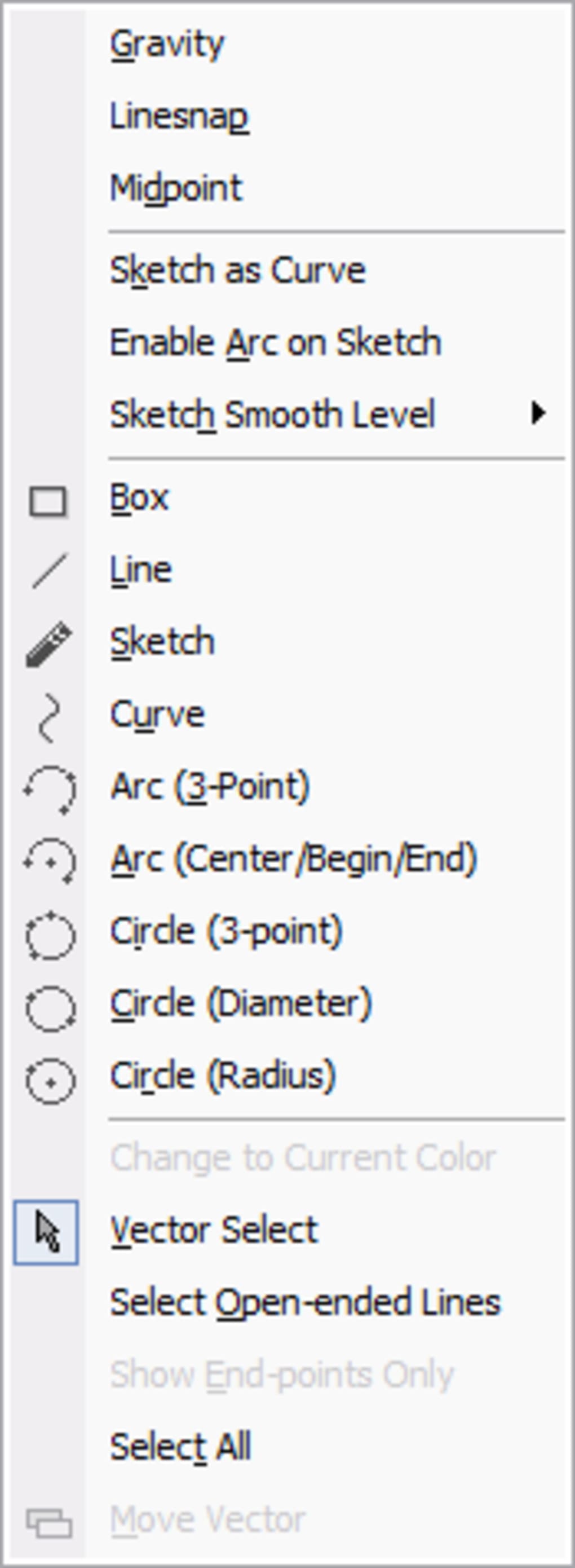
Vector graphics, on the other hand, are based on mathematical equations that define shapes and lines. Instead of pixels, vector images use points, curves, and paths to represent the image’s components. This means that vector images can be scaled to any size without losing quality, a crucial advantage for professional design applications. The ability to precisely edit individual components of a vector image, such as adjusting curves or repositioning elements, makes them ideal for intricate designs requiring meticulous control and accuracy.
MagicTracer’s Key Features and Capabilities
MagicTracer’s core functionality centers around its ability to transform raster images into editable vector formats. This transformation is not a simple process; it involves sophisticated algorithms that analyze the raster image and reconstruct it as a collection of vector shapes. The software’s strength lies in its extensive customization options, which allow users to fine-tune the vectorization process to achieve optimal results for a wide range of images and design styles. The real-time preview feature further enhances the user experience by providing immediate visual feedback as adjustments are made, eliminating the need for repeated conversion cycles to assess the impact of parameter changes.
The availability of over 100 customizable settings allows for a level of control rarely found in similar software. These settings influence various aspects of the vectorization process, such as the simplification of shapes, the detection of edges, and the overall smoothness of the resulting vector lines. While this extensive configurability is a significant advantage for experienced users who can leverage these settings for precise results, it can also present a learning curve for beginners who may need time to understand the effect of each parameter. Thorough experimentation and careful consideration of the desired outcome are essential for harnessing the full potential of these numerous options.
Workflow and Practical Applications
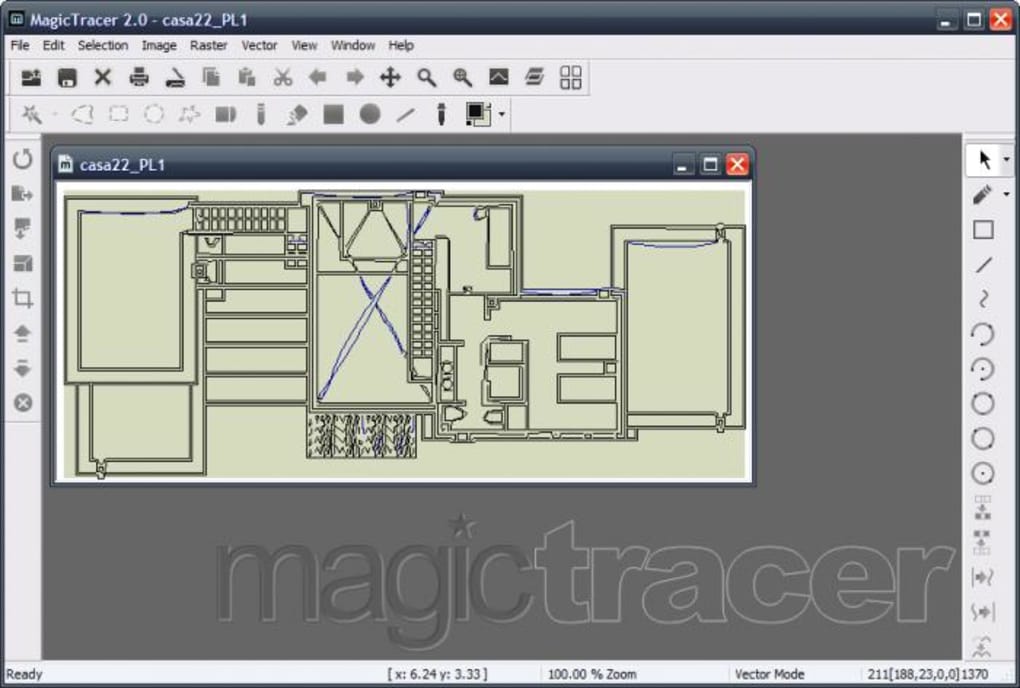
The typical workflow for using MagicTracer involves importing a raster image (usually a JPEG), adjusting the various settings to control the vectorization process, and then generating the final vector output. The software offers a preview function that allows users to see the effects of their adjustments in real-time, eliminating the need for multiple conversion iterations. Once the user is satisfied with the preview, the vectorized image can be exported in a variety of formats, catering to the specific needs of different design applications and platforms.
MagicTracer finds its niche in professional design scenarios that demand high precision and scalability. Architectural drawings, engineering schematics, and detailed illustrations are all prime candidates for MagicTracer’s capabilities. The ability to convert existing raster images into editable vector formats significantly streamlines the workflow and enhances the accuracy of designs. This is because vector graphics are easily edited and modified without compromising quality, whereas manipulating raster images at high magnifications often leads to noticeable pixelation. The ability to easily scale vector graphics is particularly important for large-format printing or designs that need to be adapted for different resolutions or screen sizes without quality loss.
Advantages and Disadvantages of MagicTracer
As with any software application, MagicTracer presents both advantages and disadvantages that must be weighed against the specific needs and expertise of the user.
Advantages:
- Extensive Customization: The wealth of customization options (over 100) offers unparalleled control over the vectorization process, enabling users to fine-tune the output to meet specific requirements.
- Real-Time Preview: The ability to preview the vectorization results in real-time dramatically accelerates the workflow and allows for immediate feedback on the effects of parameter adjustments.
- Wide Range of Export Formats: MagicTracer supports export to multiple vector formats, ensuring compatibility with a wide range of design software and applications.
- Suitable for Professionals: Its advanced features and precise control make it a valuable tool for experienced designers and professionals needing high-accuracy vector graphics.
Disadvantages:
- Steep Learning Curve: The sheer number of customizable options can present a challenge for novice users who may need time and practice to fully understand and leverage the software’s capabilities.
- Limited Applicability: MagicTracer’s primary utility is focused on precise vector conversion for professional applications. It may not be suitable for casual users or those needing simpler, less precise vectorization methods.
- Resource Intensive (Potentially): Depending on the complexity and resolution of the raster image being converted, the process may require a significant amount of computing power and time, particularly for very large or highly detailed images.
In summary, MagicTracer is a powerful tool for design professionals who require precise control over the raster-to-vector conversion process. Its extensive customization options, real-time preview feature, and wide range of export formats make it a valuable asset for various design disciplines. However, the significant number of settings and the potential for a steep learning curve should be considered before adoption. Users should carefully evaluate their individual needs and technical expertise to determine if MagicTracer aligns with their specific requirements. The software’s strength lies in its ability to provide high-quality vector outputs for professional applications where precision and scalability are paramount.
File Information
- License: “Trial version”
- Version: “2.0.011”
- Latest update: “September 26, 2008”
- Platform: “Windows”
- OS: “Windows 98”
- Language: “English”
- Downloads: “3.4K”
- Size: “10.55 MB”


