
The MAGICTV Smart Player was a free media player application designed for Android TV, smartphones, and tablets. While the application is no longer available for download from its original source, this review will explore its functionality, features, and the reasons behind its removal from online app stores. We will also examine alternative applications that offer similar capabilities.
Seamless Media Playback and Navigation
The MAGICTV Smart Player aimed to provide users with a straightforward and enjoyable media consumption experience. Its core functionality centered around browsing and playing local media files. The app boasted an intuitive interface, allowing users to easily navigate their media libraries, whether organized by episode, movie, or other custom categories. This ease of navigation was a key selling point, distinguishing it from some more cumbersome media players available at the time. Users could select specific streams (potentially referring to different quality options or sources if multiple versions of a file were available), ensuring optimal viewing depending on network conditions or device capabilities.
A significant advantage was its compatibility across multiple Android devices. The app’s design ensured a consistent user experience whether used on a large-screen Android TV, a smartphone, or a tablet. This versatility broadened its appeal to a wider range of users with different preferences and hardware. The ability to control playback using both a remote control and a touchscreen provided flexibility, catering to the diverse ways people interact with their devices.
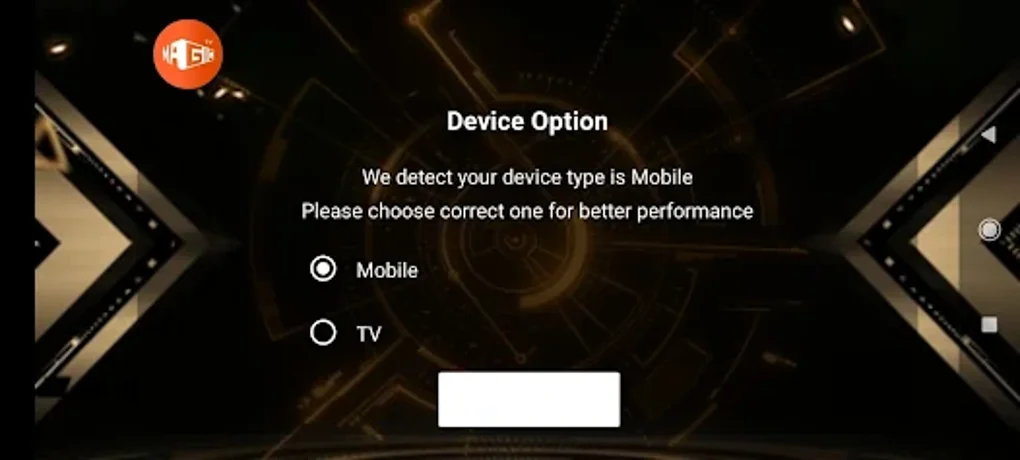
The app also emphasized a streamlined and ad-free experience. This was a considerable benefit compared to other media players that often incorporated intrusive advertisements or required in-app purchases to unlock premium features. By maintaining an ad-free environment, MAGICTV Smart Player fostered a more immersive and enjoyable viewing experience, focusing on content rather than interruptions. The integrated media player ensured smooth playback and compatibility with a wide range of video and audio formats, minimizing the need for external players or codecs.
High-definition video support was a prominent feature, allowing users to enjoy their media collections in their best possible quality. This was crucial for users with high-resolution displays and a library of high-definition content. For those who primarily consumed media on their mobile devices, the app offered a convenient way to watch their favorite shows and movies on the go. The app’s design considerations ensured a smooth and enjoyable experience regardless of screen size or device capabilities.
A User-Centric Approach to Media Management
The MAGICTV Smart Player wasn’t just about playback; it focused on providing users with control over their media experience. The developers prioritized a customizable user interface, enabling users to personalize their experience to their preferences. While specifics about the customization options aren’t readily available from existing information, it’s reasonable to assume this included options like theme selection, playback settings, and potentially even the organization of media within the app. This level of personalization is important, as it allows users to tailor the app to their individual needs and preferences, making it a more satisfying experience.
The app’s focus on simplicity extended beyond navigation and playback. The developers aimed for ease of use, minimizing the complexity often found in other media players. This intuitive design made the app accessible to a broad range of users, from tech-savvy individuals to those less familiar with media player applications. This user-friendly interface was likely a contributing factor to the app’s popularity among users who valued simplicity and efficiency.
Reasons for the App’s Unavailability
Unfortunately, the MAGICTV Smart Player is no longer available for download. This unavailability may be due to several potential factors, none of which are definitively confirmed.
One possibility is that the application was discontinued by the developer. This could be due to various reasons, including lack of profitability, shifting business priorities, or challenges in maintaining the app across the constantly evolving Android ecosystem. Development and maintenance of an app require ongoing resources and effort, and if these resources are no longer available, discontinuation is a logical outcome.
Another possibility is a security issue. If vulnerabilities were discovered in the app’s code, compromising user data or device security, the developer may have been compelled to remove the application from app stores to prevent further harm. Such security concerns would necessitate immediate action to protect users and comply with app store regulations.
Finally, it’s also possible that the app was removed due to licensing or legal reasons. The app may have been relying on licenses or agreements that were no longer valid or that were breached, forcing its removal from online distribution platforms. This scenario is common, especially in the realm of media streaming and playback, where copyright and licensing issues are significant concerns.
Alternatives to MAGICTV Smart Player
While the MAGICTV Smart Player is no longer available, several alternative media player applications offer comparable features and capabilities. These alternatives provide users with a range of options to suit their individual needs and preferences. Some popular alternatives include:
- MX Player: A well-established and highly-rated media player known for its hardware acceleration and extensive codec support. MX Player handles a wide variety of video and audio formats, making it a versatile choice.
- VLC for Android: A mobile version of the highly popular open-source VLC media player. Known for its stability and broad compatibility, VLC for Android is a robust and reliable option.
- Kodi: While more complex than the MAGICTV Smart Player, Kodi offers extensive media management capabilities, including support for add-ons and network streaming. It’s a powerful option for advanced users.
- Plex: Plex is a popular media server and player combination that allows for streaming of media from a central server to multiple devices. It offers excellent organization and streaming capabilities.
Each of these alternatives offers unique advantages and disadvantages. Users should consider their specific requirements and preferences when selecting a suitable replacement for the MAGICTV Smart Player. Factors to consider include the range of supported file formats, ease of use, the availability of additional features (like subtitles, streaming capabilities, or cloud integration), and the overall user experience.
Conclusion
The MAGICTV Smart Player offered a simple and effective solution for media playback on Android devices. Its focus on ease of use, ad-free experience, and high-definition video support made it a compelling choice for many users. Although no longer accessible, its legacy highlights the importance of user-centric design in media player applications. Numerous alternative applications now exist, offering comparable and often enhanced functionality, ensuring users can still enjoy seamless media playback on their Android devices. The reasons behind the app’s disappearance remain uncertain, underscoring the complexities of app development and distribution. Choosing an appropriate alternative depends on individual needs and technical proficiency.
File Information
- License: “Free”
- Version: “3.0.9.1”
- Latest update: “May 7, 2025”
- Platform: “Android”
- OS: “Android 13.0”
- Language: “English”
- Downloads: “25.7K”
- Size: “32.79 MB”
- Download Options: “APK, Google Play”
- Filename: “MAGICTV_SMART_PLAYER_3.0.9.1.apk”


