
Magisk Manager is a powerful and versatile tool designed to manage root permissions on Android devices. Unlike traditional rooting methods that directly modify system files, Magisk employs a “systemless” approach. This innovative technique keeps modifications separate from the core Android system, residing in a dedicated storage space. This separation offers significant advantages, allowing for greater customization and enhanced security. This article delves into the features, benefits, and potential drawbacks of Magisk Manager, providing a comprehensive guide for both novice and experienced Android users.
Understanding Magisk and Its Advantages
Rooting your Android device unlocks advanced functionalities and customization options unavailable to standard users. However, traditional rooting methods often carry risks, potentially destabilizing the system or voiding warranties. Magisk Manager addresses these concerns by introducing a systemless rooting method. Instead of directly altering the Android system partition, Magisk utilizes a separate partition to house its modifications. This ingenious approach minimizes the risk of system instability and allows for easy reversion to a non-rooted state.
The benefits of Magisk’s systemless approach are manifold:
-
Enhanced Security: By keeping modifications isolated, Magisk reduces the chances of system corruption. If something goes wrong, reverting to a previous state is far simpler and less risky.
-
SafetyNet Compliance: Many banking and security apps employ SafetyNet checks to detect rooted devices. Magisk’s systemless nature often allows users to bypass these checks, maintaining access to apps that would otherwise be blocked. This is a crucial advantage for users who need access to security-sensitive apps while still enjoying the benefits of root access.
-
Seamless Updates: System updates become less problematic with Magisk. Because the modifications are separate, system updates are less likely to conflict with or remove your customizations.
-
Flexibility and Customization: Magisk Manager provides access to a vast repository of modules. These modules extend Android’s functionality, allowing users to add features like ad blockers, custom themes, advanced system controls, and much more. This opens up a world of possibilities for personalized Android experiences.
Magisk Manager: Features and Functionality
Magisk Manager serves as the central interface for interacting with Magisk. Its user-friendly design makes it accessible to users of all technical skill levels. Key features include:
- Root Management: Magisk Manager allows for easy toggling of root access. Users can enable or disable root privileges as needed, providing granular control over root permissions.
-
Module Installation: The app offers a streamlined interface for browsing and installing Magisk modules. These modules add various functionalities, allowing users to tailor their Android experience to their preferences.
-
SafetyNet Spoofing: As mentioned earlier, Magisk can often bypass SafetyNet checks, allowing users to maintain root access while using apps that typically block rooted devices.
-
Systemless Updates: The app simplifies the process of updating Magisk itself, ensuring that your device always runs the latest version with the most up-to-date security and performance improvements.
-
Backup and Restore: Magisk Manager provides tools for backing up and restoring your Magisk installation, facilitating easier recovery in case of problems.
Applications and Use Cases
The versatility of Magisk Manager extends across various applications and use cases:
Apps
Many Android apps require root privileges to function correctly. Magisk Manager provides a safe and reliable way to grant these permissions without compromising system stability. Furthermore, the ability to hide root access from SafetyNet checks allows the use of apps that would otherwise be incompatible with a rooted device. This functionality opens up access to a wider range of applications.
Games
Game optimization and modification tools frequently require root access. Magisk Manager enables users to leverage such tools without the risks associated with traditional rooting methods. The added layer of security and the systemless nature provide a safer environment for gaming modifications.
News and Information
While not directly related to its core functionality, Magisk Manager’s wide adoption within the Android community makes it relevant to news and discussions about Android customization and rooting. Forums and online communities often discuss Magisk modules, tips, and troubleshooting, making it a valuable resource for Android enthusiasts.
For Business
While not a direct business application itself, the enhanced security and customization options provided by Magisk can be beneficial to businesses that utilize Android devices. For example, custom security measures or specialized system configurations can be implemented safely through Magisk modules.
Android Optimization and Customization
Magisk Manager unlocks a vast array of Android optimization and customization possibilities. Users can tweak various system parameters, improve performance, and personalize the look and feel of their devices.
The systemless nature of Magisk minimizes the risks associated with these modifications. If a customization causes issues, reverting to a previous state is significantly easier than with traditional rooting methods.
Technical Specifications and Details
- License: Free
- Version: 29.0 (as of June 2, 2025)
- Platform: Android 8.0 and higher
- Language: English (and various other languages)
- Downloads: 111.2K+
- Size: 11.80 MB
- Developer: Topjohnwu
Downloading and Installing Magisk Manager
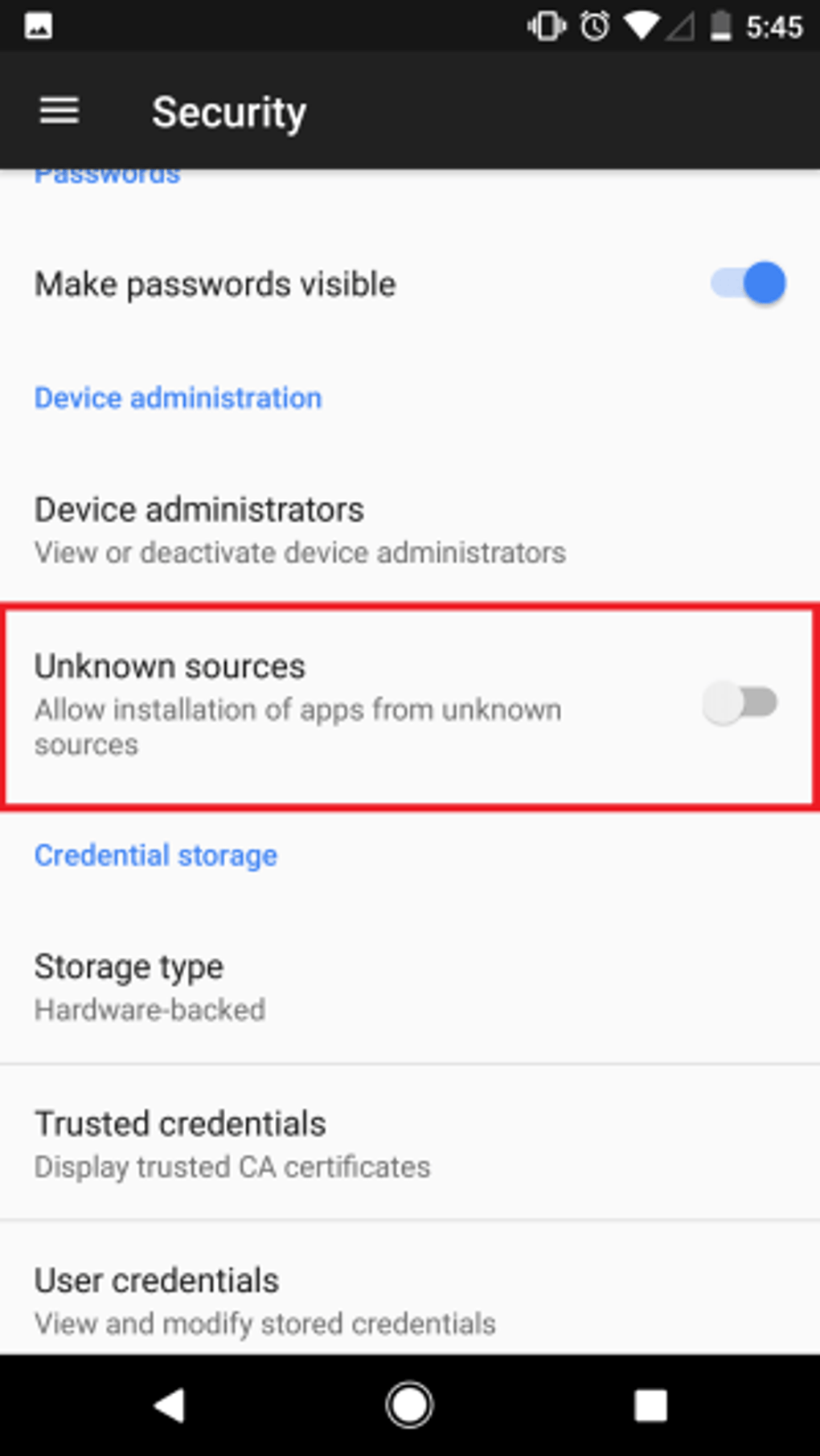
Magisk Manager is available for download via the official Google Play Store and as an APK file directly from the developer’s website. Ensure you download from a trusted source to avoid malicious software. The installation process involves enabling “Unknown Sources” in your Android settings (if not already enabled) and then installing the APK file. Always follow the instructions provided by the developer to ensure proper installation.
Advantages and Disadvantages
While Magisk Manager offers numerous advantages, it’s important to consider potential drawbacks:
Pros:
- Systemless Rooting: The core advantage is the systemless nature of Magisk, providing enhanced security and simplifying system updates.
- SafetyNet Compatibility: Often bypasses SafetyNet checks, allowing compatibility with security-sensitive apps.
- Wide Range of Modules: Access to a vast library of modules for extensive customization.
- Easy to Use: User-friendly interface for managing root permissions and installing modules.
- Regular Updates: The app is actively maintained and updated with frequent bug fixes and new features.
Cons:
- Conflicts with other rooting apps: Magisk Manager may conflict with other root management applications installed on the device.
- Internal Storage Requirement: It requires installation on the internal storage, limiting the flexibility to install on external storage.
- Single-User Limitation: Magisk doesn’t directly support multi-user functionality.
- Prerequisites: Requires specific prerequisites such as an unlocked bootloader, making it unsuitable for all devices.
User Reviews and Community Support
While user reviews are not provided in the original content, it’s important to note that Magisk Manager enjoys a strong reputation within the Android community. Extensive online forums and communities provide support and resources for users. This active community makes troubleshooting and finding solutions relatively easy.
Conclusion
Magisk Manager is a powerful and indispensable tool for anyone seeking to customize their Android device while maintaining system stability and security. Its systemless rooting approach and extensive module support provide a level of flexibility not found in traditional rooting methods. While there are some limitations, the advantages clearly outweigh the drawbacks for many Android users looking for a safe and effective way to customize their mobile experience. Remember to always proceed with caution and thoroughly research the implications before implementing any root modifications.
File Information
- License: “Free”
- Latest update: “June 2, 2025”
- Platform: “Android”
- OS: “Android 8.0”
- Language: “English”
- Downloads: “108.8K”
- Size: “11.80 MB”
- Download Options: “APK, Google Play”
- Filename: “Magisk-v29.0.apk”


