
MAGIX Music Maker is a digital audio workstation (DAW) designed to be beginner-friendly while still offering a robust set of features for music creation and editing. This review delves into its capabilities, limitations, and overall suitability for different user levels, comparing it to alternative software options. Whether you’re a complete novice or a seasoned musician looking for a quick and easy tool, this assessment will provide valuable insights into MAGIX Music Maker’s strengths and weaknesses.
Ease of Use and Interface
One of MAGIX Music Maker’s primary selling points is its intuitive interface. Designed with beginners in mind, the software features a drag-and-drop functionality that simplifies the process of arranging loops, instruments, and effects. The dashboard is clean and uncluttered, minimizing the learning curve often associated with more complex DAWs. This simplicity makes it ideal for users who are new to music production and want to experiment without being overwhelmed by technical jargon or intricate workflows. The software’s tutorial resources further enhance its accessibility, guiding users through the basic functions and more advanced techniques. This user-friendly approach makes music creation less daunting and more approachable for individuals with varying levels of technical expertise.
The software’s intuitive layout, combined with its drag-and-drop functionality, encourages experimentation and creative exploration. Users can easily manipulate sounds, adjust volumes, and add effects without needing extensive prior knowledge of music production software. This ease of use fosters a more enjoyable and less frustrating learning process, allowing users to focus on developing their musical ideas rather than grappling with complex interfaces.
Features and Functionality
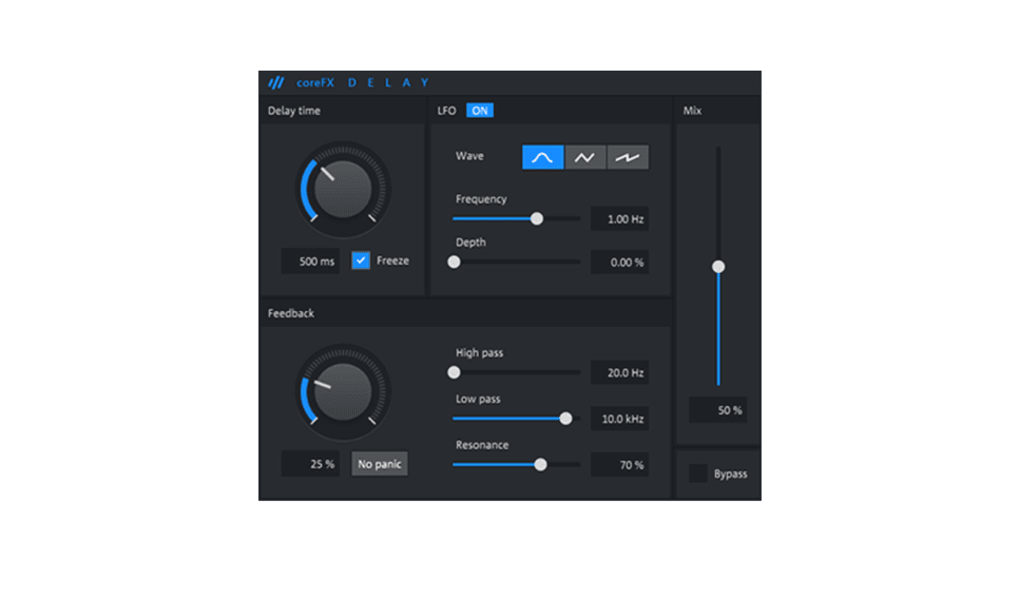
MAGIX Music Maker boasts a comprehensive collection of features, despite its user-friendly design. The software provides access to a vast library of sounds, loops, and instruments, enabling users to create a wide range of musical styles. The inclusion of over 3 virtual instruments, 8 effects, and 425 free sounds and loops ensures that users have ample resources to work with, even without purchasing additional content. This extensive library allows for considerable experimentation and exploration of various musical genres.
Furthermore, MAGIX Music Maker incorporates a professional audio engine and a MIDI editor, ensuring high-quality sound reproduction and precise musical editing capabilities. The MIDI editor allows for detailed manipulation of musical notes, enabling users to fine-tune their compositions with accuracy. This combination of high-quality audio processing and precise MIDI editing provides a level of sophistication that belies the software’s user-friendly nature. The ability to easily import and manipulate audio files, along with the option to record vocals using a microphone, adds further versatility to the software’s functionality. Users can incorporate external audio sources and their own vocal performances seamlessly into their creations.
Limitations and Missing Features
While MAGIX Music Maker offers a compelling array of features, it’s essential to acknowledge its limitations. A notable omission is the lack of a built-in vocal reduction tool, a feature that would allow users to remove vocals from existing tracks for karaoke purposes or creating remixes. This absence might be a significant drawback for users who frequently utilize this type of audio processing.
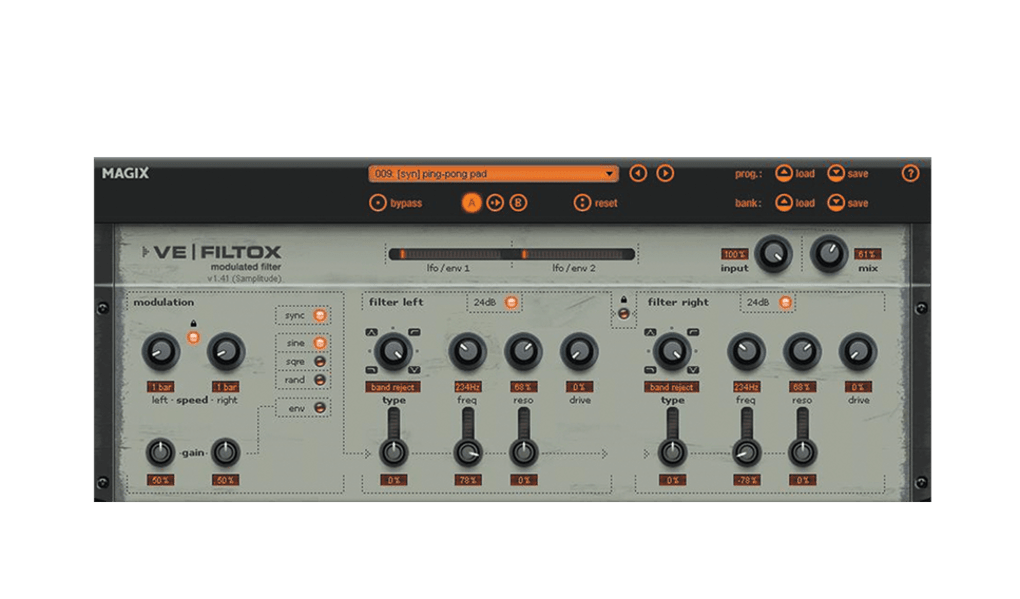
Another limitation is the absence of VST plugin support. VST plugins are third-party instruments and effects that can significantly expand a DAW’s capabilities. The lack of this functionality restricts the software’s expandability, limiting users to the built-in instruments and effects. While this limitation might not affect all users, it’s important for experienced musicians to consider before investing time and effort in the software. However, the software does offer add-ons which can be purchased to augment its features.
Remixing Capabilities
MAGIX Music Maker facilitates remixing through its easy audio file import functionality. Users can import audio files of various genres and edit them using the provided tools, including an analog synthesizer, guitar, drum machine, and others. This allows for creative manipulation of existing tracks, opening possibilities for creating unique remixes and mashups. The ability to import video files further enhances its remixing capabilities, enabling the creation of audio-visual projects.
The ease of importing and manipulating audio and video files makes the remixing process streamlined and efficient, minimizing the technical hurdles often associated with this type of music production. The software’s intuitive interface makes it accessible even to beginners interested in experimenting with remixing.
MAGIX Music Maker Versions and Alternatives
MAGIX Music Maker is available in several versions, including Pro, Premium, and Music Maker Jam. These variations offer different feature sets, catering to users with diverse needs and experience levels. Users can upgrade to more advanced versions if they require more sophisticated tools and capabilities.
For users seeking alternative software, several options exist, depending on their operating system and desired features. Reaper, Pro Tools, and Free Audio Editor are among the popular alternatives for Windows users who seek more extensive functionalities or a different workflow. MAC users have alternative choices like Audacity and Reason.
Should You Download MAGIX Music Maker?
The decision of whether or not to download MAGIX Music Maker depends on your specific needs and expectations. For beginners who are interested in exploring music production without a steep learning curve, MAGIX Music Maker is an excellent starting point. Its user-friendly interface, extensive sound library, and intuitive workflow make it a great option for learning the fundamentals of music creation and editing.
However, advanced music producers might find the software’s limitations, such as the lack of VST support and a vocal reduction tool, somewhat restrictive. The presence of in-app purchases is also a factor to consider, as accessing the full potential of the software might require additional investments. Therefore, individuals already experienced with more complex DAWs might find MAGIX Music Maker to be less versatile than other available options.
Conclusion: A Solid Entry-Level DAW
MAGIX Music Maker provides a compelling entry point into the world of music production. Its beginner-friendly interface, extensive sound library, and ease of use make it an ideal choice for those new to the field. While it lacks some advanced features found in more professional DAWs, its strengths lie in its accessibility and ease of learning. The ability to upgrade to more advanced versions caters to users who may outgrow the basic features over time. Overall, MAGIX Music Maker offers a valuable and approachable tool for aspiring musicians and casual music editors seeking an enjoyable and relatively straightforward experience.
File Information
- License: “Trial version”
- Latest update: “July 11, 2023”
- Platform: “Windows”
- OS: “Windows XP”
- Language: “English”
- Downloads: “500.5K”
- Size: “6.14 MB”


