
Mail-eyacker is a free email client for Windows, boasting a streamlined interface and rapid performance. Designed for ease of use and swift navigation, it offers a simplified approach to managing multiple email accounts. This review delves into its features, performance, customization options, and overall user experience, comparing it to other popular email clients available on the market.
A Streamlined Approach to Email Management
Mail-eyacker’s primary strength lies in its intuitive design and efficient operation. Unlike some email clients that overwhelm users with complex interfaces and numerous features, Mail-eyacker prioritizes simplicity and speed. The user interface is clean and uncluttered, making it easy to navigate between different email accounts and perform common tasks such as reading, composing, and replying to emails. The dual-page split view is particularly noteworthy, allowing users to manage multiple inboxes simultaneously, significantly boosting productivity.
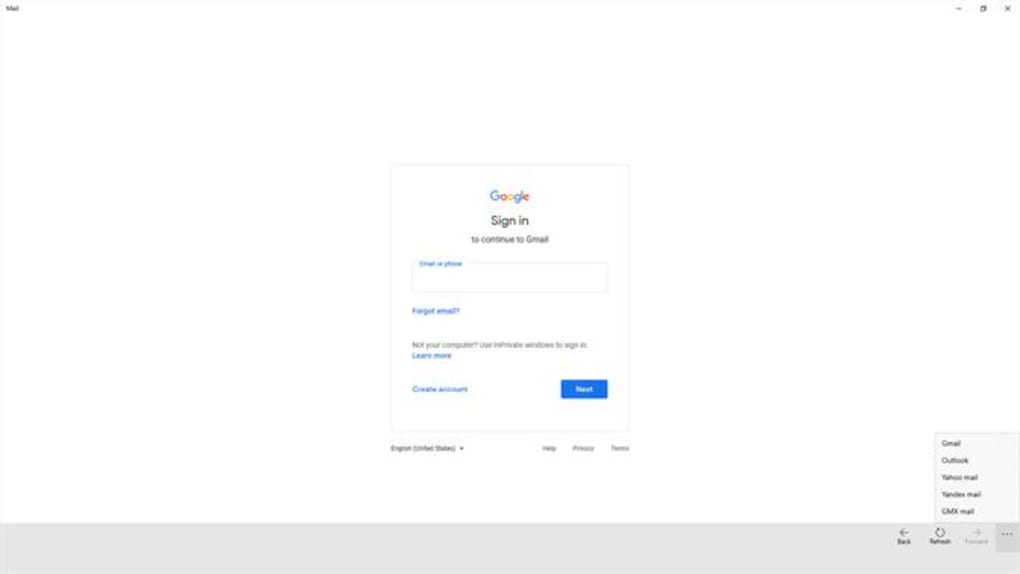
This straightforward design doesn’t compromise functionality. Essential features are readily accessible, including forward and backward navigation, a home button for quick access to the main inbox view, and a refresh button for ensuring up-to-the-minute inbox updates. Users can effortlessly read incoming emails, compose new messages, and organize their sent items, drafts, labels, and contacts. The ability to directly download attachments is a valuable addition, eliminating the need for extra steps to access important files. A built-in search function further enhances the efficiency of email management, allowing users to quickly locate specific messages within their inboxes.
The application’s speed is a significant advantage. According to the developer, Mail-eyacker is among the fastest email clients on the Microsoft Store. This claim is substantiated by user experiences, reporting quick loading times and responsive navigation, even when managing numerous emails or large attachments. This speed is crucial for users who handle a high volume of email correspondence daily, saving valuable time and enhancing overall productivity.
Customization and Personalization Options
While simplicity is a key feature, Mail-eyacker doesn’t sacrifice personalization. Users can customize the application to suit their preferences and workflow. A revamped settings page provides comprehensive control over various aspects of the software. The ability to reorder, delete, add, and rename email providers offers significant flexibility in managing multiple accounts from different services like Gmail, Outlook, and Yahoo. This level of customization ensures that the app adapts to individual needs rather than forcing users to conform to a pre-defined structure.
Further customization options extend to the user interface itself. Users can select between light and dark themes to suit their visual preferences and working environment. This is especially beneficial for users who work in low-light conditions or prefer a dark theme to reduce eye strain. The app also allows for screen scale adjustments, which is a particularly useful feature for users with visual impairments or those using the application on devices like Xbox consoles. This attention to accessibility underscores the developer’s commitment to catering to a diverse user base.
Beyond the user interface adjustments, Mail-eyacker provides a unique feature: detailed system information. The app displays comprehensive details about the device’s hardware and software configuration, including the installed Mail-eyacker version, license information, and the processor architecture (x86, x64, ARM). This information can be valuable for troubleshooting purposes or for simply understanding the technical specifications of the system running the application.
Comparison with Other Email Clients
Mail-eyacker stands out amongst its competitors by focusing on speed and simplicity. While established email clients like Microsoft Outlook offer a wide range of advanced features, they often come at the cost of a more complex interface and slower performance, especially when managing numerous accounts or large volumes of email. Outlook, while powerful, can be overwhelming for users who simply require a straightforward and efficient way to manage their email. Other email clients, like Thunderbird, also offer robust features but can lack the intuitive simplicity and speed of Mail-eyacker.
While some users might prefer the advanced functionalities of Outlook or the customization options of Thunderbird, Mail-eyacker caters to a different user segment: those who value speed, simplicity, and ease of use above all else. Its lightweight design ensures efficient performance even on less powerful systems, a significant advantage for users with older hardware or limited system resources.
Google’s Gmail Gadget provides a simplified interface for accessing Gmail directly from the desktop, but it lacks the versatility of Mail-eyacker in supporting multiple email providers. The various Mail+ and Universal Email Apps available offer cross-platform compatibility and some additional features but often require subscriptions and may not offer the same speed and simplicity as Mail-eyacker.
Therefore, Mail-eyacker occupies a unique niche in the email client landscape. It’s not intended to replace the full functionality of enterprise-level email solutions, but rather serves as a highly effective and user-friendly option for users who prioritize speed and ease of use in managing their email correspondence.
Strengths and Weaknesses
Strengths:
- Speed and Efficiency: Mail-eyacker is designed for rapid performance and quick navigation, making it ideal for users who handle a large volume of emails.
- Simplicity and Ease of Use: The intuitive interface is straightforward, making it easy for users of all technical skill levels to navigate and utilize the app.
- Customization Options: Users can personalize the app’s appearance and functionality, including choosing themes, adjusting screen scale, and managing email providers.
- Dual-Page Split View: This feature allows for efficient management of multiple email accounts simultaneously, significantly boosting productivity.
- Direct Attachment Download: Attachments can be downloaded directly within the application, eliminating extra steps.
- Built-in Search: A powerful search function simplifies locating specific emails within the inbox.
- Detailed System Information: Provides valuable technical information about the system running the application.
Weaknesses:
- Limited Advanced Features: Unlike some competitors, Mail-eyacker lacks certain advanced features found in enterprise-level email clients, such as robust calendar integration or advanced filtering capabilities.
- Reliance on Existing Email Providers: Mail-eyacker relies on existing email providers; it doesn’t offer its own email hosting services.
- Limited User Reviews: At the time of this review, user feedback on Mail-eyacker is limited, hindering a comprehensive assessment of long-term performance and stability.
Conclusion
Mail-eyacker provides a compelling alternative for users seeking a fast, efficient, and easy-to-use email client. Its focus on speed and simplicity sets it apart from competitors offering more feature-rich but often more complex solutions. While it lacks some advanced functionalities found in other clients, its streamlined interface and efficient performance make it an excellent choice for users who prioritize speed and ease of use over extensive features. The customization options further enhance its appeal, allowing users to personalize the application to match their workflow and preferences. For users seeking a quick and straightforward email management solution, Mail-eyacker is definitely worth considering. However, users requiring advanced features or robust calendar integration may find that more feature-rich email clients are better suited to their needs.
File Information
- License: “Free”
- Version: “10.1703.60”
- Latest update: “February 6, 2024”
- Platform: “Windows”
- OS: “Windows 11”
- Language: “English”
- Downloads: “11.2K”


