
MAMP, an acronym for Mac, Apache, MySQL, and PHP, is a versatile, open-source application designed to simplify the process of setting up a local web server environment on your computer. While its name suggests a Mac-centric focus, MAMP is readily available for Windows systems as well, making it a cross-platform solution for developers of all experience levels. This comprehensive guide delves into the features, capabilities, and limitations of MAMP, helping you determine if it’s the right tool for your web development needs.
Setting Up Your Local Web Server with MAMP
At its core, MAMP provides a streamlined way to install and manage three essential components of a web server: Apache (the web server software), MySQL (the relational database management system), and PHP (the server-side scripting language). Traditionally, configuring each of these components individually can be a complex and time-consuming undertaking, requiring significant technical expertise. MAMP elegantly bypasses this complexity, bundling these components into a single, user-friendly package. With just a few clicks, you can have a fully functional local web server up and running, allowing you to develop, test, and debug your websites and web applications without needing to deploy them to a remote server. This greatly accelerates the development cycle, facilitating rapid prototyping and iterative improvements. The intuitive interface empowers even novice developers to navigate the server’s settings, effortlessly starting and stopping services, modifying port assignments, and selecting the desired PHP version.
MAMP’s Features and Functionality: An In-depth Look
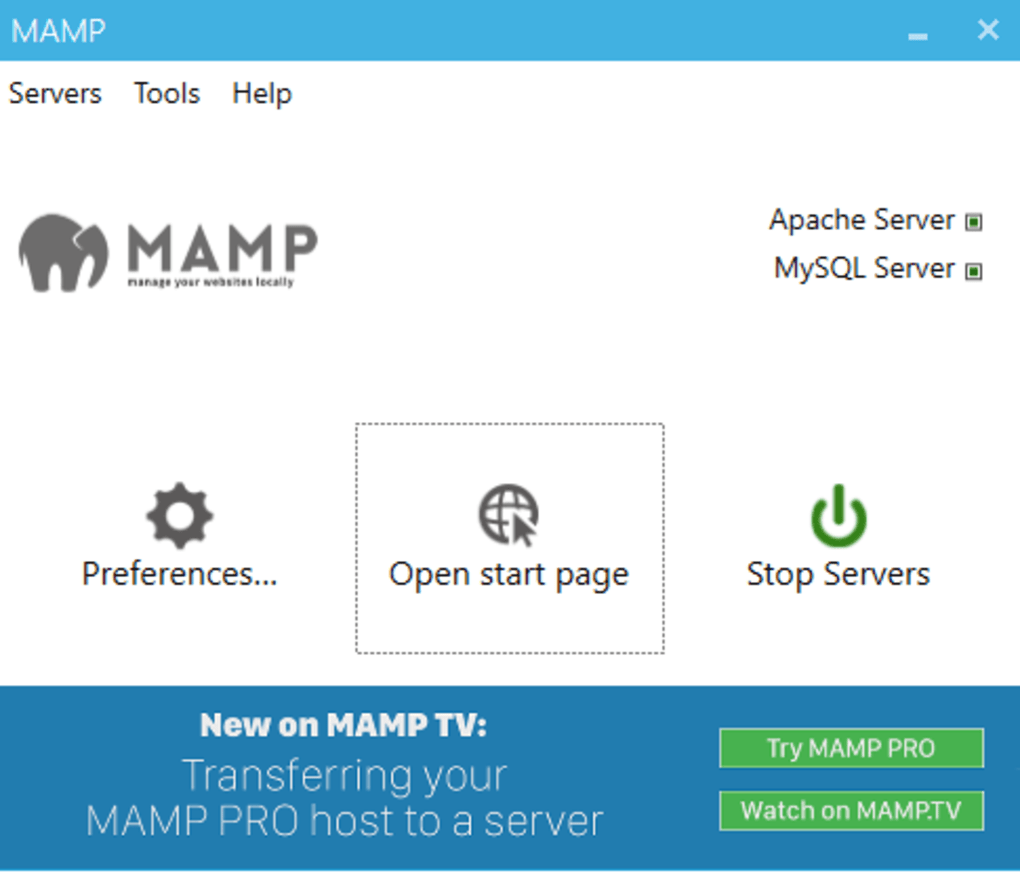
MAMP’s ease of use stems from its integrated approach. Instead of wrestling with individual installations and configurations of Apache, MySQL, and PHP, MAMP presents a unified control panel. This simplifies tasks such as managing server processes, configuring database connections, and overseeing the overall health of your local server. The integrated PHPMyAdmin tool provides a user-friendly interface for managing MySQL databases, enabling you to execute SQL queries, create and modify tables, and perform various database administration tasks without needing command-line proficiency. This combination of simplicity and functionality is what makes MAMP a popular choice among developers, particularly those just starting their web development journey. Furthermore, MAMP allows for local testing of web applications and websites without the need for an internet connection. This is crucial for development phases where network connectivity is not essential, or for situations where the developer wants to isolate testing from external factors.
Advantages of Using MAMP for Web Development
MAMP offers a multitude of advantages that contribute to its popularity among web developers:
-
Simplified Installation: The biggest advantage is the simplified installation process. Installing Apache, MySQL, and PHP individually can be intricate, often requiring considerable technical expertise and troubleshooting. MAMP streamlines this process into a single, straightforward installation.
-
User-Friendly Interface: The application boasts an intuitive and user-friendly interface, making it accessible to developers of all skill levels. Even those unfamiliar with server administration can quickly grasp the basics and start developing.
-
Rapid Development Cycle: By enabling quick setup and configuration, MAMP significantly shortens the development cycle, allowing developers to focus on coding and testing rather than server management.
-
Offline Development: MAMP allows for completely offline development, eliminating the reliance on a live internet connection during the development and testing phases. This can be particularly useful in situations with limited or unreliable internet access.
-
Integrated Tools: The inclusion of PHPMyAdmin simplifies database management, offering a visual interface for interacting with MySQL databases. This eliminates the need for command-line interactions, making database operations accessible to a wider range of users.
Limitations and Considerations When Using MAMP
While MAMP offers significant advantages, it also possesses certain limitations that developers should consider:
-
Limited Component Support: Compared to other open-source web server solutions, MAMP’s support for additional components is relatively limited. It primarily focuses on Apache, MySQL, and PHP, lacking support for alternative databases (e.g., SQLite), caching mechanisms (e.g., Xcache), scripting languages (e.g., Python, Perl), and other tools commonly used in web development (e.g., Xdebug, Apache Tomcat). This limited functionality might necessitate the use of alternative tools for specific development tasks.
-
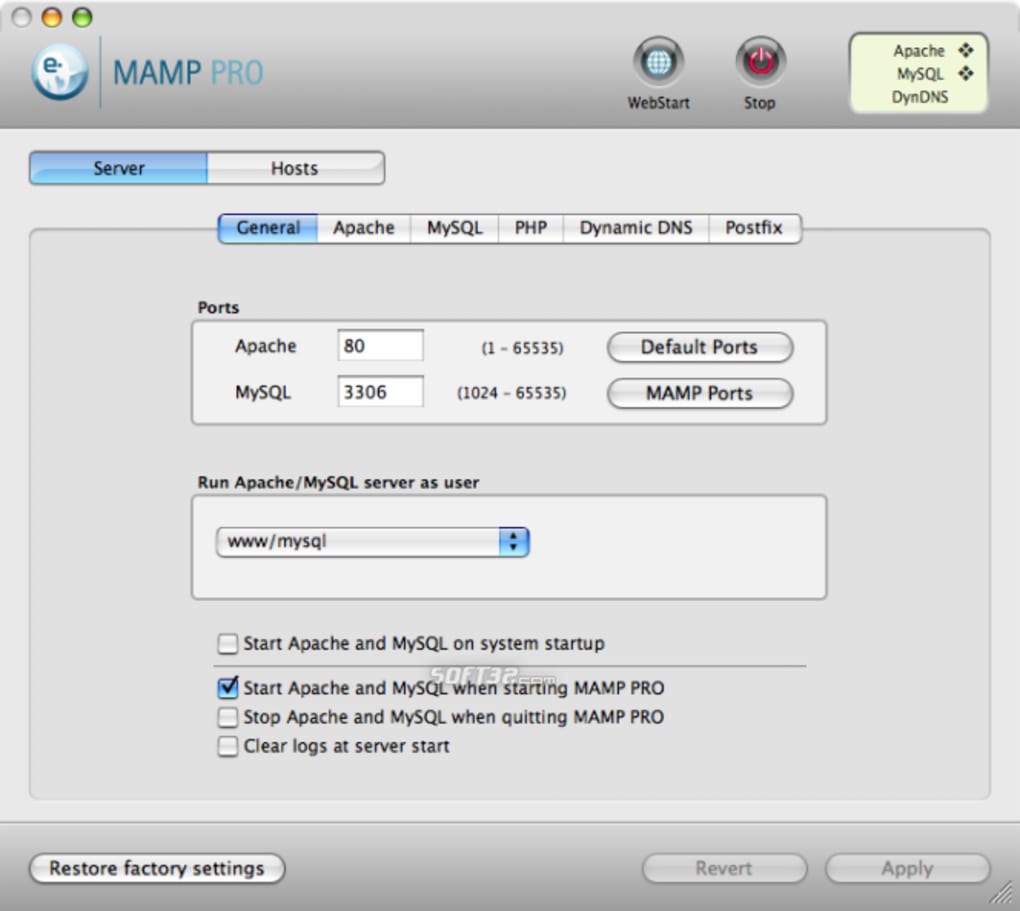
MAMP Pro as an Alternative: While the free version of MAMP offers a functional local server environment, the MAMP Pro version offers extended functionalities, including support for some of the missing components mentioned above. However, it comes with a price tag, and the decision to upgrade should depend on the specific needs of the project.
-
Resource Consumption: Running a local web server, even a lightweight one like MAMP, consumes system resources. Developers should be mindful of the impact on their computer’s performance, particularly on systems with limited RAM or processing power.
MAMP vs. Other Local Server Solutions: A Comparative Analysis
MAMP competes with various other local server solutions, each with its own strengths and weaknesses. XAMPP, for example, is another popular open-source package offering a similar functionality. However, XAMPP supports a broader range of components, including Perl, Python, and FileZilla FTP server. The choice between MAMP and XAMPP (or other alternatives) often depends on the specific requirements of the project and the developer’s familiarity with different tools. Some developers might prefer the simplicity and ease of use of MAMP, while others might require the more extensive features offered by alternative solutions. A careful evaluation of the project needs is essential to select the most appropriate local server solution.
Conclusion: Is MAMP Right for You?
MAMP is a powerful and user-friendly tool ideal for developers who need a simple and efficient way to set up a local web server environment. Its ease of use, integrated approach, and ability to facilitate rapid development make it a compelling choice, particularly for beginners and those who prioritize a streamlined development experience. However, its limited component support should be considered. If advanced features or support for specific technologies are required, exploring alternative solutions like MAMP Pro or XAMPP might be necessary. Ultimately, the suitability of MAMP depends on the specific needs and priorities of the web development project. By carefully weighing the advantages and limitations discussed in this guide, developers can make an informed decision about whether MAMP is the right local server solution for their needs.
File Information
- License: “Trial version”
- Version: “4.2.0”
- Latest update: “July 20, 2021”
- Platform: “Windows”
- OS: “Windows 7”
- Language: “English”
- Downloads: “3.1K”


