
Manga Reader is a free, lightweight e-reader application specifically designed for Windows users who enjoy reading manga. Developed by an independent developer, this application distinguishes itself through its dual functionality: acting as both a manga reader and a manga management tool. This review will delve into its features, ease of use, advantages, and limitations to help you determine if Manga Reader is the right choice for your manga-reading needs.
User Interface and Functionality
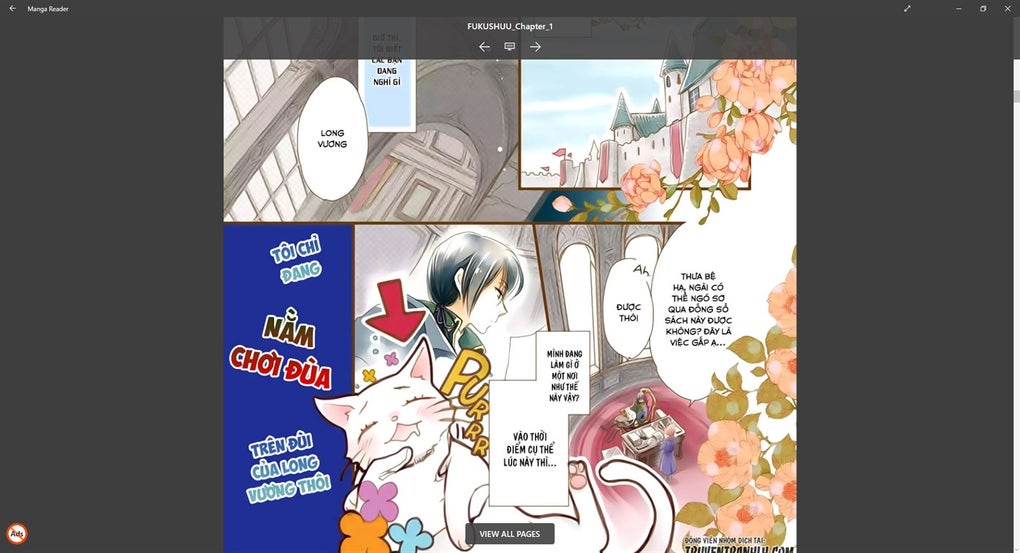
Manga Reader boasts a clean and minimalist user interface (UI). The dark theme, a popular choice among many users, minimizes distractions and enhances readability, especially during extended reading sessions. The dashboard is straightforward, allowing users to quickly access their manga library and begin reading. Navigation is intuitive, even for those unfamiliar with similar e-reader applications. The simplicity of the UI contributes to a smoother reading experience, allowing users to focus on the content rather than navigating complex menus.
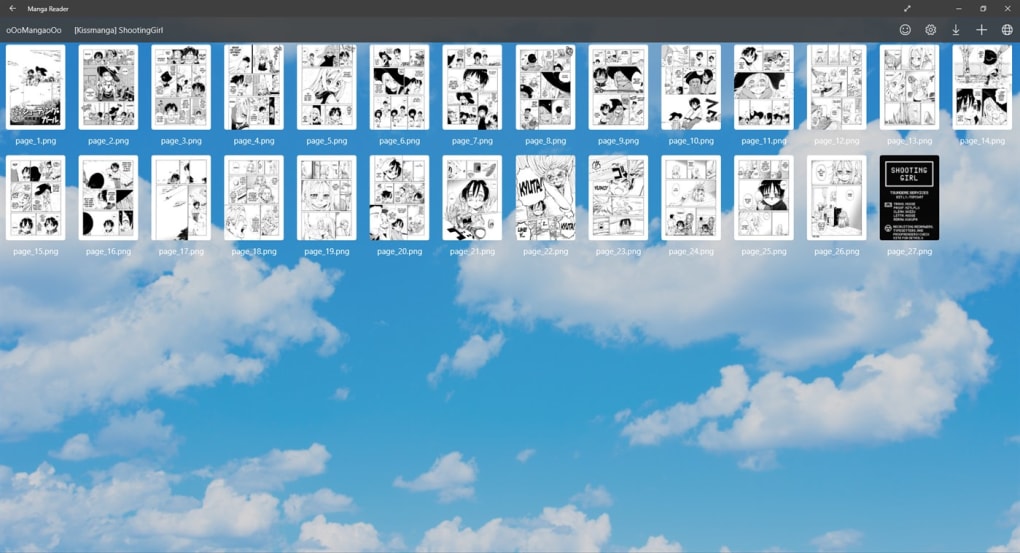
The application offers two primary viewing modes: single-page and multi-page. The single-page mode is ideal for those who prefer a more traditional reading experience, while the multi-page mode allows for a quicker page-turn experience. Chapter skipping is easily accessible, and users can bookmark their current reading position for later retrieval. Beyond basic reading functions, Manga Reader also incorporates a web browser, enabling users to browse online manga sources and download chapters directly to their computers.
This integrated web browser functionality simplifies the process of acquiring new manga. Instead of needing separate browser and download management tools, the reader provides a streamlined experience. Once downloaded, manga are seamlessly integrated into the user’s library, simplifying organization and access.
Local Manga Management and Organization
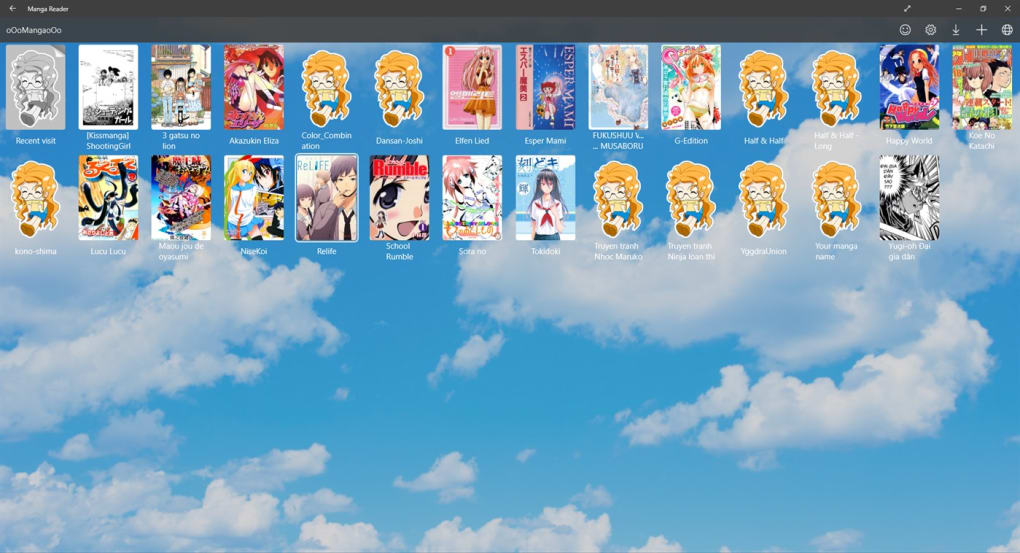
One of Manga Reader’s key strengths lies in its ability to manage locally stored manga. Users can easily import their existing manga collections into the application, creating a centralized hub for their digital comics. The application allows for meticulous organization. Users can create folders, categorize manga by series or genre, and assign cover images to each manga for easy identification. This organizational feature transforms a potentially chaotic collection into a well-managed library accessible through an intuitive grid-based interface, enabling users to quickly browse their collection.
The import process itself is straightforward, making it easy for users to transfer their existing manga library. This function is particularly valuable for users who already possess substantial collections, providing a simple method to migrate their digital manga into a dedicated reader application.
The ability to organize manga by creating folders and adding cover images is a significant advantage. This level of customization enhances the user experience, making it easier to locate specific manga titles and ensuring a visually appealing library management system. The grid view allows for a quick visual scan of the entire collection.
Online Reading and Additional Features
Manga Reader’s functionality extends beyond reading locally stored manga; it also supports online reading. Users can utilize the integrated web browser to access online manga sources and read directly through the application. This integrated browsing feature eliminates the need for context switching between a web browser and the reader. It streamlines the overall manga-reading process. This dual-platform functionality significantly increases the application’s versatility.
Further enhancing the user experience, Manga Reader offers push notifications. This feature alerts users when new chapters of their favorite manga become available. These notifications ensure that readers stay up-to-date with their favorite series, eliminating the need to manually check for updates.
In addition to its core functionalities, the application provides helpful tips to aid readers in understanding unfamiliar words or concepts that may appear within the manga. This feature is particularly beneficial for readers encountering new vocabulary or cultural references. It adds a layer of educational value, complementing the primary function of manga reading.
Offline Functionality and Performance
A significant advantage of Manga Reader is its robust offline functionality. The application works seamlessly without an internet connection, allowing users to read their downloaded manga wherever they are, regardless of network availability. This feature caters to users who may not always have access to the internet, enabling a consistent reading experience.
While Manga Reader is generally fast and efficient, extended reading sessions (several hours) may lead to a slight slowdown in performance. This is a minor drawback and is not a significant impediment to the overall user experience. The occasional slowdown is likely due to the application’s processing demands over extended periods. For most users, this performance issue would likely be negligible.
Comparison with Other Manga Readers
Compared to other manga readers such as MangaMeeya and ComicRack, Manga Reader stands out due to its user-friendly interface and seamless integration of online and offline reading functionalities. While other applications might offer advanced features, Manga Reader focuses on delivering a clean and intuitive user experience. This prioritization of ease of use distinguishes it from competitors that may prioritize complexity or specific niche features.
Conclusion: Should You Download Manga Reader?
Manga Reader provides a compelling solution for Windows users seeking a free, efficient, and user-friendly manga reader. Its combination of local manga management, online reading capabilities, push notifications, and a clean interface makes it a strong contender in the manga reader market. While a slight slowdown might occur during very lengthy sessions, this is a minor drawback compared to its numerous advantages.
If you’re a manga enthusiast with a Windows PC and appreciate a straightforward, well-organized, and efficient reading experience, Manga Reader is a highly recommended application. Its free availability and ease of use make it an accessible choice for both casual and avid manga readers. Its ability to both manage a local library and integrate online sources into that library makes it a highly convenient all-in-one solution for manga enthusiasts.
Pros:
- Free to download and use
- User-friendly interface with a clean, minimalist design
- Supports both local and online manga reading
- Functions as a manga management tool with organizational features such as folder creation and cover image assignment
- Push notifications for new chapter releases
- Helpful in-app tips and explanations
- Robust offline functionality
Cons:
- Minor performance slowdown after extended (multi-hour) usage
The overall experience provided by Manga Reader significantly outweighs its minor drawbacks, making it a highly worthwhile addition to any manga reader’s digital toolkit.
File Information
- License: “Free”
- Version: “1.2.0”
- Latest update: “July 11, 2023”
- Platform: “Windows”
- OS: “Windows 10”
- Language: “English”
- Downloads: “15.4K”


