
Mannic is a free, user-friendly iPhone application designed to rapidly and accurately convert images into editable text files. This innovative tool streamlines the process of extracting textual information from images, saving you valuable time and effort. Whether you’re dealing with scanned documents, handwritten notes, or screenshots of text, Mannic provides a quick and efficient solution for transforming visual data into easily manageable digital text. This comprehensive guide will explore the features, capabilities, and overall user experience of Mannic, detailing its strengths and highlighting its potential applications.
Mannic: A Deep Dive into the App’s Functionality
Mannic’s core function is straightforward: it converts images into editable text files. However, its simplicity belies a sophisticated underlying technology. The app employs advanced optical character recognition (OCR) technology to analyze image data and accurately transcribe the contained text. This OCR engine is optimized for speed and accuracy, processing images quickly and producing remarkably clean text output with minimal errors. The speed of conversion is a notable feature, allowing users to quickly extract text without significant delays. The converted text is then output as a standard TXT file, which is compatible with virtually all text editors and word processing software.
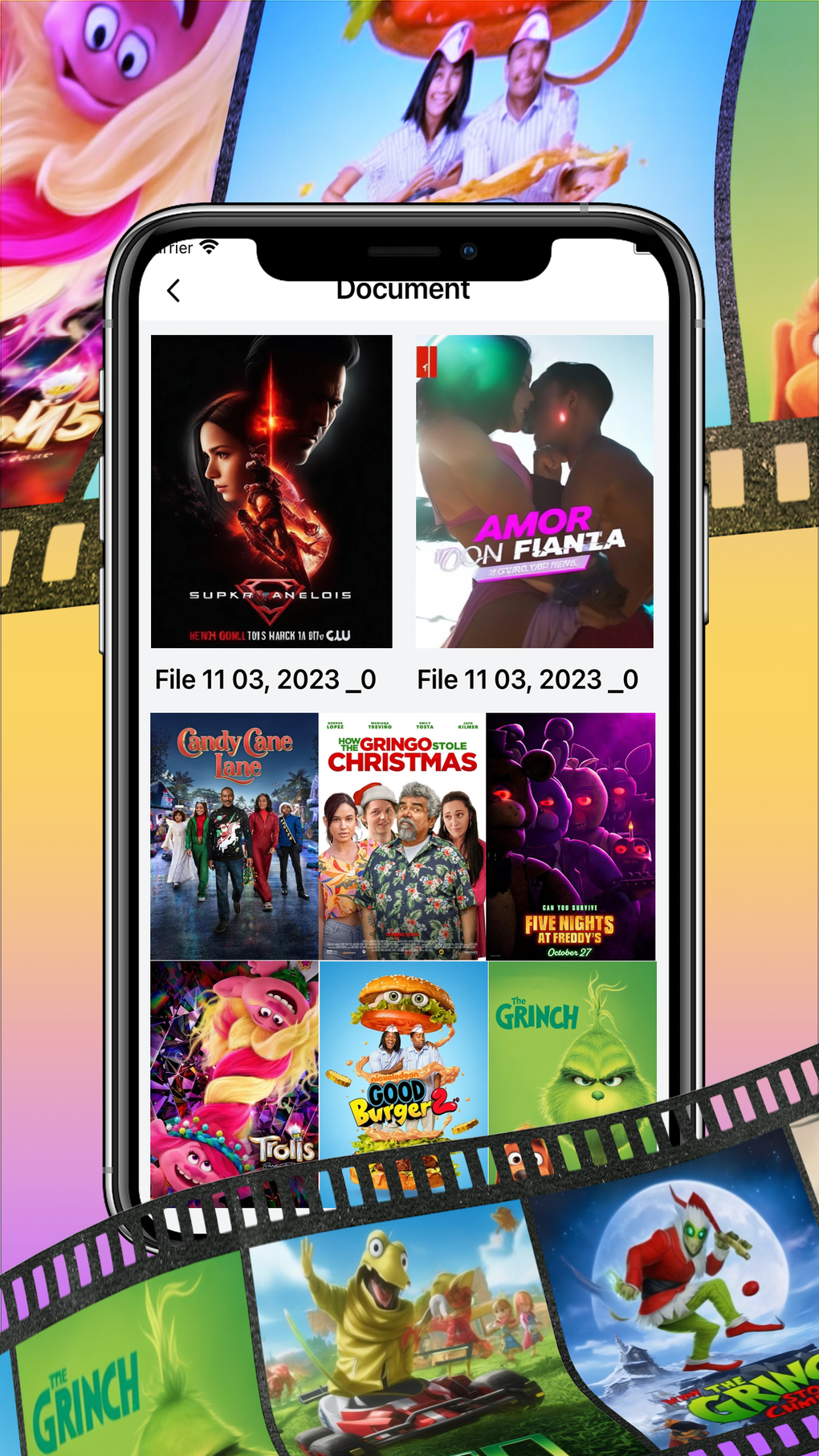
The user interface is designed for intuitive operation. The app’s clean layout and straightforward design makes it accessible even for those with limited technical expertise. Users can either select an image from their iPhone’s photo library or capture a new image directly using the app’s integrated camera function. Once an image is selected, Mannic initiates the OCR process, displaying the extracted text in a clear and readable format within seconds. The app then allows the user to export the converted text as a TXT file, ready for further editing, sharing, or integration into other documents.
Mannic for iPhone: Ease of Use and User Experience
One of Mannic’s standout features is its ease of use. The app’s streamlined interface minimizes the learning curve, ensuring that users can quickly grasp its functionality. The process is simple and intuitive: select an image, and the app automatically performs the conversion. The resulting text is readily available for export. There are no complex settings or configurations to navigate, making the entire experience user-friendly and accessible to a wide range of users.
The app’s design emphasizes efficiency and productivity. It eliminates the need for manual transcription, a time-consuming and potentially error-prone process. By automating this task, Mannic significantly enhances workflow efficiency, especially for users frequently dealing with large volumes of image-based textual data. The app’s rapid conversion speed further contributes to its efficiency, allowing users to quickly process multiple images and extract their text content.
Mannic: Applications Across Various Domains
The versatility of Mannic extends to a diverse range of applications. Its image-to-text conversion capabilities benefit users in numerous scenarios:
Apps and Productivity
Mannic can serve as a valuable tool for managing digital information. For example, users can quickly extract text from screenshots of websites, online articles, or documents, avoiding the need to manually retype the content. This is particularly beneficial for researchers, students, or anyone needing to quickly capture and organize textual information from various sources. The app also simplifies the process of converting scanned documents into editable text, offering a convenient solution for digitizing physical documents.
Games and Entertainment
While not directly a gaming app, Mannic can indirectly aid in gaming activities. For example, players might use it to extract text from game guides, walkthroughs, or strategy documents found as images. This allows players to easily access relevant information without needing to continuously switch between the game and another app to read the material.
News and Information Gathering
Mannic’s image-to-text conversion capabilities can be particularly helpful in news and information gathering scenarios. For example, users can extract text from images of newspaper articles, flyers, or posters to quickly get the relevant information. This functionality is especially useful in situations where direct access to the original text is unavailable or inconvenient.
Business and Professional Use
Mannic offers several benefits for business professionals. It can aid in converting scanned invoices, contracts, or other documents into editable text, simplifying data entry and organization. The app also facilitates the extraction of text from presentations, reports, or meeting notes captured as images. This functionality boosts efficiency and allows for easy sharing and archiving of important business information.
Mannic and iPhone Integration: Seamless Compatibility and Performance
Mannic is specifically designed for iOS devices and seamlessly integrates with the iPhone ecosystem. It leverages the iPhone’s camera and photo library capabilities, making the image selection and capture process straightforward. The app also optimizes its performance to utilize the iPhone’s processing power, ensuring quick and accurate image-to-text conversion. The app’s small file size means it won’t consume excessive storage space on the device.
Utilities & Tools: Mannic’s Place in the iPhone App Ecosystem
Within the broader context of iPhone utility and tool apps, Mannic stands out due to its specialized functionality. While many apps offer basic image editing or document management capabilities, Mannic focuses on the specific task of accurate and efficient image-to-text conversion. This niche specialization addresses a common need among iPhone users, making it a valuable addition to any iPhone user’s app collection. Its focus on speed and accuracy differentiates it from other, potentially less-efficient, apps that may include image-to-text features as secondary functionality.
Mannic: A Verdict and Conclusion
Mannic provides a simple yet powerful solution for converting images into editable text on iPhones. Its user-friendly interface, accurate OCR technology, and rapid processing speed make it an ideal tool for a wide range of users and applications. The app’s free availability makes it accessible to everyone, and its small size ensures it won’t take up unnecessary space on your device. The absence of intrusive advertising or unnecessary features contributes to its clean and efficient design. If you need a reliable, efficient, and user-friendly way to convert images to text on your iPhone, Mannic is a highly recommended choice. Its focus on core functionality, combined with its user-friendly design, makes it a standout app in the crowded iPhone app store. The app’s consistent performance and positive user reviews further solidify its position as a valuable tool for enhancing productivity and streamlining information management on iOS devices.
File Information
- License: “Free”
- Version: “1.4.0”
- Latest update: “April 3, 2024”
- Platform: “iPhone”
- OS: “iOS 16.4”
- Language: “English”
- Downloads: “866”


