
Master for Minecraft-Launcher is a free mobile application designed to enhance the Minecraft Pocket Edition (MCPE) experience. It provides users with a vast array of additional content, including custom maps, pre-built structures, and various other modifications, all accessible within a user-friendly interface. This guide delves into the features, functionality, and benefits of using Master for Minecraft-Launcher, addressing both its strengths and limitations.
Exploring the Expanded World of Minecraft with Master for Minecraft-Launcher
Minecraft, in its vanilla form, offers a seemingly limitless sandbox for creativity and exploration. However, Master for Minecraft-Launcher takes this freedom to a new level, providing players with a wealth of options that significantly expand the gameplay experience. The app’s core functionality revolves around delivering a curated collection of add-ons and modifications, significantly altering the standard Minecraft landscape.
One of the most significant features is the extensive library of custom maps. These maps cater to every conceivable game mode, from the creative freedom of building in creative mode to the thrilling challenges of survival mode. The variety is staggering, encompassing everything from sprawling landscapes teeming with unique biomes to intricate, puzzle-filled adventure maps. Whether you prefer serene exploration, intense combat, or collaborative building projects, Master for Minecraft-Launcher is likely to have a map tailored to your preferences. Furthermore, these maps often incorporate unique elements not found in the standard Minecraft game, such as floating islands, elaborate prison escapes, novel plant life, and engaging storylines involving characters like bandits and police officers. The sheer variety ensures that even seasoned Minecraft players will discover fresh and engaging content.
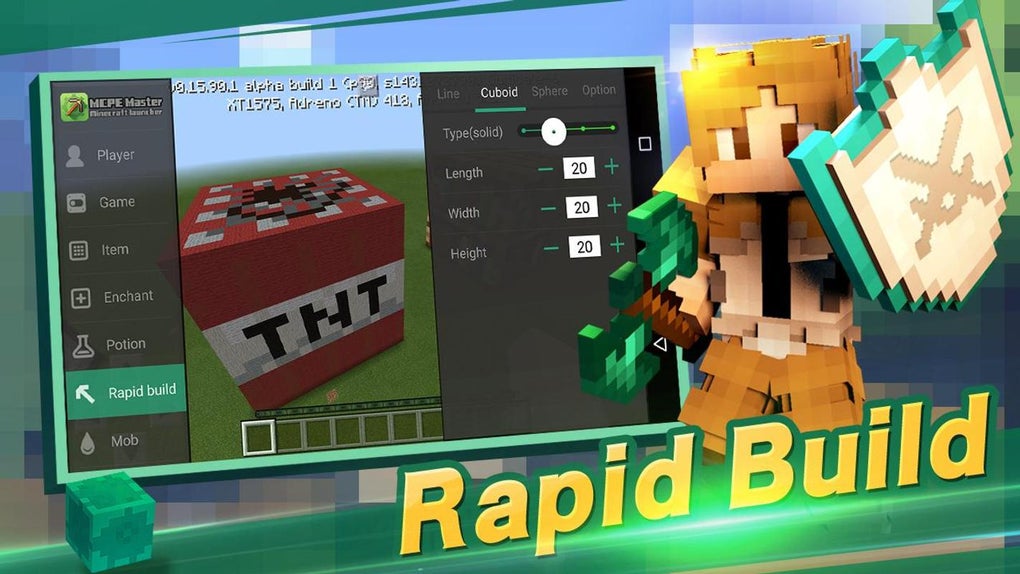
Beyond maps, Master for Minecraft-Launcher significantly simplifies the building process. Manually constructing elaborate structures in Minecraft can be incredibly time-consuming. Master for Minecraft-Launcher alleviates this burden by offering a “one-click” building feature. With a single tap, players can instantly generate a vast array of pre-fabricated structures, ranging from modest houses to colossal castles, intricate naval vessels to futuristic spaceships, and everything in between. This feature is particularly beneficial for players who lack the patience or experience for intricate construction, allowing them to populate their worlds with impressive buildings without the arduous manual labor.
.jpg)
This ease of building extends to detailed construction guides. The app doesn’t just offer ready-made buildings; it also provides step-by-step instructions and blueprints for crafting various structures. This allows players to understand the building process while simultaneously offering the option to skip the construction entirely if preferred. This hybrid approach caters to both casual players seeking quick gratification and experienced builders who enjoy the creative challenge of construction.
Seamless Integration and User-Friendly Interface
Master for Minecraft-Launcher is designed for accessibility. The application boasts a straightforward, user-friendly interface that is easy to navigate, even for novice users. The installation process is quick and straightforward, requiring minimal technical knowledge. The app’s intuitive design prioritizes ease of use, allowing players to quickly browse, select, and implement the desired modifications without unnecessary complexity. This streamlined experience ensures that players can spend more time enjoying the game and less time struggling with technical aspects.
This simplicity extends to the integration with Minecraft Pocket Edition. The application is specifically designed to work seamlessly with MCPE, requiring no complex configuration or modifications on the user’s end. Once installed, the app automatically connects to the user’s Minecraft world, making the process of accessing and integrating the additional content effortless.
The Advantages and Disadvantages of Master for Minecraft-Launcher
While Master for Minecraft-Launcher offers numerous benefits, it’s crucial to acknowledge its limitations.
Pros:
- Vast content library: The app provides access to a wide range of maps, pre-built structures, and other modifications, adding significant depth and variety to the gameplay.
- Simplified building: The one-click building feature dramatically reduces the time and effort required to construct complex structures.
- User-friendly interface: The app is designed for ease of use, making it accessible even to new Minecraft players.
- Seamless integration: The application integrates smoothly with Minecraft Pocket Edition.
- Free to use: The app is completely free, offering a significant amount of content without any financial commitment.
Cons:
- Requires Minecraft Pocket Edition: The app is not a standalone game; it requires the installation of Minecraft Pocket Edition to function.
- Potential compatibility issues: While generally well-maintained, there is a small possibility of encountering compatibility issues with certain mods or map versions.
- Dependence on external content: The app’s functionality is reliant on the availability and quality of user-submitted or community-created maps and add-ons. Therefore, the quality and variety of content may fluctuate.
Alternatives and Comparisons
Several alternative applications offer similar functionality to Master for Minecraft-Launcher. However, the sheer variety and ease of use of Master for Minecraft-Launcher distinguishes it from many competitors. Direct comparisons often highlight Master for Minecraft-Launcher’s strengths in its streamlined interface and extensive collection of readily available content. Some alternatives may offer a more niche selection of modifications or require more technical expertise for implementation.
Conclusion: Master for Minecraft-Launcher - A Powerful Enhancement
Master for Minecraft-Launcher stands out as a valuable tool for enhancing the Minecraft Pocket Edition experience. Its extensive library of maps, one-click building feature, and user-friendly interface make it an appealing option for players of all skill levels. While it requires MCPE and has minor limitations regarding compatibility and content variability, these drawbacks are overshadowed by the significant increase in gameplay diversity and convenience it provides. For players seeking to amplify their Minecraft experience without the complexities of manual modding, Master for Minecraft-Launcher offers a powerful and accessible solution. The app successfully bridges the gap between casual gaming and extensive modification, providing an enriched Minecraft experience within a user-friendly framework.
File Information
- License: “Free”
- Latest update: “May 23, 2023”
- Platform: “Android”
- OS: “Android 9.0”
- Downloads: “113.9K”
- Size: “21.34 MB”
- Download Options: “APK, Google Play”
- Filename: “com-groundhog-mcpemaster-1118-47066873-5f184aa020bf3ac2e8d72ee775aab445.apk”


