
Matroska Pack Full is a free, open-source codec pack designed for Windows operating systems. Primarily aimed at enhancing video playback capabilities, it provides a suite of tools necessary for seamless viewing and handling of Matroska (.mkv) files and other related formats. This guide delves into the details of Matroska Pack Full, exploring its features, functionality, and its place within the broader landscape of video codec packs.
What is Matroska Pack Full and Why Use It?
Matroska Pack Full, developed by the CCPP (Combined Community Codec Pack) project, is a collection of codecs (coder-decoder) and filters. Codecs are software components that compress and decompress digital media files, enabling the playback of various video and audio formats. Essentially, Matroska Pack Full acts as a bridge, allowing your Windows system to understand and interpret a wider range of media file types, including those frequently overlooked by standard media players.
The core purpose of this pack is to provide robust support for Matroska (.mkv) files. MKV containers are known for their versatility, capable of holding multiple video, audio, and subtitle tracks within a single file. Without the appropriate codecs, your system won’t be able to decode these streams, resulting in playback errors or incomplete display. Matroska Pack Full equips your system with the necessary tools to handle these complex multimedia containers effortlessly.
Beyond MKV, the pack usually bundles support for other popular formats as well, potentially including AVI, MP4, and various audio codecs. This comprehensive approach eliminates the need to individually install numerous codecs, streamlining the process and reducing potential conflicts that can sometimes arise when installing different codec packages.
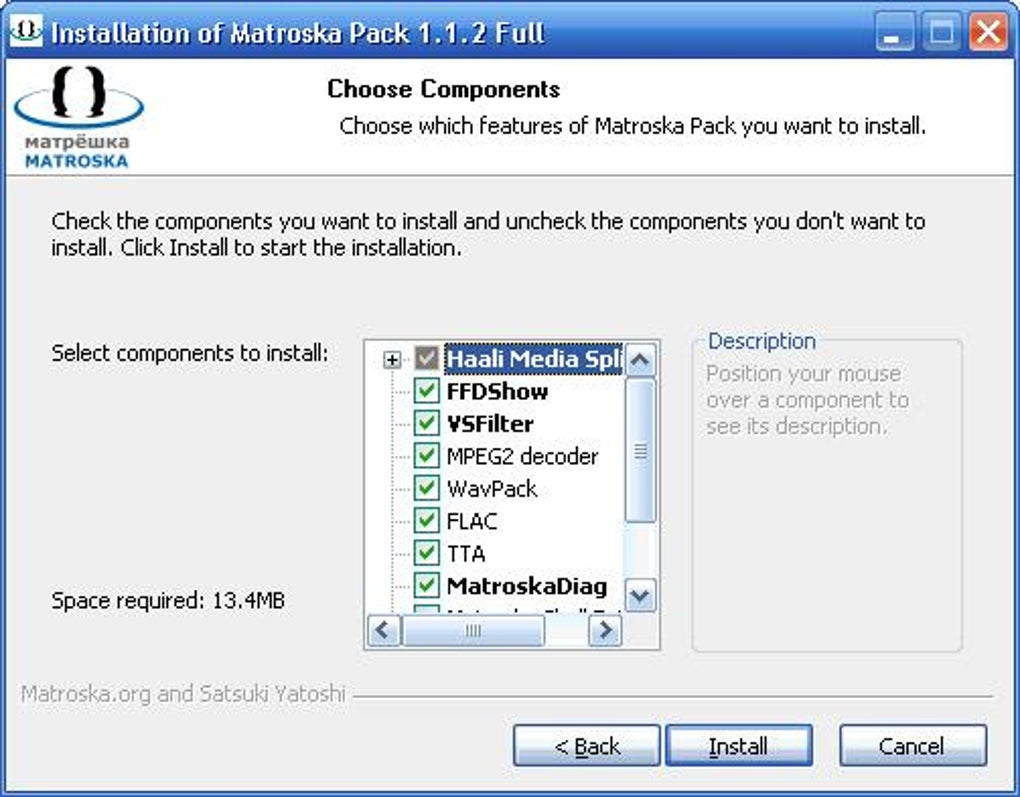
The advantage of using a codec pack like Matroska Pack Full lies in its convenience and efficiency. Instead of scouring the internet and installing individual codecs, a single installation often encompasses everything required for seamless media playback. This simplifies troubleshooting audio or video issues, particularly beneficial for users unfamiliar with the intricacies of codec management.
Key Features and Functionality
Matroska Pack Full’s strength lies in its ability to handle various file formats and its overall ease of use. Key functionalities typically include:
-
MKV Playback Support: The most prominent feature is the reliable playback of MKV files, including those containing multiple audio and subtitle tracks. This is crucial for users who frequently download or stream videos in this format.
-
Support for Other Formats: While MKV is central, the pack typically includes support for a range of additional video and audio formats. This comprehensive support ensures that many different media files can be played without requiring additional installations. The specific formats supported can vary slightly between versions.
-
Enhanced Playback Quality: By providing high-quality codecs, Matroska Pack Full can often improve the clarity, smoothness, and overall quality of video and audio playback, particularly noticeable with files that are heavily compressed.
-
Reduced System Conflicts: One frequent issue with installing individual codecs is the potential for conflicts between them. A well-maintained codec pack like Matroska Pack Full strives to minimize these conflicts by including a carefully selected and tested set of components.
-
Simplified Installation: The installation process is generally straightforward, requiring only a few clicks. This user-friendly approach appeals to users with varying levels of technical expertise. However, it’s important to note that some installations might include optional components, and careful attention to those choices might be necessary.
Installation and Compatibility
Installing Matroska Pack Full is typically a straightforward process. The official download (when available) will provide an installer file. Simply execute this file, and the installer will guide you through the steps. Most installations involve accepting the default settings, but users should carefully review the options, especially if they are familiar with codec packs and understand the nuances of individual components.
Compatibility is primarily focused on Windows operating systems. While the specific supported Windows versions may vary across different releases of Matroska Pack Full, it generally supports a wide range of Windows versions. However, it’s essential to check the system requirements before installation to ensure compatibility with your specific operating system.
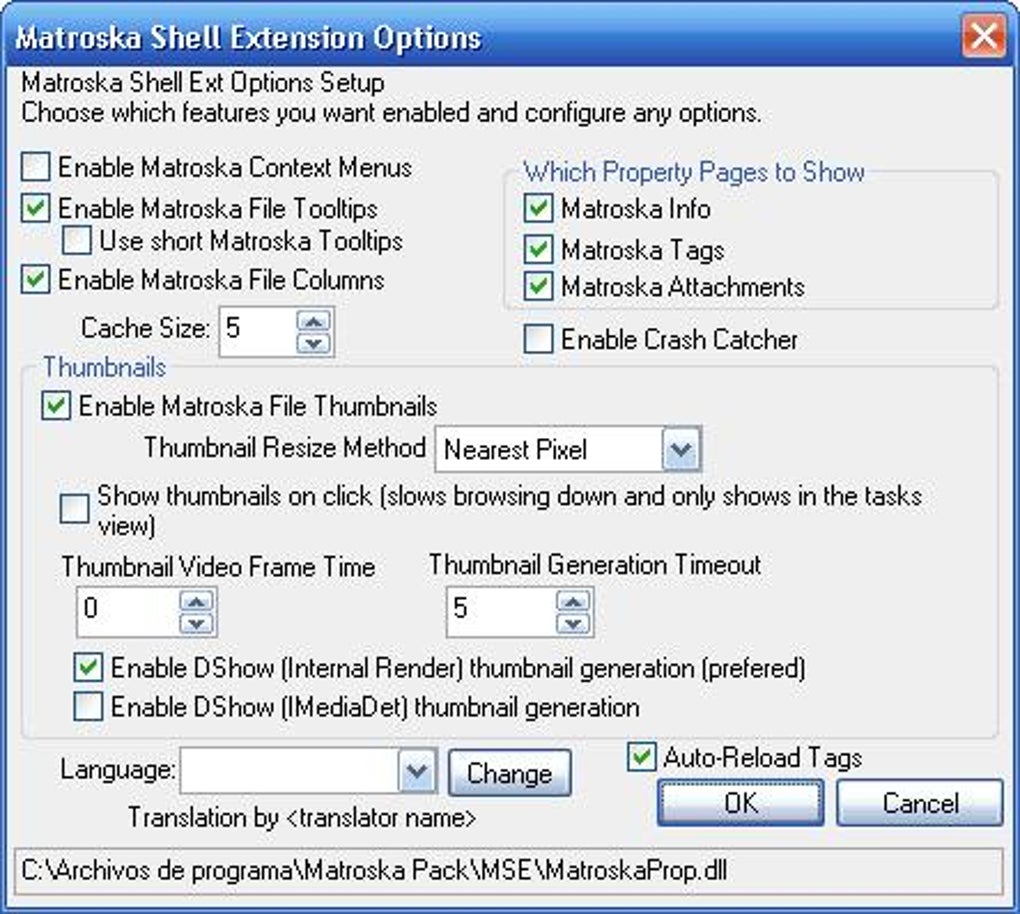
It’s important to note that although the original Matroska Pack Full appears to be an older project, and might not be actively updated, similar codec packs that offer the same functionalities are readily available. The principles of installation and compatibility would broadly remain similar, even if the specific names and installers differ.
Alternatives and Comparisons
While Matroska Pack Full served its purpose, there are many alternative codec packs available today. Some popular examples include:
-
K-Lite Codec Pack: This is one of the most widely used codec packs, known for its comprehensive support of a broad range of video and audio formats. It offers various options, from a basic installation to a more fully featured one.
-
Combined Community Codec Pack (CCCP): While Matroska Pack Full was part of the CCCP project, CCCP itself remains a popular option. It has a reputation for being a stable and comprehensive solution.
-
LAV Filters: These are more often individual filters than a full pack, but they provide excellent support for many common video formats and are often recommended for high-quality playback. They are frequently used in conjunction with other media players.
The choice between these packs often boils down to personal preference and specific system needs. K-Lite offers multiple versions, allowing users to select the components they require. CCCP provides a balanced approach, and LAV filters provide a powerful but potentially more technically demanding solution.
Troubleshooting and Common Issues
Although Matroska Pack Full and similar packs are designed for ease of use, occasional issues might arise. Some common problems and their potential solutions include:
-
Playback Errors: If a video or audio file still doesn’t play after installing the pack, ensure the file format is indeed supported. Corrupted files or incorrect file associations might also be the cause. Checking the file integrity and re-associating the file type with the correct media player can often resolve the issue.
-
Software Conflicts: If conflicts arise with other installed codecs, uninstalling conflicting software or selectively installing components within the pack might be necessary. A clean installation (removing existing codec packs) before installing Matroska Pack Full is usually recommended.
-
System Instability: In rare cases, a codec pack might cause system instability. If performance issues arise, uninstalling the pack and restoring the system to a previous state might be necessary.
-
Outdated Pack: If you are experiencing issues, consider checking for a newer version of the pack, or look for alternatives that are actively maintained and updated.
Matroska Pack Full, although not actively developed anymore, represents a type of software that provides significant benefits to multimedia users. The ease of playback for various formats, primarily MKV, and the streamlined installation process are its key selling points. While newer alternatives might offer additional features and improved compatibility, understanding the basic functions and principles of this type of codec pack remains relevant for managing and enjoying multimedia content on Windows systems.
File Information
- License: “Free”
- Version: “1.1.2”
- Latest update: “March 9, 2017”
- Platform: “Windows”
- OS: “Windows XP”
- Language: “English”
- Downloads: “17K”
- Size: “3.99 MB”


