
Maxthon Cloud Browser, developed by Maxthon, presents itself as a fast, secure, and ad-free web browsing experience with robust cloud synchronization capabilities. This review delves into its features, performance, strengths, and weaknesses, offering a comprehensive assessment of its suitability for various user needs.
Core Functionalities and Performance
At its core, Maxthon Cloud Browser aims to provide a seamless browsing experience across multiple platforms – desktop and mobile. This cross-platform functionality is powered by its robust cloud synchronization, allowing users to effortlessly resume browsing sessions and access their data regardless of the device they are using. This synchronization extends beyond basic browsing history; it encompasses settings, bookmarks, and even Maxthon’s exclusive features (detailed below).
The browser boasts a dual rendering engine, utilizing both Webkit and Trident. This dual-engine approach theoretically allows for superior compatibility with a broader range of websites and web technologies, ensuring faster rendering and smoother performance for diverse online content. This approach is particularly beneficial for users who might encounter compatibility issues with browsers relying on a single rendering engine. The speed and efficiency of content loading, including videos, are key selling points emphasized by Maxthon.
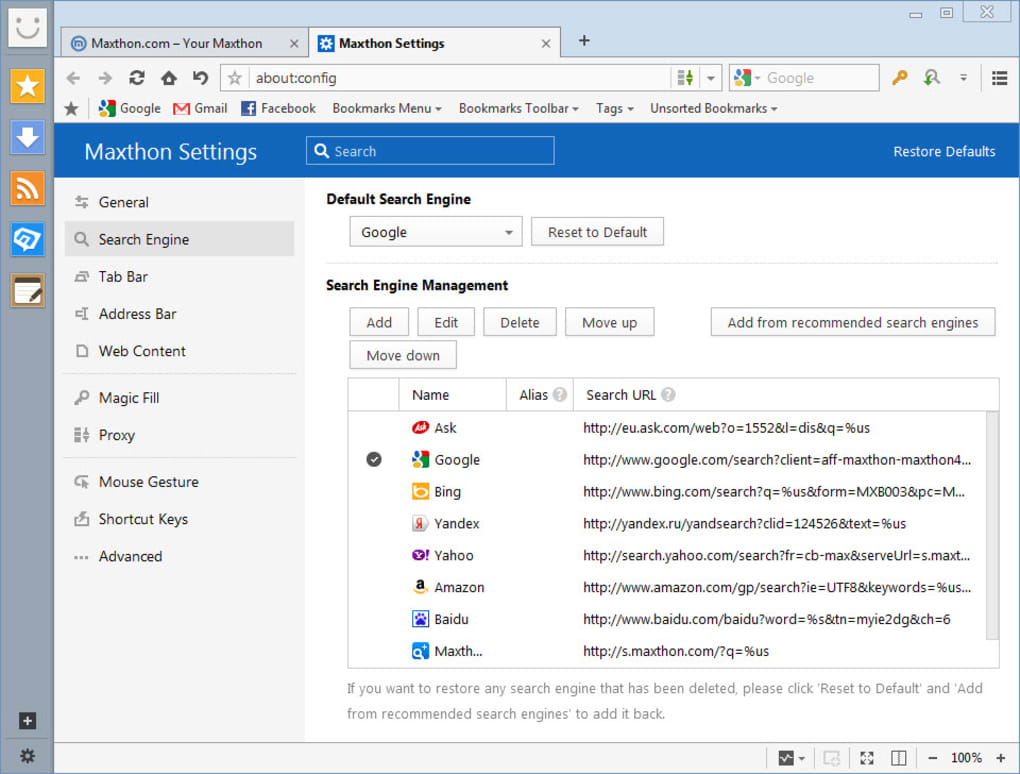
The browser interface is designed for minimal clutter. The search bar occupies the top position, while suggested pages are placed at the bottom. The window controls are in the upper right corner, and tools and options are conveniently located on the upper left. The design aims for a streamlined aesthetic, particularly when viewing multiple tabs, where the toolbar is minimized to reduce visual distraction.
Maxthon’s Exclusive Features: Maxnote, Passkeeper, and UUMail
Maxthon Cloud Browser distinguishes itself from its competitors by offering three unique integrated features built around its cloud platform: Maxnote, Passkeeper, and UUMail. These tools are designed to enhance productivity and security, contributing to a more holistic online experience.
Maxnote: This integrated note-taking feature is seamlessly integrated into the browser. It allows users to collect, organize, and edit URLs, snapshots of web pages, and other relevant content. The ability to access these notes across devices via cloud synchronization is a considerable advantage, ensuring that valuable information is readily available regardless of the device in use. This is especially helpful for research, project management, or simply collecting links and thoughts for later review.
Passkeeper: This password manager automatically generates, saves, and fills passwords securely in the cloud. Utilizing AES-256 encryption and additional verification technologies, Passkeeper aims to offer a highly secure solution for managing online credentials. The automatic password generation feature helps users create strong, unique passwords for each account, eliminating the need for manual password creation and enhancing overall online security. The ease of access to saved passwords streamlines the login process while safeguarding user credentials.
UUMail: UUMail provides a virtual mailbox service allowing users to create multiple virtual email addresses. This feature is primarily designed to protect the privacy of a user’s main email address by acting as a buffer against spam and unwanted emails. Instead of using a primary email address for every online signup, users can leverage UUMail to create numerous disposable addresses, effectively reducing the risk of spam and potential privacy compromises. The management interface allows users to categorize and handle various email accounts within a unified platform.
These three features, running above the main browser interface, are designed for quick and easy access, streamlining the user experience and enhancing the overall functionality of the browser beyond standard web browsing.
Advanced Features and Customization Options
Maxthon Cloud Browser extends beyond its core features with a range of advanced options intended to enhance the overall browsing experience. These features include:
-
Cloud Synchronization: This crucial feature is the backbone of the cross-platform experience, enabling seamless synchronization of browser settings, bookmarks, history, and Maxthon’s exclusive features across all linked devices. This is a significant advantage, ensuring data consistency and accessibility.
-
AdBlock Plus Integration: Built-in ad-blocking functionality, based on user-defined filter rules, allows users to customize their ad-blocking experience, removing intrusive ads and potentially improving browsing speed.
-
Split Screen: This feature allows users to view two web pages simultaneously, enhancing productivity for tasks such as comparing information or conducting research.
-
Pop-up Video Player: Allows users to watch videos in a pop-up window, enabling continued browsing while viewing video content. The ability to download videos directly from the pop-up player adds further convenience.
-
Night Mode: Reduces screen brightness, minimizing eye strain during nighttime or low-light browsing.
-
Reader Mode: Offers a simplified, distraction-free reading experience, focusing on text content and removing extraneous website elements.
-
Snap Tool: A built-in screenshot tool allowing users to capture, edit, and save specific sections of a webpage.
-
Custom Skins and Extensions: Maxthon allows for extensive customization through user-created skins and extensions. These extensions provide additional functionalities, mirroring the options available in other popular browsers. Examples include cache erasers, media downloaders, social media shortcuts, and translation tools.
Advantages and Disadvantages
Pros:
- Fast and efficient dual-rendering engine: Offers improved compatibility and browsing speed.
- Robust cloud synchronization: Enables seamless cross-platform usage.
- Integrated Maxthon features (Maxnote, Passkeeper, UUMail): Provide enhanced productivity and security.
- Extensive customization options: Skins and extensions offer personalization and expanded functionality.
- Built-in ad-blocker: Improves browsing speed and reduces distractions.
- Useful advanced features: Split screen, pop-up video player, night mode, reader mode, and snap tool enhance usability.
Cons:
- Limited access to help documentation: May pose challenges for troubleshooting issues.
- Lack of automatic updates: Users must manually check for and install updates.
- Privacy concerns: While AES-256 encryption is used for passwords, the overall privacy guarantees are not explicitly stated and might require further investigation.
- Potentially messy tab management: Some users have reported difficulties managing multiple tabs, indicating a possible area for interface improvement.
Conclusion
Maxthon Cloud Browser presents a compelling alternative to established browsers. Its dual-rendering engine, robust cloud synchronization, and unique Maxthon features cater to users seeking a more comprehensive and integrated browsing experience. The browser’s advanced functionalities and customization options add considerable value. However, concerns regarding help documentation, update mechanisms, and explicit privacy guarantees should be considered. Overall, Maxthon Cloud Browser’s strengths outweigh its weaknesses, making it a viable option for users seeking a fast, feature-rich, and customizable browsing experience with a strong emphasis on cross-platform compatibility and cloud integration. Users should weigh the advantages against their own specific needs and priorities before making a decision.
File Information
- License: “Free”
- Latest update: “June 9, 2025”
- Platform: “Windows”
- OS: “Windows 2003”
- Language: “English”
- Downloads: “618.7K”
- Size: “124.66 MB”


