
In an era where our lives are increasingly intertwined with digital devices and online activities, robust cybersecurity is no longer a luxury but a fundamental necessity. From our personal computers and laptops to our smartphones and tablets, each device represents a potential gateway for malicious actors seeking to compromise our data, privacy, and even our financial security. It is within this landscape of evolving cyber threats that solutions like McAfee LiveSafe™ emerge as critical guardians, offering a holistic and multi-faceted approach to digital protection.
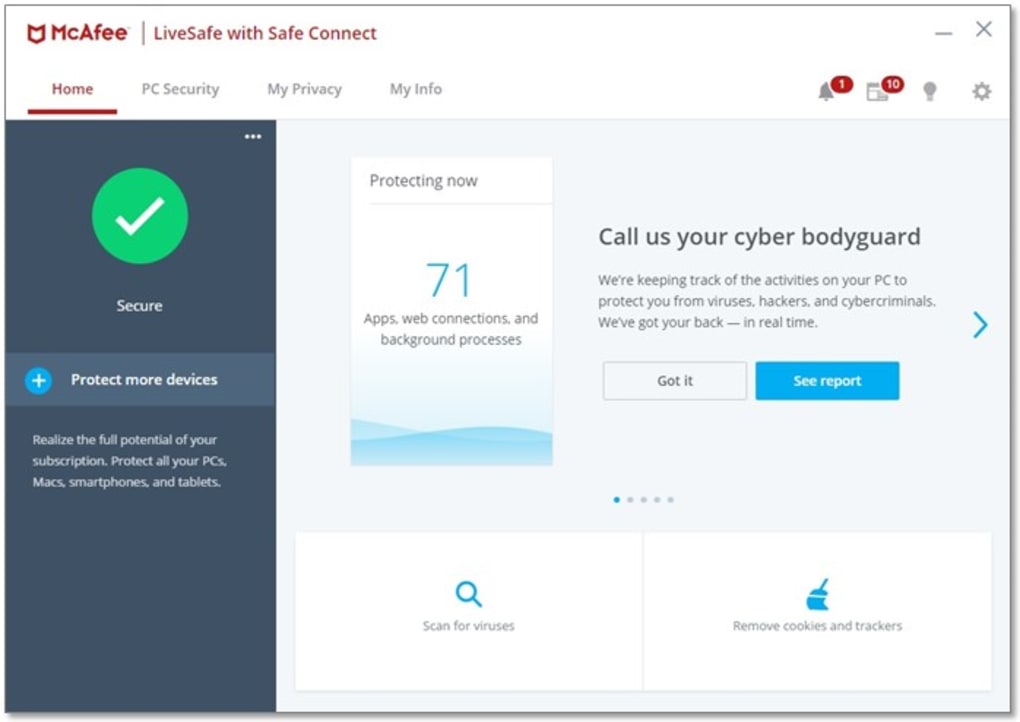
McAfee LiveSafe™ is heralded as a reliable and effective security software designed to defend users against a wide spectrum of digital dangers, including viruses, sophisticated online threats, and the increasingly prevalent ransomware attacks. What distinguishes LiveSafe™ in a crowded market is its unparalleled capacity for cross-device protection, working seamlessly across a diverse array of platforms such as PCs, Macs, smartphones, and tablets. This pervasive coverage ensures that users are shielded whether they are browsing the internet from the comfort of their home or on the go. The software’s ability to function both online and offline further solidifies its protective stance, ensuring constant vigilance against potential intrusions. Compatible with the latest operating systems, including Windows 11, McAfee LiveSafe™ offers a profound sense of peace of mind, assuring users that their devices, sensitive passwords, and personal information remain secure, regardless of their online habits or the device they choose to use.

Unpacking McAfee LiveSafe: Core Features and Multi-Device Protection
The digital landscape is fragmented, with individuals often owning and operating multiple devices across different operating systems. This reality presents a significant challenge for traditional antivirus solutions, which historically focused on single-device protection. McAfee LiveSafe™ directly addresses this contemporary need by providing a unified security ecosystem that spans your entire digital life.
At its core, LiveSafe™ delivers powerful antivirus capabilities that tirelessly scan, detect, and neutralize threats. This includes traditional viruses, worms, and Trojans, alongside more modern and insidious forms of malware like spyware, adware, and rootkits. Its defense against ransomware is particularly vital in today’s threat environment, where attackers encrypt files and demand payment for their release. LiveSafe™ employs advanced heuristics and real-time threat intelligence to identify and block these sophisticated attacks before they can take hold, ensuring that your valuable data remains accessible only to you.
Beyond its foundational antivirus strengths, LiveSafe™ is engineered for comprehensive threat detection. It constantly monitors for suspicious activities, analyzing file behaviors and network connections to identify zero-day attacks—novel threats that traditional signature-based detection might miss. This proactive approach is crucial for staying ahead of cybercriminals who are constantly developing new ways to bypass security measures.
The true strength of McAfee LiveSafe™, however, lies in its commitment to cross-device functionality. In a household where multiple family members use different devices—a Windows PC for work, a MacBook for creative tasks, Android smartphones, and iPads for entertainment—managing individual security subscriptions can be cumbersome and expensive. LiveSafe™ simplifies this by offering a single subscription that protects all these diverse devices. This isn’t merely about installing the same software on different platforms; it’s about providing tailored protection that optimizes for each operating system while maintaining a consistent level of security. Whether it’s the robust file system protection on a PC, the specific vulnerability patching for a Mac, or the app-scanning and anti-theft features for mobile devices, LiveSafe™ adapts its defenses to the unique characteristics of each endpoint, creating a truly interconnected and fortified digital environment. This eliminates the “weak link” problem, where a single unprotected device could become the entry point for a network-wide infection, thus providing a truly holistic security blanket for the entire household.
Subscription Models and Accessibility: Is McAfee LiveSafe Free?
For many users exploring new software, especially in the security domain, the question of cost is often paramount. “Is McAfee LiveSafe free?” is a common query, and the answer, while nuanced, highlights the value proposition of robust cybersecurity.
PhanMemFree users, or anyone interested in experiencing the capabilities of McAfee LiveSafe™, can initially try the software free of charge for a generous 30-day period. This trial allows individuals to fully test the range of features and evaluate its effectiveness across their devices without any immediate financial commitment. It’s an excellent opportunity to understand how LiveSafe™ integrates into daily digital routines and assesses its impact on system performance and overall peace of mind.
Upon the conclusion of this trial period, users must transition to one of the paid subscription plans to continue benefiting from McAfee LiveSafe™’s comprehensive protection. These plans are thoughtfully designed to cater to various user needs, acknowledging that digital households come in different sizes and have varying requirements for device coverage. Options typically include subscriptions for a single device, catering to individuals with a primary machine, as well as more expansive “family” and “couple” plans. These multi-device plans are particularly cost-effective for households with numerous internet-connected gadgets, allowing for a consolidated security solution under one annual subscription. All paid plans are valid for one year, providing consistent, uninterrupted protection throughout that period.
The ability to choose a plan based on the number of devices requiring protection means that McAfee LiveSafe™ is not only an ideal solution for private users safeguarding their personal digital lives but also highly suitable for small business environments or any situation demanding superior firewall protection against advanced threats. Businesses, regardless of size, face constant threats to their data and intellectual property. LiveSafe™’s ability to cover multiple endpoints, coupled with its advanced threat detection and privacy features, makes it a compelling choice for securing sensitive business operations and client information. The investment in a paid security solution like LiveSafe™ fundamentally reflects the understanding that free alternatives, while accessible, often lack the depth, breadth, and advanced features necessary to combat the increasingly sophisticated and persistent cyber threats of today. The ongoing development, real-time threat intelligence, and dedicated support that come with a paid subscription are critical components in maintaining a truly secure digital posture.
Beyond Basic Antivirus: A Deeper Dive into LiveSafe’s Capabilities
One of the common frustrations users experience with generic antivirus programs is their limited scope—often working across just one device or focusing solely on malware detection. McAfee LiveSafe™ transcends these limitations by offering a far more expansive and integrated suite of tools designed to protect not just computers and mobile devices, but also a user’s very identity in the digital realm. It’s an ecosystem of protection that combines antivirus, privacy, and identity tools and features, engineered to shield users from all manner of threats, both those currently active and those lying in wait on the horizon. This proactive, multi-layered approach is pivotal in ensuring that sensitive information remains uncompromised and that an operating system remains free from potential threats that could otherwise cripple performance or steal data.
Integrated Protection: Antivirus, Privacy, and Identity Tools
McAfee LiveSafe™’s core strength lies in its integrated approach. It doesn’t just block viruses; it builds a comprehensive shield around your digital life. The robust antivirus engine works tirelessly in the background, employing heuristic analysis and behavioral detection to catch even the newest threats. This is complemented by strong privacy tools, such as the included file shredder, which securely deletes sensitive files, making them unrecoverable. For those managing family devices, parental control features, while noted by some users as having room for improvement compared to competitors, still offer foundational capabilities to manage screen time, block inappropriate websites, and monitor online activity, fostering a safer environment for younger users.
Identity protection features are increasingly critical as phishing scams, data breaches, and identity theft become more prevalent. LiveSafe™ often includes identity monitoring services that scan the dark web for your personal information (like email addresses, bank accounts, and social security numbers) and alert you if they are found, giving you the chance to take immediate action. This proactive stance helps to prevent identity theft before it can cause significant damage, reinforcing the idea that LiveSafe™ isn’t just reacting to threats, but anticipating them.
Secure Wi-Fi and VPN Services
The modern individual is rarely tethered to a single internet connection. Public Wi-Fi networks in cafes, airports, and hotels offer convenience but often come with significant security risks due to their open nature and potential for eavesdropping or malicious hotspots. McAfee LiveSafe™ addresses this directly by offering “on-the-go secure Wi-Fi.” This means that when you connect your mobile device to public Wi-Fi, LiveSafe™ automatically encrypts your connection, safeguarding your browsing habits, personal data, and communications from potential snoopers or cybercriminals attempting to intercept your traffic. This feature is particularly useful and reassuring for anyone who frequently works or travels, ensuring that sensitive data transmitted over potentially insecure networks remains private.
Furthermore, subscribers who are enrolled in the auto-renewal service often gain access to McAfee’s secure VPN (Virtual Private Network). A VPN is an indispensable tool for enhancing online privacy and security. LiveSafe™’s VPN offers “bank-grade encryption,” creating a secure tunnel for all your online activities. This means your IP address is masked, your online location can be virtually changed, and all data transferred is encrypted, rendering it unreadable to third parties, including your internet service provider (ISP), government agencies, and advertisers. This level of encryption is crucial for keeping personal information and online habits truly private and secure, whether you’re performing online banking, shopping, or simply browsing. The VPN adds an extra layer of anonymity and protection, making it exceedingly difficult for anyone to track your digital footprint or intercept your data.
Password Management and Encrypted Cloud Storage
Managing a multitude of strong, unique passwords for every online account is a daunting task, yet it’s a cornerstone of good cybersecurity. Reusing passwords or using weak ones makes you highly vulnerable to breaches. McAfee LiveSafe™ integrates a robust password manager, typically known as True Key, which simplifies this complex aspect of digital life. True Key securely stores all your login credentials, generating strong, unique passwords for new accounts and automatically filling them in for you when you visit websites. It supports multiple password manager profiles, meaning each family member protected by LiveSafe™ can have their own secure vault, completely separate from others. This not only enhances individual security but also promotes good password hygiene across the entire household, eliminating the risk of sticky notes or easily guessed passwords.
Beyond identity and access, LiveSafe™ also understands the need for secure data storage. It offers 1GB of encrypted cloud storage, a valuable feature for safeguarding highly sensitive documents, precious photos, or critical backup files. This cloud storage is protected with the same high-level encryption standards as other LiveSafe™ features, ensuring that even if your physical devices are lost, stolen, or damaged, your most important digital assets remain secure and accessible only to you. This provides an additional layer of data protection against device failure, physical theft, or ransomware attacks, making it a critical component of a comprehensive security strategy.
Over the years, McAfee LiveSafe™ has garnered numerous awards and positive recognition, cementing its position as one of the most trusted antivirus programs available on the market today. Its comprehensive suite of features, coupled with its proven track record, underscores its commitment to protecting users in an increasingly complex digital world.
Evaluating the Investment: Is McAfee LiveSafe Worth It?
When considering any security solution, especially one with a subscription model, the question inevitably arises: “Is McAfee LiveSafe worth it?” While it stands as an extremely powerful and comprehensive antivirus program, it’s also important to acknowledge that no software is entirely perfect. A balanced assessment involves weighing its strengths against its minor limitations to determine if it aligns with an individual’s specific needs and expectations.
Addressing Potential Drawbacks
One area where some users might find McAfee LiveSafe™ could improve is its parental control features. While foundational controls are present, some competitor programs offer more granular settings, advanced reporting, or more sophisticated content filtering capabilities. For families where robust and highly customizable parental supervision is a top priority, this might be a point of consideration, potentially requiring supplementary tools or a re-evaluation of specific needs.
Another point of variation lies in the consistency of features available across different devices and operating systems. While LiveSafe™ boasts impressive cross-device protection, certain advanced functionalities might be optimized for, or exclusively available on, specific platforms. For instance, some deep system scanning tools might be more prevalent on Windows PCs than on mobile devices, or certain privacy features might differ between iOS and Android. Users with a diverse set of devices should verify that the specific features they prioritize are fully supported across all their platforms.
The uninstallation process has also been a point of contention for some users. While not a functional flaw, the complexity involved in completely removing McAfee LiveSafe™ if one decides to switch to another antivirus program has drawn complaints. This difficulty, often inherent in deeply integrated security software, means that extra steps or dedicated removal tools might be necessary to ensure no remnants are left behind, which can be an inconvenience.
Key Benefits Justifying the Cost
Despite these minor imperfections, for those prioritizing advanced, multi-layered antivirus protection, McAfee LiveSafe™ undeniably offers substantial value that justifies the investment. Its ability to provide continuous, real-time defense against a constantly evolving array of threats—from common viruses to sophisticated ransomware and phishing attempts—is paramount in today’s digital environment. The robust antivirus engine, coupled with its network firewall and web protection, ensures a formidable defense against both known and emerging threats.
The inclusion of 1GB of encrypted cloud storage is a significant benefit. In an age where digital documents and memories are invaluable, having a secure, offsite backup for critical files provides an essential layer of protection against data loss due, for example, to hardware failure, accidental deletion, or ransomware. This secure vault ensures that your most sensitive information is not only private but also safely recoverable.
Furthermore, the integration of multiple password manager profiles, often through the True Key application, is a standout feature. Good password hygiene is a critical, yet often neglected, aspect of cybersecurity. LiveSafe™ simplifies this by generating and storing strong, unique passwords for all your online accounts, accessible only to you through a secure master password or biometric authentication. This feature alone can dramatically improve an individual’s or family’s overall online security posture, mitigating the risk of account takeovers and identity theft.
For auto-renewal subscribers, the secure VPN offering bank-grade encryption further sweetens the deal. This is especially valuable for users who frequently connect to public Wi-Fi or who simply desire greater online privacy and anonymity. It encrypts all internet traffic, protecting sensitive data from eavesdroppers and preventing ISPs or other entities from monitoring online activities.
In conclusion, while McAfee LiveSafe™ may have a few areas for minor refinement, its comprehensive suite of features—encompassing advanced antivirus, robust privacy tools, identity protection, secure cloud storage, and a VPN—presents a compelling package. For individuals and families seeking a powerful, all-encompassing security solution that extends across all their devices, McAfee LiveSafe™ remains a highly recommended and worthwhile investment.
Navigating the Ecosystem: Alternatives to McAfee LiveSafe
The cybersecurity market is vibrant and competitive, offering a plethora of options for users seeking digital protection. While McAfee LiveSafe™ stands out for its comprehensive, multi-device capabilities, it’s helpful for users to understand the landscape of alternatives, both within the McAfee family and from other reputable providers, as well as free options. This allows individuals to make an informed decision based on their specific needs, budget, and desired feature set.
Within the McAfee Family
McAfee itself offers a range of security products that cater to slightly different user profiles:
- McAfee Total Protection: This is perhaps the closest alternative to LiveSafe™ and often shares a very similar feature set. It provides high-grade antivirus protection, identity theft protection, secure VPN (often with unlimited data for auto-renewal customers), a password manager, and a shredder. The choice between Total Protection and LiveSafe™ often comes down to the specific bundled extras or promotional offers available at the time, as their core capabilities are remarkably similar.
- McAfee AntiVirus Plus: This is a more stripped-down version, focusing primarily on essential antivirus protection for a fewer number of devices. It typically includes anti-malware, firewall, and web protection, but might omit advanced features like a VPN, identity theft protection, or extensive cloud storage. It’s a good option for users who need solid core protection without all the bells and whistles.
- McAfee Internet Security Suite: Sitting between AntiVirus Plus and Total Protection/LiveSafe™, this suite adds a few more features to the basic antivirus, such as parental controls and anti-spam filters, but still may not include the full range of advanced privacy and identity tools found in LiveSafe™.
Competitor Paid Solutions
Moving beyond McAfee, a whole host of other reputable companies offer excellent paid-for antivirus solutions, often with their own unique strengths:
- Norton Security Premium (now typically part of Norton 360): Norton is a long-standing and highly respected name in cybersecurity. Its Norton 360 suite offers comprehensive protection, often including antivirus, VPN, password manager, parental controls, secure cloud backup, and identity theft protection services, making it a direct competitor to LiveSafe™.
- Kaspersky Anti-Virus (and Kaspersky Total Security): Kaspersky is renowned for its highly effective malware detection rates and robust security features. While Kaspersky Anti-Virus focuses on core protection, Kaspersky Total Security expands to include parental controls, a password manager, file encryption, and backup features.
- Bitdefender Antivirus Plus (and Total Security): Bitdefender consistently ranks highly in independent lab tests for its malware detection capabilities and system performance impact. Their Total Security suite offers multi-device protection, a VPN (often with a daily data cap unless upgraded), a password manager, parental controls, and anti-theft tools.
- Avast Premium Security: Avast offers strong antivirus capabilities with additional features like a firewall, ransomware shield, and sensitive data protection. Their premium suite extends protection to multiple devices, including mobile.
Free Antivirus Options
For users on a tight budget, several companies provide effective free antivirus solutions, though they typically offer less comprehensive protection compared to their paid counterparts:
- 360 Total Security: This free offering combines multiple antivirus engines (including Avira and Bitdefender) to provide robust detection, along with system optimization tools.
- Avast Free Antivirus: A very popular choice, Avast Free provides solid malware protection, a network scanner, and some basic privacy features, though its VPN and more advanced tools are reserved for paid versions.
- Panda Free Antivirus: Known for its cloud-based scanning, Panda Free Antivirus is lightweight and effective at detecting malware, offering a good basic layer of protection.
- Avira Free Antivirus: Avira offers a strong antivirus engine and includes features like real-time scanning and web protection.
- Kaspersky Free Antivirus: This option from Kaspersky provides its renowned malware detection capabilities without charge, focusing on essential protection.
Finally, many Windows users simply prefer to stick to the pre-installed Windows Defender (now Microsoft Defender Antivirus). Over the years, Windows Defender has significantly improved and now provides reliable protection against most common cyber threats. For users with basic needs and who practice safe browsing habits, it can be a perfectly adequate solution. However, it generally lacks the advanced features, multi-device management, and identity protection tools found in premium suites like McAfee LiveSafe™. The choice between a free option and a paid solution ultimately depends on the user’s threat model, the value they place on advanced features, and their overall commitment to digital security.
Managing Your Security: How to Uninstall McAfee LiveSafe
While McAfee LiveSafe™ is designed to be a long-term, comprehensive security solution, there might come a time when a user decides to uninstall it—perhaps to switch to another vendor’s software, troubleshoot a system issue, or simply because their subscription has ended. However, some users have complained that it can be a challenging process to uninstall McAfee LiveSafe™ completely from their device. This perceived difficulty is not unique to McAfee but is often a characteristic of complex security programs that integrate deeply into a system’s core functions.
Security software, by its very nature, needs to embed itself deeply within the operating system to monitor processes, scan files, and protect critical system areas effectively. This deep integration, while essential for robust protection, can make complete removal a multi-step process. Simply using the standard “Add or Remove Programs” feature in Windows or dragging the application to the Trash on a Mac might leave behind residual files, registry entries, or hidden components. These remnants can cause several issues, from occupying disk space unnecessarily to conflicting with newly installed security software.
The Importance of Complete Removal
It is truly important, however, to make sure you remove all prior antivirus software when installing a new program. Running two security applications at the same time can cause serious problems on your device, including:
- System Conflicts and Instability: Both antivirus programs will attempt to control the same system resources, leading to conflicts, error messages, system crashes, and overall instability. They might fight over file access, network connections, or memory allocation.
- Performance Degradation: Running two resource-intensive security suites simultaneously will significantly slow down your computer. Processes will compete for CPU cycles and RAM, resulting in sluggish performance, longer boot times, and slower application launches.
- Security Gaps: Paradoxically, having two antivirus programs can actually decrease your security. They might block each other’s scans, interfere with real-time protection, or mark each other’s legitimate processes as threats, creating vulnerabilities that malicious software could exploit.
- Installation Issues for New Software: Remnants of an old antivirus can interfere with the installation of a new one, causing installation failures or incomplete setups.
To ensure a clean uninstallation of McAfee LiveSafe™, users are generally advised to follow a specific procedure:
- Standard Uninstall: Begin by using the operating system’s built-in uninstaller (e.g., “Apps & features” in Windows Settings or “Programs and Features” in the Control Panel). Select McAfee LiveSafe™ and follow the prompts.
- Restart Your Device: After the initial uninstall, it’s crucial to restart your computer. This allows the system to finalize the removal of files and settings.
- Use the Official McAfee Removal Tool (MCPR): For a thorough cleanup, McAfee provides a dedicated tool called the McAfee Consumer Product Removal (MCPR) tool. This utility is specifically designed to remove all traces of McAfee products from a Windows system. It should be downloaded directly from the official McAfee website (or Phanmemfree.org if offered there) to ensure authenticity and effectiveness. Run this tool after the initial uninstall and restart.
- Manual Checks (Advanced Users): For those comfortable with advanced system tasks, a manual check for residual files in common program directories (e.g., Program Files, Program Files (x86), AppData folders) and registry entries might be performed, though caution is advised as incorrect manual deletion can cause system instability.
- Install New Antivirus: Only once you are confident that McAfee LiveSafe™ has been completely removed should you proceed with installing your new antivirus software.
While the process might seem more involved than for other applications, understanding the necessity of complete removal for security software helps frame this inconvenience as a necessary step for maintaining a healthy and secure digital environment.
Superior Antivirus Protection Across Devices
In summary, McAfee LiveSafe™ stands as a formidable contender in the cybersecurity arena, distinguishing itself through its powerful range of features and flexible pricing plans. It is unequivocally one of the best antivirus programs available for users seeking comprehensive, multi-device protection. Beyond its excellent anti-malware capabilities, which vigilantly guard against viruses, ransomware, and other sophisticated threats, LiveSafe™ integrates a robust suite of privacy and identity protection features.
The inclusion of a secure VPN ensures encrypted internet connections, safeguarding your online activities from prying eyes, especially when using public Wi-Fi. The advanced password manager simplifies the creation and secure storage of strong, unique passwords for all your online accounts, significantly bolstering your defense against account takeovers. Furthermore, the provision of 1GB of encrypted cloud storage offers a secure haven for your most sensitive documents and cherished digital memories, protecting them against loss or unauthorized access.
Together, these features combine to provide superior antivirus protection for all devices within your household, creating a unified and resilient digital shield. McAfee has long been one of the most trusted names in antivirus software, a reputation earned through years of effective protection and continuous innovation. With legions of positive user reviews and consistent recognition in the industry, McAfee LiveSafe™ remains a popular and highly recommended choice for anyone looking to protect their diverse array of devices from the ever-present and evolving threats of the cyber world. For a truly integrated, all-encompassing security solution that offers peace of mind across your entire digital ecosystem, McAfee LiveSafe™ continues to be a top-tier option.
File Information
- License: “Free”
- Latest update: “December 16, 2024”
- Platform: “Windows”
- OS: “Windows 10”
- Language: “English”
- Downloads: “72.4K”


