
MCreator is a powerful and user-friendly software application designed to simplify the process of creating modifications (mods) for Minecraft, catering to both novice and experienced mod developers. This comprehensive guide delves into the features, capabilities, and overall functionality of MCreator, exploring its role in the Minecraft modding community and its accessibility for users of all programming skill levels.
Understanding MCreator’s Role in Minecraft Modding
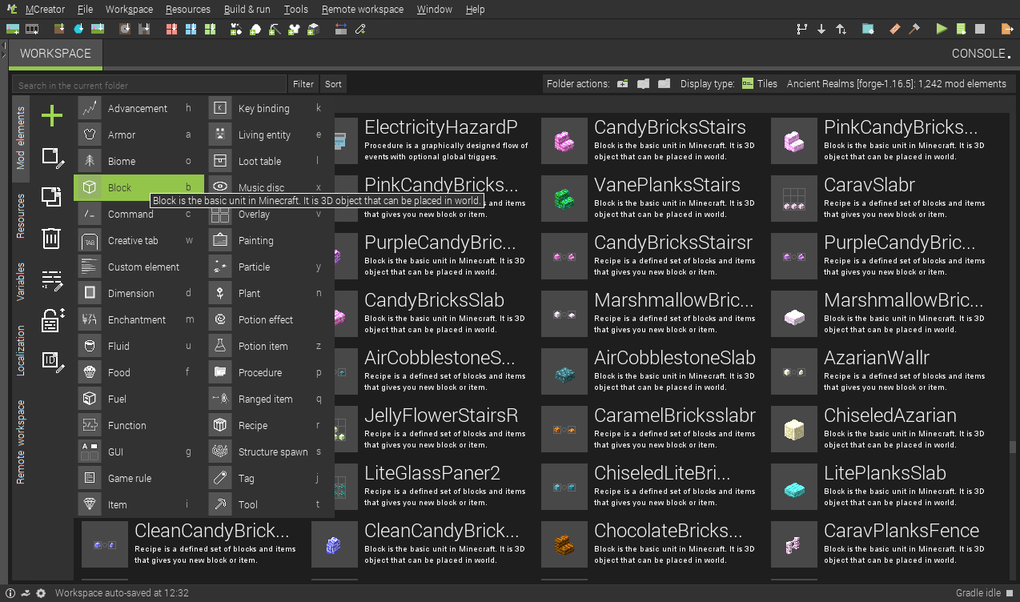
MCreator distinguishes itself as a visual, user-friendly Minecraft modding tool, offering an intuitive interface that minimizes the need for extensive programming knowledge. Unlike many other modding tools that require a deep understanding of Java or other programming languages, MCreator employs a drag-and-drop interface combined with a simplified code editor, enabling users to create mods with minimal coding experience. This accessibility significantly broadens the pool of potential mod creators, making it ideal for educational settings, online classes, and STEM workshops.
The software’s versatility extends to supporting both Minecraft Java Edition mods and Minecraft Bedrock Edition add-ons and data packs. This broad compatibility allows creators to target a wider audience, catering to players across different Minecraft platforms. The open-source nature of MCreator further enhances its appeal, fostering community collaboration and allowing for continuous improvement and expansion of its functionalities.
However, it’s important to acknowledge that despite its user-friendly design, MCreator still demands a reasonably powerful system and a stable internet connection. These requirements are essential for ensuring smooth operation and preventing crashes, glitches, or other unexpected issues that can disrupt the modding process.
MCreator’s Features and Capabilities: Beyond the Basics
MCreator’s strength lies in its ability to empower users to create a vast array of Minecraft modifications without requiring extensive programming expertise. This is achieved through a comprehensive suite of features that streamline various aspects of mod development:
-
Block and Item Creation: Users can effortlessly design and implement new blocks and items with custom textures, models, and behaviors. This encompasses everything from simple decorative blocks to complex functional machinery.
-
Mob and Biome Customization: MCreator allows for the creation of entirely new mobs (creatures) with unique AI behaviors, attributes, and drops. Similarly, users can craft new biomes, shaping entire environments with custom terrain, vegetation, and structures.
-
Dimension and Portal Generation: The software facilitates the construction of entirely new dimensions within Minecraft, enabling the creation of unique gameplay experiences that transcend the standard game worlds. Furthermore, users can design and implement custom portals to seamlessly transition between dimensions.
-
Crafting Recipes and Advancement Systems: MCreator allows for the development of custom crafting recipes, defining how players obtain new items and utilize resources within the game. Furthermore, the software integrates an advancement system, allowing mod creators to design customized achievement systems.
-
Gameplay Mechanics and Logic Implementation: Beyond simply adding new content, MCreator empowers users to modify existing Minecraft mechanics or introduce entirely new gameplay elements. This can encompass adjustments to game logic, the addition of new quests, and the alteration of existing systems.
-
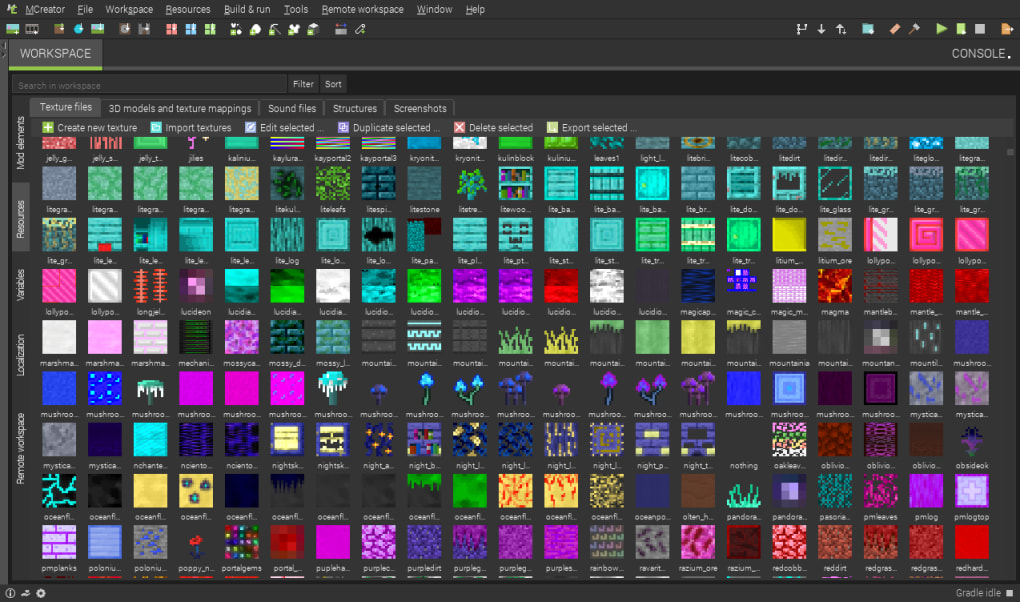
Integrated Asset Creation Tools: MCreator integrates various asset creation tools, streamlining the process of creating visual and audio assets for mods. This includes a texture maker with templates and filters, an animation editor for creating dynamic visual effects, and a sound manager for incorporating custom audio.
-
Team Collaboration with Git Integration: MCreator supports Git integration, facilitating collaborative mod development among teams. This feature enables multiple developers to work simultaneously on the same mod, managing changes and updates effectively.
MCreator: A Modder’s Toolkit for All Skill Levels
MCreator caters to a broad spectrum of users, ranging from complete beginners to experienced mod developers. Its user-friendly interface makes it accessible to those with minimal programming experience, allowing them to start creating mods quickly and easily. The software’s extensive documentation, video tutorials, and active community support further contribute to its ease of use.
For more experienced developers, MCreator offers opportunities for deeper customization. While the software’s visual interface handles many tasks, it also allows for manual code editing where more complex or nuanced modifications are required. This allows users to combine visual development with more traditional coding techniques when necessary. This balance of simplicity and extensibility positions MCreator as a versatile tool that scales with the user’s skill and experience.
Furthermore, MCreator’s versatility in supporting Java Edition, Bedrock Edition, and data packs broadens its appeal. This versatility is a significant advantage, enabling creators to reach a diverse player base across various Minecraft platforms.
Advantages and Disadvantages of Using MCreator
Like any software, MCreator has its strengths and weaknesses.
Pros:
-
Free and open-source: MCreator is available for free and operates under an open-source license, promoting community involvement and ongoing development.
-
User-friendly interface: The intuitive drag-and-drop interface and simplified code editor significantly lower the barrier to entry for novice modders.
-
Versatile functionality: The software allows for a wide range of mod creations, from simple cosmetic additions to complex gameplay modifications.
-
Educational suitability: MCreator’s accessibility makes it suitable for educational settings, facilitating learning in game development and programming.
-
Active community and support: A supportive community and abundant online resources provide assistance and guidance to users.
Cons:
-
High system requirements: MCreator’s smooth operation requires a reasonably powerful computer system.
-
Internet dependency: A stable internet connection is crucial for seamless operation, particularly when downloading assets or collaborating on projects.
-
Limited direct control: While offering significant control, some highly technical aspects might require more intricate coding than what the visual interface facilitates.
-
Mod complexity limitations: While capable of creating complex mods, there may be certain highly advanced features that require more specialized programming tools.
MCreator in the Minecraft Modding Landscape
MCreator occupies a unique position in the Minecraft modding landscape. Its emphasis on user-friendliness and accessibility makes it a valuable tool for individuals who may not have the programming expertise required for more traditional modding methods. This democratization of mod creation fosters innovation and expands the range of potential mods within the Minecraft community.
The software’s continuous development and the active community surrounding it contribute to its ongoing improvement and growth. This dynamic nature ensures that MCreator remains a relevant and competitive tool within the evolving world of Minecraft modding. In conclusion, MCreator offers a compelling blend of user-friendliness and powerful functionality, making it a worthy contender for anyone interested in exploring the world of Minecraft mod development.
File Information
- License: “Free”
- Version: “2021.2”
- Latest update: “January 31, 2023”
- Platform: “Windows”
- OS: “Windows 10”
- Language: “English”
- Downloads: “42.6K”
- Size: “235.39 MB”


