
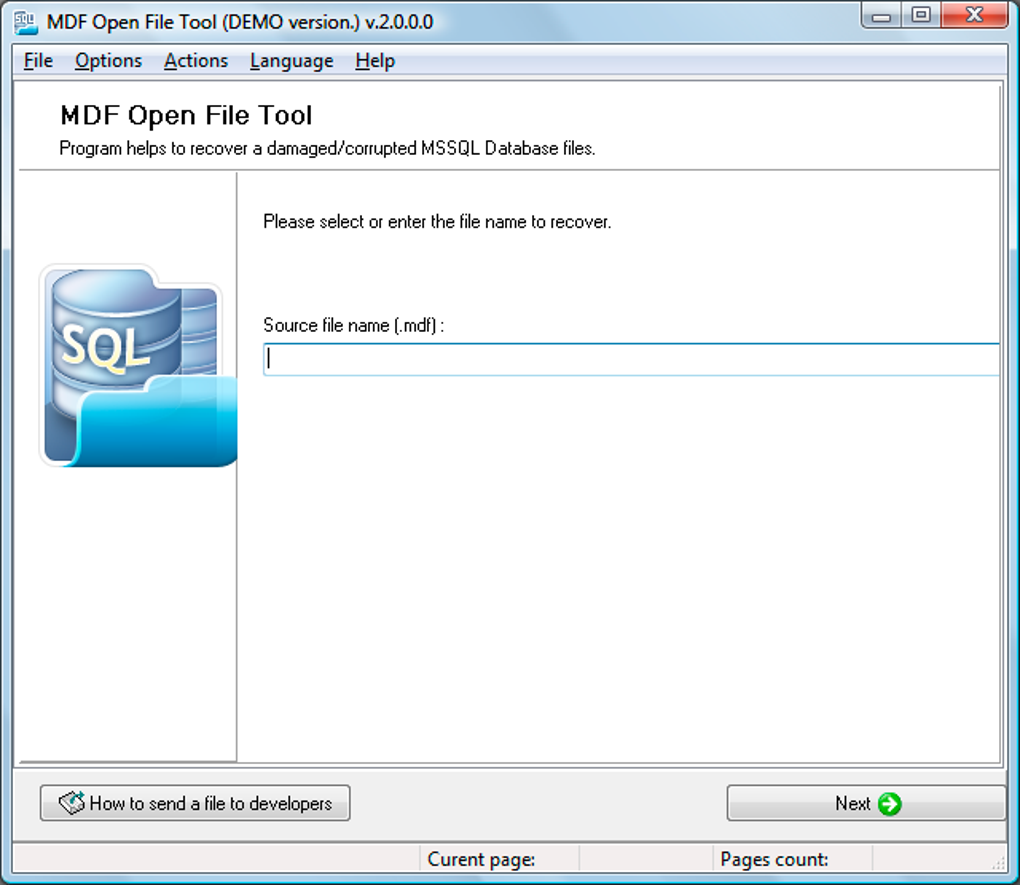
MDF Open File Tool is a Windows-based software application designed to repair corrupted Microsoft SQL Server databases. Developed by Open Files, Inc., this tool offers a solution for developers and database administrators facing the challenge of recovering data from damaged MDF files – the primary file format for storing SQL Server database data. Unlike many other solutions, MDF Open File Tool doesn’t require pre-existing backup copies for analysis and repair, making it a valuable tool in situations where backups are unavailable or outdated.
Understanding MDF Files and Database Corruption
Before delving into the specifics of MDF Open File Tool, it’s essential to understand what MDF files are and why they become corrupted. MDF (Master Data File) files are the primary files used by Microsoft SQL Server to store database information. They are analogous to ISO files for optical media, containing the database’s data and structural information. The corresponding NDF (secondary data file) can also store data, but the MDF file is paramount.
Database corruption can arise from various factors, including:
- Hardware failure: Problems with the hard drive or storage medium can lead to data loss and file corruption, impacting the MDF file.
- Software errors: Bugs in the SQL Server software itself or incompatible applications can cause inconsistencies and corruption within the database.
- Power outages: Unexpected power interruptions during database operations can leave the MDF file in an inconsistent state.
- Malicious attacks: Viruses, malware, or other security breaches can intentionally corrupt or damage database files.
- Human error: Accidental deletion of critical database elements or improper database administration can lead to corruption.
When MDF files become corrupted, it can result in database inaccessibility, data loss, or system instability. This necessitates the use of specialized tools, like MDF Open File Tool, to recover and restore the database to a functional state.
MDF Open File Tool: Features and Functionality
MDF Open File Tool provides a straightforward approach to diagnosing and repairing damaged MDF files. Its key features include:
- Wide Compatibility: The software supports a wide range of Microsoft SQL Server versions, from SQL Server 6 to SQL Server 2016. This broad compatibility ensures that the tool can address database corruption issues across many different versions. This backward compatibility is a significant advantage, as older databases may lack robust backup solutions.
- Direct Repair: Unlike methods that require exporting and importing data, MDF Open File Tool directly repairs the MDF files in place, streamlining the recovery process and minimizing data loss risks. This minimizes the time spent on workarounds and makes the recovery faster and easier.
- Comprehensive Diagnostics: The tool goes beyond simple repair; it helps identify the root causes of the database corruption. This is essential for preventing similar incidents in the future by understanding what caused the initial problem.
- Data Extraction and Export: MDF Open File Tool can extract and save the data from the corrupted database in various formats, including the original MDF and NDF formats. This offers flexibility in how the recovered data is handled and reintegrated into a new, healthy database instance. The ability to select export formats provides options for migrating to a newer SQL Server version.
- Key Recovery: Both primary and secondary keys can be recovered during the repair process, ensuring referential integrity within the restored database. This is crucial for maintaining the relational structure of the data and avoiding errors after restoration.
- Support for Custom MDF Files: MDF Open File Tool can even handle customized MDF files created by other developers, showcasing its versatility and robust design. This makes it less likely the tool will be incompatible with unusual database structures.
- SQL Script Generation: Users can opt to save the recovered data as a set of SQL scripts. This allows for manual review and precise control over the re-import process into a new or existing database. This flexibility offers a precise recovery for data restoration.
- Version Control: The software allows users to compare the original and repaired MDF files, providing confidence in the restoration process and highlighting any potential data discrepancies that might have occurred during the repair procedure. This comparison is extremely important to verify that the repair process was successful.
MDF Open File Tool: Advantages and Limitations
While MDF Open File Tool offers a powerful solution for MDF file repair, it’s essential to consider both its strengths and weaknesses:
Advantages:
- Ease of Use: Its intuitive interface makes the tool accessible to both experienced database administrators and less technically proficient users. This makes database recovery accessible to a wider range of users.
- Compatibility: Its broad compatibility with various SQL Server versions eliminates the need for multiple tools to handle different database systems.
- Efficiency: The direct repair method and various export options minimize downtime and streamline the recovery process.
- Data Integrity: Efforts to recover keys and provide options for reviewing changes ensure data integrity after the repair.
Limitations:
- Repair Time: Repairing severely corrupted databases can take a considerable amount of time, particularly in cases of extensive data damage. The recovery process depends on the extent of damage.
- Data Loss Potential: Though the software strives to minimize it, there’s still a potential for some data loss in severely damaged databases. Some situations may prove unrecoverable, no matter the tool used.
- Lack of Advanced Features: The tool may not incorporate all the advanced features found in more comprehensive, high-end database recovery solutions. Its core functionality focuses on straightforward repairs, not detailed analysis.
Alternatives to MDF Open File Tool
Several alternative tools cater to SQL Server database recovery, each with its own strengths and weaknesses. Choosing the right tool depends on the specific needs and complexity of the situation:
- Navicat (SQL Server GUI): This is a more comprehensive database management tool providing a graphical user interface for managing SQL Server databases. While not solely focused on recovery, its robust features can aid in troubleshooting and resolving database issues.
- SQL Server Management Studio (SSMS): Provided by Microsoft, SSMS is a free tool offering database administration capabilities. While not explicitly a recovery tool, it possesses features that might assist in identifying and resolving some database inconsistencies.
- ESF Database Convert: This tool focuses on converting databases between various formats, potentially offering a workaround in situations where direct MDF repair proves difficult. However, converting to another format would involve significant extra effort.
- Other Specialized Recovery Tools: Several commercial database recovery products offer advanced features and capabilities for handling severely corrupted databases. These usually offer a higher degree of expertise, but at a significant cost.
Ultimately, the best choice depends on factors like the level of corruption, the need for advanced features, and the budget. MDF Open File Tool serves as a practical and user-friendly option for many scenarios, but other specialized tools might be more suitable for complex, critical database recovery projects.
Conclusion
MDF Open File Tool provides a valuable solution for repairing corrupted Microsoft SQL Server databases. Its ease of use, broad compatibility, and direct repair approach make it an attractive choice for many users. While it may have limitations compared to more advanced commercial solutions, it proves effective in a wide array of scenarios where swift and efficient database recovery is crucial. Remembering the potential for data loss and the time required for extensive repairs is essential before relying on any database recovery tool. Before using MDF Open File Tool (or any other similar program), always back up your data as thoroughly as possible to lessen the risk of permanent data loss.
File Information
- License: “Trial version”
- Version: “2.1.7.0”
- Latest update: “August 8, 2019”
- Platform: “Windows”
- OS: “Windows 2003”
- Language: “English”
- Downloads: “43.1K”
- Size: “7.64 MB”


