MecaNet is a free, user-friendly typing tutor designed to help you learn touch typing quickly and efficiently. Unlike many paid typing courses, MecaNet provides a comprehensive learning experience without any cost, making it accessible to everyone who wants to improve their typing skills. This article delves into the features, benefits, and drawbacks of MecaNet, providing a comprehensive overview for potential users.
Understanding MecaNet: A Comprehensive Typing Tutor
MecaNet stands out as a straightforward yet effective typing tutorial program. It’s a converted course presented as a user-friendly application, guiding you through the process of mastering touch typing in a simple and accessible manner. The program’s design prioritizes ease of use, making it an excellent choice for beginners and experienced typists alike looking to refine their skills. Available in both Spanish and English, MecaNet caters to a broad user base, ensuring a comfortable learning environment for diverse language speakers.
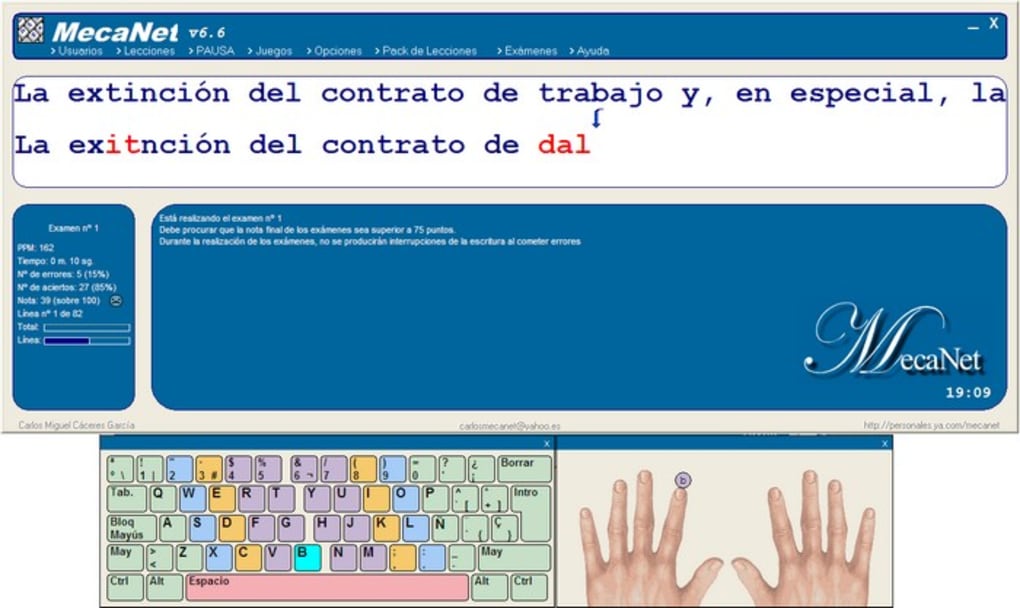
The core objective of MecaNet is to significantly enhance typing speed and accuracy while minimizing errors. Its interactive approach aims to eliminate the need for looking at the keyboard, a common habit that significantly hampers typing efficiency. The program achieves this through a well-structured curriculum consisting of lessons, exercises, and engaging games. This multifaceted approach ensures a dynamic learning experience that maintains user engagement and promotes faster skill acquisition.
MecaNet’s functionality extends beyond basic typing instruction. It offers features tailored to improve various aspects of writing proficiency. These features include:
-
Correct Keyboard Usage: MecaNet meticulously guides users on proper finger placement and hand positioning, crucial for efficient and ergonomic touch typing.
-
Enhanced Spelling and Reading: The program’s exercises implicitly contribute to improved spelling and reading comprehension as users become more proficient in translating thoughts into written text.
-
Improved Concentration: The focused nature of typing exercises naturally strengthens concentration skills, benefiting various aspects of cognitive function.
- Enhanced Coordination: Mastering touch typing requires precise hand-eye coordination, a skill MecaNet actively cultivates throughout the learning process.
MecaNet’s Features and Learning Methodology
MecaNet’s intuitive interface simplifies the learning process. The program’s core functionality revolves around a series of approximately twenty lessons. These lessons progressively introduce new words and phrases, systematically building typing proficiency. The exercises emphasize accuracy as much as speed, fostering a balanced approach to skill development. This is particularly helpful in preventing the development of bad typing habits often associated with prioritizing speed over accuracy in early stages of learning.
A key feature of MecaNet is its color-coded keyboard representation. Five distinct colors correspond to each finger on the keyboard, making it easy for users to visualize correct finger placement and improve their muscle memory. This visual aid is invaluable for beginners, providing a practical guide to efficient touch typing.
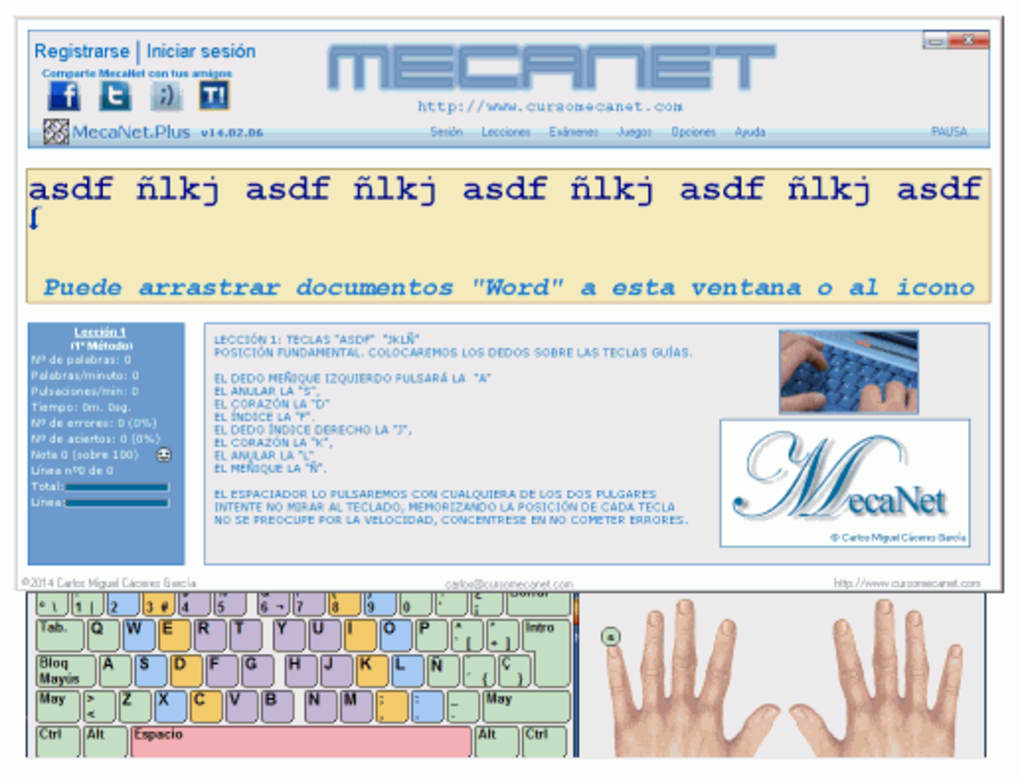
The program diligently tracks user progress, recording the number of correct and incorrect keystrokes, as well as words typed per minute (WPM). This data provides valuable feedback to users, allowing them to monitor their improvement and identify areas requiring further practice. MecaNet also allows users to save their lesson progress, providing a structured way to track their journey towards touch typing mastery. Users can easily access saved lessons through the Options menu, allowing them to review previously completed exercises and maintain a consistent learning pace.
System Requirements and Installation Process
MecaNet boasts compatibility with both Microsoft Windows and Linux operating systems. Installation is straightforward; users simply download the executable file and follow the on-screen instructions during the installation wizard. The program’s small size and minimal resource consumption ensure that it runs smoothly on a variety of computer systems, regardless of their processing power or memory capacity.
The installation process is designed for simplicity and ease of use, requiring minimal user intervention. This ensures a smooth onboarding experience for users, regardless of their technical expertise.
Advantages and Disadvantages of MecaNet
MecaNet presents a compelling package of benefits:
Pros:
- Accessibility: Its free availability democratizes access to high-quality typing instruction, eliminating the financial barrier often associated with paid typing courses.
- Effectiveness: The program’s structured lessons and interactive exercises prove effective in improving typing speed and accuracy.
- Comprehensive Curriculum: The substantial number of lessons and exercises ensures a thorough and engaging learning experience.
- Simplicity: MecaNet’s user-friendly interface and straightforward navigation make it accessible to users of all technical skill levels.
Cons:
- Outdated Interface: MecaNet’s visual design is somewhat dated, lacking the modern aesthetics of many contemporary applications.
- Limited Customization: The program offers limited customization options, restricting users’ ability to tailor their learning experience to their specific preferences.
- Basic Feature Set: While functionally sound, MecaNet lacks some advanced features found in more sophisticated typing tutors.
MecaNet’s Place in the Typing Tutor Market
Despite its limitations, MecaNet remains a valuable resource for those seeking a free and effective typing tutor. Its simplicity and comprehensive curriculum make it an excellent entry point for beginners. While it may lack the advanced features and polished interface of some paid alternatives, its functionality delivers on its core promise: helping users learn touch typing effectively. The program’s strong emphasis on accuracy and the structured progression through lessons compensate for its lack of customization options, ensuring a sound learning experience that fosters consistent improvement.
User Reviews and Community Feedback
User reviews for MecaNet reveal a generally positive reception, highlighting the program’s effectiveness in teaching touch typing. Many users praise its simplicity and accessibility, particularly appreciating its free availability. However, some criticisms point to the outdated interface and limited customization options. These reviews underscore the strengths and weaknesses discussed earlier, reinforcing the program’s suitability for those prioritizing simplicity and functionality over a visually appealing or highly customizable interface. The longevity of MecaNet, evidenced by reviews dating back to 2003, attests to its sustained relevance and enduring appeal as a dependable and free typing tutor.
Conclusion
MecaNet stands as a solid and readily available option for individuals seeking to improve their typing skills without incurring any cost. While not without its shortcomings, particularly its outdated interface and lack of advanced features, the program delivers on its core promise of effective touch typing instruction. Its free accessibility makes it a valuable resource for beginners and anyone seeking a simple yet effective way to enhance their typing proficiency. For those prioritizing a visually modern or highly customizable experience, paid alternatives might be more suitable. However, for users who value functionality, ease of use, and the absence of any financial commitment, MecaNet remains a compelling choice.