
MediaMonkey stands as a robust and feature-rich music management application, offering a compelling alternative to more mainstream players like iTunes and Winamp. While not as ubiquitously known, MediaMonkey boasts a comprehensive suite of tools for organizing, playing, converting, and enhancing your digital music library. This in-depth review explores its strengths, weaknesses, and overall suitability for various user needs.
Core Functionality: Organization and Playback
At its heart, MediaMonkey excels at organizing large music collections. Its automatic scanning function efficiently combs through your computer’s drives, identifying and cataloging music files across a wide array of formats. This includes seamless integration with existing playlists from other applications, importing m3u files without requiring users to painstakingly recreate their curated listening lists. This ability to effortlessly transition from other music management systems is a significant advantage for users already invested in their playlists.
The intuitive file explorer on the left-hand side of the interface provides straightforward navigation, allowing users to sort their music by artist, genre, rating, or other relevant metadata. This categorized view simplifies the process of locating specific tracks or albums within even the most extensive libraries. This efficient organizational structure is crucial for managing vast collections, making the search and retrieval process remarkably straightforward.
Beyond basic organization, MediaMonkey’s conversion capabilities are equally impressive. It allows users to transcode their music files to various formats, enabling optimization for different devices or desired audio quality. This feature is particularly useful for users with diverse listening setups, allowing them to tailor their audio files to fit the limitations or requirements of specific playback systems.

The program also incorporates advanced audio analysis tools, offering the ability to adjust track volume levels for a more consistent listening experience. This eliminates the jarring volume discrepancies that can often occur between tracks, resulting in a smoother and more enjoyable listening experience.
Advanced Tag Management: A Key Differentiator
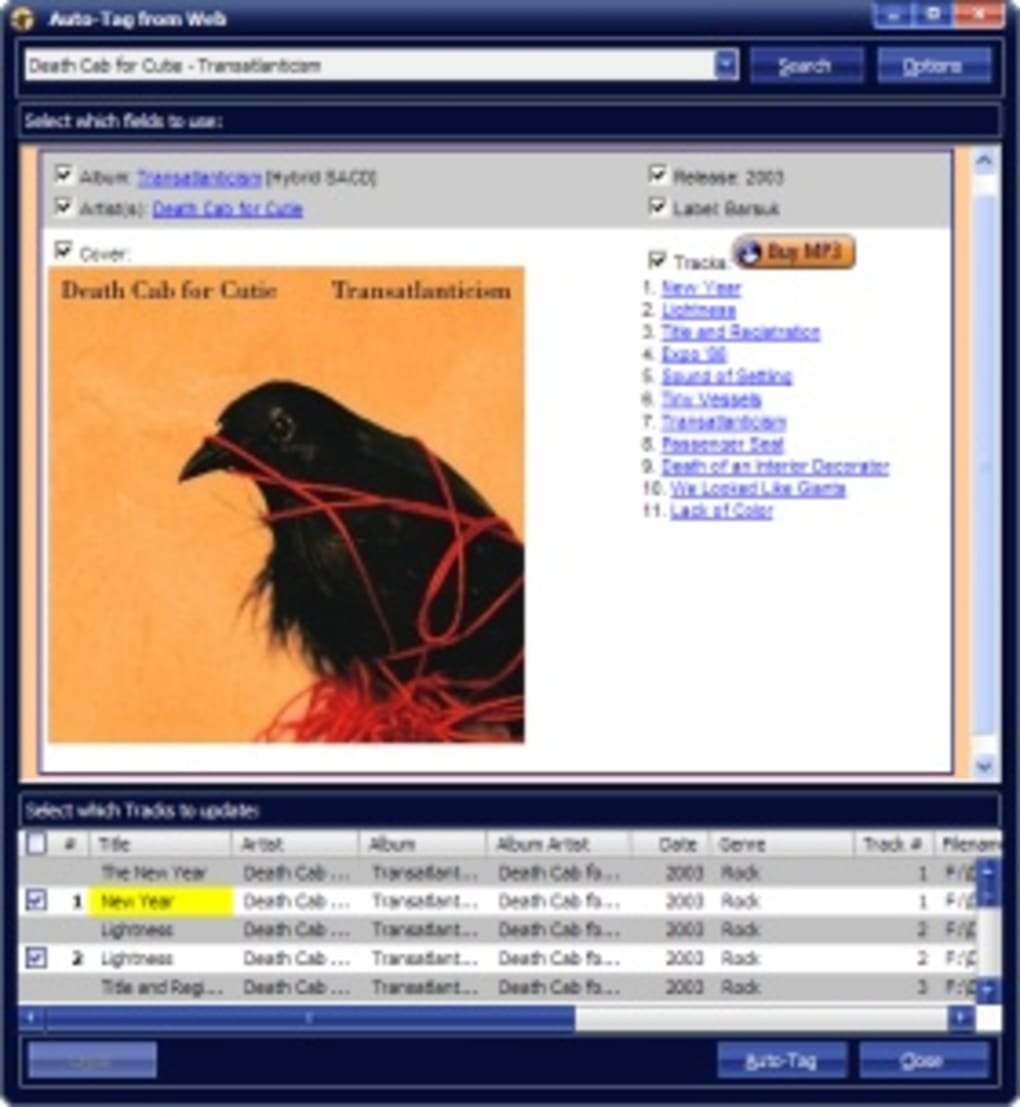
MediaMonkey’s reputation is largely built upon its sophisticated tag management features. Upon adding a new track, the program automatically verifies the associated metadata, ensuring accuracy and consistency. For any missing information, MediaMonkey offers automated tagging functionality, drawing data from online sources like Amazon or even the filename itself. This automated process significantly reduces manual effort, especially when dealing with large libraries containing tracks with incomplete or inconsistent metadata.
Beyond auto-tagging, MediaMonkey empowers users to actively clean up and organize their tags, moving information into the correct fields and synchronizing tags across selected tracks. This level of granular control allows users to fine-tune the metadata to match their preferences and ensure consistent naming conventions across their entire collection.
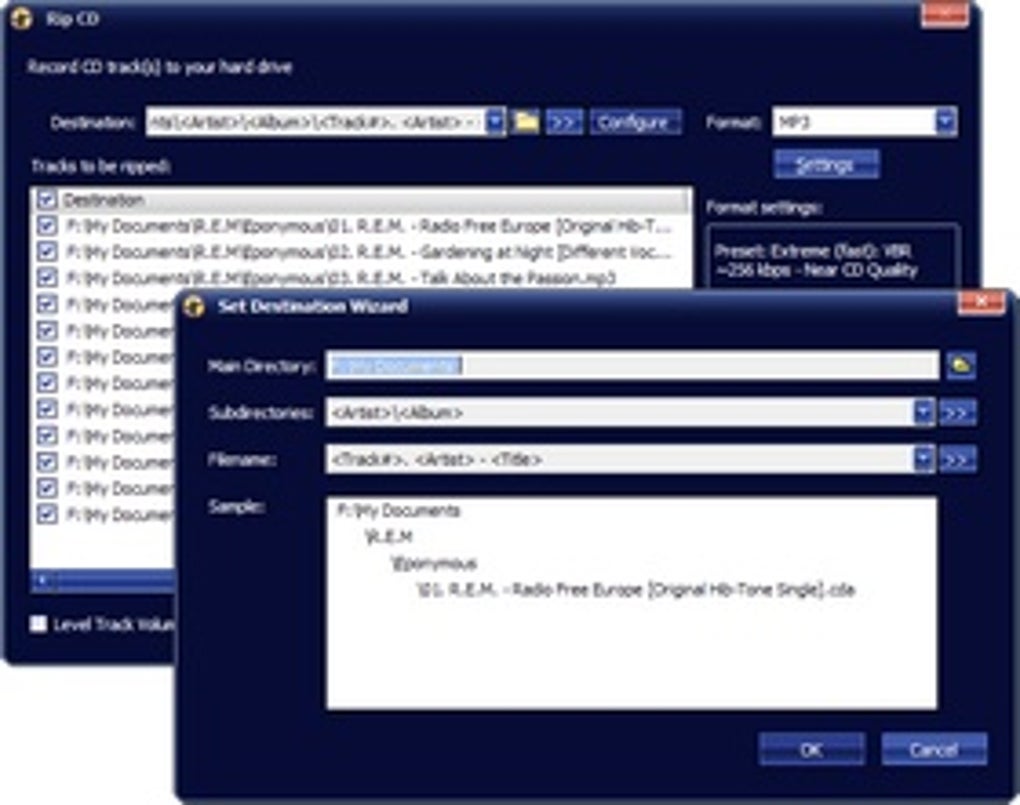
The program’s auto-organize function further streamlines the management process. This feature enables users to automatically rename and relocate multiple files based on their metadata. This automation significantly reduces the time and effort involved in maintaining a well-organized music library, particularly beneficial for individuals with extensive collections.
MediaMonkey’s versatility extends to its support for Winamp plugins and visualizations, adding another layer of customization for the user interface. Users can personalize their listening experience by applying skins and visualizers, enhancing both the visual and auditory aspects of their music enjoyment. This broad support enhances compatibility and allows access to a wider range of extensions and customization options, significantly expanding the application’s functionality beyond the core music management tools.
Beyond Music Playback: CD/DVD Burning and DJ Features
MediaMonkey extends its functionality beyond basic playback and management. It provides a comprehensive suite of tools for creating physical media, allowing users to rip audio from CDs and burn them to both CDs and DVDs. This functionality bridges the gap between digital and physical media, accommodating users who still appreciate the tactile experience of CDs. For users who wish to create custom mix CDs or backup their libraries to physical media, this integrated functionality eliminates the need for separate burning software.
The program also caters to budding DJs with its built-in auto-DJ and party modes. The auto-DJ feature automatically mixes tracks, creating seamless transitions for continuous playback. This function is ideal for parties or simply for creating a consistent background soundtrack. The party mode locks down the configuration settings, preventing accidental changes and ensuring uninterrupted playback even with multiple users potentially accessing the application.
MediaMonkey’s device synchronization capabilities allow seamless integration with portable music players like iPods and iRivers. This crucial feature allows users to easily transfer their music libraries to their portable devices. This simplifies the process of transferring music, ensuring that users have access to their favorite tracks wherever they go.
While the program offers the convenience of browsing and purchasing tracks from online retailers like Amazon, Barnes & Noble, and AllPosters, it lacks the broader online content integration found in other players. This omission is a notable drawback, limiting its functionality compared to applications that offer more extensive browsing and access to online streaming services or podcasts.
Limitations and Areas for Improvement
Despite its numerous strengths, MediaMonkey has some limitations. The built-in web radio selection is rather sparse, including only Shoutcast and Icecast, significantly limiting the range of online radio stations available. The absence of podcast support is another significant drawback, hindering its use as a comprehensive multimedia management solution.
The limited browser functionality within the application, restricting it to a curated selection of online stores instead of providing direct web browsing capabilities, further confines its utility. While the older versions lacked such features, this limitation continues to hinder its flexibility and seamless integration with online music content beyond pre-approved retailers.
Comparing MediaMonkey to Competitors
MediaMonkey stands out from competitors like iTunes and Winamp by offering a more focused approach to music management, emphasizing advanced features like automated tagging and extensive library organization tools. iTunes, while ubiquitous, can feel bloated and slow for those primarily focused on music management. Winamp, while known for its audio quality and customization options, lacks the comprehensive library management capabilities that MediaMonkey excels in.
Several alternatives exist, each with its own strengths and weaknesses. MusicBee, for instance, offers a comparable feature set, but its interface may not be as intuitive. Songbird, though now discontinued, was known for its strong web integration, a feature absent in MediaMonkey.
Conclusion: A Powerful Tool for Serious Music Lovers
MediaMonkey proves to be a highly capable music management application, particularly suited for users who prioritize advanced tag management, extensive library organization, and a versatile range of conversion and playback options. While the limited web radio and podcast support, along with restricted browsing capabilities, represent notable shortcomings, the program’s powerful features and ease of use make it a strong contender for serious music lovers seeking a comprehensive, feature-rich solution beyond mainstream alternatives. The potential for expanded functionality, particularly the inclusion of a more robust web radio, podcast, and online browsing integration, could propel MediaMonkey to an even higher tier among music management applications. For users prioritizing a comprehensive and efficient library management system, the benefits likely outweigh the limitations. The free trial version allows prospective users to fully assess the application’s capabilities and compatibility with their needs before committing to a purchase.
File Information
- License: “Trial version”
- Latest update: “February 4, 2025”
- Platform: “Windows”
- OS: “Windows 8”
- Language: “English”
- Downloads: “63.6K”
- Size: “92.95 MB”


