
In an era saturated with digital imagery, standing out requires more than just a good camera; it demands tools that push the boundaries of conventional editing. Enter Mega Photo Pro for Android, an application developed by Paul Falstad that transcends the typical photo and video editor, transforming it into a dynamic playground for visual artistry. More than just a utility, Mega Photo Pro is an experience, offering an unparalleled collection of over 200 unique effects, interactive features, and a seamless real-time workflow designed to elevate your creative output.
From the moment you launch Mega Photo Pro, it becomes clear this isn’t merely about applying a filter. It’s about twisting, morphing, pinching, and warping your images and videos into something truly extraordinary. Whether you’re a casual smartphone photographer looking to add a whimsical touch or a budding digital artist experimenting with abstract forms, Mega Photo Pro provides the canvas and the tools. Its reputation as a trusted program, boasting a strong 4.6 rating from over 12,000 downloads on platforms like PhanMemFree, underscores its reliability and the satisfaction of its user base.
What sets Mega Photo Pro apart is its commitment to both breadth and depth in creative expression. The extensive library of effects is complemented by engaging interactive elements and a user-centric design that prioritizes instant gratification and continuous experimentation. This article will delve into the multifaceted capabilities of Mega Photo Pro, exploring its robust effects catalog, its unique interactive features, the technical prowess that underpins its smooth operation, and why it remains a top choice for those seeking to redefine their digital visuals.
Unlocking Boundless Creativity: A Deep Dive into Mega Photo Pro’s Effects
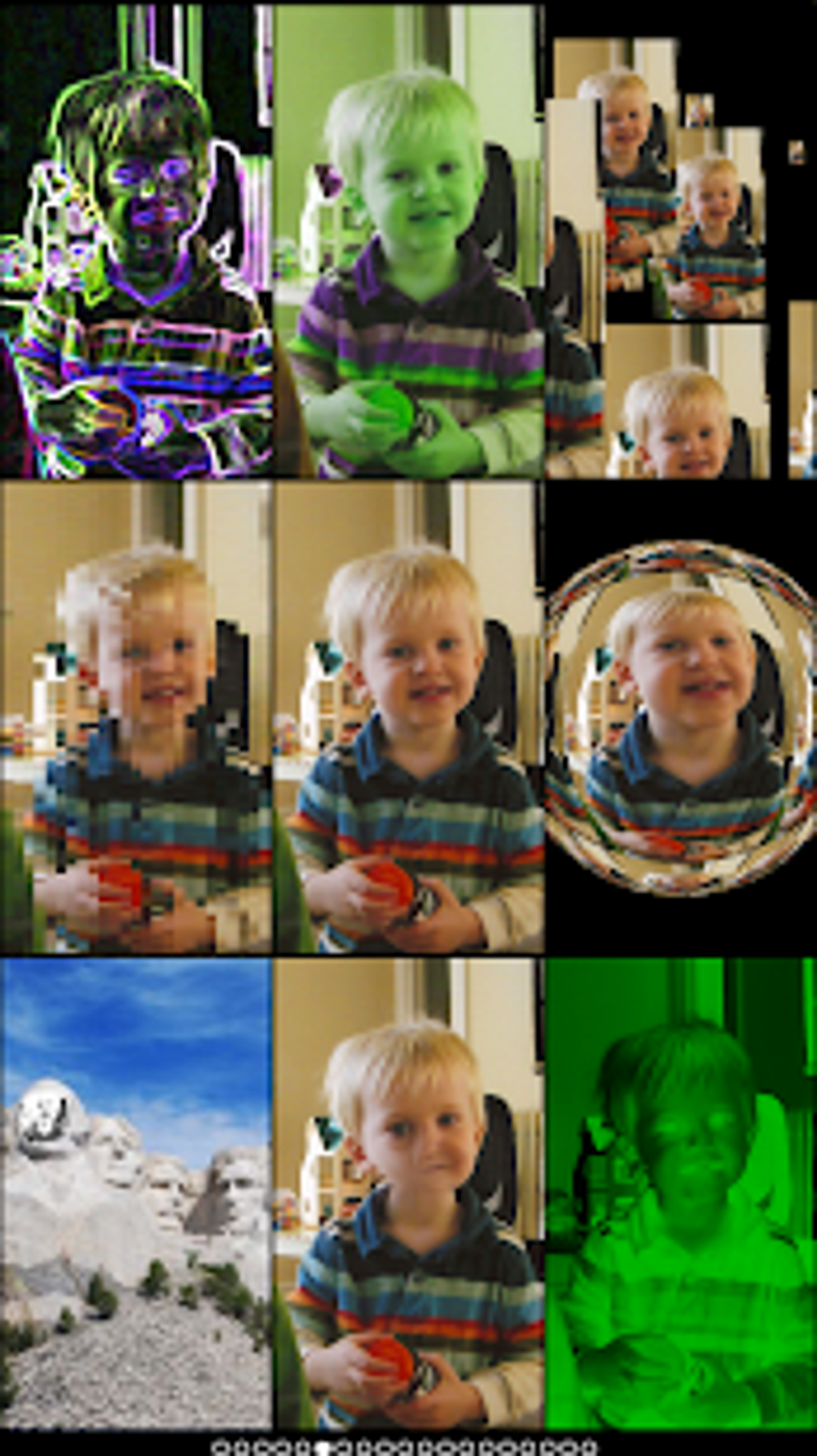
At the heart of Mega Photo Pro lies its staggering collection of over 200 effects, a veritable treasure chest for visual experimentation. This isn’t just about minor adjustments; these effects fundamentally alter the appearance of your photos and videos, enabling you to craft truly extraordinary designs. The sheer variety ensures that there’s an effect for every mood, every artistic inclination, and every desire to transform the mundane into the magnificent.
Imagine taking a standard landscape shot and instantly applying an “engraving” effect, giving it the intricate, etched appearance of an old print. Or perhaps you want to inject a sense of movement into a static image; the “waving flag” effect can make your photos ripple and undulate as if caught in a gentle breeze. For those who appreciate classical art forms, the “sketch” effect can convert any photograph into a compelling pencil drawing, highlighting contours and forms with artistic flair. Meanwhile, the “mosaic” effect breaks down your image into a myriad of colored tiles, creating a pixelated, yet cohesive, abstract representation.
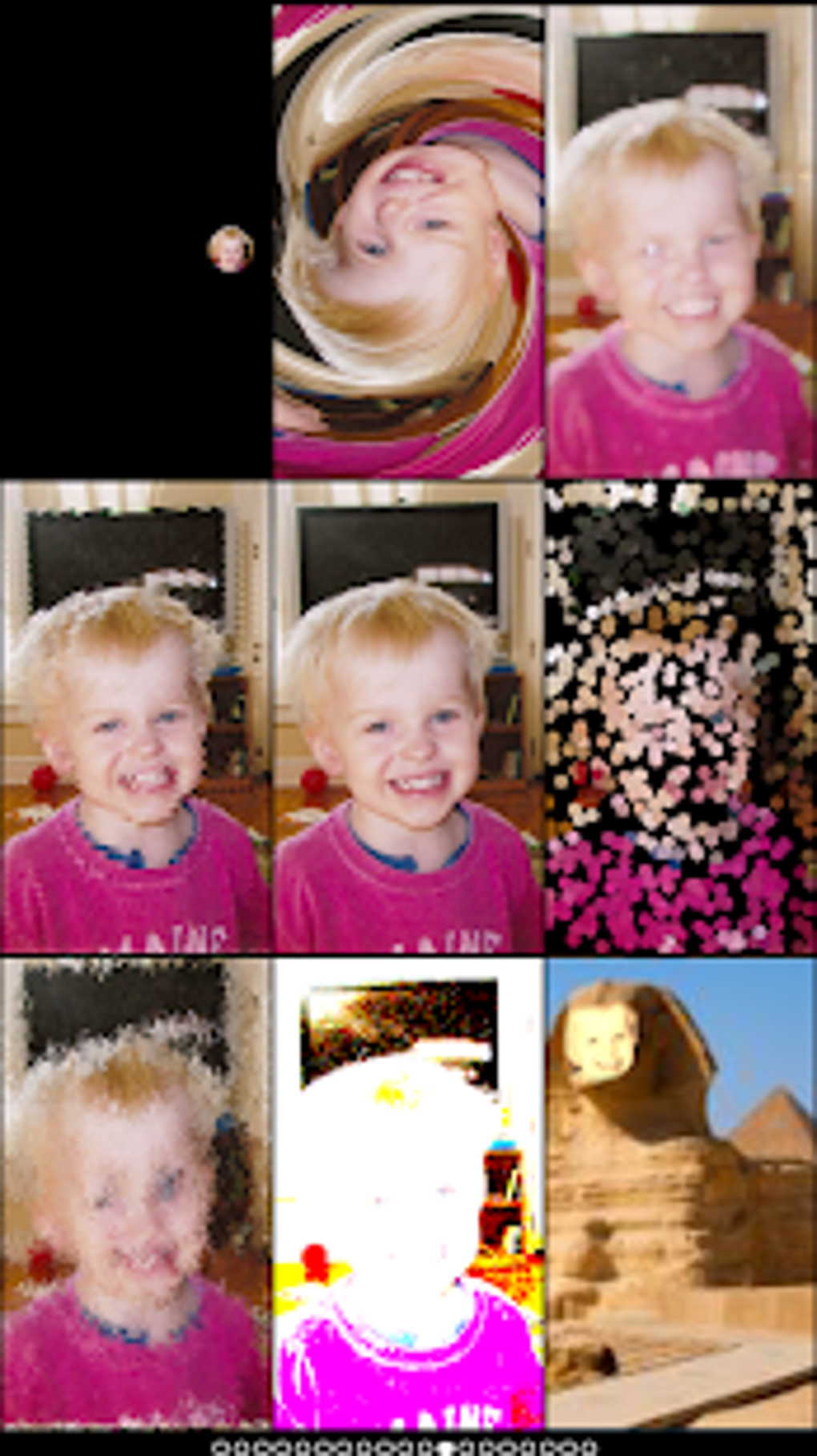
But Mega Photo Pro goes far beyond these stylistic transformations. It empowers users to physically manipulate their visuals with effects that twist, morph, pinch, and warp. You can stretch a face into a caricature, swirl a landscape into a psychedelic vortex, or subtly distort elements to create surreal compositions. These deformation tools are particularly powerful for generating abstract art or for playful distortions that inject humor and personality into your media. The level of control over these effects often allows for fine-tuning, meaning you can dial down an intense warp to a gentle undulation, or exaggerate a pinch for maximum impact.
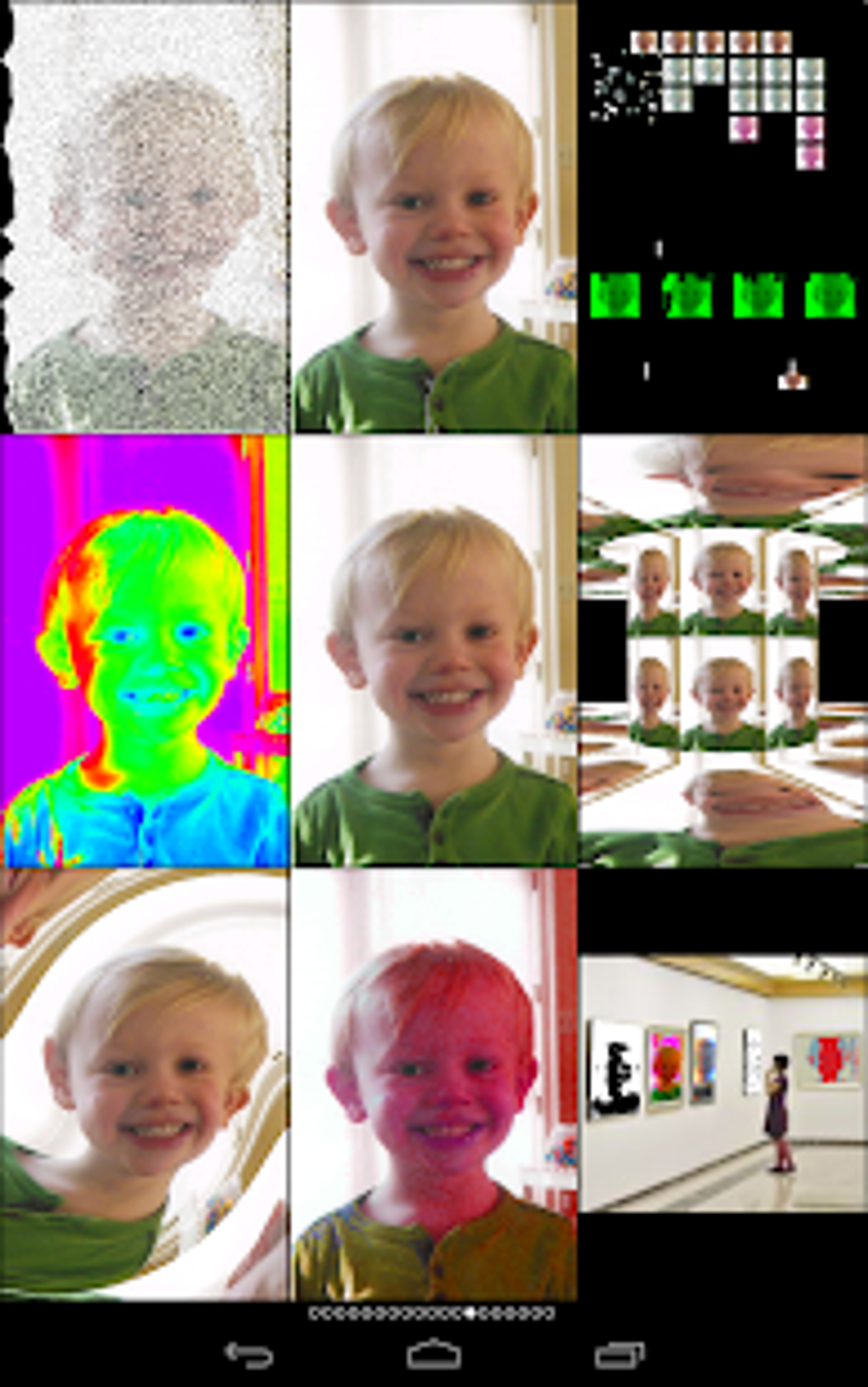
Beyond the contemporary and abstract, Mega Photo Pro also caters to a nostalgic sensibility with its impressive selection of 40 vintage camera effects. In an age where retro aesthetics are highly prized, these effects allow users to infuse their modern creations with the charm and character of yesteryear. Think sepia tones that evoke old photographs, grainy textures reminiscent of early film, or light leaks that simulate the imperfections of analog cameras. These vintage effects aren’t just filters; they are carefully crafted simulations that transport your images back in time, adding depth, warmth, and a unique narrative quality that modern, pristine digital images often lack. From the soft glow of a 1970s snapshot to the faded colors of a 1950s postcard, Mega Photo Pro delivers a comprehensive vintage toolkit, enabling users to create media that feels both fresh and timeless. This extensive and diverse effects library is arguably the primary draw of Mega Photo Pro, providing an almost limitless palette for artistic expression and ensuring that every user can find the perfect tool to realize their vision.
Interactive Experience Beyond Editing: Games and Visual Navigation
Mega Photo Pro distinguishes itself not only through its robust suite of effects but also by integrating interactive elements that elevate the user experience beyond simple editing. It transforms your photo and video workflow into an engaging, dynamic journey, offering unique ways to interact with your media and even introducing playful diversions.
One of the most remarkable and visually captivating features is the app’s 3D maze. Imagine navigating through a labyrinth constructed entirely from your personal photo collection. This innovative feature allows you to literally ‘walk through’ your memories, with your own images adorning the walls of the virtual maze. It’s an immersive and highly personalized experience that turns photo browsing into an adventure. This 3D maze isn’t just a gimmick; it’s a creative way to revisit your photos, offering a fresh perspective on your digital archives and providing an intriguing backdrop for discovery. It demonstrates a forward-thinking approach to user interaction, blending utility with an almost game-like exploration of personal media.
Adding another layer of interactivity and fun, Mega Photo Pro incorporates an array of engaging games directly within the app. These aren’t just unrelated mini-games; they are designed to be played within the context of the app, providing delightful interactive elements to your experience. The inclusion of classics like “brick breaker” allows for a quick, entertaining diversion. You might find yourself challenging your reflexes while waiting for an effect to render (though with real-time preview, this is rarely an issue!). Similarly, “ninja slicer” offers a fast-paced, addictive slicing game, perfect for a momentary break from editing. And for those who enjoy a bit of mental stimulation, “tile puzzles” leverage your own images, turning them into engaging brain teasers. These games not only enhance the app’s overall appeal by providing added value, but they also contribute to a more holistic and enjoyable user journey. They position Mega Photo Pro not just as a utilitarian editing tool, but as a comprehensive multimedia hub where creativity and entertainment coalesce. This unique blend of serious editing capabilities with lighthearted interactive features truly sets Mega Photo Pro apart in the crowded landscape of mobile photo and video applications, appealing to a wider audience and fostering a more dynamic relationship between the user and their digital content.
Seamless Workflow and User-Friendly Interface
Beyond its vast array of effects and engaging interactive features, Mega Photo Pro shines in its commitment to a seamless, user-friendly workflow. The app is meticulously designed to provide immediate feedback and flexible control, ensuring that users can bring their creative visions to life with minimal friction. This focus on intuitive interaction is particularly evident in its real-time preview functionality and versatile customization options.
One of the standout features of Mega Photo Pro is its real-time preview functionality. This is a game-changer for creative editing. Instead of applying an effect and then waiting for it to process before seeing the result, Mega Photo Pro allows you to instantly see the effects applied as you choose them. This means you can twist, morph, or add a vintage filter, and witness the transformation happening live on your screen. This immediate visual feedback is invaluable for experimentation. It empowers users to quickly cycle through different effects, adjust parameters, and fine-tune their compositions without the frustration of repeated processing delays. This instantaneous visualization is crucial for capturing the perfect shot or recording a video with precisely the desired artistic flourish, saving precious time and fostering a more fluid creative process. It eliminates guesswork and encourages bolder experimentation, as users can immediately discard effects that don’t quite fit their vision and move on to others without interruption.
Complementing the real-time preview are Mega Photo Pro’s interactive customization options, which grant users an impressive degree of flexibility in how they interact with their source material. The app understands that creativity can strike at any moment and in any context. Therefore, it provides the flexibility to seamlessly switch between front and rear-facing cameras, allowing you to apply effects to a selfie or a broader scene with equal ease. This on-the-fly camera switching is essential for capturing dynamic moments as they happen.
Furthermore, Mega Photo Pro integrates the live camera feed directly into its editing environment. This means you don’t necessarily need to capture an image first and then edit it; you can apply effects directly to what your camera sees, recording video or snapping photos with the chosen effect already baked in. This is particularly powerful for creating content that feels inherently artistic and unique from its inception. But the flexibility doesn’t stop there. For those who prefer to work with existing media, the app also offers the option to choose an image or video from your personal library. This allows you to revisit old favorites, breathe new life into forgotten memories, or apply sophisticated effects to content captured outside the app.
The combination of real-time feedback and versatile input options creates an exceptionally adaptable and user-centric experience. Whether you’re a spontaneous photographer looking to capture an artistic moment, a video creator wanting to add a distinct visual style, or someone simply exploring their creativity with existing media, Mega Photo Pro accommodates all scenarios. This thoughtful design ensures that the technical aspects of editing remain in the background, allowing the user’s creativity to take center stage, making the entire process intuitive, efficient, and above all, enjoyable.
Technical Specifications and PhanMemFree’s Seal of Trust
Understanding the technical underpinnings and the credibility bestowed upon an application is crucial for potential users. Mega Photo Pro, developed by Paul Falstad, demonstrates a robust and reliable architecture, reflected in its consistent performance and positive user feedback.
The application is specifically designed for the Android platform, catering to a vast global audience of smartphone users. Its current version, 1.7.1, signifies ongoing development and refinement, ensuring compatibility and optimal performance on modern Android devices, including the latest Android 13.0. The fact that its latest update was as recent as March 25, 2025 (as indicated in the provided data) highlights the developer’s commitment to maintenance, bug fixes, and potentially adding new features or enhancing existing ones. This regular updating schedule is a strong indicator of a healthy and actively supported application, crucial for long-term user satisfaction and security.
While primarily an Android application, the mention of its availability on “Other platforms (1)” explicitly refers to an iPhone version, indicating the developer’s broader vision and desire to reach users across major mobile ecosystems. This cross-platform availability speaks to the app’s foundational design being versatile enough to adapt to different operating systems.
Mega Photo Pro is classified as a “Full Version” and is a “Paid” application, suggesting a premium offering. This model often implies a commitment to a higher quality product, free from intrusive ads, and typically accompanied by more advanced features compared to free counterparts. Users often associate paid apps with dedicated support and a more focused development trajectory.
The application’s popularity is evident from its download statistics. With “12.3K” total downloads and “495” downloads in the last month alone, Mega Photo Pro has garnered a significant user base. These figures, especially the consistent monthly downloads, indicate sustained interest and a continuous stream of new users discovering its unique capabilities.
PhanMemFree, a reputable software platform, has designated Mega Photo Pro as a “Trusted Program.” This seal of trust is not awarded lightly. PhanMemFree employs rigorous scanning processes, checking files and associated URLs against over 50 leading antivirus services to assess and avoid any potential harm to users’ devices. Their team performs checks each time a new file is uploaded and periodically reviews existing files to confirm or update their status. A “Clean” status, which would be implied by a “Trusted Program” label, means that no possible threat has been detected, ensuring that users can download and install Mega Photo Pro with confidence, knowing it’s free from malware, viruses, or unwanted bundled software. This meticulous vetting process by PhanMemFree provides an essential layer of security and assurance, making Mega Photo Pro a safe and reliable choice for mobile users seeking advanced photo and video editing tools.
Furthermore, PhanMemFree facilitates user engagement through its review system, where Mega Photo Pro has achieved an impressive 4.6 out of 5 stars from its user base. This high rating is a testament to the app’s quality, functionality, and user satisfaction, reflecting positively on its performance and the value it delivers. The platform also offers the app in multiple languages, including English, German, Italian, French, and Spanish, broadening its accessibility and global appeal, further reinforcing its status as a well-supported and widely appreciated creative tool. PhanMemFree.org ensures that users worldwide can access and enjoy this powerful editing application.
Comparing Mega Photo Pro with Alternatives
In the crowded landscape of mobile photography and video editing applications, Mega Photo Pro carves out a distinct niche. While many apps offer filters and basic adjustments, Mega Photo Pro differentiates itself through its extensive, unique effects, real-time processing, and interactive features that transform the editing experience into something more dynamic and playful. To truly appreciate its value, it’s helpful to consider how it stands against some of its contemporaries and alternatives, particularly those also available through PhanMemFree.
One prominent alternative often considered is “Mega Photo,” the free counterpart also developed by Paul Falstad. While “Mega Photo” offers a glimpse into the developer’s creative vision with a decent selection of effects, the “Pro” version significantly expands upon this foundation. The paid “Mega Photo Pro” version typically provides a much larger library of effects (over 200 compared to a more limited set in the free version), often includes exclusive features, and critically, is free from advertisements that can disrupt the creative flow. For users who find the free version engaging but want to unlock its full potential without interruptions, the upgrade to Pro is a clear choice, offering a more comprehensive and polished experience.
Other popular photo and video editing apps like “Photo Curves - Color Grading” and “Video Star” focus on different aspects of visual enhancement. “Photo Curves” is designed specifically for precise color correction and grading, offering professional-level control over tones and hues. It’s an excellent tool for photographers who prioritize color accuracy and cinematic looks. “Video Star,” on the other hand, is geared towards creative video making, particularly popular among users looking to add music, transitions, and special effects to short-form videos, often with a focus on social media sharing. While these apps excel in their respective domains, they don’t offer the same breadth of outright transformative, often abstract, effects that Mega Photo Pro provides. Mega Photo Pro is less about subtle enhancements and more about bold, creative overhauls.
Consider also applications like Hypic - Photo Editor AI Art, Efiko: Aesthetic Filters Eff, or Winkit - AI Video Enhancer. These represent the cutting edge of AI-powered editing, focusing on intelligent enhancements, AI-generated art styles, or automated retouching. While incredibly powerful for certain tasks, their approach is often about optimizing or generating content based on AI algorithms. Mega Photo Pro, by contrast, gives the user direct, tactile control over a vast library of distinct visual transformations. It’s less about AI guessing what you want and more about you actively experimenting with a predefined, yet extensive, set of creative tools.
Even general-purpose video editors like “VideoPad Free Video Editor for Android” offer robust capabilities for splicing, trimming, and adding basic effects. However, their primary function is video construction, whereas Mega Photo Pro is specifically tailored for visual effect application on both photos and videos, with a particular emphasis on unique distortions and stylistic filters that are not typically found in standard editors.
What sets Mega Photo Pro apart, therefore, is its dedication to a massive, unique, and real-time effects library coupled with interactive elements. It’s for the user who wants to push creative boundaries, experiment with surreal visuals, or simply have fun transforming their media in ways that other apps don’t typically allow. The combination of classic filters, extreme warping effects, vintage simulations, and even integrated games creates a versatile and entertaining package that caters to a specific kind of creative expression. For those seeking a tool that prioritizes artistic transformation and interactive play over mere correctional editing or AI-driven automation, Mega Photo Pro stands as a compelling and unique option, especially with the assurance of it being a trusted program on PhanMemFree.org. Its paid model often translates to a premium, ad-free experience that many users find well worth the investment for the creative freedom it offers.
Conclusion: Redefining Digital Artistry with Mega Photo Pro
Mega Photo Pro for Android, developed by the innovative Paul Falstad, is far more than just another entry in the crowded market of photo and video editing applications. It stands out as a powerful and highly engaging platform that invites users to explore the vast potential of visual transformation. With its unparalleled collection of over 200 dynamic effects, Mega Photo Pro empowers individuals to twist, morph, pinch, and warp their images and videos, crafting truly extraordinary and personalized digital art.
The app’s genius lies not only in the sheer volume and diversity of its effects, ranging from intricate engravings and classic sketches to vibrant mosaics and authentic vintage camera simulations, but also in its intuitive delivery. The real-time preview functionality is a cornerstone of its user-friendly design, allowing for instant feedback and seamless experimentation without frustrating delays. This interactive approach extends to flexible customization options, enabling users to effortlessly switch between camera views or import media from their personal libraries, ensuring that inspiration can be captured and transformed the moment it strikes.
Beyond its core editing capabilities, Mega Photo Pro injects an element of playful interaction, differentiating itself from more utilitarian tools. Features like the immersive 3D maze, where users navigate through a landscape of their own photos, and integrated mini-games such as brick breaker and ninja slicer, add a delightful layer of engagement, making the creative process enjoyable and multi-faceted.
As a trusted program boasting a robust 4.6 rating on PhanMemFree.org, Mega Photo Pro represents a reliable and high-quality investment for anyone serious about elevating their digital content. Its consistent updates, broad language support, and availability on multiple platforms underscore the developer’s commitment to a superior user experience. Whether you’re an aspiring digital artist, a social media enthusiast looking for unique content, or simply someone who enjoys experimenting with visual effects, Mega Photo Pro offers a comprehensive, engaging, and powerful suite of tools to unlock new dimensions of creativity. It’s an essential application for those ready to move beyond conventional filters and truly make their photos and videos stand out in a visually demanding world. Download Mega Photo Pro from PhanMemFree today and embark on your journey of limitless visual innovation.
File Information
- License: “Full”
- Version: “1.7.1”
- Latest update: “March 25, 2025”
- Platform: “Android”
- OS: “Android 13.0”
- Language: “English”
- Downloads: “12.1K”
- Download Options: “Google Play”


