
MegaCloud is an online file storage service aiming to provide a robust alternative to established players like Dropbox. This review delves into its features, ease of use, limitations, and overall value proposition, comparing it to similar services and considering user experiences.
MegaCloud’s Core Features and Functionality
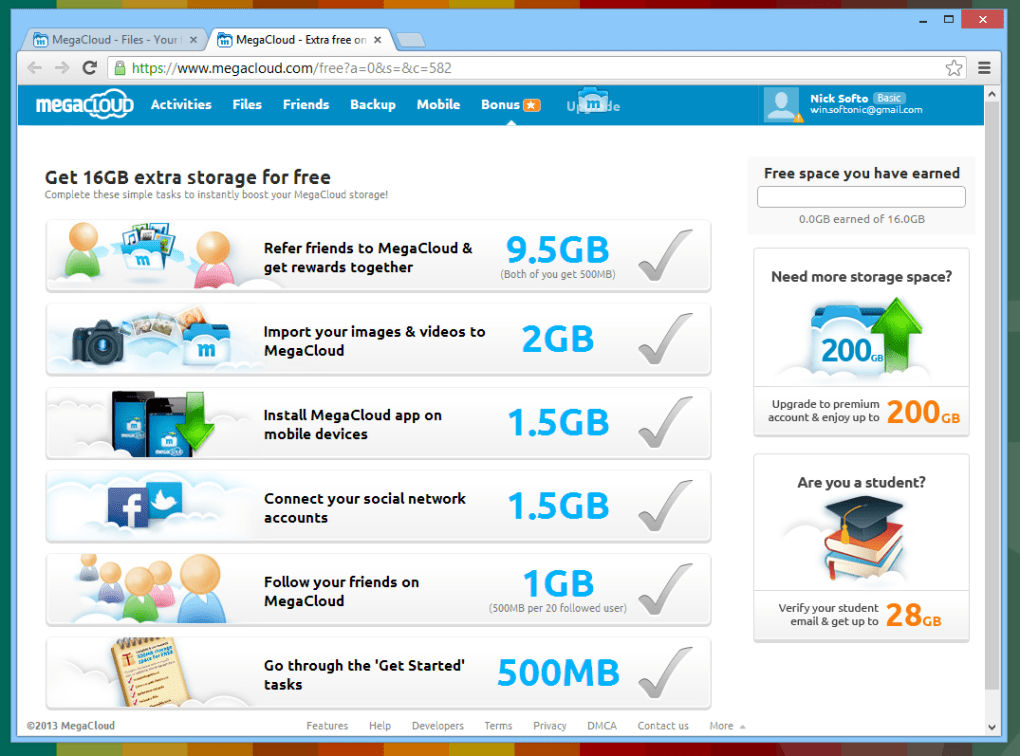
MegaCloud distinguishes itself by offering a generous 8GB of free storage space upon signup, accessible across a multitude of platforms. This includes Windows, macOS, Linux, Android, and iOS devices. The service seamlessly integrates with the operating system, creating a dedicated MegaCloud folder. Files placed within this folder are automatically uploaded to the cloud, offering real-time synchronization. This intuitive integration simplifies the process of backing up and accessing files, removing the need for manual uploads or downloads for most users.
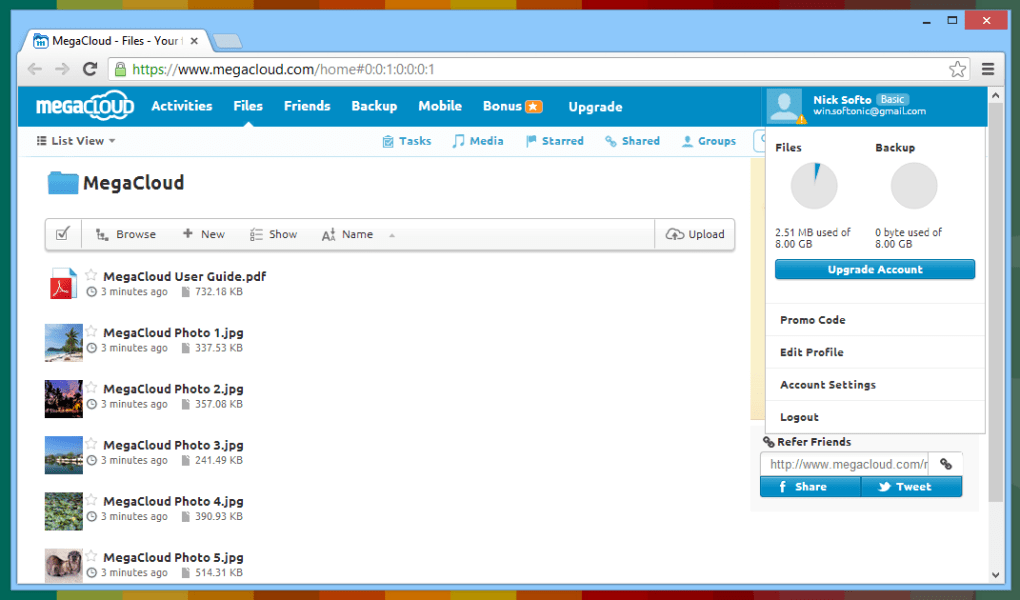
The system tray icon provides a convenient overview of storage usage, displaying the number of uploaded files, free space, and used space. For advanced features and management, users can access the web-based version of MegaCloud. This interface allows for sharing files via custom URLs or through social media platforms such as Twitter. A noteworthy feature is the ability to back up content from various social media accounts, including Twitter, Gmail, Google Calendar, and Instagram, providing a centralized backup solution.
File sharing is streamlined through the generation of unique links. Additionally, the service retains previous versions of files, allowing users to revert to earlier iterations if needed. This version history is invaluable for preventing data loss or restoring accidentally overwritten documents.
While MegaCloud generally doesn’t impose restrictions on file sizes for local uploads (via the dedicated folder), the web interface does have a 300MB upload limit. This distinction is important for users planning to upload larger files, requiring them to utilize the desktop application for seamless large file management.
Ease of Use and User Experience
MegaCloud is designed for user-friendliness, prioritizing simplicity and accessibility. The intuitive integration with the operating system makes it straightforward for users to manage their files. The automated synchronization process eliminates the complexities associated with manual uploads and downloads, streamlining the backup and access workflow.
The system tray icon provides a quick and easy way to monitor storage usage and access essential information without needing to open the full application. The user interface, both on the desktop and web versions, is clean and easy to navigate, even for less tech-savvy individuals. The ability to share files via simple links further contributes to its accessibility.
MegaCloud’s Advantages and Disadvantages
MegaCloud boasts several compelling advantages:
- Generous Free Storage: The initial 8GB of free storage is significantly more than some competing services offer, providing ample space for many users.
- Multi-Platform Compatibility: Its support for Windows, macOS, Linux, Android, and iOS makes it accessible across a wide range of devices.
- Seamless Integration: The automatic synchronization feature simplifies the process of backing up and accessing files.
- File Versioning: The ability to access previous versions of files is a valuable safeguard against data loss.
- Social Media Integration: Backing up content from various social media platforms provides a convenient centralized backup.
- Easy File Sharing: Sharing files via custom links is simple and straightforward.
However, MegaCloud also has certain limitations:
- Limited Development: Compared to more established services, MegaCloud might lack certain advanced features or frequent updates seen in competitors. This might involve features like sophisticated collaboration tools or more robust security options.
- Web Upload Limit: The 300MB upload limit for the web interface can be restrictive for users needing to upload larger files frequently. They must rely on the desktop application to overcome this restriction.
- Potential for Growth Pains: As a potentially smaller service compared to established giants, MegaCloud may face challenges in providing consistent, high-speed performance during peak usage periods. This is typical of smaller services that may not have the same level of infrastructure investment.
MegaCloud Compared to Competitors
MegaCloud competes directly with other cloud storage services, most notably Dropbox. While both offer similar core functionalities, MegaCloud’s initial 8GB of free storage offers a significant advantage over Dropbox’s smaller free tier. However, Dropbox generally boasts a more mature ecosystem with a wider range of features and integration options.
Other competitors include services like Google Drive, OneDrive, and iCloud. Each service has its strengths and weaknesses, and the best choice depends on individual needs and priorities. Google Drive and OneDrive, for example, usually integrate tightly with other Google and Microsoft services, respectively. iCloud is specifically tailored for Apple device users.
Conclusion: Is MegaCloud Worth Considering?
MegaCloud offers a compelling cloud storage solution, particularly for users seeking a generous amount of free storage and a user-friendly interface. Its seamless integration with the operating system and automatic synchronization make it convenient for casual users. The ability to access previous file versions and share files easily adds to its appeal.
However, the relatively limited development compared to more established competitors and the web upload limit should be considered. Users who require advanced collaboration features, frequent large file uploads, or expect a wide range of integrated services might find the features of established services more advantageous.
Ultimately, the decision of whether to use MegaCloud depends on individual needs and priorities. If the need is for simple, reliable cloud storage with a generous free offering and user-friendly interface, MegaCloud is a valid and attractive option. For users requiring a more comprehensive feature set and a larger ecosystem, established services like Dropbox, Google Drive, or OneDrive might be more suitable. Weighing the pros and cons carefully against individual requirements will ensure selection of the most appropriate cloud storage service.
File Information
- License: “Free”
- Version: “1.0.3.3936”
- Latest update: “July 15, 2022”
- Platform: “Windows”
- OS: “Windows Vista”
- Language: “English”
- Downloads: “25.6K”
- Size: “1.47 MB”


