
MegaZ 3DS Emulator offers a compelling way to experience the nostalgic charm of classic Game Boy Advance and Nintendo 3DS games on modern Android devices. This free emulator allows users to revisit beloved titles, enjoying the convenience of portable gaming without sacrificing the quality of the original experience. Its flexible design and user-friendly interface cater to both casual and dedicated retro gaming enthusiasts. This review will delve into the features, benefits, and limitations of MegaZ 3DS Emulator, providing a comprehensive assessment of its capabilities and overall value.
A User-Friendly Interface and Customizable Controls
One of MegaZ 3DS Emulator’s standout features is its intuitive interface. Navigation is straightforward, making it easy for users of all technical skill levels to set up and begin playing their favorite games. The emulator prioritizes ease of use, minimizing the learning curve often associated with similar software. This simplicity extends to the control customization options. Players have extensive control over their gaming experience, able to tailor the on-screen controls to their preferences. This is particularly beneficial for touch screen devices where precise control is crucial.
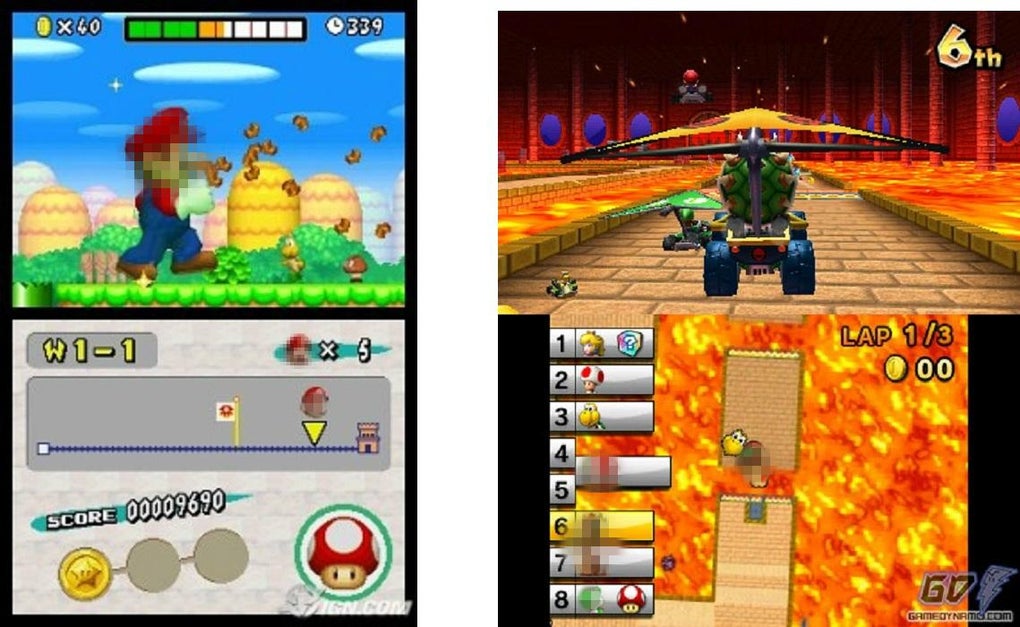
MegaZ 3DS Emulator supports a wide range of input methods, including touchscreens, external USB or Bluetooth controllers, keyboards, and even trackballs. This versatility ensures compatibility with various user setups and preferences. The ability to map keys to different actions offers unparalleled flexibility, enabling players to create control schemes optimized for their individual playstyles. Furthermore, the emulator provides key-mapping profiles, allowing for seamless transitions between different configurations depending on the game being played. This advanced customization significantly enhances the overall user experience, converting a potential limitation of mobile gaming into a unique advantage.
Advanced Features Enhancing the Gaming Experience
Beyond the basic emulation functionality, MegaZ 3DS Emulator integrates several features to enhance the gaming experience. The inclusion of cheat codes allows users to modify gameplay, adding a layer of personalization and experimentation. This is particularly useful for overcoming challenging segments or simply exploring alternative game paths. The ability to toggle cheat codes on and off during play provides a dynamic approach to gameplay adjustments.
Furthermore, the emulator incorporates video filters, allowing players to apply various visual effects to enhance the aesthetic experience. These filters can create different moods and styles, providing an additional level of customization beyond just control mapping. The optimization for efficient performance ensures smooth gameplay even on lower-powered devices, minimizing battery consumption and maintaining a positive user experience. Link cable emulation, either on a single device or across multiple devices via Bluetooth or Wi-Fi, enables multiplayer sessions, further extending the possibilities of the emulator.
Addressing Limitations and Potential Drawbacks
While MegaZ 3DS Emulator presents numerous advantages, it’s essential to acknowledge its limitations. The most significant drawback is the absence of built-in games. Users must source their own ROM files. This requires finding ROMs from reputable sources, as unauthorized distribution of copyrighted material is illegal. Furthermore, the emulator lacks official licensing from Nintendo or other relevant copyright holders. This unofficial status may lead to stability issues with certain games or a lack of comprehensive technical support. The emulator’s performance might vary depending on the specific game and the device’s capabilities. While optimized for performance, some older or more demanding titles might exhibit occasional lag or glitches.
The reliance on external ROMs also introduces potential risks. Downloading ROMs from unreliable sources could expose users to malware or viruses. It is crucial to exercise caution and only download ROMs from trusted and reputable websites. The lack of official support also means there’s limited recourse if users encounter issues not directly addressed in community forums or online documentation. Therefore, technical proficiency and problem-solving skills are beneficial when using this emulator.
A Comprehensive Comparison with Alternative Emulators
MegaZ 3DS Emulator stands alongside other 3DS and GBA emulators in the Android market. While direct comparisons depend heavily on individual preferences and technical requirements, several key differentiators set MegaZ 3DS Emulator apart. Many competing emulators may offer similar core functionality, such as basic game emulation and control customization. However, MegaZ 3DS Emulator’s advanced features, such as extensive control mapping options, cheat code support, and video filters, set it apart from simpler, more basic emulators.
Some rival emulators might boast superior compatibility with specific games, but MegaZ 3DS Emulator compensates for potential compatibility gaps through its wide input device support and adjustable settings. This approach allows for greater flexibility in overcoming potential performance limitations. Furthermore, the user-friendly interface of MegaZ 3DS Emulator could be a key factor for users who prioritize ease of use over raw emulation power. Choosing between emulators often boils down to a careful consideration of individual needs and priorities.
Conclusion: A Rewarding Choice for Retro Gaming Enthusiasts
MegaZ 3DS Emulator provides a satisfying and user-friendly approach to retro gaming on Android. Its intuitive interface, extensive control customization options, and advanced features, such as cheat codes and video filters, combine to enhance the overall gaming experience. While the absence of built-in games and the lack of official licensing necessitate a cautious approach to ROM sourcing and potential stability issues, these drawbacks are outweighed by the emulator’s flexibility and compelling feature set.
For retro gaming enthusiasts seeking a comprehensive and customizable emulation solution, MegaZ 3DS Emulator presents a compelling choice. Its combination of ease of use, advanced features, and wide device compatibility makes it a rewarding option for players looking to relive classic Game Boy Advance and Nintendo 3DS titles on their Android devices. The ability to tailor the experience to individual preferences through control mapping, cheat codes, and visual filters significantly enhances the overall appeal. However, users should proceed with caution, ensuring they acquire ROMs from legitimate and safe sources and acknowledging the inherent limitations of an unlicensed emulator. The careful consideration of these factors will greatly impact the overall user experience. Ultimately, MegaZ 3DS Emulator offers a valuable tool for anyone seeking to delve back into the world of classic gaming.
File Information
- License: “Free”
- Version: “7.0.2”
- Latest update: “September 23, 2024”
- Platform: “Android”
- OS: “Android 10.0”
- Downloads: “10.7K”
- Size: “2.67 MB”
- Download Options: “APK, Google Play”
- Filename: “com-paulwillipoo-zeon3d-700-63109656-ad37bfd61558e66ad7ff24f2dc98d14a.apk”


