
Meitu is a widely popular photo editing application renowned for its user-friendly interface and extensive feature set. This review delves into its capabilities, strengths, and limitations, providing a comprehensive assessment of its suitability for various user needs. From casual users seeking quick enhancements to creative enthusiasts exploring artistic expression, Meitu caters to a broad spectrum of photographic editing requirements. However, its capabilities don’t extend to the professional-grade features found in more advanced software. This review aims to provide clarity on where Meitu excels and where it might fall short.
Intuitive Interface and Ease of Use
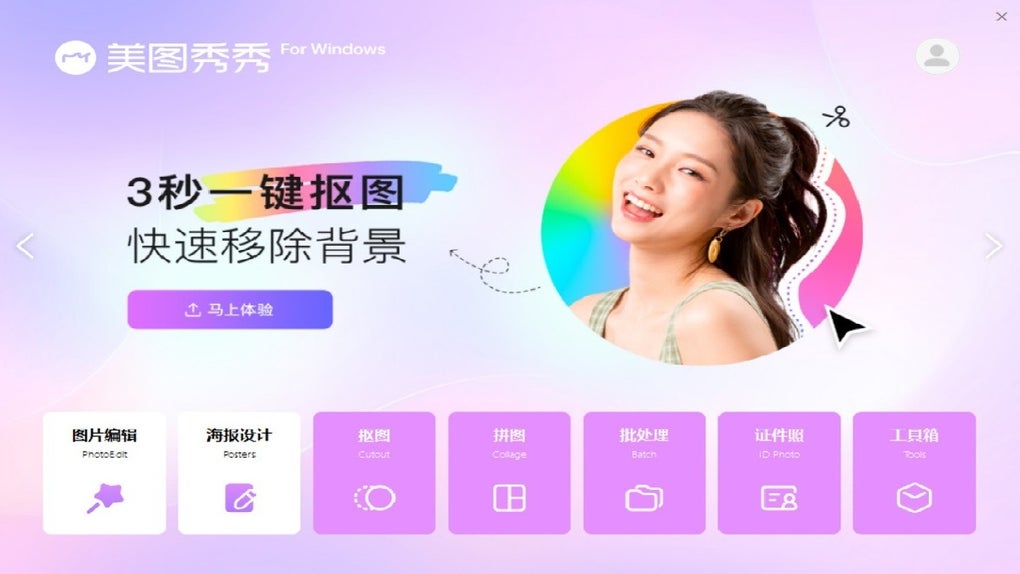
Meitu’s primary strength lies in its intuitive design. The drag-and-drop interface is exceptionally user-friendly, making it accessible to individuals with varying levels of technical expertise. Even those unfamiliar with photo editing software can quickly grasp the basic functionalities and begin enhancing their images. This ease of use is a significant advantage, setting it apart from many more complex photo editing programs that require a steeper learning curve. The application’s straightforward layout ensures a smooth and enjoyable editing experience, minimizing the time spent navigating menus and maximizing the time dedicated to creative expression. The uncomplicated workflow allows users to focus on the visual aspects of their projects, making it an ideal choice for those who prioritize speed and simplicity without sacrificing creative control. This user-centric approach ensures that the process of photo editing remains engaging and accessible to a broad audience.
A Wide Range of Editing Tools and Effects
Beyond its intuitive interface, Meitu boasts a remarkable array of editing tools and effects. From basic adjustments like cropping and rotating to more advanced features such as applying filters, adjusting brightness, contrast, saturation, and sharpness, the app caters to a wide range of editing needs. The extensive library of filters and effects provides users with ample creative possibilities to transform their photos into visually striking pieces of art. This versatility is enhanced by the inclusion of stickers, text overlays, and various other embellishments, enabling users to add personality and unique touches to their images. The ability to adjust individual aspects like highlights, shadows, and white balance allows for precise control over the overall look and feel of the photo, enabling users to achieve professional-looking results.
Furthermore, Meitu’s functionality extends beyond simple image enhancements. Its inclusion of sophisticated tools like object removal, blemish correction, and skin smoothing places it firmly within the realm of advanced photo editing applications, particularly attractive to users seeking flawless and polished images. The potential to creatively manipulate elements within the picture without requiring specialized knowledge or advanced skills sets it apart from simpler applications, broadening its appeal to both casual and aspiring professional users.
The Standout Collage Creator
One of Meitu’s standout features is its integrated collage creator. This powerful tool allows users to effortlessly design custom collages using up to sixteen photos. The flexibility to choose from a variety of pre-set layouts or to create completely bespoke arrangements offers unparalleled creative control. Users can fine-tune the layout, adjust spacing, and experiment with different combinations to craft truly unique and aesthetically pleasing collages. This feature adds a significant layer of creative potential, making the app exceptionally versatile for sharing memories, creating promotional materials, or simply expressing personal artistic vision. The collage creator’s seamless integration into the overall application enhances the user experience, making the process of collage creation as intuitive and straightforward as other editing features.
Limitations and Areas for Improvement
While Meitu excels in many areas, certain limitations prevent it from being a fully comprehensive professional-grade photo editing suite. One noticeable shortcoming is the absence of advanced features such as layered editing. Layered editing allows users to manipulate individual elements of an image independently, providing an unparalleled level of control and precision. The lack of this functionality may limit the app’s appeal to users seeking advanced manipulation capabilities or those working on complex projects. Similarly, Meitu’s image manipulation capabilities lack the depth and detail found in professional-grade software such as Adobe Photoshop. While the app offers a wide range of tools, its limitations in this regard might hinder users undertaking high-end photo retouching or intricate image manipulation tasks.
Another area where Meitu might fall short for some users is the potential lack of robust export options. While the app likely offers various export formats, the absence of highly specialized or lossless formats might be a drawback for those requiring specific file types for professional printing or archiving purposes. The availability of a broader array of export options with granular control over resolution, compression, and other parameters would significantly improve its professional viability.
Meitu’s Position in the Photo Editing Landscape
Meitu occupies a unique position in the crowded landscape of photo editing applications. It’s not aimed at professional photographers requiring the intricate tools of Adobe Photoshop or other industry-standard programs. Instead, it fills a crucial niche for casual users and creative enthusiasts seeking a user-friendly and feature-rich application for enhancing and customizing their photos. Its intuitive interface, extensive collection of editing tools and effects, and powerful collage creator make it a compelling option for those who prioritize ease of use without sacrificing creative expression. The app successfully bridges the gap between simple image enhancement tools and more advanced photo editing software, offering a balanced approach that caters to a broad spectrum of user needs and skill levels. While professional users might find its limitations restricting, its ease of use and abundant features make it an excellent tool for a vast majority of users.
Conclusion: A Valuable Tool for Casual and Creative Users
Meitu offers a delightful photo editing experience that seamlessly blends simplicity and functionality. Its intuitive drag-and-drop interface makes photo enhancement an enjoyable and accessible activity for users of all skill levels. The wide range of editing tools and effects, coupled with the powerful collage creator, opens up a world of creative possibilities. While it may not meet the exacting demands of professional users requiring layered editing or high-end image manipulation capabilities, Meitu remains an excellent choice for casual users and creative enthusiasts seeking a versatile and user-friendly photo editing application. Its ease of use, combined with its extensive features, makes it a valuable addition to the toolkit of anyone looking to enhance their photos and express their creativity. The balance it strikes between simplicity and functionality solidifies its position as a strong contender in the increasingly competitive world of mobile and desktop photo editing software.
File Information
- License: “Free”
- Latest update: “July 15, 2025”
- Platform: “Windows”
- OS: “Windows 11”
- Language: “English”
- Downloads: “12.9K”


