
Meld is a free and open-source visual diff and merge tool that allows users to compare and merge files, directories, and even project versions. Its intuitive interface and powerful features make it a valuable asset for programmers, developers, and anyone working with text-based files where identifying differences and merging changes is crucial. While particularly useful for code comparison, Meld’s versatility extends to other applications, simplifying the process of identifying discrepancies in various text documents.
Comparing Files: Two-Way and Three-Way Diffing
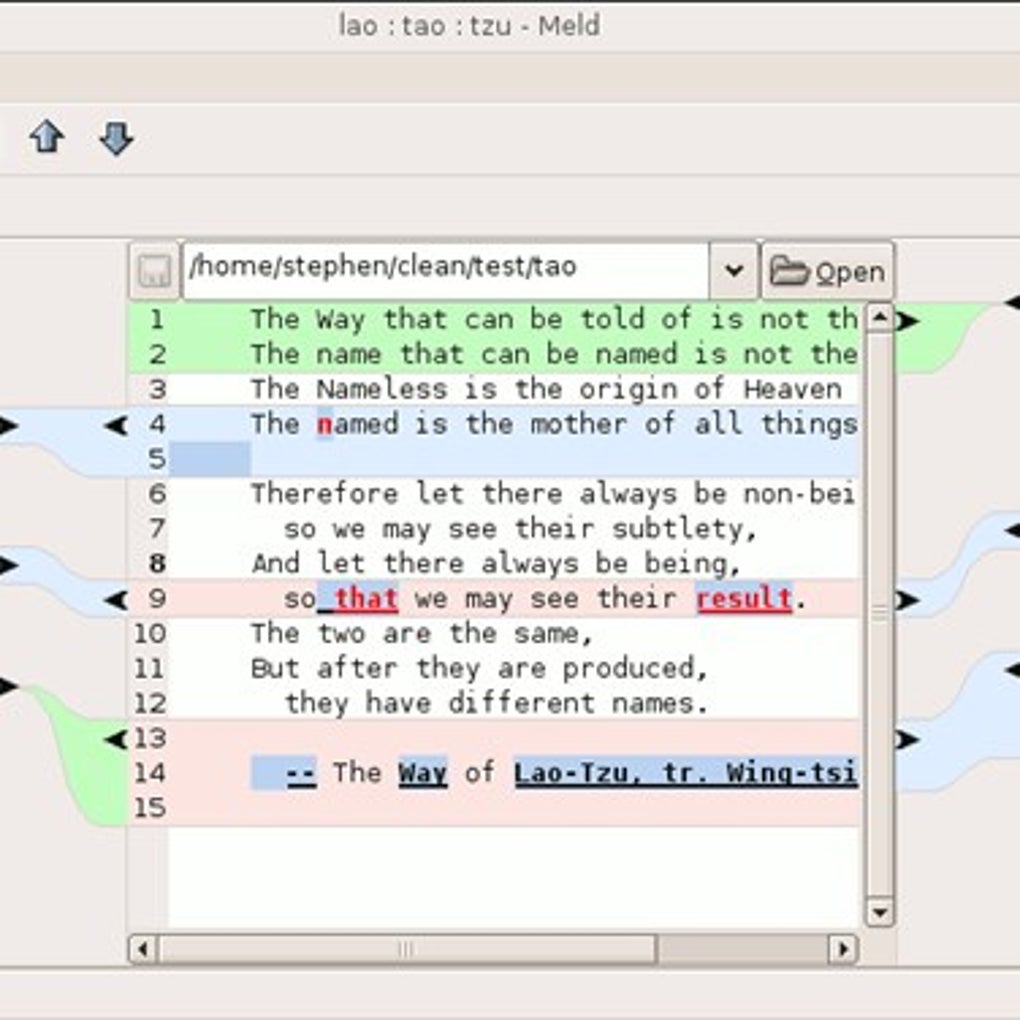
Meld’s core functionality centers around its ability to perform both two-way and three-way comparisons. A two-way comparison allows users to juxtapose two files, highlighting the differences in a visually clear manner. This is invaluable for identifying changes made between revisions of a document or program. The interface distinctly marks additions, deletions, and modifications, typically using color-coding to instantly distinguish between the original and revised content. This visual clarity greatly accelerates the review process, minimizing the time spent manually scrutinizing files for differences.
The three-way comparison feature further enhances Meld’s capabilities. This allows for comparing three versions of a file simultaneously, often used to understand the evolution of a file through multiple revisions. This feature is particularly helpful when dealing with collaborative projects or when tracking changes over extended periods. By presenting all three versions side-by-side, Meld provides an insightful overview of the progression, making it easier to pinpoint specific alterations and their impact across different stages. This reduces the chances of overlooking crucial changes and promotes a more streamlined understanding of the file’s history.
Streamlining the Merge Process: Automated and Manual Merging
Beyond simple comparison, Meld facilitates the merge process, a critical step in integrating changes from different versions of a file. While manual merging is always an option, allowing for granular control over every modification, Meld offers an automated merge function that significantly speeds up the process, especially for smaller changes. This automated function analyzes the differences between the compared files and attempts to intelligently merge the changes, minimizing the need for manual intervention.
The strength of Meld’s automated merge lies in its ability to handle straightforward modifications efficiently. However, for complex changes or conflicting edits, manual intervention might still be required to ensure accuracy and prevent unintended consequences. The tool seamlessly integrates manual and automated merging, allowing users to switch between them depending on the complexity of the situation. This flexible approach empowers users to leverage the efficiency of automation where possible while retaining the control necessary to handle more intricate merging scenarios.
Supported Version Control Systems and Open-Source Nature
Meld demonstrates strong compatibility with various popular version control systems (VCS), including Git, Mercurial, Bazaar, and Subversion. This integration significantly improves workflow for developers working within these systems. Users can seamlessly launch Meld directly from their chosen VCS, eliminating the need for manual file selection and streamlining the comparison and merging process. This tight integration ensures that Meld remains an integral part of the development cycle, simplifying a task that is frequently encountered during software development projects.
Furthermore, Meld’s open-source nature underscores its commitment to transparency and community contribution. The source code is publicly available, allowing users to examine the underlying mechanisms, contribute improvements, or tailor the tool to their specific needs. This open approach fosters a collaborative environment, ensuring ongoing development and the addition of new features based on community feedback and demands. The open-source model promotes continuous improvement and adaptability, ensuring that Meld remains a relevant and powerful tool in a constantly evolving technological landscape.
Beyond Programming: Applications in Diverse Contexts
While Meld’s functionality is highly valued by programmers, its applications extend far beyond software development. Its core ability to compare and merge text files makes it beneficial in various contexts. For instance, writers could use Meld to compare different versions of a manuscript, easily identifying revisions and ensuring consistency across the document. Researchers might utilize Meld to compare data sets, highlighting discrepancies and facilitating the analysis of experimental results. Even general users could benefit from Meld when comparing configuration files, ensuring settings are consistent across multiple systems. The versatility of Meld underscores its value as a tool applicable to various disciplines and individual needs, extending its utility far beyond its primary association with programming.
System Requirements and Installation
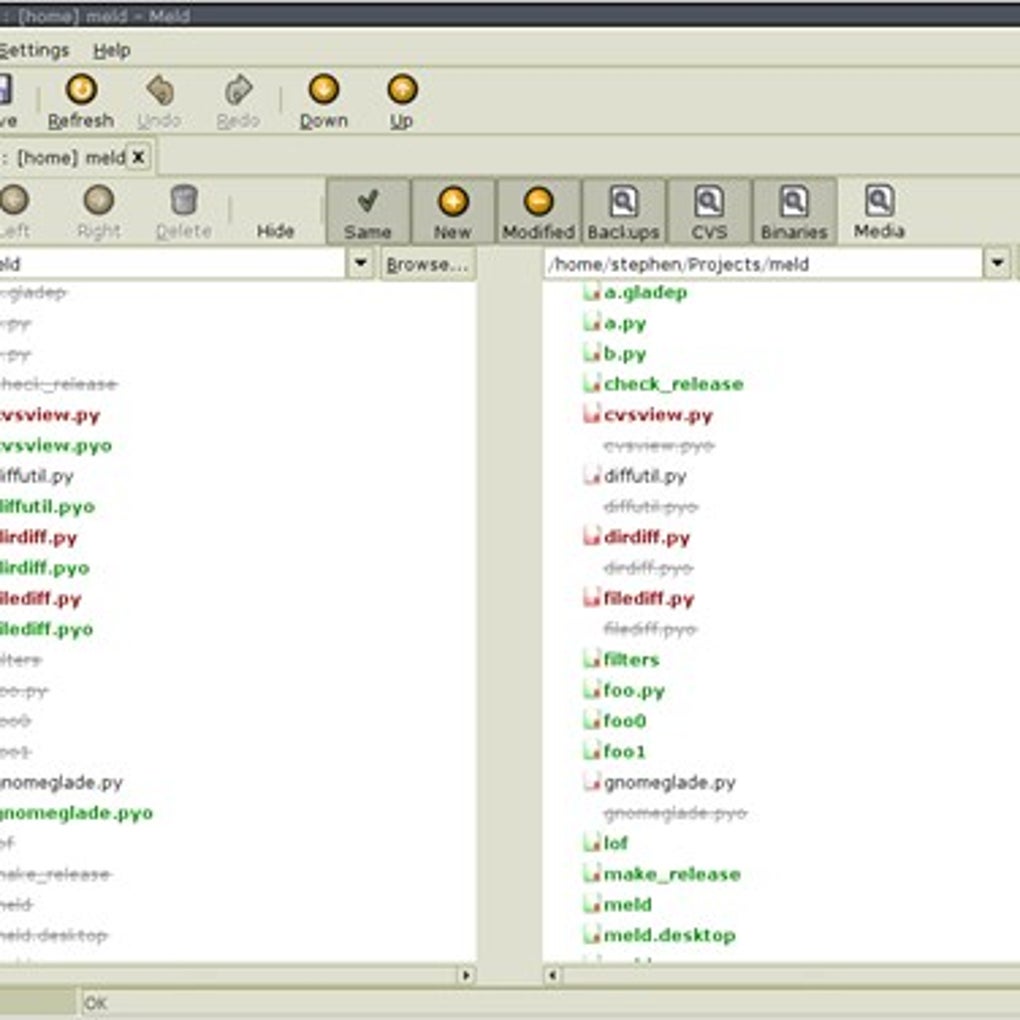
Meld’s system requirements are relatively modest, making it compatible with a wide range of systems. The installation process generally follows standard procedures for your operating system. While detailed instructions may vary depending on the platform (Windows, macOS, Linux), the process typically involves downloading the appropriate installer from the official Meld website or using a package manager for Linux distributions. The user experience is generally straightforward, with a clean and intuitive interface designed for efficiency. However, it’s worth noting that some users, particularly those less familiar with open-source software or command-line interfaces, may encounter minor difficulties during installation. In such cases, the comprehensive documentation and help resources available online are valuable assets.
The availability of Meld on multiple platforms broadens its accessibility and user base. The cross-platform compatibility ensures consistent functionality across diverse computing environments, minimizing the learning curve for users switching between operating systems or devices. This consistent experience enhances the tool’s usability and increases its appeal to a broader audience.
Advantages and Disadvantages
Meld’s strengths lie primarily in its visual clarity, intuitive interface, and powerful merging capabilities. The color-coded diffing provides an immediate and clear understanding of the changes, significantly reducing the time needed to identify discrepancies. Its seamless integration with several VCS further streamlines the workflow for developers. The automated merge function offers a considerable time-saving advantage for simpler merges, while the manual merging option allows for meticulous control over more complex edits.
However, Meld’s main drawback is its somewhat specialized nature. While versatile, its core strengths are best suited for text-based comparisons, making it less effective for binary files or multimedia content. The installation process, while generally straightforward, might present minor challenges for some users, especially those unfamiliar with open-source software installation procedures. Furthermore, while Meld supports multiple operating systems, the level of community support and the availability of updated versions might vary across different platforms. Thus, while Meld excels in its intended domain, it’s not a universal solution for all comparison and merging needs.
Conclusion
Meld remains a valuable and powerful tool for anyone involved in comparing and merging files, especially text-based files like code. Its intuitive interface, robust features, and open-source nature make it a strong contender amongst similar tools. While it might not be the perfect solution for every scenario, its strengths in visual diffing, automated merging, and VCS integration make it an indispensable asset for developers and anyone requiring a reliable and efficient solution for managing file revisions and differences. Its wide platform support further increases its accessibility and applicability, ensuring that Meld remains a relevant and useful tool in a variety of contexts.
File Information
- License: “Free”
- Version: “varies-with-device”
- Latest update: “March 29, 2017”
- Platform: “Windows”
- OS: “Windows 7”
- Language: “English”
- Downloads: “41.9K”


