
MelonLoader is a free, open-source utility that acts as a universal mod loader for games built using the Unity game engine. Its primary function is to simplify the process of installing and managing modifications (mods) for a wide range of Unity-based games, eliminating the need for individual mod loaders for each title. This makes it a valuable tool for both casual gamers looking to enhance their gameplay experience and developers creating and sharing custom content. This comprehensive guide will explore MelonLoader’s capabilities, its advantages and disadvantages, and provide a deeper understanding of its functionality.
MelonLoader’s Functionality: Beyond Simple Mod Loading
While its core function is loading mods, MelonLoader’s capabilities extend far beyond simply installing additional game content. Its versatility stems from its robust architecture and support for crucial Unity engine components. Let’s delve into the specifics:
Universal Modding Support for Unity Games
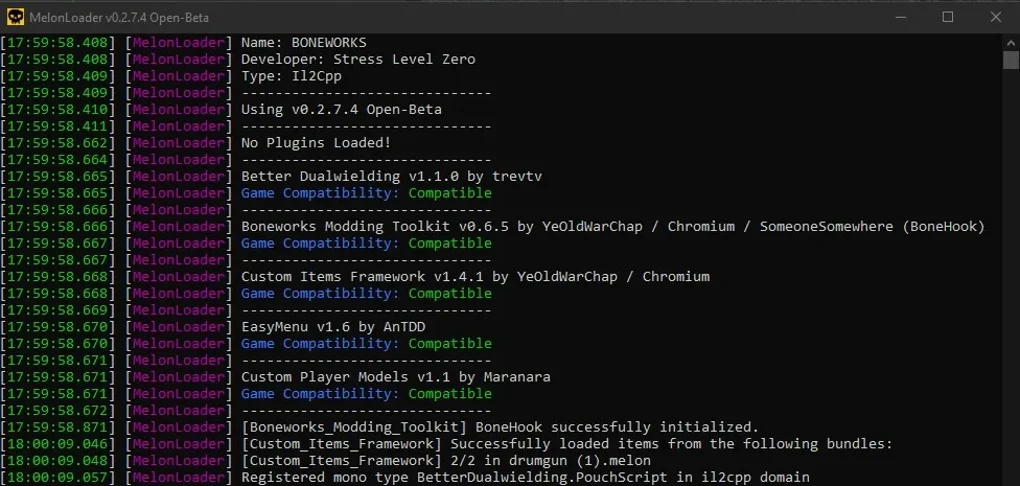
MelonLoader’s strength lies in its broad compatibility with Unity games. It achieves this universality through its support for both IL2CPP and Mono, the two most prevalent scripting backends utilized in the Unity development environment. This means it can handle a vast array of games, regardless of which scripting backend the developers chose. This broad compatibility allows users to leverage MelonLoader across a wide range of games, from indie titles to larger AAA productions. The extensive reach extends beyond individual users as well, with several game-specific modding communities actively supporting and integrating with MelonLoader, providing a rich ecosystem of shared mods and user assistance.
Beyond Mod Loading: Integrated Debugging and Customization
MelonLoader doesn’t restrict itself to solely loading mods; it empowers users with additional features to refine their gaming experience. A built-in debugger allows for in-app modification and content tweaking, providing advanced users with the tools to directly manipulate game data and functionality. This opens up possibilities for far more in-depth customization beyond pre-made mods.
Furthermore, MelonLoader offers a degree of user interface customization through screen customization commands. Users can modify the appearance of the MelonLoader interface itself, or even load custom themes to personalize their modding experience. This granular control allows users to tailor the tool to their preferences, improving both its usability and aesthetic appeal.
Compatibility and Usage Considerations
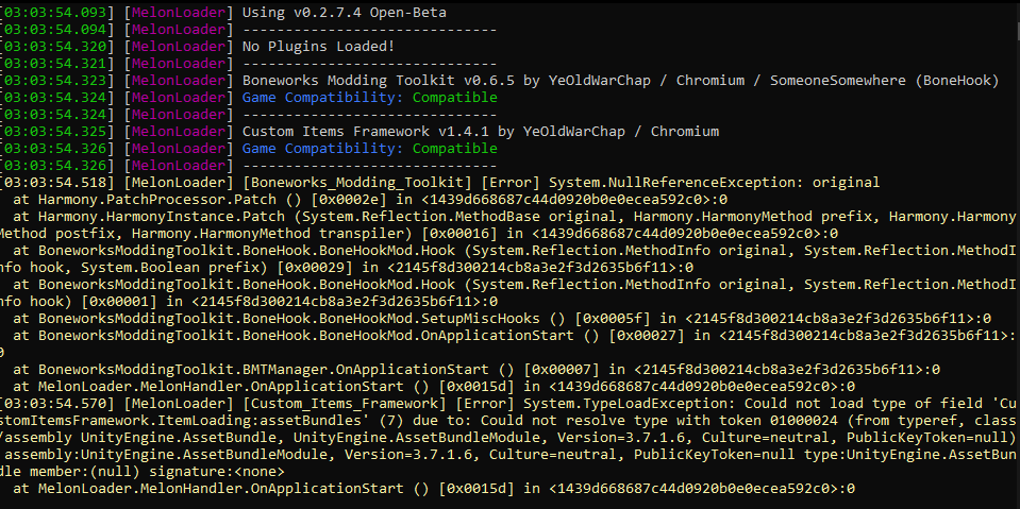
While MelonLoader boasts wide compatibility with Unity games, users should exercise caution regarding its use within online multiplayer environments. Although designed to function alongside launchers such as Steam and Epic Games, using MelonLoader in online multiplayer games carries a risk of account bans. To avoid this potential issue, it’s generally recommended to limit MelonLoader’s usage to single-player games.
The application’s ease of use is somewhat dependent on technical knowledge. While the installation process is relatively straightforward, the process of installing and managing mods, especially creating custom mods, requires a basic understanding of programming concepts and the structure of Unity games. This isn’t necessarily a barrier to entry for all users, as numerous tutorials and community resources exist to guide users, but it’s a key element to consider.
MelonLoader’s Technical Architecture and Design
MelonLoader’s design and architecture are pivotal to its functionality. Key aspects include:
-
Support for IL2CPP and Mono: As mentioned earlier, the support for both IL2CPP and Mono scripting backends is fundamental to its broad compatibility. This ensures that MelonLoader remains relevant and adaptable across various Unity game versions and development choices.
-
Lightweight Design: The small file size of MelonLoader is a significant advantage, minimizing storage space usage. This makes it accessible even to users with limited storage capacity or slower internet connections.
-
Mod Management System: MelonLoader incorporates a robust mod management system enabling users to easily install, uninstall, and organize mods for their games. This simplifies the process and prevents conflicts between mods.
-
Integrated Debugger: The integrated debugger significantly enhances the tool’s versatility, allowing for direct manipulation and modification of game content, expanding the scope of customization beyond pre-built mods.
Advantages and Disadvantages of Using MelonLoader
As with any software, MelonLoader presents both advantages and disadvantages. Understanding these aspects can help determine if it’s the right tool for your needs:
Advantages:
-
Wide Compatibility: MelonLoader’s support for both IL2CPP and Mono scripting backends ensures its compatibility with a vast range of Unity games.
-
User-Friendly Interface: While some technical knowledge is beneficial, the interface is generally intuitive and relatively easy to navigate, especially for experienced mod users.
-
Active Community Support: The presence of an active modding community provides extensive resources, tutorials, and support for users facing issues.
-
Lightweight and Efficient: Its small file size and efficient design ensure minimal impact on system performance.
-
Integrated Debugging Tools: The integrated debugger opens up advanced customization options, enabling direct content manipulation.
-
Customizability: The options for UI customization, such as themes and modifications, enhance user experience.
Disadvantages:
-
Technical Knowledge Required: While not overly complex, a basic understanding of modding and potential technical issues is helpful for efficient usage.
-
Multiplayer Game Restrictions: Using MelonLoader in online multiplayer games carries a significant risk of account bans, limiting its usability in those scenarios.
-
Potential for Conflicts: Improperly installed or incompatible mods can lead to game crashes or instability. Careful selection and management of mods is crucial.
-
Limited Support for Certain Games: Although MelonLoader supports many games, some may have specific compatibility challenges that require community support or workarounds.
Conclusion: A Powerful Tool for Unity Game Modification
MelonLoader stands as a versatile and powerful tool for modifying Unity-based games. Its universal compatibility, combined with its integrated debugger and customization features, makes it a valuable asset for both experienced modders and casual gamers. However, it’s essential to understand its limitations, particularly concerning online multiplayer games and the requirement for some technical knowledge. With careful use and awareness of its capabilities and limitations, MelonLoader can significantly enhance the gaming experience for users seeking custom content and deeper game customization. Its active community further strengthens its appeal, providing a collaborative space for users to share mods, troubleshoot issues, and improve their modding experiences.
File Information
- License: “Free”
- Latest update: “May 6, 2025”
- Platform: “Windows”
- OS: “Windows 7”
- Language: “English”
- Downloads: “68.6K”
- Size: “21.57 MB”


