
Merge MP3 is a straightforward Windows application designed for the simple task of combining multiple MP3 files into a single, continuous audio track. While its functionality is limited compared to more comprehensive audio editing software, its ease of use and speed make it an ideal choice for users with basic MP3 merging needs. This review explores the strengths and weaknesses of Merge MP3, examining its functionality, user interface, and performance, along with comparing it to alternative solutions.
Functionality: Straightforward MP3 Merging
The core function of Merge MP3 is exactly what its name suggests: merging MP3 files. Users can add multiple MP3 files to a queue, and the program efficiently concatenates them into a single output file. There’s no limit to the number or size of MP3 files that can be merged, offering flexibility for projects of varying scales. This makes it suitable for tasks such as:
- Creating audiobooks: Combine individual chapters or sections of an audiobook into a single, easily playable file.
- Generating continuous mixes: Merge multiple songs into a continuous mix without gaps between tracks. This is particularly useful for creating mixes for parties, presentations, or other situations where seamless transitions are desired.
- Consolidating ripped CD tracks: If you’ve ripped a CD into individual tracks, Merge MP3 allows you to quickly combine them back into a single album file.
Beyond basic merging, Merge MP3 offers limited metadata handling. It can import ID3 tags (metadata embedded in MP3 files containing information like artist, title, album, etc.) from the input files. Alternatively, users can manually input or edit the ID3 tags for the resulting merged file. This allows for some level of metadata management, ensuring the merged file retains relevant information. However, more advanced metadata editing features, such as batch editing or altering multiple tags simultaneously, are not available.
User Interface: Simplicity and Ease of Use
The user interface of Merge MP3 is deliberately minimalist. It prioritizes simplicity and ease of use, focusing on a streamlined workflow. The program’s design avoids unnecessary complexity, making it accessible to users with little or no prior experience with audio editing software. The main window clearly displays the list of added MP3 files, allowing for easy drag-and-drop ordering and rearrangement of tracks before merging. Buttons for adding files, removing files, and initiating the merge process are prominently displayed, making the workflow intuitive and user-friendly. There are no confusing menus or advanced settings to navigate, ensuring a quick and efficient merging process. This simplicity, while advantageous for its intended purpose, also limits its versatility.
Performance and Speed: Efficient Merging Process
One of Merge MP3’s notable strengths is its speed. The merging process is remarkably fast, especially when compared to more feature-rich audio editors that often handle more complex operations. This efficiency makes it a practical solution for users who need to merge a large number of files or are working under time constraints. The program utilizes efficient algorithms for concatenating MP3 files, minimizing processing time and ensuring a swift turnaround. The lack of advanced features, such as audio editing or effects processing, contributes to its speed, making it a highly efficient tool for its specific purpose.
Limitations: Functionality and Potential Compatibility Issues
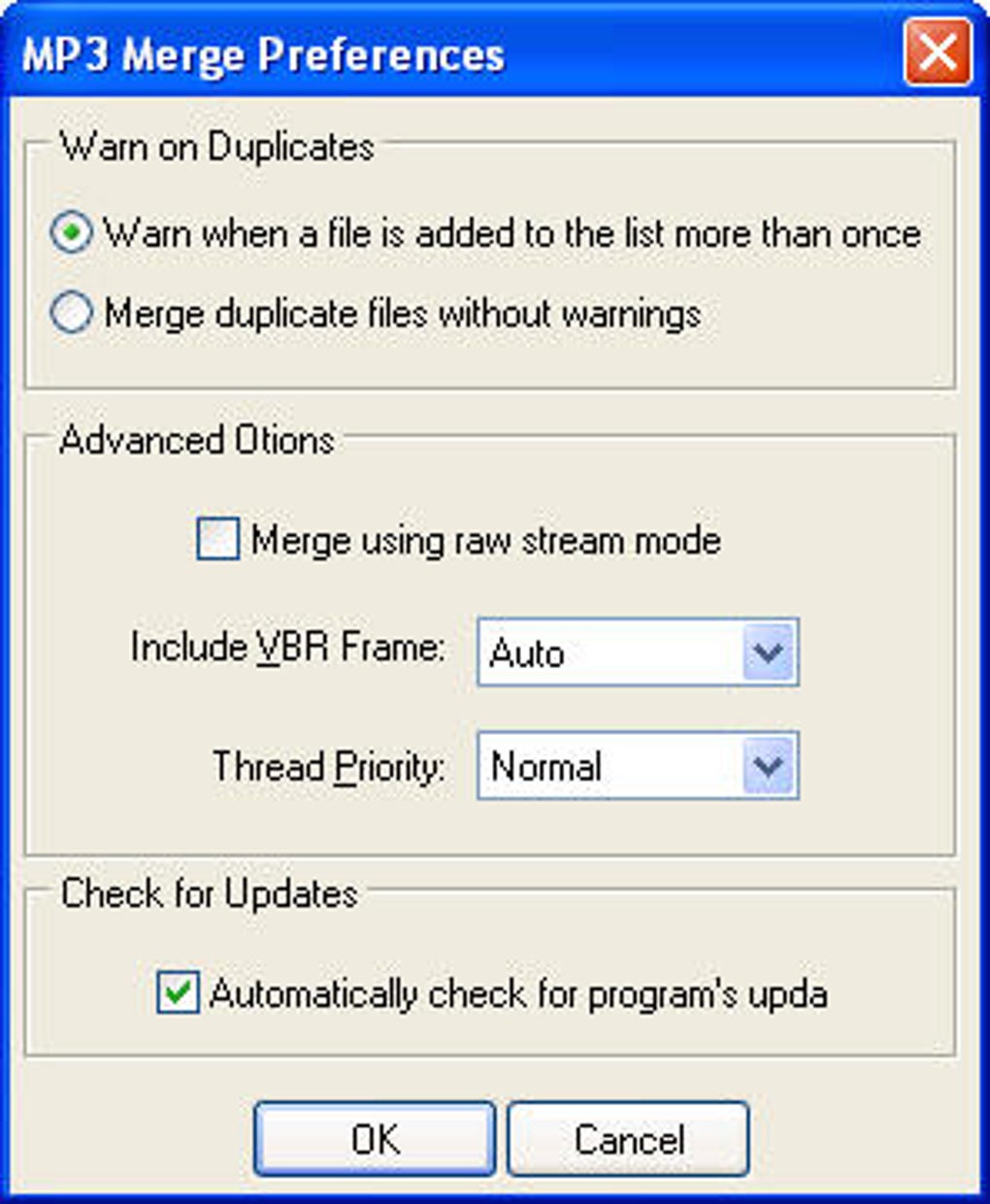
While Merge MP3 excels in its speed and simplicity, its limited functionality is its most significant drawback. Unlike more comprehensive audio editors such as Audacity, it lacks features like:
- Audio editing: Users cannot trim, cut, or otherwise modify the audio within the MP3 files before merging.
- Audio mixing and effects: No options for applying audio effects, such as fade-in/fade-out, equalization, or other audio enhancements.
- Advanced metadata management: Limited capabilities for handling ID3 tags beyond basic import and manual input.
These limitations restrict Merge MP3’s use to scenarios where simple concatenation of MP3 files is required. For more complex tasks, users will need to resort to more feature-rich audio editors. Furthermore, some user reviews report compatibility issues. Certain merged files, while playing flawlessly on desktop computers using standard media players, have experienced problems on portable devices, resulting in playback errors or audio corruption. This suggests potential limitations in the program’s compatibility with various media players or devices, highlighting a potential area for improvement.
Alternatives: Exploring Other Audio Editing Options
Several alternative applications offer more comprehensive audio editing capabilities than Merge MP3. Audacity, a popular open-source audio editor, stands out as a robust alternative. While it has a steeper learning curve due to its vast array of features, it allows for extensive audio manipulation, including cutting, trimming, mixing, applying effects, and sophisticated metadata management. Other alternatives include commercial audio editing software such as Adobe Audition or professional Digital Audio Workstations (DAWs) like Pro Tools or Logic Pro X. However, these programs generally come with a higher price tag and require more technical expertise.
Conclusion: Merge MP3 – A Niche Tool for Simple Needs
Merge MP3 serves its intended purpose effectively. It provides a fast and easy way to merge MP3 files without any unnecessary complexity. Its simplicity and speed are advantageous for users who solely require basic MP3 concatenation. However, its limited functionality significantly restricts its broader appeal. For tasks requiring audio editing, effects processing, or advanced metadata management, users should consider more comprehensive audio editing software. The reported compatibility issues further emphasize the need for caution and suggest exploring alternatives for critical projects. In summary, Merge MP3 is a niche tool best suited for users with uncomplicated merging requirements, but it falls short for more demanding audio editing tasks. Its simplicity is both a strength and a weakness, defining its place in the broader landscape of audio editing software. Users should carefully consider their specific needs and choose the appropriate tool accordingly.
File Information
- License: “Free”
- Version: “0.1m”
- Latest update: “September 20, 2018”
- Platform: “Windows”
- OS: “Windows 98 SE”
- Language: “English”
- Downloads: “175.6K”
- Size: “1.69 MB”


