
Meshmixer, a free 3D modeling software developed by Autodesk, provides a powerful and accessible platform for manipulating and enhancing existing 3D models. This comprehensive review delves into its features, functionalities, pros, cons, and overall suitability for various users, from hobbyists to professionals. The software’s ease of use and robust capabilities make it a compelling choice for a wide range of 3D modeling tasks.
Meshmixer’s Core Functionality: Editing and Enhancing 3D Models
At its heart, Meshmixer is a tool designed to streamline the process of working with polygon meshes – the fundamental building blocks of 3D objects. These meshes consist of interconnected vertices, edges, and faces that define the object’s shape. Creating and manipulating these meshes manually can be a complex and time-consuming undertaking. Meshmixer simplifies this process significantly, allowing users to import existing 3D models in various formats and perform a range of editing operations.
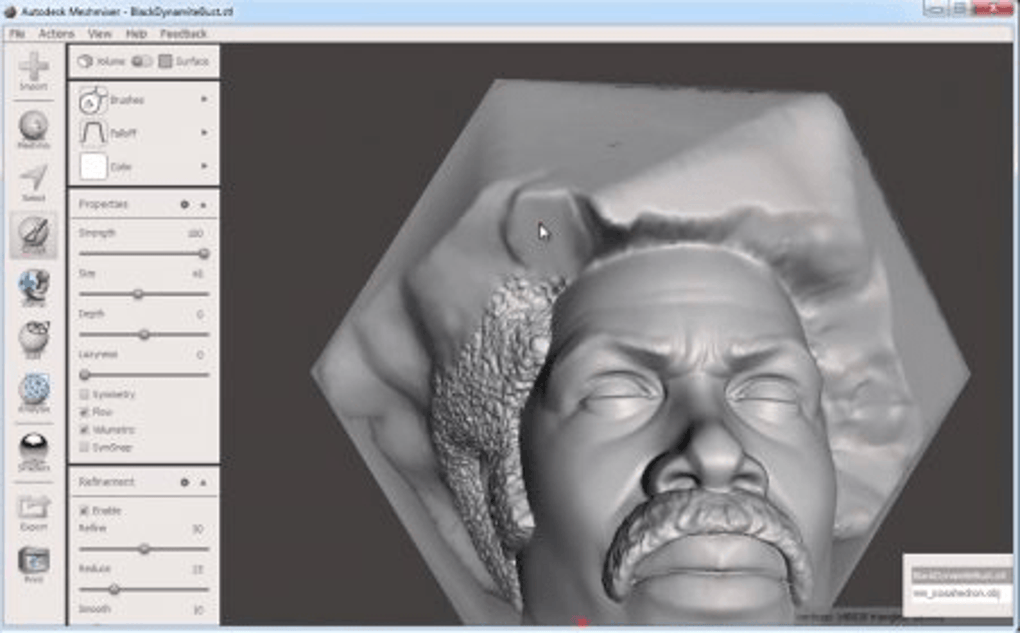
The software supports a wide array of common 3D file types, including STL, OBJ, PLY, and AMF. This broad compatibility ensures that users can seamlessly integrate Meshmixer into their existing workflows, regardless of the source of their 3D models. Once a model is imported, users can leverage Meshmixer’s extensive toolset to manipulate and refine the mesh. These tools facilitate tasks such as scaling, cleaning, and repairing the mesh to eliminate holes, gaps, and other imperfections. This ensures a high-quality, polished final product, crucial for both visual appeal and functionality in applications like 3D printing.
One particularly useful feature is Meshmixer’s “Slice” function, which enables the division of a large mesh into smaller, more manageable components. This functionality is especially beneficial when working with complex or intricate 3D models, breaking down a potentially overwhelming project into smaller, more easily handled parts. This modular approach facilitates efficient editing and significantly improves workflow efficiency.
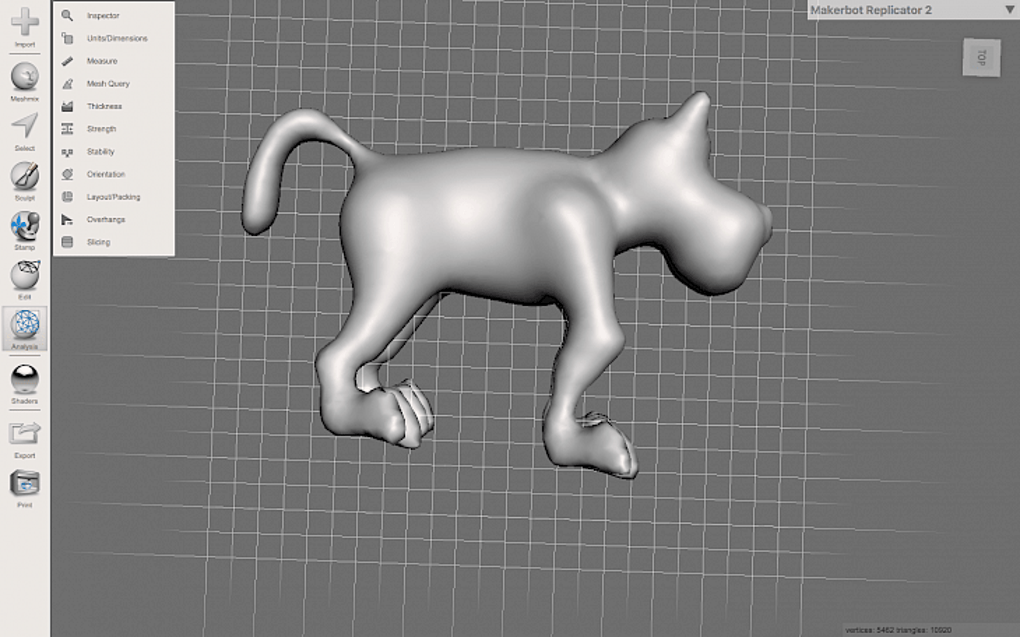
The export process is equally straightforward. While STL is the default export format, Meshmixer also supports OBJ, PLY, and AMF, providing users with flexibility in choosing the most appropriate format for their intended application. This versatility ensures seamless integration with other 3D design software and 3D printing platforms.
Applications of Meshmixer: From Hobby Projects to Professional Designs
Meshmixer’s accessibility and functionality make it suitable for a wide spectrum of applications. Its intuitive interface makes it approachable for beginners, while its powerful tools cater to the needs of experienced designers.
For Hobbyists: Meshmixer provides an ideal environment for experimenting with 3D modeling, bringing creative visions to life. Whether it’s designing custom figurines, creating personalized accessories, or experimenting with intricate sculptures, the software offers the tools to realize these projects. Its free nature removes the financial barrier often associated with professional 3D modeling software.
For Educators: Meshmixer serves as a valuable tool in educational settings. Its user-friendly interface and comprehensive functionality make it suitable for introducing students to the principles of 3D modeling. Educators can utilize Meshmixer to teach fundamental concepts, encourage experimentation, and foster creativity in a hands-on learning environment.
For Professionals: While Meshmixer might not possess all the advanced features found in some professional-grade software, it’s a valuable asset in many professional workflows. Its ability to quickly clean, repair, and modify existing models makes it an efficient tool for tasks such as preparing models for 3D printing, creating prototypes, and refining existing designs. Its free accessibility makes it a cost-effective solution for professionals who need a reliable tool for specific tasks without the expense of a full-featured professional suite.
Meshmixer’s Strengths and Limitations: A Balanced Perspective
Meshmixer offers several significant advantages, making it a compelling choice for many users. However, it’s important to acknowledge its limitations to provide a balanced assessment.
Pros:
- Free to use: The most significant advantage is its price. Meshmixer is entirely free to download and use, eliminating the financial barriers often associated with professional 3D modeling software. This makes it accessible to a much broader audience.
- User-friendly interface: Its intuitive interface is designed for ease of use, making it approachable for beginners and experts alike. Navigation is straightforward, and the tools are logically arranged, minimizing the learning curve.
- Extensive toolset: Meshmixer provides a comprehensive range of tools for editing and manipulating 3D models. From basic scaling and rotation to advanced mesh repair and slicing, it offers the capabilities needed for a wide variety of tasks.
- Broad file format support: The software’s support for multiple 3D file formats (STL, OBJ, PLY, AMF) allows for seamless integration with other software and 3D printing platforms. This interoperability is crucial for efficient workflows.
Cons:
- Questionable long-term support: This is perhaps the most significant drawback. The software hasn’t been updated in some time, raising concerns about future development and long-term support. While it currently functions well, the lack of regular updates poses a potential risk for future compatibility and feature additions.
- Limited advanced features: Compared to professional-grade 3D modeling software, Meshmixer lacks certain advanced features. Users needing specialized tools or highly advanced functionalities may find its capabilities insufficient for their needs. This is a natural consequence of its free and relatively simpler design.
Meshmixer: A Verdict and Future Outlook
Meshmixer stands as a valuable and accessible 3D modeling tool, particularly for users seeking a free, easy-to-use platform for manipulating and enhancing existing 3D models. Its intuitive interface, robust toolset, and broad file format support make it suitable for a wide range of applications, from hobby projects to professional tasks requiring quick model adjustments or preparation for 3D printing.
However, the lack of recent updates and the potential for limited long-term support remain significant concerns. While it currently delivers on its core functionality, prospective users should be aware of this limitation and consider their long-term needs before relying on Meshmixer for critical projects requiring ongoing support and updates. For many users, particularly those with less demanding needs, Meshmixer’s strengths significantly outweigh its limitations, making it a compelling and valuable addition to any 3D modeling toolkit. Its future remains uncertain without regular updates, but for now, it stands as a robust and free option for a variety of 3D modeling tasks.
Meshmixer for Mac: System Requirements and Download Information
Meshmixer is available for download on multiple platforms, including macOS. To ensure optimal performance, it’s essential to meet the minimum system requirements before installing the application. While the precise requirements may vary, generally, a reasonably modern Mac with sufficient RAM and processing power should be able to run Meshmixer smoothly. Detailed system requirements are available on the Autodesk website or through the application’s download page. The download process is typically straightforward, with a simple installer guiding users through the installation. Once installed, Meshmixer can be accessed through the application launcher or the designated folder on the user’s system.
Alternative 3D Modeling Software
While Meshmixer offers a compelling free option, users seeking more advanced features or ongoing support might explore alternative 3D modeling software. Several commercial and open-source options exist, each with its own strengths and weaknesses. The choice of alternative software depends largely on individual needs, budget, and technical expertise. Researching and comparing various options will help users find the best fit for their specific requirements.
Conclusion: A Valuable Free Tool in the 3D Modeling Landscape
Meshmixer’s position in the 3D modeling landscape is unique. It offers a powerful and user-friendly free option, making it accessible to a wide audience. While its long-term support is uncertain, its current functionality remains valuable for many users. The choice of whether to use Meshmixer ultimately depends on individual needs and priorities. For those seeking a free and capable tool for basic to intermediate 3D model manipulation and preparation, Meshmixer remains a strong contender.
File Information
- License: “Free”
- Version: “3.5”
- Latest update: “June 12, 2024”
- Platform: “Mac”
- OS: “Mac OS X”
- Language: “English”
- Downloads: “48.7K”
- Size: “98.50 MB”


