
MFCMAPI is a powerful, yet potentially hazardous, application designed for advanced users and developers to interact directly with Microsoft’s Messaging Application Programming Interface (MAPI) stores. This free tool, developed by Stephen Griffin, provides a graphical interface for inspecting and manipulating data within Microsoft Exchange Server and Outlook mailboxes. While its functionality offers invaluable insights for troubleshooting and development, its lack of user-friendly safeguards necessitates a thorough understanding of MAPI and cautious usage to avoid data corruption. This in-depth exploration will examine MFCMAPI’s capabilities, its intended audience, potential risks, and alternatives.
Understanding MFCMAPI’s Functionality
At its core, MFCMAPI functions as a low-level mailbox editor. It provides a window into the underlying structure of MAPI stores, allowing users to examine data directly without relying on the standard Outlook or Exchange interfaces. This direct access grants unparalleled control but also carries significant risks. The application leverages Microsoft’s publicly documented APIs, offering developers a valuable example of MAPI interaction. However, it’s crucial to remember that MFCMAPI is not an official Microsoft product and lacks the built-in safety nets of official applications.
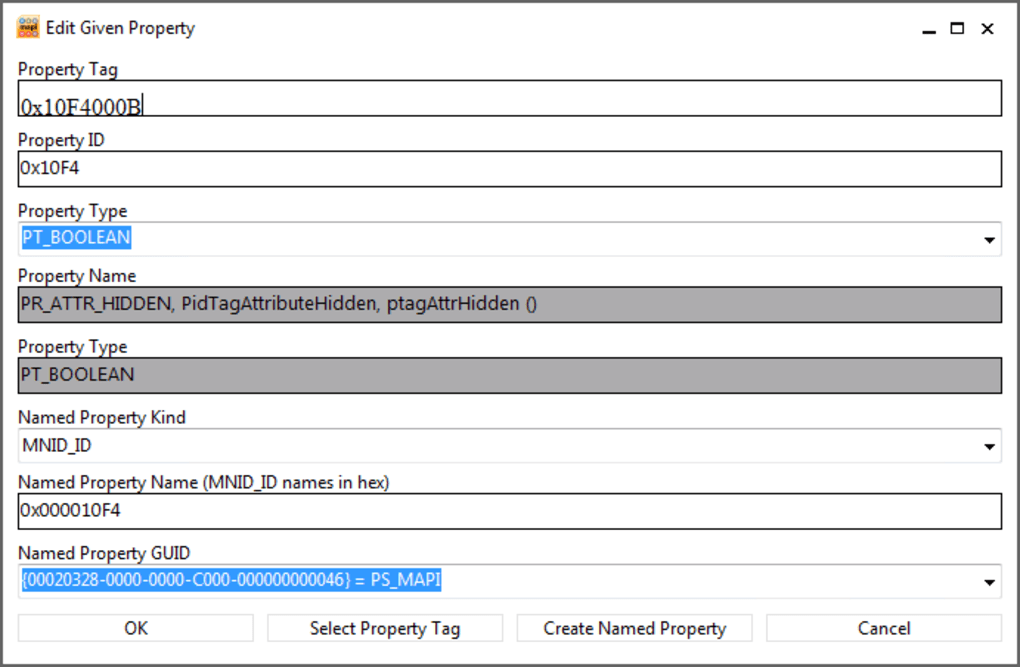
The user interface, while somewhat dated, is efficient. It’s divided into two horizontal panels, one for navigating the MAPI store’s structure and the other for displaying the properties of selected items. This dual-pane approach simplifies the examination of complex mailbox data. Users can perform various actions, including:
-
Exploring MAPI Stores: MFCMAPI allows users to browse the hierarchical structure of a mailbox, examining folders, messages, and other components. This granular access provides valuable information for diagnosing email-related issues.
-
Setting Default Stores: Users can specify a default store for easier access and subsequent operations. This is useful when working with multiple mailboxes or profiles.
-
Checksum Calculation: The ability to calculate checksums provides a means to verify the integrity of mailbox data. This can be particularly helpful when investigating potential corruption.
-
Data Dumping: MFCMAPI enables the export of data to text files, facilitating analysis and troubleshooting. This feature allows for the examination of raw message data and other store components.
-
Data Editing: Users can directly edit data streams in ASCII, Unicode, RTG, or binary formats. This powerful capability allows for precise manipulation of message content and other mailbox components. However, improper editing can lead to irreparable data loss.
-
Format Conversion: Leveraging the
IConverterSession, MFCMAPI can convert messages between MSG and EML formats. This facilitates interoperability with different email clients and platforms. -
Working with Entry IDs and Objects: The application allows for direct manipulation of Entry IDs and objects, granting low-level control over mailbox components.
MFCMAPI’s Target Audience and Risks
MFCMAPI is explicitly not intended for novice users. Its power comes from its direct access to sensitive mailbox data, a capability that can easily lead to irreversible damage if misused. A single incorrect action can corrupt or delete critical email data. The lack of undo functionality and error-checking emphasizes the need for expertise.
The primary users of MFCMAPI are:
- Experienced IT Professionals: Individuals tasked with troubleshooting complex Exchange Server or Outlook issues can benefit from MFCMAPI’s ability to directly inspect and manipulate mailbox data. Their deep understanding of MAPI and email protocols mitigates the risk of accidental data loss.
-
Mail System Administrators: Administrators managing Exchange Server environments may use MFCMAPI for diagnosing and resolving mailbox-related problems. Their understanding of system architecture and recovery mechanisms helps to contain potential risks.
-
Software Developers: The application serves as a practical example for learning and developing MAPI applications. Developers can use MFCMAPI to understand how to interact with MAPI stores programmatically.
The risks associated with using MFCMAPI are substantial:
-
Data Loss: The most significant risk is the potential for permanent data loss. Improper editing or accidental deletion of critical components can render mailboxes unusable. No undo function exists.
-
Mailbox Corruption: Incorrect manipulation of mailbox data structures can lead to corruption, rendering the mailbox inaccessible. This necessitates potentially complex recovery processes.
-
Security Concerns: Direct manipulation of mailbox data exposes the system to potential security vulnerabilities if not handled with extreme care. Improper use can create security holes.
Alternatives to MFCMAPI
While MFCMAPI offers unparalleled control, several alternative tools provide safer and more user-friendly approaches to mailbox management:
-
Official Microsoft Tools: Microsoft provides its own tools for mailbox management, including Exchange Admin Center and Outlook’s built-in repair utilities. These tools offer a more controlled and secure environment for addressing mailbox issues.
-
Third-party Email Client Utilities: Many commercial and open-source email clients offer advanced features for managing mailboxes, including data recovery and repair functionalities. These clients typically provide a more user-friendly interface and incorporate safety mechanisms to prevent accidental data loss.
-
Specialized Data Recovery Software: For recovering data from corrupted mailboxes, dedicated data recovery software can be employed. These tools are designed to safely recover data from damaged storage media, including mailboxes.
MFCMAPI: A Powerful Tool, But Not For the Faint of Heart
MFCMAPI provides a powerful, low-level interface for interacting with MAPI stores. Its capabilities are invaluable for advanced users and developers who require direct access to mailbox data for troubleshooting and development. However, its lack of safety features and potential for data corruption make it unsuitable for casual users or those without a thorough understanding of MAPI. The risks of using MFCMAPI outweigh the benefits for the average user. Before employing this tool, carefully consider the alternatives and your technical expertise. If unsure, utilizing Microsoft’s official tools or seeking assistance from experienced IT professionals is highly recommended. The potential for irreversible data loss necessitates extreme caution and a comprehensive understanding of the implications of any action taken within the application.
File Information
- License: “Free”
- Version: “21.0.21127.03”
- Latest update: “April 21, 2022”
- Platform: “Windows”
- OS: “Windows 10”
- Language: “English”
- Downloads: “2.3K”
- Size: “1.68 MB”


