
Microsoft Excel, a cornerstone of personal and professional computing for decades, remains the leading spreadsheet application globally. Its enduring popularity stems from a potent combination of user-friendliness, powerful features, and seamless integration within the broader Microsoft ecosystem. This comprehensive guide explores the capabilities of Microsoft Excel, focusing on its functionality for Mac users, examining its key features, tools, and system requirements. We will also delve into the reasons why Excel continues to be the preferred choice for millions of users worldwide, regardless of their level of expertise.
Understanding Microsoft Excel’s Core Capabilities
Microsoft Excel transcends simple spreadsheet functionality. It’s a robust tool for data management, analysis, and visualization, empowering users to organize, interpret, and present data effectively. Whether you’re a student creating a budget, a business professional analyzing sales figures, or a researcher compiling experimental data, Excel provides the necessary tools to manage your information efficiently.
At its heart, Excel allows you to create and manipulate spreadsheets, known as workbooks, which are collections of individual worksheets. Each worksheet is a grid of cells, organized into rows and columns, where you can input data – numbers, text, dates, and formulas. The power of Excel lies in its ability to perform calculations on this data, generate charts and graphs for visualization, and automate repetitive tasks through macros.
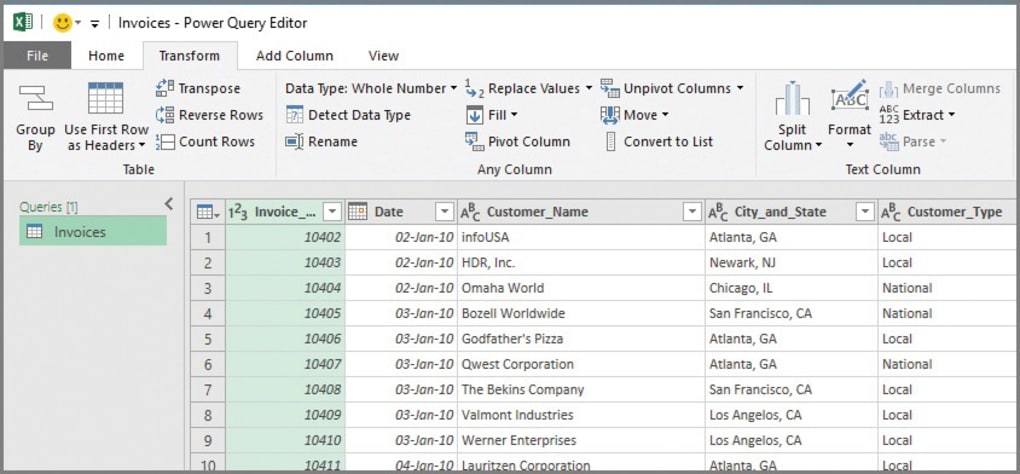
Key Features and Functions: Empowering Data Management
Excel’s extensive feature set caters to a diverse range of users, from novices to advanced analysts. Several key features contribute to its effectiveness:
1. Advanced Formulas and Functions: Excel boasts a comprehensive library of built-in functions, covering mathematical, statistical, logical, and text operations. These functions allow for complex calculations, data manipulation, and automated decision-making. Users can combine these functions with cell references to create powerful formulas capable of analyzing vast datasets efficiently.
2. Data Visualization: Transforming raw data into easily understandable visual representations is crucial for effective communication and analysis. Excel provides a wide variety of charts and graphs – bar charts, line charts, pie charts, scatter plots, and more – enabling users to visually explore trends, patterns, and outliers within their data. The ability to customize the appearance of these charts ensures that the visual representation aligns with the intended audience and message.
3. Data Organization and Analysis Tools: Excel’s strength lies not just in calculation but also in its ability to efficiently organize and analyze data. Features like sorting, filtering, and conditional formatting allow users to quickly identify specific data points, uncover trends, and highlight critical information. More advanced features such as pivot tables and pivot charts provide dynamic summaries of large datasets, facilitating deeper insights into complex data structures.

4. Automation with Macros: Repetitive tasks, such as formatting data or generating reports, can be automated using macros. Macros record a sequence of actions, allowing users to replay them with a single click, saving time and reducing the risk of errors. This automation is particularly valuable for users dealing with large datasets or frequently performing repetitive tasks.
5. Real-time Collaboration: The integration of Excel with Microsoft 365 allows for real-time collaboration, enabling multiple users to work on the same workbook simultaneously. This is particularly useful for team projects, where seamless data sharing and concurrent editing are essential for efficient workflow. This feature fosters a collaborative environment and ensures everyone has access to the most up-to-date information.
6. User-Friendly Interface: Despite its power, Excel maintains a user-friendly interface that is accessible to beginners and intuitive for experienced users. The ribbon interface organizes features logically, making it easier to find and utilize the tools needed for specific tasks. The “Tell Me” feature within the application provides helpful guidance and search capabilities, allowing users to quickly find functions and features based on their needs.
Essential Excel Tools and Functions for All Users
While the range of features in Excel is vast, certain tools and functions are particularly useful for both beginner and advanced users:
Data Validation: This ensures data accuracy by restricting input to predefined criteria. This is critical for maintaining data integrity, especially in collaborative environments where multiple users enter data into the same spreadsheet.
Pivot Tables and Pivot Charts: These are invaluable for summarizing and analyzing large datasets. They allow users to create interactive summaries, apply filters, and rearrange data to gain insights from various perspectives. The combination of these tools provides both a numerical and a visual representation of summarized data.
Flash Fill: This intelligent feature automatically fills in values based on patterns it detects in the data. It significantly accelerates data entry and formatting, particularly for tasks involving text, dates, or numbers.
Conditional Formatting: This allows users to automatically format cells based on specific criteria. This is useful for highlighting important data points, outliers, or trends, enhancing data readability and facilitating quick identification of key insights.
Map Charts: These are especially useful for visualizing geographical data, allowing users to compare values across different regions or locations. This capability is invaluable for analyzing data with a spatial component, such as sales figures by region or population statistics by country.
Core Functions: Beyond the tools, certain functions form the backbone of many Excel tasks:
- SUM: Calculates the sum of a range of cells.
- AVERAGE: Calculates the average of a range of cells.
- CONCAT (and TEXTJOIN): Join text strings together. TEXTJOIN is a more advanced function allowing for delimiters and handling of empty cells.
- VLOOKUP and HLOOKUP: These functions search for a value in a table and return a corresponding value from another column (VLOOKUP) or row (HLOOKUP).
- SUBSTITUTE: Replaces existing text with new text within a cell.
- IF: Performs conditional calculations, returning different values based on whether a condition is true or false. This is fundamental for creating more sophisticated formulas and decision-making within spreadsheets.
System Requirements and Integration with Microsoft 365
Microsoft Excel for Mac is compatible with macOS 10.14 or later. The minimum system requirements typically include a 64-bit processor, 4 GB of RAM, and 10 GB of available storage. A display resolution of 1280 x 800 or higher is recommended for optimal viewing.
Excel for Mac is now fully integrated with Microsoft 365. Subscribing to Microsoft 365 grants access to the latest version of Excel along with other Office applications (Word, PowerPoint, Outlook, etc.), cloud storage via OneDrive, and continuous updates. This integration enhances collaboration and data accessibility.
Why Choose Microsoft Excel?
The enduring popularity of Microsoft Excel is attributable to several factors:
-
Seamless Integration with Microsoft 365: Its tight integration streamlines workflows and enhances collaboration within the Microsoft ecosystem.
-
Powerful Formulas and Charts: The expansive array of formulas and charting options allows for complex data analysis and compelling visual representations.
-
Wide Adoption and Support: Its widespread use ensures readily available support resources, tutorials, and community assistance.
-
Cloud Integration: The seamless integration with OneDrive and SharePoint facilitates cloud-based collaboration and data sharing.
-
Advanced Formatting and Editing Tools: The extensive formatting tools allow users to create professionally designed spreadsheets that effectively present data.
-
Intuitive User Interface: Excel’s interface, despite its complexity, remains relatively intuitive, making it accessible to users of all skill levels.
In conclusion, Microsoft Excel remains a powerful and indispensable tool for managing, analyzing, and visualizing data. Its user-friendly interface, combined with its extensive features and functions, makes it an essential application for students, professionals, and anyone working with spreadsheets. The integration with Microsoft 365 further enhances its capabilities, offering real-time collaboration and seamless cloud integration. Whether you’re performing simple calculations or conducting complex data analysis, Microsoft Excel provides the tools you need to effectively manage your information and make data-driven decisions.
File Information
- License: “Full”
- Version: “2021”
- Latest update: “November 29, 2024”
- Platform: “Mac”
- OS: “Mac OS X”
- Language: “English”
- Downloads: “828.2K”


