
Microsoft Image Composite Editor (MICE) is a free, user-friendly software application designed for creating panoramic images. While not as feature-rich as professional-grade photo editing suites, its ease of use and impressive stitching capabilities make it an excellent choice for beginners and casual users looking to create stunning panoramic views from multiple photos. This review delves into the software’s functionality, strengths, weaknesses, and overall user experience.
Ease of Use and Interface
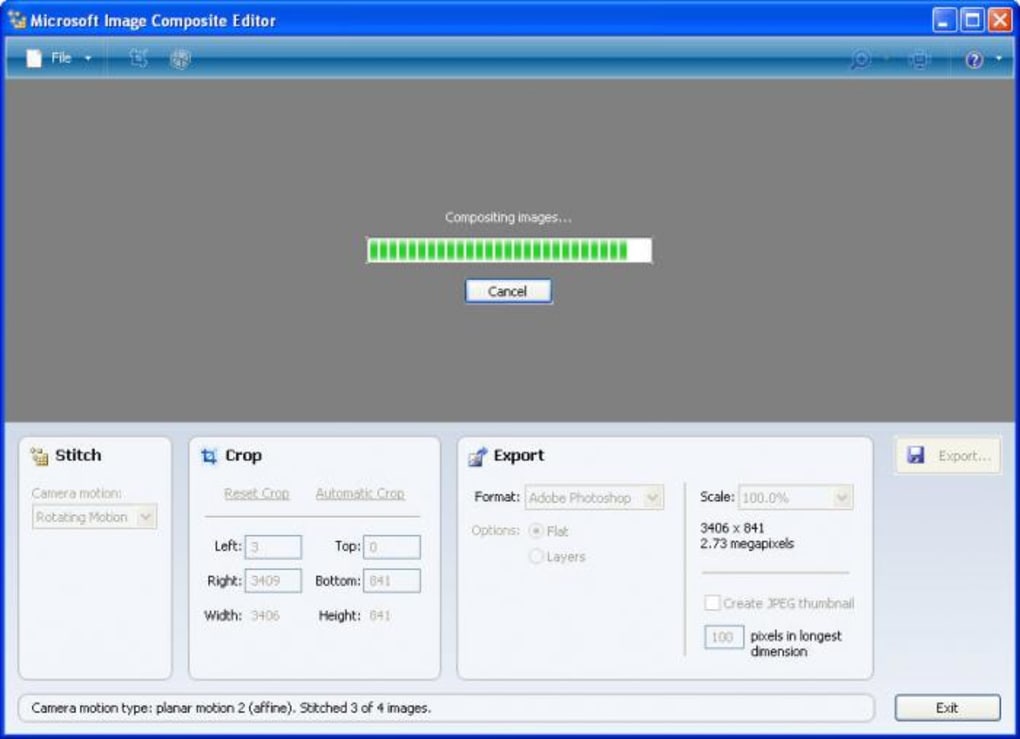
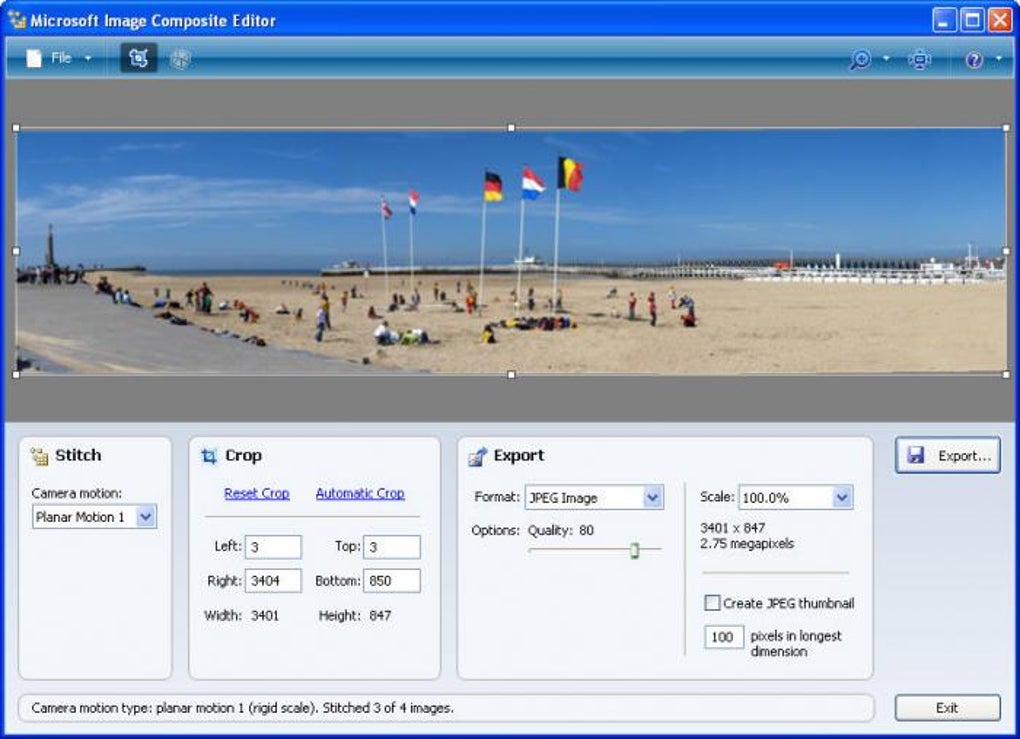
MICE boasts an exceptionally intuitive interface, making it remarkably easy to navigate, even for users with limited photo editing experience. The program’s streamlined design focuses on the core function of image stitching, minimizing clutter and maximizing efficiency. The primary workflow involves simply selecting the images that will compose the panorama and letting the software handle the complex stitching process. This simplicity is a significant advantage, making panoramic image creation accessible to a broader audience. The program efficiently guides users through the process with clear instructions and a straightforward layout. There’s minimal need for navigating complex menus or understanding advanced photo editing techniques. For users seeking quick and straightforward results, MICE’s simplicity is a powerful asset.
Stitching Capabilities and Algorithms
MICE employs sophisticated algorithms to seamlessly stitch multiple images together to create a cohesive panorama. The software automatically aligns images, corrects perspective distortions, and blends colors to produce a visually appealing final product. The results are generally excellent, particularly with images taken in a consistent manner. Users can also customize the stitching process to a limited extent, selecting different stitching methods and adjusting the cropping area. While this level of control is not exhaustive, it provides some degree of customization to fine-tune the final output. The software’s ability to handle high-resolution images and even gigapixel panoramas is a notable strength, allowing users to create exceptionally detailed panoramic views. The accelerated stitching on multiple CPU cores significantly improves processing speed, especially beneficial when working with large numbers of high-resolution images.
Export Options and File Formats
Upon completion of the stitching process, MICE offers a good selection of export options, allowing users to save their panoramic images in various formats. This versatility ensures compatibility with a wide range of devices and applications. The availability of several different image formats caters to diverse user needs, allowing users to select the format best suited to their specific requirements. The program handles various image formats during the input stage as well, including the ability to read raw images using WIC codecs. This supports a broader range of camera systems and image types, expanding the usability of the application.
Limitations and Drawbacks
While MICE is excellent for its intended purpose, it has limitations that may deter power users or those seeking more advanced editing features. One significant drawback is the lack of individual image viewing capabilities within the program. Users cannot examine individual input images separately within the MICE interface, which can make troubleshooting alignment issues more challenging. The limited manual control over the stitching process may also be frustrating for users accustomed to more granular control over image alignment and blending. Furthermore, the program’s focus on automatic stitching means it lacks more advanced features found in professional-grade photo editing software, such as manual blending, perspective correction tools, or content-aware fill. These omissions mean users will need to use other programs for further editing of their completed panoramas.
The reported issues with compatibility on some Windows 7 x64 systems highlight a potential limitation. While the software is advertised as being free, the lack of support for these systems leads to frustration and may negate the value proposition for some users. The absence of dedicated customer support channels is another limitation. Users encountering issues may struggle to find solutions, particularly for complex problems or system-specific incompatibilities.
Comparison with Alternative Software
Several alternative panorama stitching software options exist, offering a range of features and capabilities. Some programs, such as Autostitch and Panorama Maker, provide more advanced features but often come with a price tag or a trial period. Other options, like Photosynth, offer online tools for creating and sharing panoramas but may not have the same level of control over the stitching process. The choice of software depends on the user’s specific needs and technical proficiency. MICE positions itself as a free, accessible entry point into panoramic image creation. While it lacks the advanced features of more sophisticated programs, its simplicity and ease of use make it a strong contender for users prioritizing user-friendliness and efficient workflow over extensive editing capabilities.
User Reviews and Feedback
User reviews regarding MICE reveal a mixed bag of experiences. While many praise the program’s ease of use and speed, others express disappointment with the limited features and occasional compatibility problems. Some users have reported successful experiences creating high-quality panoramas with minimal effort, while others have experienced issues with software crashes or unexpected behavior. The discrepancy in user feedback highlights the software’s strengths and weaknesses. Its simplicity and ease of use appeal to a broad audience, but the lack of advanced features and potential compatibility issues limit its appeal to more experienced users.
Overall Assessment
Microsoft Image Composite Editor offers a compelling solution for users seeking a free and user-friendly method of creating panoramic images. Its intuitive interface, efficient stitching algorithms, and straightforward workflow make it an accessible choice for beginners. However, its limitations regarding manual control, the lack of individual image viewing, and potential compatibility issues limit its appeal for power users seeking more advanced editing capabilities. Therefore, while MICE excels at its core function of stitching images together to create panoramas, its capabilities are limited. It’s an excellent tool for quick and easy panorama creation, but users seeking more extensive editing functionalities will need to consider alternative software. The software’s success lies in its accessible nature, providing a straightforward path to creating high-quality panoramas for users who may not have the technical skills or desire for more complex photo editing software. As a free tool, it’s certainly worth exploring for casual users looking to experiment with panoramic photography.
File Information
- License: “Free”
- Latest update: “July 11, 2023”
- Platform: “Windows”
- OS: “Windows 7”
- Language: “English”
- Downloads: “119.5K”
- Size: “7.44 MB”


