
Microsoft Image Composite Editor (ICE) was a powerful and versatile software application designed for creating high-quality panoramic images by stitching together multiple photographs or video frames. While no longer actively developed or supported by Microsoft, ICE remains a valuable tool for those seeking to create stunning panoramas, particularly given its ability to handle high-resolution images and its advanced features. This guide explores ICE’s capabilities, system requirements, alternatives, and its place within the broader landscape of Microsoft’s image editing offerings.
ICE’s Core Functionality and Features
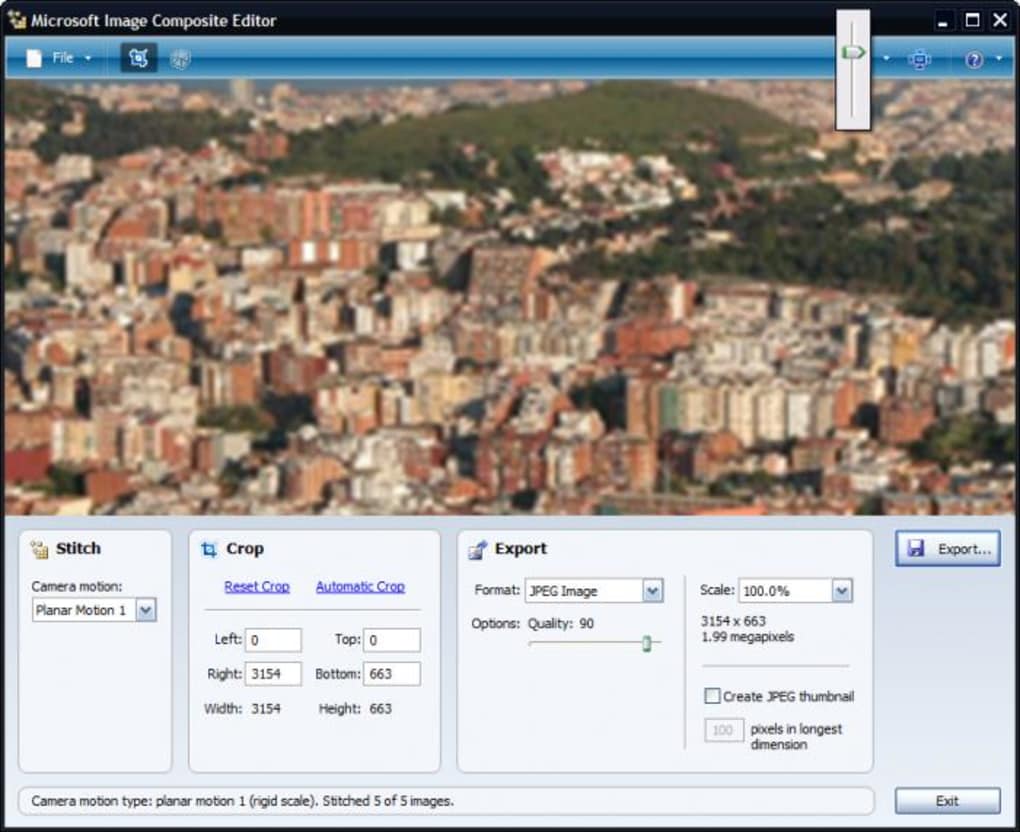
At its heart, ICE is a panorama stitching application. Its strength lies in its ability to seamlessly combine multiple images into a single, expansive panorama, automatically aligning and blending them to create a natural-looking final product. This process goes beyond simple juxtaposition; ICE employs sophisticated algorithms to intelligently handle perspective distortions and variations in lighting and exposure between source images.
The software offers users considerable control over the stitching process. Users can select from various panorama projection types, including planar, cylindrical, and spherical projections, each offering a different perspective and suited to different shooting scenarios. For instance, planar projection is best for images taken with minimal camera rotation, while cylindrical and spherical projections are better suited for images with significant rotation, such as those capturing a 360-degree view.
Beyond basic stitching, ICE provides several advanced features that enhance the quality and usability of the final panorama. These features include:
-
Automatic Lens Vignette Removal: This feature automatically corrects for the darkening of the image corners often caused by camera lenses, resulting in a more evenly exposed panorama.
-
Intelligent Cropping: ICE intelligently crops the resulting panorama to maximize the usable image area while minimizing the inclusion of any unwanted artifacts or distorted regions.
-
Missing Part Completion: In situations where parts of the image are missing (due to obstructions or gaps between source images), ICE can sometimes intelligently fill in these missing sections, such as completing a sky or a grassy area, creating a more complete and visually appealing panorama.
-
Support for Various Camera Motions: ICE can handle a wide variety of camera movements during the image capture process, making it suitable for different shooting styles and scenarios. This versatility allows users to create panoramas from images taken with panning, tilting, or even complex rotating movements.
-
Gigapixel Image Support: One of ICE’s key advantages is its ability to handle extremely high-resolution images, often reaching gigapixel scales. This capability opens up possibilities for creating incredibly detailed and expansive panoramas. There are no inherent size limitations, allowing users to work with virtually any number of high-resolution source images.
-
Regular Grid Support: ICE is particularly well-suited to processing image sets captured using a regular grid pattern, a technique often employed with specialized equipment like Gigapan robotic camera heads. This feature makes it a popular choice for professional photographers and researchers needing to stitch together extremely large and detailed images.
-
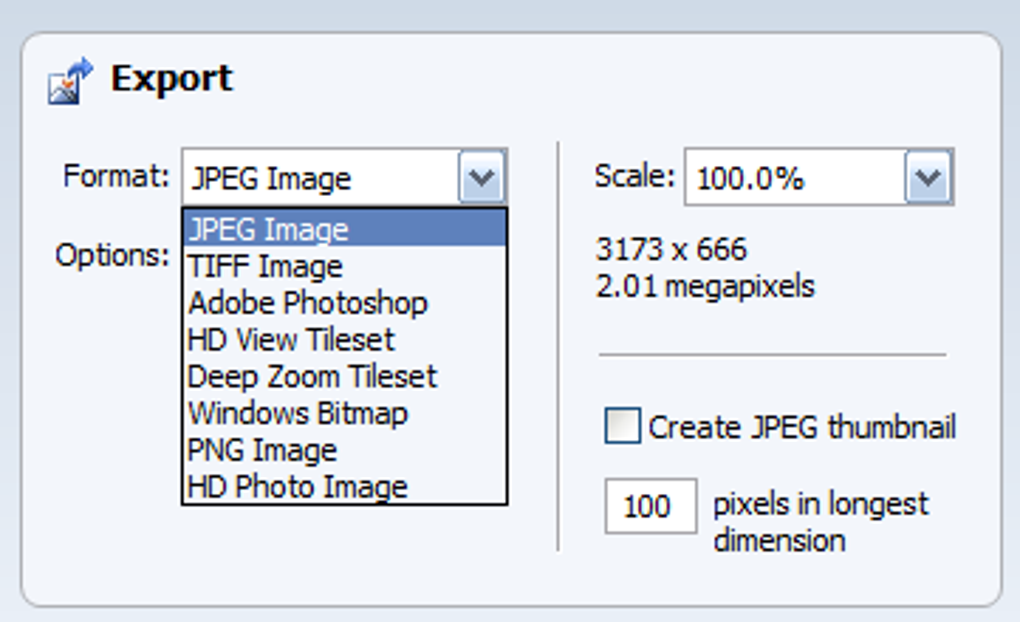
Flexible Export Options: ICE provides users with a variety of options for exporting the final panorama, including common formats like JPEG, TIFF, and PNG. It also supports exporting in layered Photoshop (PSD) format, allowing for further editing and manipulation in Adobe Photoshop or other compatible image editing software. Additionally, the software includes the ability to export in HD View and Deep Zoom formats, optimizing for different viewing and display contexts.
-
Photosynth Integration (now deprecated): ICE previously allowed direct publishing of panoramas to Microsoft Photosynth, a now-defunct online platform for sharing 3D panoramas. While this feature is no longer functional, the ability to export in high-resolution formats ensures the panoramas can still be shared via other online platforms.
Video Panorama Support and Advanced Projection Techniques
ICE’s functionality extended beyond still images. The software also provided the ability to create panoramas from sequences of video frames. This allowed users to create dynamic and immersive panoramic experiences from video footage. Furthermore, the software incorporated sophisticated projection techniques, enabling precise control over the perspective and geometry of the final panorama.
System Requirements and Compatibility
Due to ICE’s age and discontinuation, compatibility is a factor to consider. While it was initially optimized for 64-bit systems, it has been reported to work on various older Windows operating systems. Specific compatibility depends on the version used. Earlier versions might work on Windows XP, while later versions may require at least Windows Vista or Windows 7. Given the software’s discontinuation, finding and installing older versions might require some effort.
Microsoft 365 and Alternative Image Editing Solutions
ICE is no longer available through Microsoft 365 or any other official Microsoft channels as it’s been discontinued. Microsoft 365 provides several alternative image editing options, though none offer the same dedicated panorama stitching capabilities as ICE. These options include basic editing tools within Microsoft Word, PowerPoint, and Excel, along with the standalone Microsoft Photos app (available on Windows) and the AI-powered Microsoft Designer (part of the Microsoft 365 ecosystem).
While these tools offer basic image editing capabilities like cropping, resizing, and applying filters, they lack the advanced features and specialized algorithms for panorama stitching found in ICE. For users needing dedicated panorama creation tools, several alternatives are available on the market, both free and commercial, providing various levels of functionality and sophistication. Some of these alternatives might include features that surpass ICE in specific areas.
Alternatives to Microsoft Image Composite Editor
Given Microsoft’s discontinuation of ICE, several alternative software applications provide similar or enhanced functionality for creating panoramic images. These alternatives range from free, open-source options to commercially available professional-grade software. The best choice depends on individual needs and technical expertise. Some examples include:
-
Autostitch: A popular choice known for its automatic stitching capabilities and ease of use.
-
Photo! Editor: A versatile image editor with a focus on panorama creation and other photo editing features.
-
Panorama Maker: A user-friendly tool specifically designed for creating attractive panoramic photos.
-
Hugin: A powerful, open-source panorama stitcher offering extensive control and advanced features.
-
PTGui: A professional-grade panorama stitcher often used by photographers and professionals needing high-quality results and advanced features.
User Reviews and Feedback
User reviews of Microsoft Image Composite Editor are mixed. While many praised its ease of use and the quality of the resulting panoramas, others experienced issues with installation and compatibility, particularly on newer operating systems. Some users found the automatic alignment and blending features to be highly effective, while others found limitations in manual control over certain aspects of the stitching process.
Conclusion
Microsoft Image Composite Editor, while no longer supported, remains a notable piece of software in the history of panorama creation. Its advanced algorithms and ability to handle high-resolution images made it a powerful tool for its time. However, the lack of ongoing development and compatibility challenges mean users should carefully consider alternatives available in the current market. Whether opting for a free alternative or a commercial solution, users seeking sophisticated panorama stitching capabilities will find many options that provide excellent functionality and often surpass ICE’s capabilities in specific areas. The choice depends primarily on individual needs, technical expertise, and budget constraints.
File Information
- License: “Free”
- Latest update: “December 13, 2024”
- Platform: “Windows”
- OS: “Windows 8”
- Language: “English”
- Downloads: “61.6K”
- Size: “7.96 MB”


