
Microsoft IntelliPoint is a free software application designed to enhance the functionality and customization of your Microsoft mouse. This powerful utility goes beyond basic mouse settings, offering a comprehensive suite of features to tailor your mouse experience to your specific needs and workflow. Whether you’re a casual user or a professional working with demanding applications, IntelliPoint empowers you to optimize your mouse for increased productivity and efficiency.
Customizing Your Mouse: Beyond the Basics
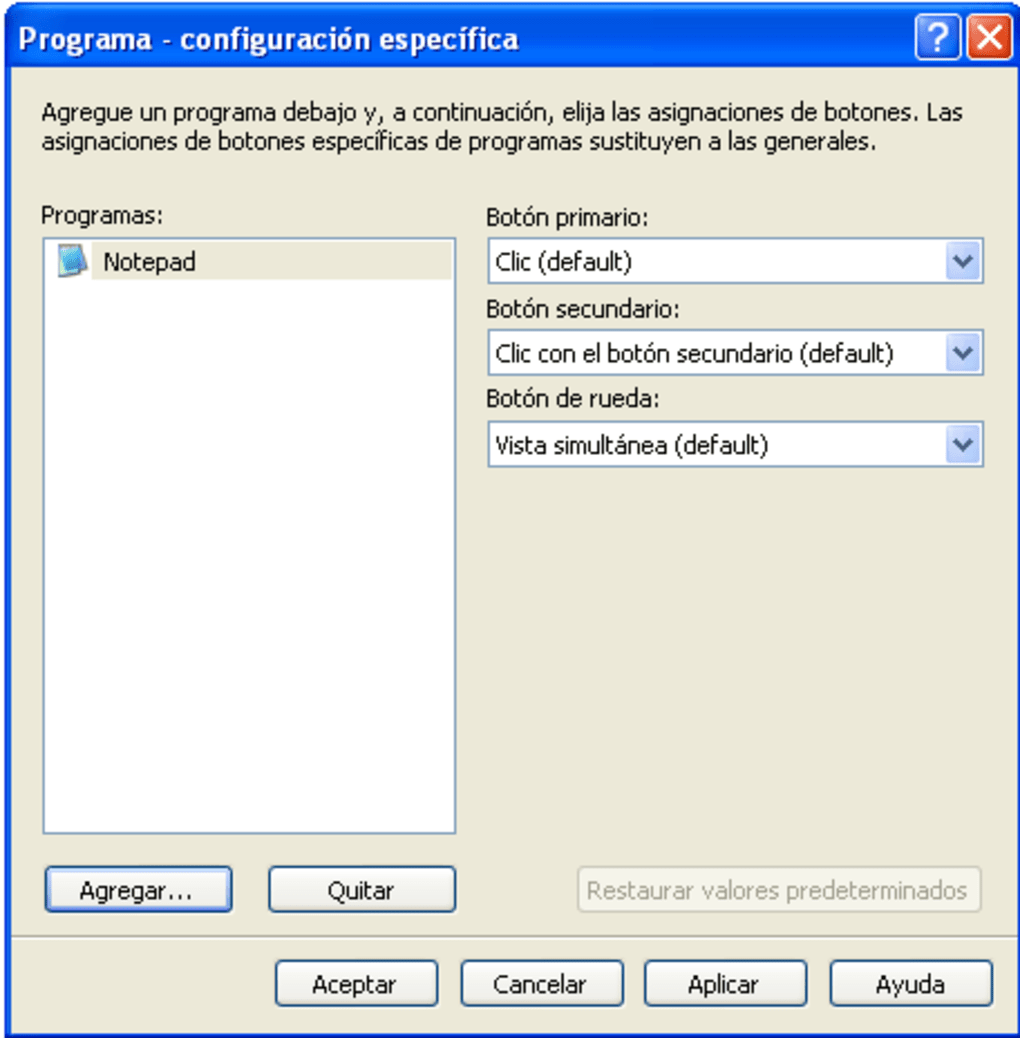
IntelliPoint provides a wide array of customization options that allow you to transform your Microsoft mouse into a highly personalized and efficient input device. The core functionality centers around button remapping, enabling you to assign custom actions to each button beyond the standard left-click, right-click, and scroll wheel functionalities. This level of customization opens up a world of possibilities for streamlining your workflow.
Imagine instantly accessing frequently used commands like “Copy,” “Paste,” “Undo,” or “Redo” with a single button press. This eliminates the need for tedious keyboard shortcuts, freeing up your hands and accelerating your work. You can also assign macros—sequences of actions performed with a single click—to automate complex tasks and further enhance your efficiency. This is particularly useful for repetitive actions in applications like image editing, video production, or coding.
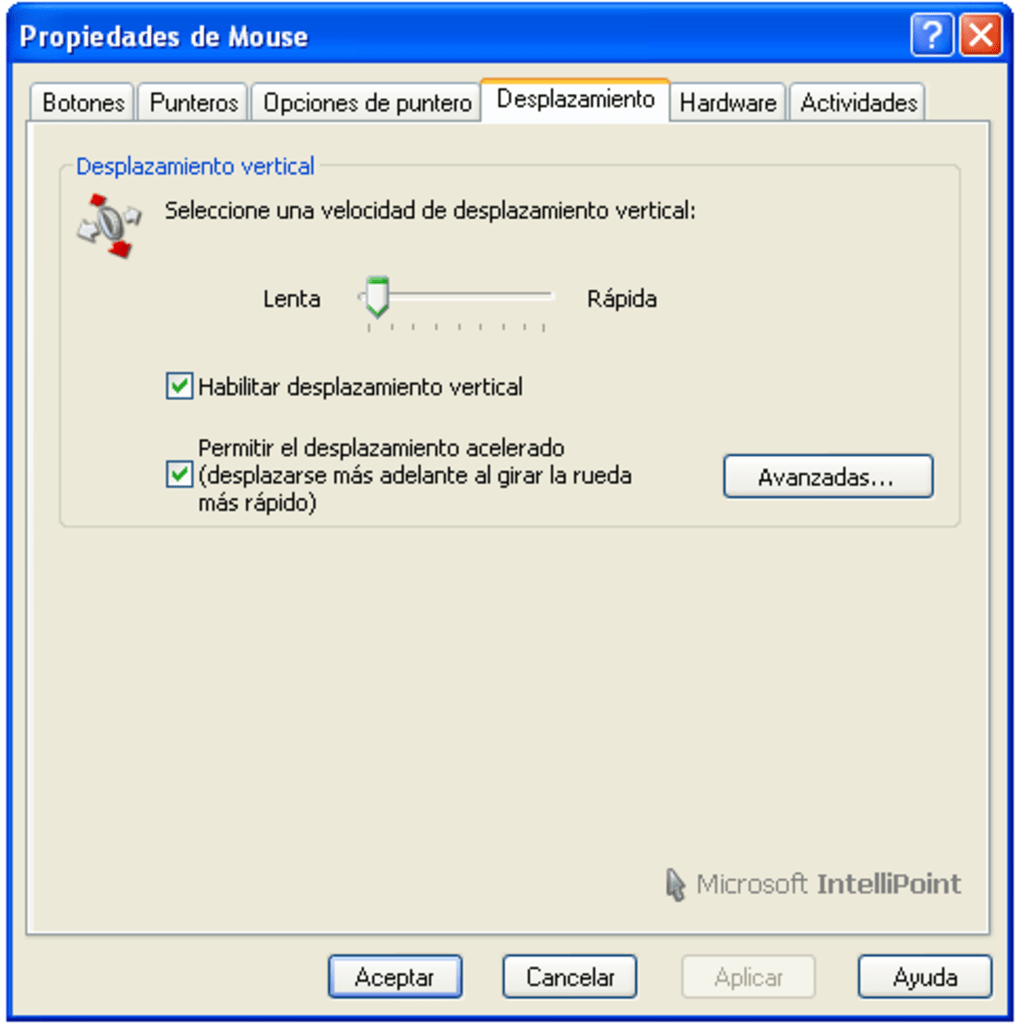
Beyond button remapping, IntelliPoint allows you to fine-tune your mouse settings to perfectly match your preferences. Adjust the pointer speed to your liking, ensuring precise cursor control for tasks requiring pinpoint accuracy, like graphic design or gaming. Furthermore, the software facilitates the customization of horizontal scrolling, allowing for effortless navigation of long documents or spreadsheets. This feature is invaluable for tasks that involve extensive horizontal panning or scrolling.
For advanced users, IntelliPoint offers biometric support, enabling integration with identity management systems. This feature enhances security and allows for streamlined access control, ensuring that only authorized users can access specific systems or data.
Seamless Integration and Effortless Installation
IntelliPoint boasts a straightforward and user-friendly installation process. The software can be downloaded directly from Microsoft’s official website, with clear, step-by-step instructions guiding you through the download and installation process. Alternatively, for users who purchased their mouse with a bundled installation CD, the software can be readily installed from the disc, supporting a wide range of Windows operating systems including Windows 7, Vista, XP, and later versions.
The software’s intuitive interface makes customization a breeze. Even users unfamiliar with advanced mouse configuration will find the process straightforward and intuitive. The clear and concise menus and options ensure a smooth user experience, allowing you to quickly and easily tailor your mouse settings without a steep learning curve. This ease of use is a significant advantage for users of all technical skill levels.
The benefits of using IntelliPoint extend beyond simple customization. For users who work with demanding applications, such as video editing software, graphic design programs, or complex gaming environments, the ability to customize mouse settings can be a significant time-saver and productivity booster. Precise control and readily accessible shortcuts significantly enhance the overall efficiency of workflow, saving valuable time and effort.
System Requirements and Compatibility
IntelliPoint’s compatibility spans a broad range of Windows operating systems. However, for users with Bluetooth-enabled keyboards or mice, the software requires Windows XP Service Pack 2 or later for optimal functionality. This requirement ensures smooth operation and eliminates potential compatibility issues.
IntelliPoint also offers automatic update functionality, ensuring that you always have access to the latest features, bug fixes, and performance enhancements. This continuous improvement guarantees a smooth, reliable, and up-to-date user experience, eliminating potential compatibility issues with newer systems or software updates.
Advantages and Disadvantages of Using Microsoft IntelliPoint
Like any software application, IntelliPoint offers a range of advantages and disadvantages. Understanding these aspects allows you to make an informed decision on whether the software aligns with your needs and workflow.
Pros:
-
Extensive Customization Options: The software provides a comprehensive range of customization options, far exceeding the basic settings available in the operating system. This allows for unparalleled control over your mouse functionality and enhances overall efficiency.
-
User-Friendly Interface: The intuitive interface ensures easy navigation and customization, making the software accessible to users of all technical skill levels. The streamlined design minimizes the learning curve, ensuring quick and effortless setup.
-
Improved Workflow Efficiency: The ability to remap buttons and assign macros significantly streamlines repetitive tasks, saving valuable time and enhancing productivity. This is especially beneficial for professionals working in demanding applications.
-
Easy Installation and Download: The software can be downloaded directly from Microsoft’s website or installed from a bundled CD, making access straightforward and convenient. The clear installation instructions ensure a smooth and effortless setup process.
-
Regular Updates: Automatic updates ensure that you always have access to the latest features, bug fixes, and performance enhancements. This keeps the software running optimally and ensures compatibility with the latest operating systems and applications.
Cons:
-
Unnecessary for Basic Users: For users who primarily use their mouse for simple tasks and require no advanced customization, the extensive features of IntelliPoint might be superfluous. The added complexity may not justify the installation for casual users.
-
Occasional Software Crashes: While infrequent, some users have reported occasional software crashes. This can be frustrating and potentially disruptive, especially during critical tasks. However, Microsoft regularly releases updates to address such issues.
-
Potential for Steep Learning Curve (for advanced features): While the basic features are user-friendly, mastering the more advanced aspects of IntelliPoint, such as macro creation and biometric integration, may require a steeper learning curve for some users.
Conclusion
Microsoft IntelliPoint provides a powerful and versatile way to customize and optimize the functionality of your Microsoft mouse. Its comprehensive features, user-friendly interface, and ease of installation make it a valuable asset for users who want to enhance their productivity and efficiency. While some users may not require the extensive customization options, for professionals and power users who demand precise control and streamlined workflows, IntelliPoint offers a significant advantage in maximizing the potential of their Microsoft mouse. The ability to personalize button assignments, adjust pointer speed, customize scrolling, and even integrate biometric security features sets IntelliPoint apart from basic mouse configuration utilities. Therefore, whether you are a casual user or a professional working in demanding applications, exploring the capabilities of Microsoft IntelliPoint can lead to a more efficient and personalized computing experience.
File Information
- License: “Free”
- Latest update: “July 11, 2023”
- Platform: “Windows”
- OS: “Windows 8.1”
- Language: “Spanish”
- Downloads: “3.5K”
- Size: “19.93 MB”


