
Microsoft Jigsaw is a free-to-play puzzle game available for Windows 10, offering a captivating virtual jigsaw experience for players of all skill levels. This detailed review explores its features, gameplay, pros and cons, and user feedback, providing a comprehensive understanding of this popular app.
Gameplay and Features
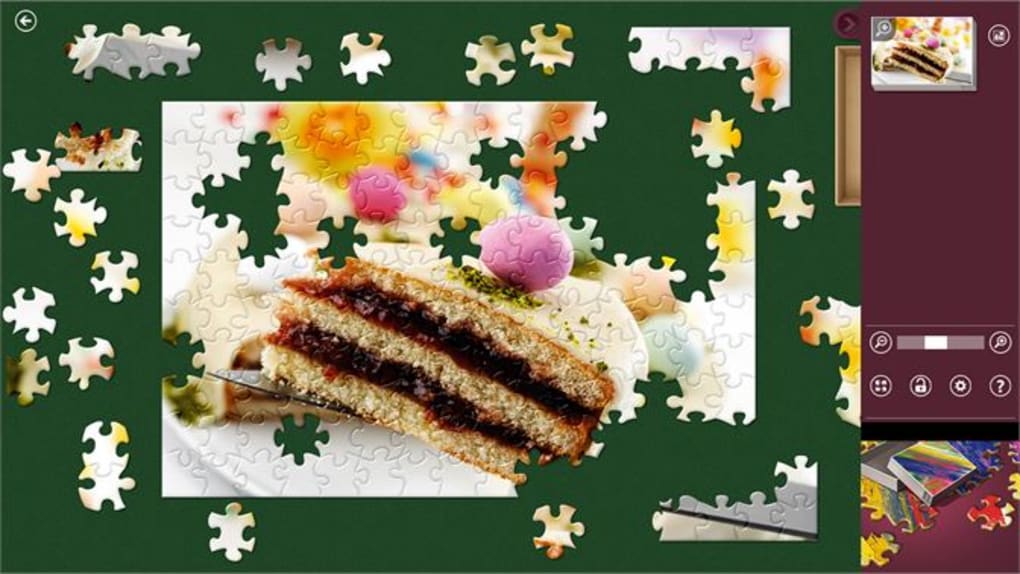
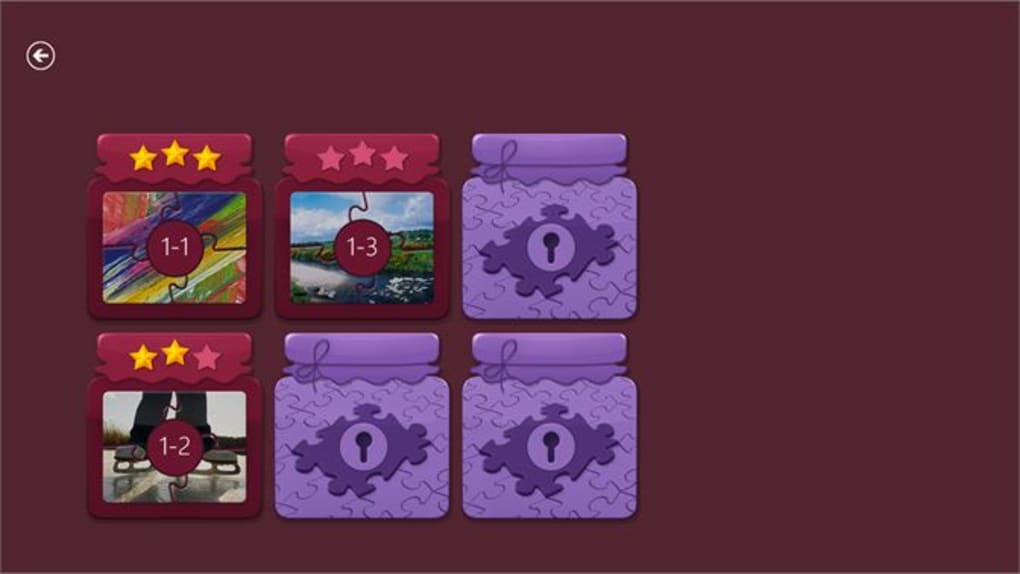
Microsoft Jigsaw presents a diverse collection of high-definition images categorized into three engaging game modes: Classic Jigsaw, Jigsaw Jam, and Daily Challenges. Players can choose from a wide range of pictures, selecting the desired number of pieces to create their virtual puzzle. The game caters to both novice and experienced jigsaw enthusiasts, providing a customizable and enjoyable experience.
The intuitive control system allows for seamless gameplay using a keyboard, mouse, or touchpad. A helpful zooming feature and virtual sorting trays are incorporated to assist beginners, simplifying the process of finding and placing puzzle pieces. For those seeking a more challenging and thrilling experience, the Jigsaw Jam mode offers a timed challenge, adding an element of urgency and excitement to the puzzle-solving process.
Beyond the standard game modes, Microsoft Jigsaw offers a wealth of additional features. Players who conquer the built-in puzzles can download numerous add-on puzzle packs, significantly expanding the game’s content and replayability. This extensibility allows the game to cater to a wide range of interests and preferences. The game even allows players to upload and transform their own personal photographs into custom jigsaw puzzles, adding a personal touch and endless possibilities for unique gameplay experiences.
The Daily Challenge mode introduces a new puzzle each day, adding a fresh element of engagement and providing an ongoing source of entertainment. This mode also incorporates social features, allowing players to earn badges, compete with friends, and compare scores, fostering a sense of community and competition. Further enhancing the social aspect, the app integrates with Xbox Live, granting access to leaderboards, achievements, and other social functionalities. This integration bridges the gap between casual gameplay and competitive gaming experiences.
User Interface and Design

Microsoft Jigsaw boasts a clean and user-friendly interface, characterized by its simplicity and ease of navigation. The app’s design is intuitive and straightforward, ensuring that players of all technical skill levels can easily access and navigate the game’s various features and options. The focus on ease of use contributes to a smooth and enjoyable user experience. The visual design of the game is equally impressive; the high-definition images used in the puzzles are crisp, clear, and visually appealing, enhancing the overall aesthetic and engagement of the game.
The incorporation of features such as the zoom function and virtual sorting trays demonstrates a clear understanding of the user’s potential needs and challenges. These features make the game more accessible to a wider audience and contribute to the overall sense of user-friendliness. The inclusion of these features is a testament to the app’s design philosophy, prioritizing user experience and accessibility.
Pros and Cons
Pros:
-
Intuitive Control System: The user-friendly controls allow for comfortable gameplay regardless of the input device used (keyboard, mouse, or touchpad). This ensures accessibility for a diverse range of users and preferences.
-
Customizable Puzzles: The ability to import and use personal photos for custom puzzles introduces an unparalleled level of personalization. This feature greatly enhances replayability and encourages prolonged engagement with the game.
-
Daily Challenges: The daily challenges provide fresh and exciting puzzles, ensuring constant novelty and preventing the game from becoming stale. This feature is crucial for maintaining player interest and engagement over the long term.
-
Xbox Live Integration: Integration with Xbox Live adds a social element, allowing users to compete with friends, view leaderboards, and unlock achievements. This competitive component significantly enhances the overall gaming experience.
-
Free to Play: The game’s free-to-play model makes it readily accessible to a wide audience, without incurring any upfront costs or subscriptions. This affordability is a significant advantage in attracting and retaining players.
-
Multiple Difficulty Levels: The choice of puzzle piece counts caters to various skill levels, ensuring a challenging yet attainable experience for players of all abilities.
Cons:
-
Windows-Only Availability: The game’s exclusive availability on Windows devices limits accessibility for users of other operating systems. This platform exclusivity restricts the game’s potential reach.
-
In-App Purchases: While the game is free-to-play, the inclusion of in-app purchases might be perceived as a negative by some users. Although these purchases are optional, their presence could potentially impact the overall user experience.
-
Limited Maximum Piece Count: Some users have expressed a desire for puzzles with more than the current maximum number of pieces. This limitation might restrict the game’s appeal to those seeking highly complex and challenging puzzles.
User Reviews and Feedback
User reviews reveal a mix of positive and negative experiences. Many praise the game’s intuitive controls, appealing visuals, and the ability to create custom puzzles. Positive feedback emphasizes the game’s calming and relaxing nature, highlighting its role in stress reduction and mindfulness. The daily challenges are also frequently lauded as a key feature that maintains player engagement.
Negative feedback mostly centers on technical issues, such as occasional game crashes or difficulties with specific puzzle types. Other complaints involve the limited number of pieces available in the puzzles, with some players requesting larger and more challenging puzzles. A few users have also noted the presence of in-app purchases, expressing concern about their potential influence on the gameplay experience.
Conclusion
Microsoft Jigsaw for Windows 10 offers a compelling and enjoyable puzzle-solving experience. Its intuitive interface, customizable features, and engaging game modes make it an excellent choice for casual gamers and puzzle enthusiasts alike. While some limitations exist regarding platform availability and the maximum number of puzzle pieces, the game’s strengths significantly outweigh its weaknesses. The incorporation of daily challenges and Xbox Live integration adds significant value, fostering a sense of community and ongoing engagement. Overall, Microsoft Jigsaw provides a free, accessible, and enjoyable puzzle game that is well worth exploring for Windows 10 users. The game’s ease of use, paired with its visually appealing and highly customizable features, cements its position as a worthy addition to any Windows 10 device’s software library.
File Information
- License: “Free”
- Version: “2015.917.1335.4617”
- Latest update: “April 28, 2022”
- Platform: “Windows”
- OS: “Windows 10”
- Language: “English”
- Downloads: “62.5K”


