
Microsoft Loop is a premium project management application designed to streamline team collaboration and boost productivity. Developed by Microsoft, it serves as a powerful companion to Microsoft Teams, offering a unified platform for co-creation and real-time collaboration. Loop allows teams to build upon each other’s ideas seamlessly, providing effortless access to all project-relevant information – from files and links to data from other crucial applications. This ensures everyone stays synchronized and on track, fostering a shared understanding of project progress and goals.
The Three Pillars of Microsoft Loop: Components, Pages, and Workspaces
Understanding the core elements of Microsoft Loop is crucial to harnessing its full potential. The application’s functionality revolves around three key components:
-
Loop Components: These are the fundamental building blocks of collaboration within Loop. They range from simple elements like lists, tables, and notes, to more complex components representing, for example, customer sales opportunities from Dynamics 365. The beauty of Loop components lies in their versatility; they are designed to seamlessly integrate into various workflows, functioning equally well within a Loop page or embedded within a chat, email, meeting, or document. Regardless of location, every instance of a Loop component always reflects the latest information, ensuring data consistency across all collaborative touchpoints.
-
Loop Pages: Loop pages serve as flexible canvases where team members can freely arrange and edit Loop components. These pages provide a structured environment for organizing information related to specific aspects of a project, making it easy to visualize and manage progress. The flexibility offered by Loop pages allows teams to tailor their collaborative space to their specific needs, fostering a customized and efficient workspace.
-
Loop Workspaces: The Loop workspace acts as the central hub for a project. It’s the place where teams can view, manage, and track the progress of all associated elements. Workspaces offer a holistic view of the project, enabling easy monitoring of overall progress and identifying potential roadblocks early on. This centralized view keeps everyone informed and allows for a unified understanding of the project’s trajectory.
The evolution of Loop from Microsoft’s earlier Fluid framework is notable. Fluid, a groundbreaking approach to document creation, introduced the concept of collaborative modules that could be easily copied, pasted, and shared. Loop builds upon this foundation, expanding its capabilities and integrating it seamlessly within the broader Microsoft 365 ecosystem. This integration represents a significant enhancement, fostering a more unified and efficient workflow.
Seamless Integration with the Microsoft 365 Ecosystem
One of the defining features of Microsoft Loop is its deep integration with the Microsoft 365 suite. This interoperability unlocks significant productivity gains, enabling users to seamlessly move between applications like Word, Excel, PowerPoint, and Outlook without losing context or data consistency. Loop components can be effortlessly embedded into these applications, allowing teams to work directly within their preferred tools while maintaining a single source of truth for all project-related information. This seamless integration eliminates the need for constant switching between applications, saving time and minimizing the risk of data inconsistencies. This is a clear advantage over standalone project management tools that often require manual data synchronization and import/export processes.

Robust Security and Compliance: A Foundation for Trust
For businesses of all sizes, security and compliance are paramount considerations. Microsoft Loop addresses these concerns effectively by inheriting the robust security protocols and compliance standards established within the Microsoft 365 framework. As a core component of this suite, Loop benefits from Microsoft’s industry-leading security infrastructure, providing peace of mind to users concerning data privacy and protection. This inherent security is a significant advantage, allowing teams to focus on collaboration without the distraction of security concerns. The platform’s adherence to stringent security standards makes it a reliable choice for organizations handling sensitive data, ensuring compliance with various industry regulations.
AI-Powered Productivity: Intelligent Assistance for Enhanced Collaboration
Microsoft Loop leverages the power of artificial intelligence (AI) to further enhance team collaboration and productivity. AI-driven features provide users with intelligent assistance, streamlining workflows and maximizing efficiency. These features can include:

-
Smart Recommendations: AI algorithms analyze project data and user behavior to provide relevant content suggestions and recommendations, helping teams quickly locate the information they need. This reduces the time spent searching for files, documents, and other resources, allowing members to focus on core tasks.
-
Document Suggestions: AI assists in identifying relevant documents and connections between different parts of the project, helping to facilitate cross-referencing and knowledge sharing. This intelligent linking of information reduces the potential for duplicated effort and promotes a more holistic understanding of the project.
These AI-powered features serve as virtual assistants, subtly guiding users towards increased efficiency and fostering more effective collaboration. The integration of AI into Loop is not merely a superficial addition; it represents a fundamental shift towards a more intelligent and proactive approach to project management.
Customizable and Scalable Collaboration: Adapting to Evolving Needs
Microsoft Loop is designed with flexibility and scalability in mind, making it adaptable to teams of all sizes and with diverse needs. The platform allows users to customize workspaces, pages, and components to perfectly reflect their specific workflows and requirements. This customizability ensures that Loop remains a relevant and valuable tool as organizations grow and evolve, providing a scalable solution that can adapt to changing project demands.
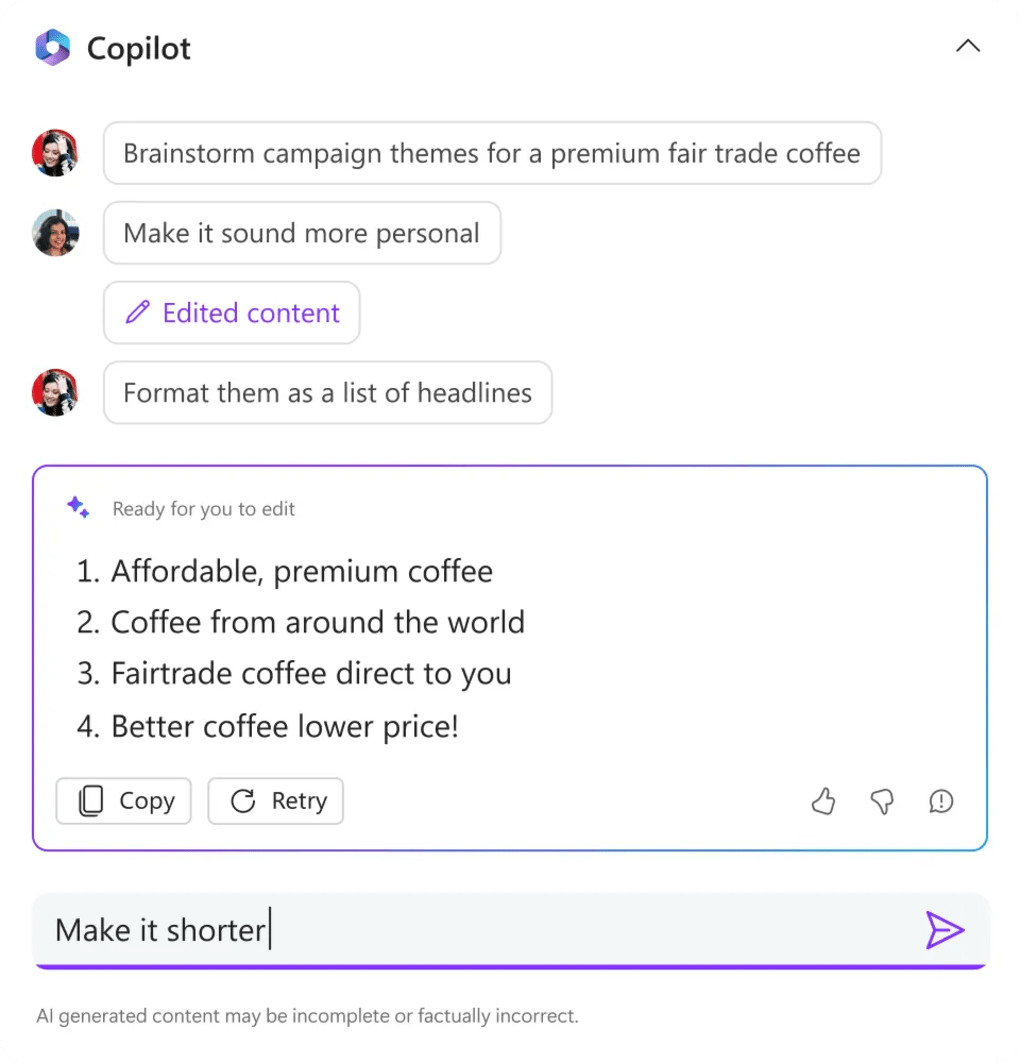
The upcoming integration with Microsoft 365 Copilot further amplifies Loop’s capabilities. Copilot will empower teams to collaboratively create and edit project blueprints and flowcharts, enhancing project planning and visualization. This collaborative design element will provide teams with a more intuitive and efficient method for outlining project timelines and dependencies.
Hybrid Work Collaboration: Bridging the Gap Between Remote and On-Site Teams
Microsoft Loop is particularly well-suited for the challenges of hybrid work environments. Its real-time collaboration features ensure that all team members, regardless of location, remain constantly synchronized. Changes are implemented instantaneously, keeping everyone informed about the latest developments and promoting a seamless collaborative experience. This real-time synchronization minimizes communication delays and prevents confusion caused by outdated information, making it an ideal tool for teams working across geographical locations or in a mix of remote and on-site settings. This feature is essential for maintaining productivity and fostering a cohesive team dynamic in the modern hybrid workplace.
Advantages and Disadvantages of Microsoft Loop
Pros:
- Real-time co-creation and building: Members can simultaneously work on projects, fostering a dynamic and collaborative environment.
- Three core elements for organized collaboration: Components, pages, and workspaces provide a structured framework for managing projects.
- Constant synchronization: Ensures everyone is always working with the latest information.
- Effortless access to project-relevant resources: Centralized access to files, links, and data from other applications streamlines workflow.
Cons:
- Bundled with Office 365: Access to Loop requires an existing Office 365 subscription, potentially adding to the cost for users who don’t already have it.
In conclusion, Microsoft Loop represents a significant advancement in collaborative project management tools. Its seamless integration with the Microsoft 365 ecosystem, robust security, AI-powered features, and adaptability to diverse team needs make it a compelling solution for organizations seeking to enhance productivity and streamline collaborative workflows. While the requirement of an Office 365 subscription might be a barrier for some, the significant benefits offered by Loop’s powerful features and its intuitive interface make it a valuable tool for modern teams striving for efficient and effective collaboration.
File Information
- License: “Free”
- Version: “varies-with-devices”
- Latest update: “July 11, 2023”
- Platform: “Windows”
- OS: “Windows 10”
- Language: “English”
- Downloads: “7.5K”


