
Microsoft Office remains the gold standard for office productivity suites, consistently evolving to meet the demands of a changing technological landscape. This in-depth exploration delves into Microsoft Office 2021, examining its features, improvements, system requirements, available versions, and integration with Microsoft 365. We will also explore user reviews and compare it to alternative options.
The Enhanced User Interface of Microsoft Office 2021
Microsoft Office 2021 boasts a significantly redesigned user interface, aligning seamlessly with the aesthetic of Windows 11. This update delivers a more streamlined and intuitive experience compared to previous versions. Gone are the cluttered menus and overwhelming layouts; in their place is a clean, modern design featuring rounded windows, a neutral color palette, and a smoother overall appearance. This visual refresh is not merely cosmetic; it enhances usability, making navigation and interaction significantly easier.
The updated ribbons are more organized and intuitive, providing quick access to commonly used tools and features. The improved tab design effortlessly incorporates additional tools, enhancing workflow efficiency. Scheduling meetings and reviewing calendars has also been simplified, reflecting a commitment to streamlined productivity. The minimalist design prioritizes ease of use, making Microsoft Office 2021 more accessible to users of all skill levels. The incorporation of dark mode further enhances user comfort, reducing eye strain during extended work sessions.
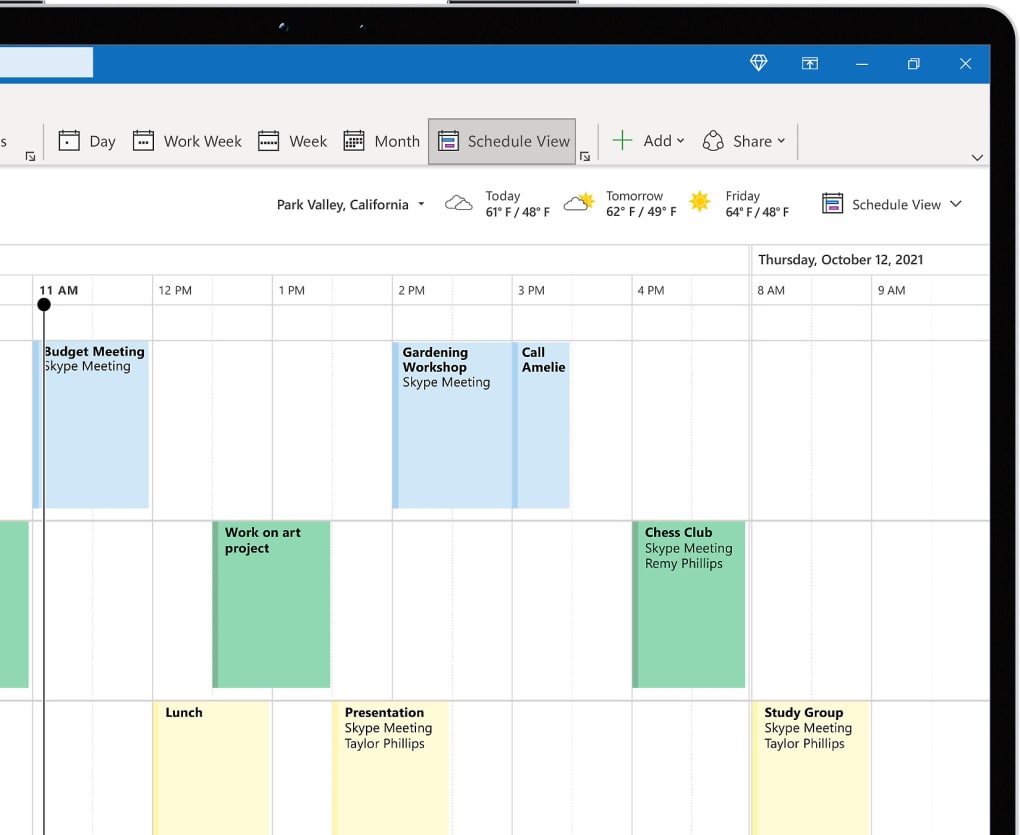
The update extends beyond visual aesthetics. The suite showcases improved customization features, empowering users to tailor their experience to their specific preferences. This personalization fosters a more comfortable and productive work environment, further reinforcing Microsoft Office 2021’s position as a leading productivity suite.
Collaborative Features and Enhanced Functionality
Microsoft Office 2021 significantly enhances collaborative capabilities, recognizing the increasingly collaborative nature of modern work environments. The introduction of real-time co-authoring in Word, Excel, and PowerPoint allows multiple users to work simultaneously on the same document. This eliminates the need for constant email exchanges and outdated file versions, fostering seamless teamwork and boosting overall efficiency. The ability to alter views in Excel spreadsheets without affecting others’ perspectives offers a significant advantage for teams collaborating on complex datasets.
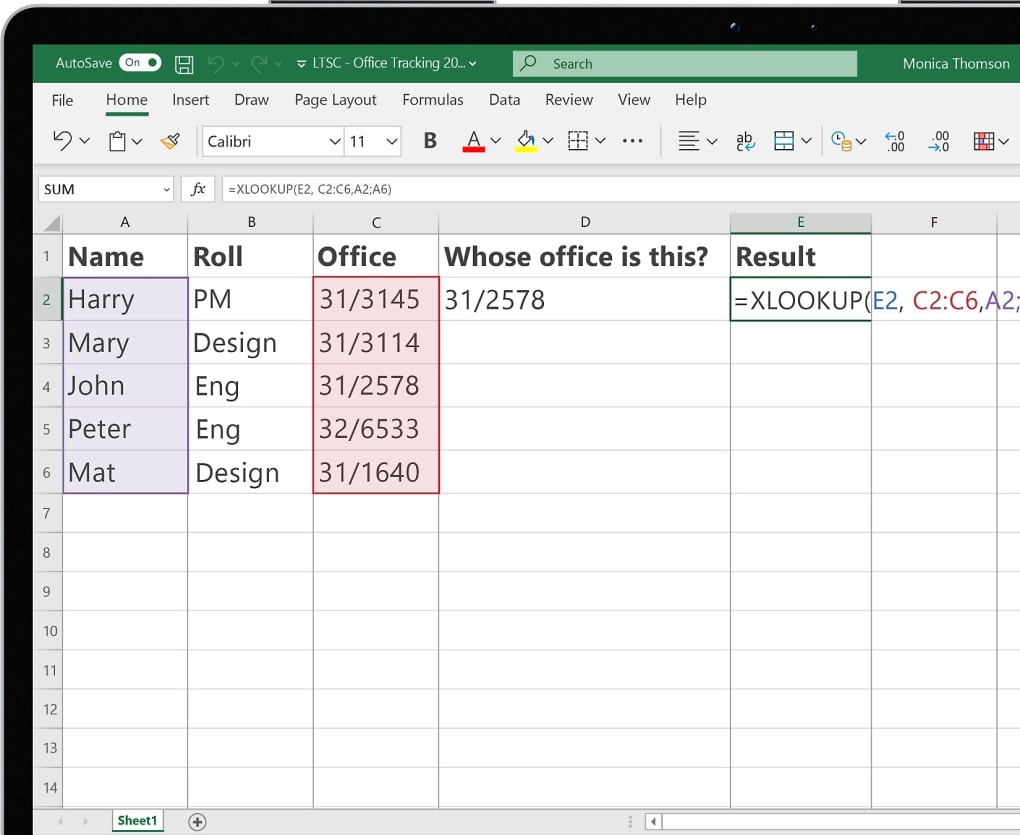
Beyond co-authoring, Excel introduces powerful new features that improve data management and analysis. XLOOKUP, a versatile function analogous to VLOOKUP and HLOOKUP, operates in any direction, enabling more efficient searches within tables and ranges. Dynamic arrays simplify the management of large datasets, streamlining complex calculations through formulas like UNIQUE, FILTER, and SORT. These enhancements empower users to extract valuable insights and perform intricate analysis with ease.
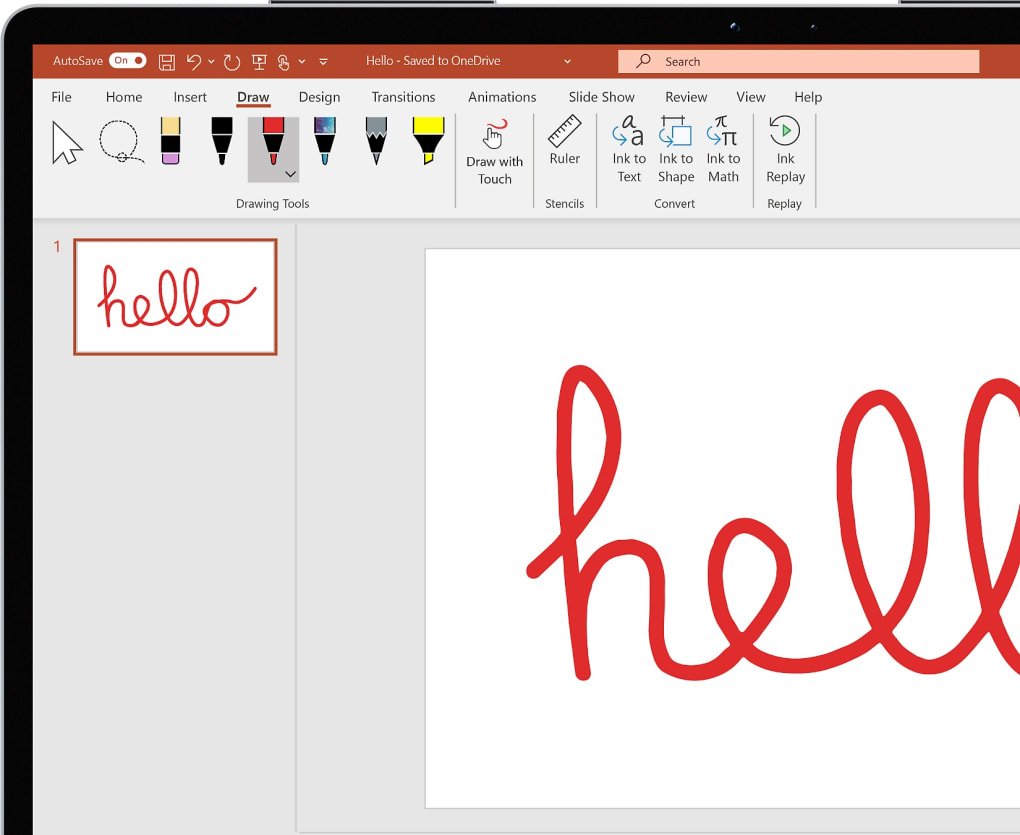
PowerPoint now allows users to record presentations, including presenter video, ink, and laser pointer, creating engaging and dynamic presentations. The option to save graphics and images in SVG format ensures high-quality visuals that retain sharpness and clarity regardless of scaling.
Microsoft Office 2021 and Microsoft 365: A Comparison
Microsoft Office 2021 is available as a one-time purchase, providing a lifetime license to the software and its features. This model is attractive to individuals, students, and small businesses who prefer a fixed cost without ongoing subscription fees. The features are current at the time of purchase, and remain so until the next major release of Office. However, this means there won’t be updates until a new version is released. For those who need constant access to the latest features and ongoing updates, Microsoft 365 is the better option.
Microsoft 365 offers subscription-based access to Microsoft Office, including all the core applications (Word, Excel, PowerPoint, Outlook, etc.), along with additional services such as cloud storage (OneDrive), collaborative tools (SharePoint, Teams), and enhanced security features. The subscription model guarantees access to the latest versions and updates, ensuring users always have the most current features and security patches. The choice between a one-time purchase and a subscription depends largely on individual needs and budget considerations.
Versions of Microsoft Office 2021: Catering to Diverse Needs
Microsoft Office 2021 recognizes the diverse needs of its users, ranging from individual students to large enterprises. To accommodate this range, several versions are available, each tailored to specific user requirements:
-
Office Home & Student: This entry-level suite is perfect for home and school use, offering the essential applications: Word, Excel, PowerPoint, and OneNote. It’s ideal for students and individuals needing basic productivity tools.
-
Office Home & Business: This version adds Outlook to the Home & Student edition, providing email and calendar functionality, making it suitable for small businesses and individuals who require email management alongside core Office applications.
-
Office Professional: Available only for PCs, not smartphones, this suite includes Publisher and Access in addition to the Home & Business features. Publisher is a valuable tool for creating professional publications, while Access facilitates database management, making it well-suited for businesses requiring robust publishing and database capabilities.
-
Office Professional Plus: This is the most comprehensive edition, adding Microsoft Teams to the features offered in the Professional edition. It is exclusively available for PCs and caters to businesses requiring advanced collaboration tools alongside the full suite of Office applications. Microsoft Teams integration further enhances collaboration, making it a powerful option for larger organizations.
System Requirements and Reasons to Download Microsoft Office 2021
Microsoft Office 2021 is designed for compatibility with Windows 10 and later versions. The minimum system requirements are modest, ensuring accessibility across a wide range of computer configurations:
- Processor: 1.1 GHz or faster
- RAM: 4 GB
- Storage: 4 GB available space
- Display: 1280 x 768 resolution
Numerous compelling reasons support downloading Microsoft Office 2021:
-
Updated User Interface: The modern and intuitive interface significantly improves usability.
-
Enhanced Collaboration: Real-time co-authoring features streamline teamwork and boost productivity.
-
Dark Mode Support: Dark mode reduces eye strain, enhancing user comfort during extended work sessions.
-
All-in-One Experience: The suite provides a comprehensive set of tools within a unified platform.
-
Microsoft Teams Integration: Seamless integration with Microsoft Teams enhances collaboration capabilities.
-
Cloud-Based Workflows: Microsoft 365 integration facilitates seamless cloud-based workflows.
-
One-Time Payment: The one-time purchase offers a cost-effective solution for long-term use.
-
New Features: The inclusion of XLOOKUP in Excel, dynamic arrays, and improved presentation recording in PowerPoint provides significant functional improvements.
User Reviews: A Blend of Praise and Criticism
User reviews of Microsoft Office 2021 reflect a generally positive reception, with many praising the updated interface and enhanced features. Early beta reviews highlighted the visual improvements, smooth menu interactions, and the real-time preview of stylistic changes as key strengths. The introduction of SmartArt and the overall aesthetic, aligned with web 2.0 design principles, were also points of commendation.
However, some criticisms emerged, primarily concerning stability issues in the beta version and resource consumption. Concerns about system demands, particularly when running multiple instances of the software on less powerful systems, were raised. Pricing also remains a point of discussion, with some users considering it expensive, despite the extensive feature set and significant improvements. Despite these minor criticisms, the overall consensus points towards a significant upgrade in terms of both usability and functionality.
Conclusion
Microsoft Office 2021 represents a significant advancement in productivity software, building upon the strengths of its predecessors while incorporating substantial improvements in user interface, collaboration capabilities, and functionality. Whether chosen as a one-time purchase or accessed through a Microsoft 365 subscription, the suite offers a powerful and versatile toolset for individuals and organizations alike. Its updated interface, enhanced collaboration features, and various versions tailored to specific needs make it a compelling choice for users seeking a robust and efficient office productivity solution.


