
Microsoft Office 2010 Home and Student represented a specific, streamlined version of the popular office suite, designed primarily for home users and students. While no longer available for download directly from Microsoft due to its age and the subsequent release of newer versions, its legacy offers a valuable perspective on the evolution of productivity software. This article delves into its features, strengths, weaknesses, and its place within the broader history of Microsoft Office.
A Budget-Friendly Office Suite for Essential Tasks
Microsoft Office 2010 Home and Student distinguished itself from other editions primarily through its price point and included applications. As the most affordable option within the 2010 Office suite family, it provided a leaner package, focusing on core productivity tools: Microsoft Word, Excel, PowerPoint, and OneNote. This contrasted with the more comprehensive offerings of Microsoft Office 2010 Home and Business (including Outlook) and Microsoft Office 2010 Professional Plus (featuring a much larger application suite). Despite its reduced size, the included applications were more than sufficient for most home and school tasks, making it an attractive option for budget-conscious individuals and families. Creating school assignments, managing household finances, or crafting presentations were all well within its capabilities. The emphasis on the core applications ensured a simpler, less overwhelming user experience compared to the feature-rich professional editions.
User Interface and Enhanced Features
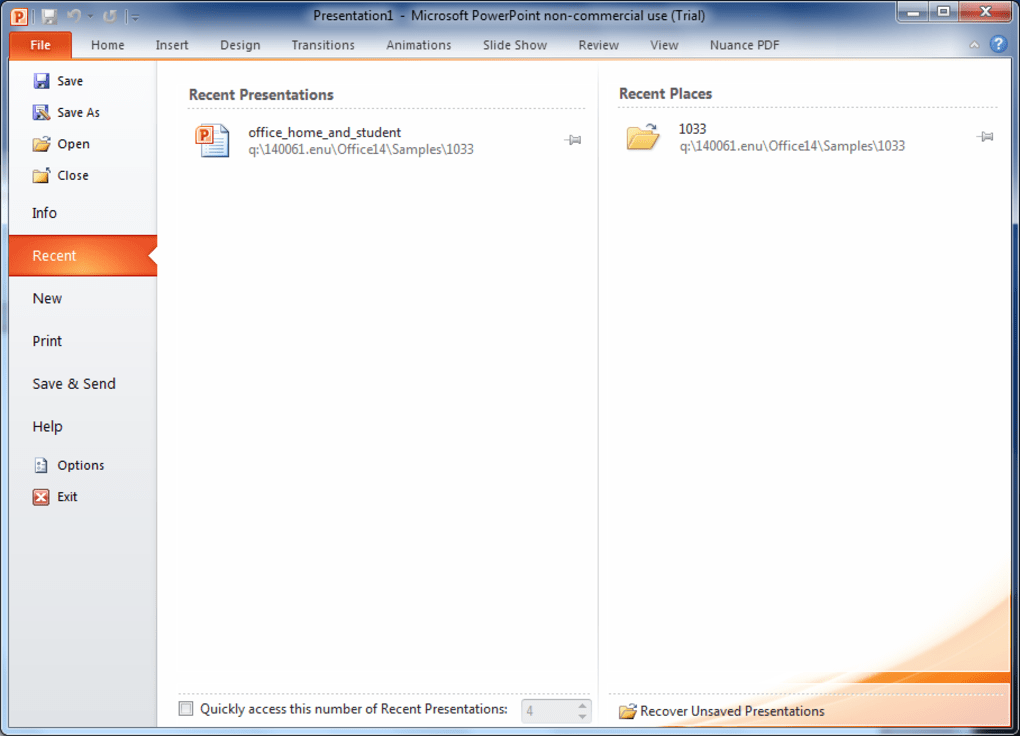
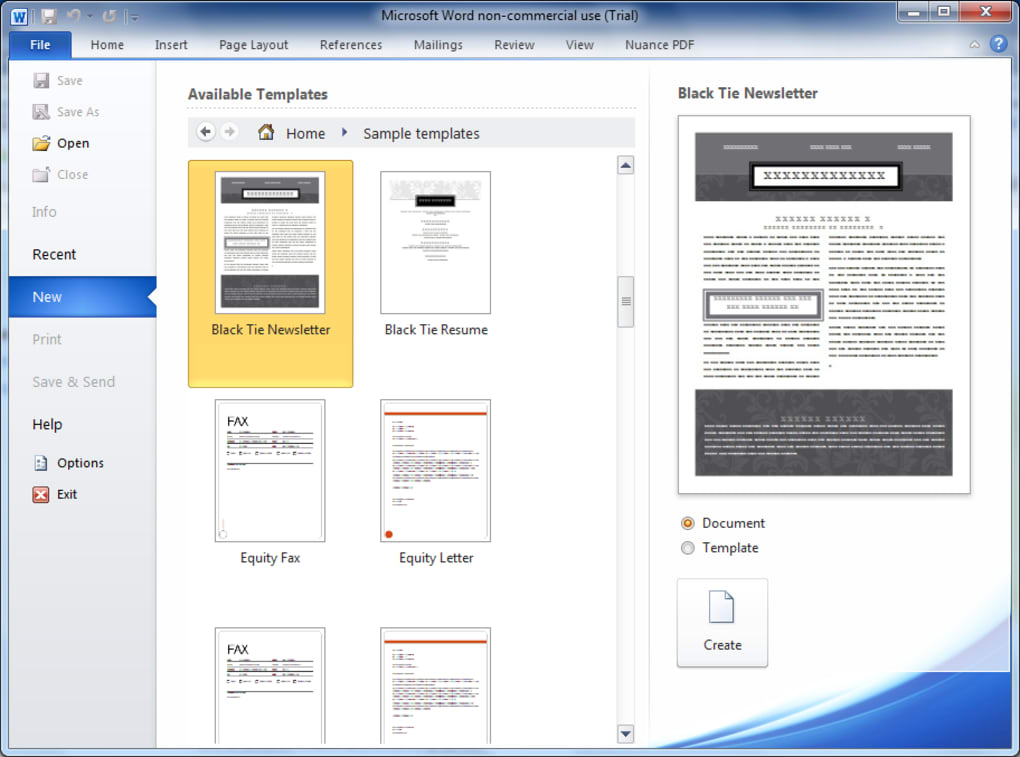
Office 2010 Home and Student retained the now-familiar ribbon interface, but with a subtle shift in design. The traditional “Office Button” was replaced with a “File” tab, accessing a new pane offering detailed document information and direct access to common document management tasks. This alteration contributed to a more streamlined and intuitive user experience. Although minimalist, the ribbon provided easy access to essential formatting and editing tools. The changes were consistent across the suite’s applications, maintaining a cohesive and predictable user journey. This familiarity was beneficial for users already acquainted with earlier versions of Microsoft Office, providing a smooth transition.
Further enhancements refined existing functionality. Word saw improvements to its context menu, allowing real-time updates as users navigated the options. PowerPoint gained the ability to integrate videos into presentations, enhancing the visual appeal and dynamic nature of presentations. Excel welcomed the addition of small color charts within cells, facilitating data visualization directly within spreadsheets. The incorporation of these new capabilities significantly broadened the versatility and creative potential of the suite’s core applications. Beyond these core applications, the inclusion of integrated tools for text translation, screenshot capture, and image manipulation showcased Microsoft’s efforts to integrate essential productivity tools into a unified environment. The implementation was seamless and intuitive, adding value without cluttering the interface.
Cloud Integration and Improved Performance
A notable addition was the integration with SkyDrive (predecessor to OneDrive), allowing users to easily save and share their documents online with just a few clicks. This cloud integration reflected the growing importance of online collaboration and document accessibility. For users accustomed to working offline, this offered an effortless way to embrace the advantages of cloud storage and sharing. The ease of access contributed to greater flexibility in document collaboration and management. The seamless integration was testament to Microsoft’s ongoing commitment to integrate its services.
Beyond its features, Office 2010 Home and Student improved upon the performance of its predecessors. The software boasted faster application launch times and more responsive behavior when handling documents, indicating optimizations under the hood. These enhancements were particularly beneficial for users working with larger files or multiple applications concurrently. The lighter resource footprint also made it suitable for computers with less powerful specifications, expanding its accessibility to a broader user base. Microsoft’s focus on improved performance was a significant step towards enhancing the overall user experience, particularly noticeable in comparison to older versions of the suite.
Strengths and Weaknesses of Microsoft Office 2010 Home and Student
Strengths:
- Affordable price: Its low cost made it accessible to a broader audience, especially students and home users on a budget.
- Essential applications: The inclusion of Word, Excel, PowerPoint, and OneNote provided a sufficient toolkit for many common tasks.
- Improved interface: The updated ribbon interface and “File” tab were more streamlined and intuitive.
- Enhanced features: The additions of video support in PowerPoint, color charts in Excel, and integrated tools were significant improvements.
- Cloud integration: The SkyDrive integration facilitated easy online sharing and collaboration.
- Improved performance: Faster launch times and better responsiveness enhanced the user experience.
Weaknesses:
- Limited applications: The absence of applications like Outlook and Access limited its functionality compared to other Office editions.
- Outdated technology: As an older version, it lacks features and security updates present in more modern Office versions. This presents security vulnerabilities and a lack of compatibility with newer file formats and software.
- No longer supported: Microsoft no longer provides updates or technical support for Office 2010. This means no security patches are released, leaving it vulnerable to various threats.
- Lack of online features: Compared to newer online-centric suites, Office 2010 Home and Student lacked extensive online collaboration and real-time co-authoring capabilities.
Ultimately, Office 2010 Home and Student’s limitations stemmed from its age and the ongoing evolution of software. While its features were substantial for its time, the lack of ongoing support and the advancements made in subsequent releases rendered it obsolete for many users.
Comparison to Modern Alternatives
Compared to modern alternatives such as Microsoft 365 (formerly Office 365) or Google Workspace, Office 2010 Home and Student presents a stark contrast. Modern office suites offer extensive cloud integration, real-time collaboration features, significantly enhanced security, and a continuously updated application set. They provide more versatile tools, improved usability, and seamless integration with other online services. The focus has shifted to online capabilities and cross-platform compatibility, areas where Office 2010 Home and Student falls notably short. While Office 2010 may have served its purpose adequately for its era, the advancements in technology have redefined expectations for modern productivity suites.
Conclusion
Microsoft Office 2010 Home and Student occupies a significant place in the history of productivity software, representing a point in time when affordability and a focused application set were key priorities. Although no longer supported by Microsoft, its legacy serves as a reminder of the evolution of office suites, highlighting the continuous progress made in interface design, feature implementation, cloud integration, and performance optimization. While it may no longer be a viable option for most users due to its age and lack of updates, it provides a valuable glimpse into the development trajectory of one of the most widely used productivity software packages in history. For those seeking a modern and supported office solution, alternatives such as Microsoft 365 or Google Workspace provide significantly greater functionality, security, and ongoing support.
File Information
- License: “Full”
- Latest update: “August 11, 2010”
- Platform: “Windows”
- OS: “Windows 7”
- Language: “English”
- Downloads: “1.4M”
- Size: “1.13 GB”


