
Microsoft Office Professional 2010, released in 2010, represented a significant iteration in the long-running Office suite. While superseded by newer versions and subscription services like Microsoft 365, it remains a notable piece of software history, offering a powerful and familiar productivity experience for many users. This review will delve into its features, applications, system requirements, and its place within the broader context of Microsoft’s Office evolution.
The Applications Within Microsoft Office Professional 2010
Unlike the more basic Home and Business edition, Office Professional 2010 boasted a comprehensive collection of applications designed to cater to both individual and business needs. This included the core suite of Word, Excel, PowerPoint, and Outlook, augmented by several additional programs that significantly expanded its functionality.
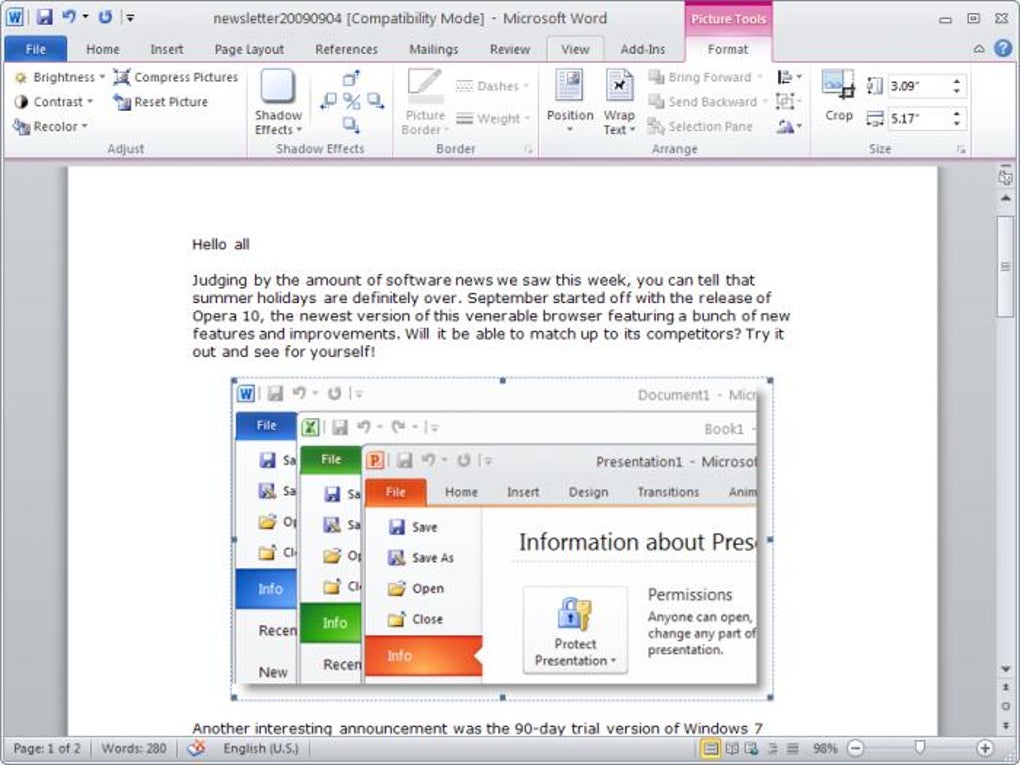
Word: The cornerstone of any Office suite, Word 2010 provided robust word processing capabilities, enabling users to create, edit, format, and manage documents of all types. Features included advanced formatting options, mail merge functionality, and compatibility with various file formats.
Excel: Excel 2010 offered a powerful spreadsheet application for data analysis, manipulation, and visualization. Users could create complex spreadsheets, utilize formulas and functions for calculations, and generate charts and graphs to represent their data effectively. Advanced features included pivot tables and macros for automation.
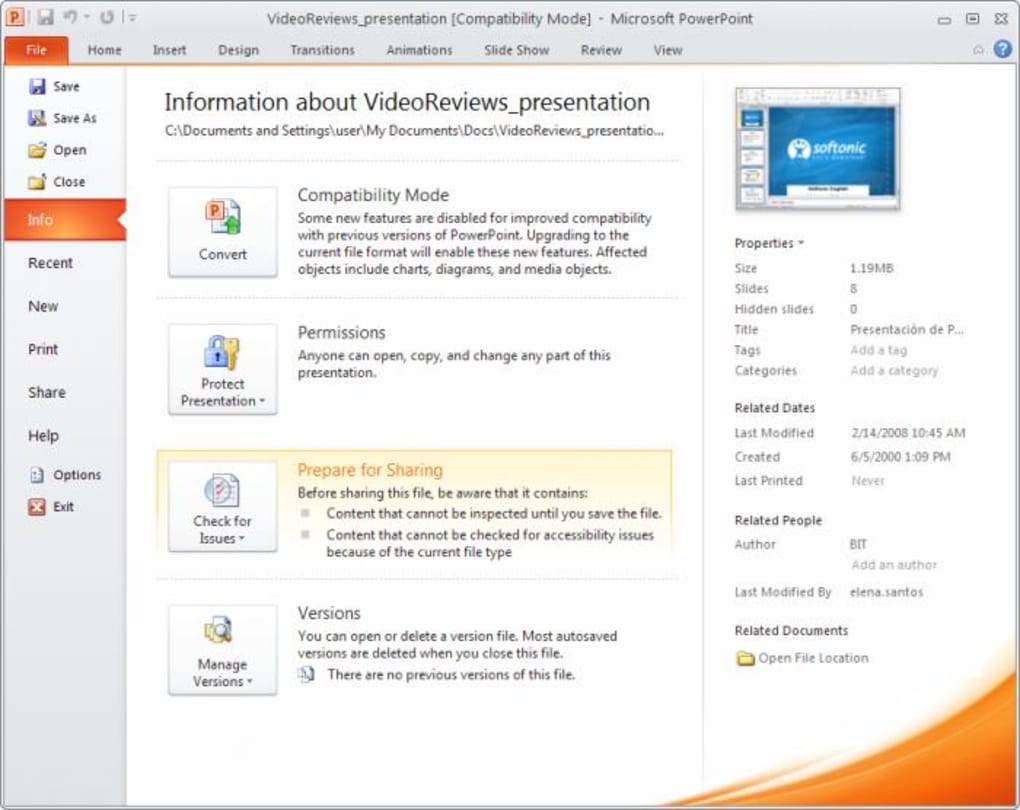
PowerPoint: This presentation software allowed users to create engaging visual presentations. PowerPoint 2010 introduced enhanced animation and transition effects, making presentations more dynamic. Users could incorporate images, videos, and audio to enrich their presentations.
Outlook: Outlook 2010 served as a comprehensive email client, calendar, and contact manager. Users could manage their email inbox, schedule appointments, organize contacts, and utilize tasks to improve their productivity.
Beyond the Core Suite: The “Professional” designation set Office 2010 apart, offering several additional applications not included in the Home and Business version:
-
Access: A database management system providing users with tools to create and manage databases. This was invaluable for organizing large amounts of structured data, useful for businesses and researchers alike. Features included table creation, query design, form development, and report generation.
-
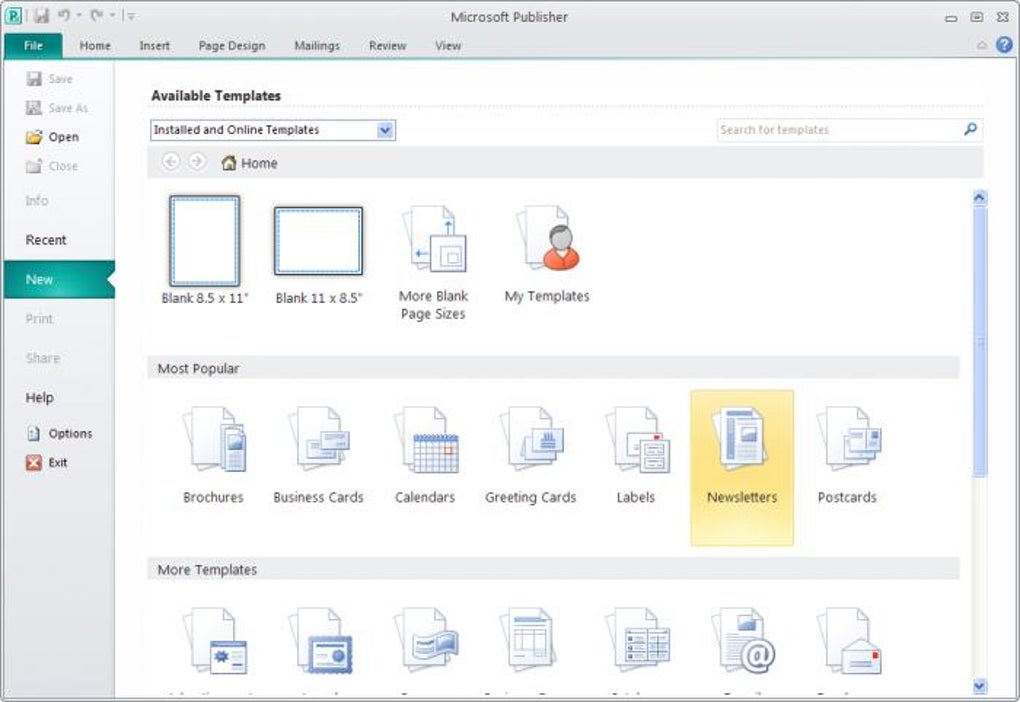
Publisher: This desktop publishing application focused on creating visually appealing documents with a strong emphasis on layout and design. While Word focused on text editing, Publisher offered greater control over page design and graphic elements, ideal for brochures, newsletters, and other marketing materials.
-
OneNote: A digital note-taking application enabling users to gather and organize information in a flexible manner. OneNote 2010 supported various note-taking styles, allowing users to type text, draw sketches, insert images, and record audio notes.
-
Communicator: Precursor to Skype for Business and Microsoft Teams, Communicator 2010 facilitated instant messaging, presence awareness, and online meetings. This allowed for real-time collaboration and communication within a team.
-
InfoPath: This form creation and management application allowed users to design and distribute electronic forms for data collection. InfoPath 2010 offered tools to create structured forms, manage submissions, and process data efficiently.
-
Outlook with Business Contact Manager: This extended version of Outlook included enhanced contact management features tailored for business use. This added functionalities for managing large contact lists, tracking interactions, and generating reports.
-
SharePoint Workspace (formerly Groove): A collaborative workspace enabling users to share files and work on projects together, even when offline. This laid the groundwork for modern cloud-based collaboration platforms.
Features and Integrations: A Blend of Familiar and New
Microsoft Office Professional 2010 marked a transition in the user interface. It reverted from the less-popular “Office Button” back to the more traditional “File” button, while retaining the ribbon interface introduced in previous versions. This offered a balance of familiarity and modern design, making the software more accessible to users accustomed to earlier versions of Office while incorporating the usability enhancements of the ribbon.
A notable feature was the improved support for video embedding within PowerPoint presentations, significantly enhancing the multimedia capabilities of the software. Furthermore, the integration of SkyDrive (the predecessor to OneDrive) represented an early foray into cloud-based storage and synchronization, offering a preview of future collaborative functionalities.
Compatibility and System Requirements: Navigating the Legacy Landscape
Given its release date, Office Professional 2010’s system requirements focused on older operating systems. While it could run on newer versions of Windows, it was optimized for systems prevalent in 2010, such as Windows XP. Installing it on modern operating systems like Windows 11 might result in compatibility issues and a lack of access to certain features. Users should be aware of these limitations before installing the software on newer systems.
Microsoft Office Professional 2010 and Microsoft 365: A Comparison
Microsoft Office Professional 2010 is no longer available as part of the Microsoft 365 subscription service. This is because Microsoft 365 focuses on delivering the latest versions of Office applications with continuous updates, enhanced features, and improved security. However, many of the applications found in Office Professional 2010 have direct counterparts in Microsoft 365, albeit often with significant improvements and updates.
For example, Microsoft Communicator has been replaced by Skype and Microsoft Teams, offering more robust communication and collaboration features. Conversely, some applications like Microsoft Access have maintained their core functionality and are still available in Microsoft 365, often with refined interfaces and increased capabilities.
User Reviews and Feedback
User reviews on platforms such as Phanmemfree reveal mixed opinions on Microsoft Office Professional 2010. While many appreciate its reliability, familiarity, and straightforward interface, some criticize its lack of modern features and its potential incompatibility with newer operating systems. Concerns about download legitimacy and the need for product keys for full functionality are also frequently raised. These concerns highlight the importance of downloading software from trusted sources and understanding the licensing requirements before installation.
Conclusion: A Legacy of Productivity
Microsoft Office Professional 2010 represents a significant milestone in the evolution of the Office suite. While it’s no longer the cutting-edge solution, its legacy remains prominent. For users familiar with its interface and functionality, and operating on compatible hardware and software, it offers a reliable and powerful toolset for productivity tasks. However, the limitations in compatibility and the lack of modern features must be considered. The advancements found in Microsoft 365 offer significant improvements in terms of functionality, collaboration, and security, highlighting the continuous evolution of Microsoft’s Office offerings. Users should weigh the benefits of familiarity and the limitations of a legacy product against the advantages of the updated and comprehensive features found in Microsoft 365 before choosing which suite to utilize.
File Information
- License: “Full”
- Version: “14.0.4760”
- Latest update: “December 5, 2024”
- Platform: “Windows”
- OS: “Windows XP”
- Language: “English”
- Downloads: “1.9M”
- Size: “1.63 MB”


