
Microsoft Office 2024 for Windows and Mac has long set the benchmark for productivity software, equipping users with the essential tools for both personal and professional endeavors. This latest iteration builds upon the legacy of Word, Excel, PowerPoint, and Outlook, seamlessly integrating cutting-edge AI capabilities to enhance efficiency and creativity. This comprehensive review will delve into the key features, improvements, system requirements, and overall value proposition of Microsoft Office 2024.
Core Applications and AI-Powered Enhancements
For decades, Microsoft Office has been the cornerstone of productivity for businesses and individuals alike. Its core applications—Word, Excel, PowerPoint, and Outlook—remain indispensable for tasks ranging from document creation and data analysis to presentations and communication management. Microsoft Office 2024 retains this robust functionality while introducing innovative features powered by AI.
One notable enhancement is the integration of AI-powered CoPilot in Word. This intelligent assistant offers real-time suggestions and assistance, boosting both creativity and productivity. It can help with writing, editing, and formatting, significantly streamlining the writing process. The AI capabilities extend to Excel with the introduction of Data Insights, a feature that automatically generates charts, diagrams, and data visualizations, transforming raw data into easily digestible information.
PowerPoint, the presentation powerhouse, receives a significant upgrade with improved video integration, allowing for more dynamic and engaging presentations. Seamless integration with Microsoft Teams facilitates collaboration and communication, making remote work and project sharing far more efficient. The integration of Teams within each application streamlines workflows and enhances communication across different projects and tasks.
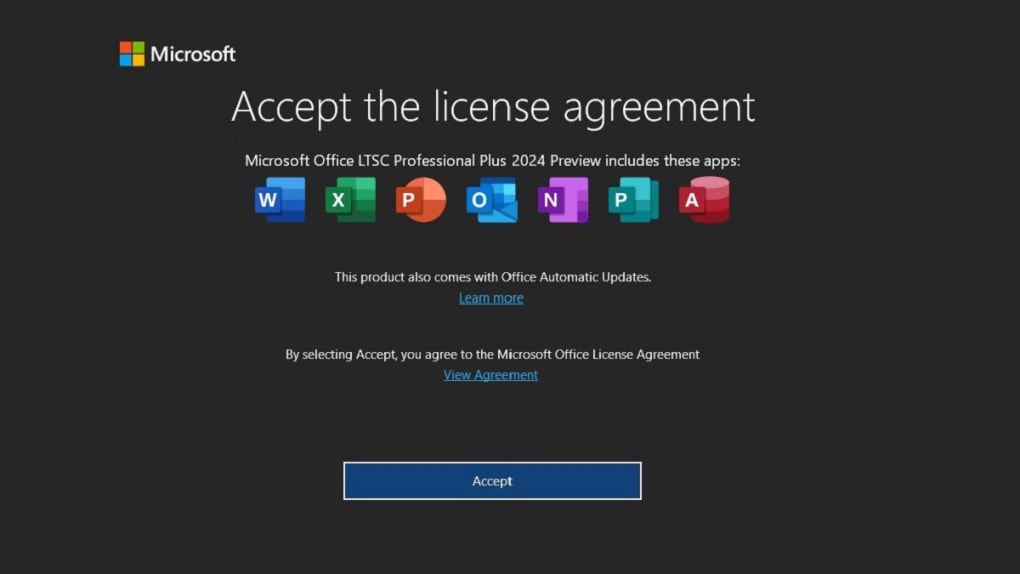
The integration of AI throughout the suite isn’t just about flashy new features; it’s about subtle improvements that greatly enhance the user experience. These enhancements significantly boost efficiency and allow users to focus on the core tasks rather than getting bogged down in tedious processes. The software anticipates user needs and proactively offers solutions, making the overall workflow much more intuitive and efficient.
Enhanced Functionality and Practical Applications
The addition of AI isn’t just a superficial update; it significantly enhances core functionalities. Excel 2024, for example, supports new data types, enabling seamless import of live data from various online sources or internal databases. This expands data analysis capabilities and simplifies the process of working with data from multiple sources. The software now facilitates data handling and analysis in a way that was previously much more complex and time-consuming.
PowerPoint’s AI capabilities extend beyond video integration. It can now analyze the style and pacing of presentations, offering valuable feedback and suggestions to enhance delivery. This feature replaces the need for a second opinion or rehearsal partner and greatly helps in the delivery of impactful presentations.
Microsoft Office 2024 prioritizes collaboration. OneDrive integration allows for real-time co-editing across all Office applications, enabling seamless teamwork and efficient project management. Multiple users can work on the same document simultaneously, eliminating version control issues and ensuring everyone works with the most up-to-date version. This feature significantly streamlines collaborative projects and enhances teamwork.
Cross-Platform Compatibility and User Experience
Microsoft Office 2024 is designed to provide a consistent and optimized user experience across both Windows and macOS platforms. The interface on Mac closely resembles the Windows interface, providing a familiar and intuitive experience regardless of the operating system. This cross-platform compatibility eliminates the learning curve often associated with switching between operating systems and ensures that users can seamlessly transition between devices.
The software retains its essential, long-standing functions, while the AI-powered advancements add significant new capabilities. The familiar Ribbon interface remains intuitive, and the cloud-based storage provided by OneDrive eliminates concerns about local storage limitations. The software prioritizes a familiar user experience, minimizing the learning curve and maximizing productivity.
Outlook’s Focused Inbox feature intelligently separates important emails and messages from frequent contacts, reducing clutter and allowing users to prioritize critical communications. This functionality helps users manage their inboxes more effectively, minimizing distractions and improving focus. The software smartly prioritizes crucial communications, ensuring that users are promptly alerted to important messages.
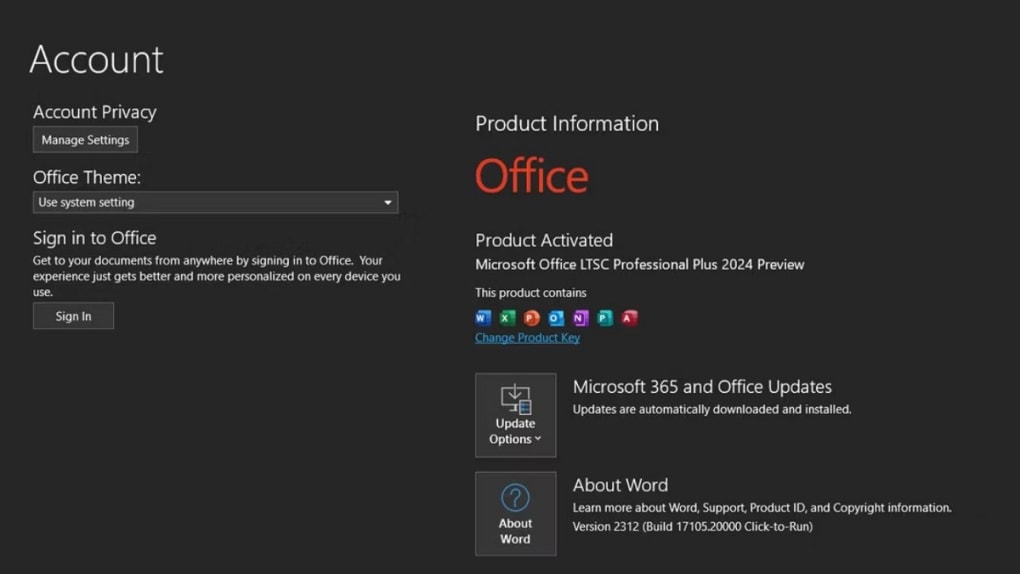
System Requirements and Licensing
To run Microsoft Office 2024 smoothly, users need to meet certain system requirements:
- Operating System: Windows 10 or later, macOS 13 or later
- RAM: 4GB or more
- Processor: 1.6 GHz or faster, dual-core
- Storage: 4GB of available disk space
- Graphics: DirectX 9 or later, with WDDM 2.0 driver or later
- Display: 1280 x 786 resolution
Microsoft Office 2024 is available as a perpetual license, meaning users purchase the software outright and own it indefinitely. This contrasts with subscription-based models, offering a one-time investment with long-term access to the software and its future updates. The perpetual license model offers flexibility and cost certainty compared to subscription models, making it particularly appealing to businesses and individuals who prefer predictable software costs.
Microsoft Office 2024: A Comprehensive Solution for Modern Productivity
Microsoft Office 2024 solidifies its position as a leading productivity suite for professionals, students, and businesses alike. Its enhanced AI features, streamlined collaboration tools, and refined user experience reinforce its reputation for high-quality productivity software. Whether composing documents in Word, analyzing data in Excel, or crafting presentations in PowerPoint, Office 2024 delivers the tools required for efficient and effective work.
The software effectively addresses the evolving needs of modern workplaces, seamlessly integrating with cloud-based services and offering robust collaboration features. The ability to work remotely and collaboratively is no longer an afterthought but a core feature, making the suite ideally suited for the increasingly hybrid nature of work environments.
Addressing Evolving Business Needs
The needs of businesses are constantly evolving, and Microsoft Office 2024 is designed to meet these changing demands. Its core suite of applications remains reliable and trusted, while the integration of AI and cloud-based features prepares organizations for the future. The software is highly adaptable, accommodating the rise of remote work and collaborative projects without compromising on performance and reliability.
The advanced storage solutions and automation features boost productivity to previously unseen levels. The suite caters to both standard administrative tasks and incorporates the power of AI-driven features, guaranteeing current and future needs are satisfied.
Microsoft Office 2024 doesn’t merely offer software; it delivers a comprehensive solution for enhancing business productivity. Its combination of reliable core functionality and innovative AI features makes it a valuable asset for any organization. The perpetual licensing model allows for long-term stability and cost predictability, a crucial factor in today’s dynamic business landscape. The integration of AI is not just about adding “smart” features; it’s about seamlessly embedding intelligence that enhances the user experience and increases overall efficiency. Microsoft Office 2024 is more than just an update; it is a significant step forward in productivity software.


